


Building a Next.js PWA is about more than just a new tech stack; it’s about creating modern, app-like experiences that live on the web. This approach marries the instant reach of the web with the slick performance and rich features of a native app, making it a powerful strategy for any enterprise.
Why A Next.js PWA Is Your Enterprise Advantage

For organizations running sophisticated Digital Experience Platforms (DXPs) like Sitecore, a Progressive Web App isn't just a technical add-on. It's a strategic asset that tackles real business challenges, from spotty global connectivity to the headaches of app store approvals. To really get why this matters for your business, you first need to understand the power of the underlying Next.js technology.
When you pair a PWA with a headless architecture—a concept we dive into in our guide on the benefits of headless CMS—you create an agile, scalable foundation that’s ready for anything.
Overcoming Historical Web Limitations
The mobile web has come a long, long way. The journey kicked off back in 1996 with the first phone that could access the web, but slow speeds and high data costs meant most companies bet on native apps instead.
Things started to change by 1999 with the first mobile-specific web browser. That three-year jump from basic connectivity to a real browser experience paved the way for the tech we use today. For global organizations, this context is key: the very limitations that once made native apps the only choice are now solved by modern PWAs.
Aligning With Modern Composable Architectures
Today's Next.js PWA is the culmination of this evolution, delivering a native-like feature set without the friction of an app store. This is a game-changer for any business using systems like Sitecore AI or SharePoint, as it fits perfectly into a composable architecture where the front-end PWA and back-end systems are decoupled but work together seamlessly.
A PWA built with Next.js isn't just about offline access; it's about building a single, high-performance application that serves all users, on all devices, directly from the web. This model eliminates the need for separate iOS and Android development teams, drastically reducing costs and simplifying updates.
Here are the key benefits enterprises are seeing:
- Faster Time-to-Market: You can deploy updates and new features instantly. No more waiting for app store review cycles. This agility is a massive advantage when you need to react to market changes or launch campaigns managed in Sitecore.
- Unified User Experience: A single codebase guarantees a consistent, branded experience across every platform—from a desktop browser to a mobile app installed on a user's home screen.
- Enhanced Performance and Reliability: Service workers allow for smart caching and offline capabilities. Your application stays fast and usable, even on a weak connection or with no internet at all. This is absolutely critical for reaching a global audience.
Laying the Foundation for an Enterprise PWA
Building a production-grade Next.js PWA isn’t just about writing a service worker. The real work begins with setting up a solid project foundation that can handle enterprise-level complexity, especially when you’re integrating with systems like Sitecore or SharePoint.
While create-next-app gives you a great head start, a scalable enterprise app needs more thoughtful planning. This means going beyond the default settings and structuring your project for future growth. Think dedicated folders for API integrations, a library of reusable UI components, and a clear state management pattern.
From day one, you need to enforce code consistency. Setting up tools like ESLint and Prettier ensures everyone on the team follows the same coding standards, which drastically cuts down on technical debt and makes code reviews far less painful. Managing environment variables securely is also non-negotiable. Your app will have different configs for dev, staging, and production, so a clear process for handling secrets with .env files is crucial. For a deeper dive into project setup, our guide on setting up Next.js with Tailwind CSS offers some practical tips.
Crafting the Web App Manifest
The heart of your PWA's installable experience is the web app manifest. This is a simple JSON file that tells the browser exactly how your app should behave once it’s on a user's device. With the Next.js App Router, you can just drop a manifest.ts or manifest.json file in your app directory to get started.
This file is your blueprint for creating a branded, native-like presence on a user's home screen.
A well-crafted manifest is the bridge between your website and a user's device. It's what turns a browser tab into an icon on their home screen, giving your application the permanence and accessibility of a native app.
Every property you define in the manifest directly shapes the user experience, from the icon they tap to the splash screen they see.
Key Web App Manifest Properties and Their Impact
The manifest.json file contains a set of key-value pairs that are vital for creating a trustworthy, installable app that reflects your brand. Let's look at the essential properties and what they do.
| Property | Purpose | Enterprise Example |
|---|---|---|
name | The full, official name of the application. | "Global Retail Co Fashion" |
short_name | A shorter name displayed on the user's home screen. | "GRC Fashion" |
start_url | The entry point of the application when launched. | "/products/new-arrivals" |
display | Defines the browser UI shown to the user. | "standalone" (hides browser UI) |
theme_color | Sets the color of the toolbar. | "#1A237E" (brand's primary color) |
background_color | The background color of the splash screen. | "#FFFFFF" (for a clean loading screen) |
icons | An array of icons for different device resolutions. | Multiple PNG files from 48x48 to 512x512. |
Getting the icons right is a small detail that makes a big difference. Your manifest needs to point to a variety of icon sizes to ensure your PWA looks crisp and professional on every device, from a low-res Android phone to a high-density iPad screen.
Thankfully, you don't have to create these by hand. Plenty of online tools can generate a full set of icons from a single high-resolution image, saving you a ton of time. By carefully defining these properties, you create a branded and engaging entry point for your Next.js PWA.
Alright, you've got an installable Next.js PWA with a proper manifest. That's a great start. Now for the real magic: the service worker. This is the script that separates a simple website from a true, resilient PWA that works offline—an absolute must-have for any serious enterprise application, especially those integrated with platforms like Sitecore or SharePoint.
Sure, you could write a service worker from scratch, but why reinvent the wheel on a production project? We’re going to use next-pwa, a battle-tested library that wraps Workbox and plays nicely with the Next.js build process. It handles all the complex boilerplate, letting us focus on what really matters: our caching strategy.
First, let's get it installed in your project.
npm install next-pwa
With that done, all the configuration happens right inside your next.config.js file. This is where you’ll lay out the rules for how next-pwa manages your service worker.
Configuring Next-PWA For Maximum Impact
Your next.config.js is about to become the command center for your PWA's entire offline experience. By wrapping your standard Next.js config with the withPWA function, you're essentially injecting all the necessary service worker logic directly into your production build.
Here's a solid starting point we use for most projects:
const withPWA = require('next-pwa')({dest: 'public',register: true,skipWaiting: true,disable: process.env.NODE_ENV === 'development',});module.exports = withPWA({// Your regular Next.js config options go here});Let’s quickly unpack what this does:
dest: 'public': This tellsnext-pwawhere to spit out the generatedsw.js(your service worker) and other Workbox files. Thepublicdirectory is standard.register: true: This automatically handles the service worker registration in the browser. No extra client-side code needed.skipWaiting: true: This is a critical setting for a smooth user experience. It forces a new service worker to activate immediately after an update, so users get the latest version without needing to close and reopen all their tabs.disable: We’re disabling the service worker in development mode. This is crucial for avoiding caching headaches that will inevitably interfere with hot-reloading and your development workflow.
This basic setup immediately gives you a functional "app shell." All your static assets—JavaScript bundles, CSS files, fonts, and images in the public folder—get cached automatically. When a user comes back to your site, even if they're offline, the core application loads instantly from the cache.
Choosing the Right Caching Strategy
The app shell is a great foundation, but enterprise apps deal with a ton of dynamic data. Whether it's content coming from a headless CMS like Sitecore or user-specific data from a SharePoint API, you need a smart way to cache it that balances freshness with offline availability.
next-pwa leverages Workbox, which gives you a powerful set of caching strategies. Picking the right one for the right resource is key.
| Strategy | When to Use It | Example Scenario |
|---|---|---|
CacheFirst | For assets that rarely or never change, like fonts or logos. | Your company logo is served from the cache first. The network is only hit if it’s not there. |
NetworkFirst | For critical, dynamic content that must be fresh, like user data. | A user’s profile page always tries the network first. If it fails, the cached version is shown as a fallback. |
StaleWhileRevalidate | For content that can be slightly stale but needs to load instantly. | A product listing from Sitecore loads instantly from the cache, while a background network request fetches the latest stock info. |
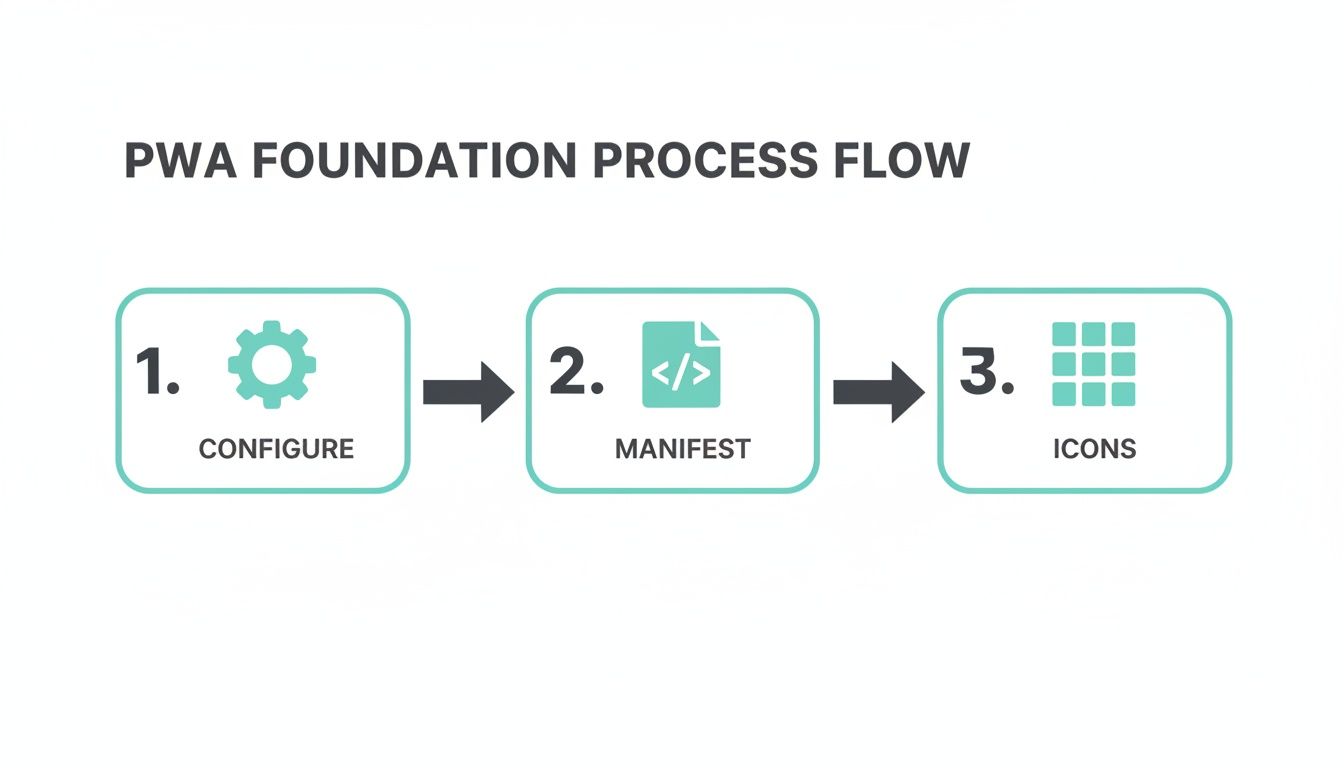
This foundation—project configuration, manifest, and icons—is what prepares your app for the more advanced service worker implementation we're diving into now.
With these building blocks in place, you can move on to creating a truly seamless offline experience.
Creating a Custom Offline Fallback
So what happens when an offline user tries to visit a page they've never cached? By default, they hit the browser's dreaded "No Internet" dinosaur page. It’s a dead end that breaks the app experience and feels unprofessional.
A polished Next.js PWA should always provide a custom offline fallback page. This is just a simple, pre-cached page that lets the user know they're offline in a branded, helpful way.
You can set this up easily in your next.config.js by first creating a page, maybe at /pages/_offline.js, and then pointing next-pwa to it.
// Inside the withPWA configuration objectfallbacks: {document: '/_offline', // for page navigations// You can also add fallbacks for images, fonts, etc.}This simple rule tells the service worker: if a request for a page fails and there’s no version in the cache, serve the /_offline page instead. It's a small touch that makes your PWA feel incredibly more reliable and robust. More details on advanced PWA patterns are also available in the official Next.js documentation.
Remember: An effective offline strategy isn't about caching everything. It's about making deliberate choices for different types of content to create an experience that feels fast, reliable, and trustworthy, whether the user is online or off.
When you're pulling in dynamic content from a CMS, you can take this even further. By adopting a Content as a Service (CaaS) model, your API routes can be designed with offline-first caching in mind from the get-go. This ensures the content your service worker is trying to manage is already optimized for offline delivery.
By combining these techniques, your Next.js PWA evolves from a simple cached website into a truly resilient enterprise-grade tool.
Integrating Your PWA with Sitecore and SharePoint
A Next.js PWA might be fast and slick, but without the right backend plumbing, it's just a shell. For any enterprise, the real power comes from connecting that speedy frontend to content workhorses like Sitecore and SharePoint. This is where your PWA stops being a tech demo and becomes a genuine business asset.
Our deep expertise lies in architecting this bridge, connecting a high-performance, offline-ready app with the dynamic, personalized content living inside your DXP. This requires a nuanced strategy that respects both the PWA’s need for speed and your organization’s established content workflows.
Fetching Content from Sitecore Experience Edge
The cleanest way to link your Next.js PWA to Sitecore is through Sitecore Experience Edge. It’s a GraphQL-based API built specifically for headless content delivery, and it’s a game-changer. This approach decouples your frontend from the Sitecore backend, letting you pull in exactly the content needed for any page or component.
Unlike old-school REST APIs that often over-fetch and send bloated responses, GraphQL lets you cherry-pick fields. For a PWA, this is a massive performance win. Smaller data payloads mean less to download and less for the service worker to cache.
A typical GraphQL query might look something like this:
query GetPageComponents($itemPath: String!, $language: String!) {item(path: $itemPath, language: $language) {idnamecomponents {items {idcomponentName...on HeroBanner {title {value}subtitle {value}backgroundImage {url}}}}}}This query grabs the layout data for a specific page and its components. With this structured data, your PWA can effortlessly map Sitecore content to its React components, giving your content team central control over what appears in the app.
Harmonizing Caching with Sitecore Content Updates
One of the trickiest parts of this integration is keeping your PWA’s cached content fresh. When a content editor hits "publish" in Sitecore, you need users to see that change reasonably quickly. This is where a stale-while-revalidate caching strategy becomes your best friend.
Your service worker can instantly serve a cached version of a page, delivering that snappy, offline-first experience. At the same time, it fires off a background request to Sitecore Experience Edge. If it finds new content, it silently updates the cache, and the user gets the fresh version on their next visit or refresh.
A well-designed integration ensures that the PWA's offline-first architecture works with, not against, Sitecore's content lifecycle. The goal is to deliver instant performance without sacrificing content freshness.
Striking this balance is absolutely critical for keeping both users and content managers happy.
Leveraging Sitecore AI Personalization in a PWA
Sitecore's AI-driven personalization is one of its killer features. To bring this into a Next.js PWA, you have to be careful not to kill the app's performance. The key is to fetch personalization rules and segment data without adding a bunch of latency to the initial load.
Here’s a solid pattern to follow:
- Initial Load: The PWA first fetches and caches the default, non-personalized component data from Experience Edge. This ensures the app renders almost instantly.
- User Identification: Next, the app identifies the user. This could be through a login or by analyzing behavioral patterns tracked in Sitecore's xDB.
- Personalized Fetch: Once the user's segment is known, the PWA makes a secondary, client-side call to a dedicated API endpoint. This endpoint returns only the personalized content variants needed.
This progressive enhancement approach guarantees the app loads fast with baseline content and then layers in personalized data once the user’s context is clear.
SharePoint Integration Patterns
While Sitecore typically manages public-facing content, many organizations rely on SharePoint for internal documents, company news, and collaboration. Weaving SharePoint data into your PWA can create a powerful, unified digital workplace for your team.
The playbook here is similar to the Sitecore integration but uses the Microsoft Graph API. You can create API routes in your Next.js app to securely authenticate with SharePoint and pull data from lists, document libraries, or user profiles.
For instance, you might want to display company news from a SharePoint site within the PWA.
// Example API route in Next.js: /api/sharepoint/newsexport async function GET(request) {// 1. Authenticate with MSAL (Microsoft Authentication Library)// 2. Acquire an access token for Microsoft Graphconst response = await fetch('https://graph.microsoft.com/v1.0/sites/{site-id}/lists/{list-id}/items?expand=fields',{headers: {Authorization: `Bearer ${accessToken}`,},});const data = await response.json();// 3. Transform and return the news itemsreturn new Response(JSON.stringify(data.value));}This API route acts as a secure proxy, keeping your credentials safe on the server. The PWA’s service worker can then cache the JSON response from this endpoint, making internal news available offline for employees on the go. By centralizing these integrations, your Next.js PWA transforms into a true hub for your entire digital ecosystem.
Optimizing and Deploying Your Production PWA

Getting your Next.js PWA launched is really just the first step. The real work begins when you transition from a local development build to a production-grade application that enterprise users can rely on. True quality isn’t just about features; it’s defined by performance, accessibility, and rock-solid reliability.
Your objective should be crystal clear: hit Lighthouse scores of 90+ across the board. This isn't a vanity metric—it's a direct reflection of the user experience. High scores mean faster loads and better engagement, which are non-negotiable for apps integrated with platforms like Sitecore.
Achieving Production Readiness With Lighthouse
Think of a Lighthouse report as your roadmap to a top-tier PWA. Don't just skim the scores; the real gold is in the "Opportunities" and "Diagnostics" sections. These give you a concrete, actionable punch list for improving your app's health.
Most of the time, the issues dragging down scores are things with straightforward fixes:
- Image Optimization: Make sure every image is served in a next-gen format like WebP and is properly sized. The
next/imagecomponent does a lot of the heavy lifting here, but you should always double-check that your images aren't being rendered smaller than their source dimensions. - Component Lazy-Loading: Not every part of your UI needs to be in the initial JavaScript bundle. Use
next/dynamicto defer loading components that are below the fold or only show up after a user interacts with the page. This can make a huge difference in your First Input Delay (FID) and Total Blocking Time (TBT). - Accessibility (A11y): This is a deal-breaker. All interactive elements need accessible names (like an
aria-label), images must havealttext, and your color contrasts should meet WCAG standards. Small misses here can tank your score and alienate users.
A 90+ Lighthouse score isn't just about speed; it's a testament to a well-architected application. It tells users and stakeholders that you've prioritized quality from the network level all the way to the user interface.
By systematically knocking out each Lighthouse suggestion, you'll end up with a faster, more robust Next.js PWA that feels polished and dependable.
PWA-Specific Testing With Cypress
Automated testing is the backbone of any reliable enterprise application. For a PWA, though, your tests need to go beyond simple UI checks. You have to validate its unique capabilities, especially how it behaves offline. This is where a tool like Cypress really shines.
Cypress lets you simulate network conditions right inside your test scripts, so you can automate checks for your PWA's offline functionality.
Here’s what a typical test scenario looks like:
- Go Online: Load a page and confirm that data from your backend (e.g., Sitecore) is fetched and rendered correctly.
- Go Offline: Use Cypress commands to cut the network connection.
- Verify Cached Content: Navigate to a previously visited page and assert that the content loads perfectly from the service worker cache.
- Test Offline Actions: Try to submit a form or perform another action. Verify that the UI updates to show a "pending" or queued state.
- Go Back Online: Restore the network and confirm that the queued action syncs successfully with the server.
Automating these offline scenarios gives your IT and QA teams the confidence that every deployment maintains the core PWA promise of reliability. Before you go live, it's also smart to perform thorough web application penetration testing to find and fix any security holes.
A Dependable CI/CD Pipeline for Your Next.js PWA
An automated CI/CD pipeline isn't a luxury; it's essential for deploying your Next.js PWA consistently and safely. Platforms like Vercel and Azure DevOps give you all the tools needed to build, test, and deploy with minimal manual effort.
A solid pipeline should include at least these stages:
- Build: The application is built for a production environment.
- Test: Your full suite of automated tests, including the Cypress PWA scenarios, runs against the build.
- Deploy: If all tests pass, the new version is deployed to production.
One critical, and often overlooked, step is getting your HTTP headers right. Your sw.js file, for instance, needs a specific Cache-Control header to force browsers to always fetch the latest version. This ensures your users get seamless updates. You can manage this right in your next.config.js file, making your deployment process perfectly repeatable.
And when it comes to choosing a deployment platform, understanding the subtle differences is key; our deep-dive on Vercel vs. Netlify can help you make an informed decision.
Your Next.js PWA Questions Answered
When you’re building an enterprise-grade Next.js PWA, the basic setup is just the beginning. As you start connecting to complex systems like Sitecore or SharePoint, you'll run into some very specific challenges.
We’ve been there. Here are some of the most common questions we get, along with the battle-tested answers from our own experience.
How Do I Handle Push Notifications in a Next.js PWA?
Implementing push notifications is a great way to connect your PWA with backend systems. For example, you could trigger an alert when new content is published in your CMS. The first step is always getting user permission through the browser's native Push API and then subscribing them to a push service.
You can manage this cleanly in your Next.js app with a dedicated API route, something like /api/subscribe. This endpoint securely stores the user's subscription details on your server. When a backend event happens, your server uses that stored subscription to send out the message.
Pro-tip: Never just pop up the permission prompt out of nowhere. You have to explain the value first. Use clear, benefit-driven text like, "Get updates on your order" or "Be the first to know when new articles drop." This simple bit of context can dramatically increase your opt-in rates and make the entire feature worthwhile.
What Is the Best Way to Manage Service Worker Updates?
One of the biggest wins of using the next-pwa library is that it automates most of the service worker update cycle. When you deploy a new build of your application, it automatically generates a new service worker, and the browser will install this new worker in the background.
The update activates once the user has closed all tabs connected to your PWA. To make this even slicker, you can listen for the service worker's controllerchange event. This lets you know the exact moment the new version is ready, so you can display a prompt like, "A new version is available. Refresh to update?" This gives users immediate access to your latest features without any confusion or delay.
Can a Next.js PWA Be Listed on App Stores?
Yes, you can absolutely get a PWA onto app stores, but it's often not the most direct path—and you might not even need to. For the Google Play Store, you can use a Trusted Web Activity (TWA) to wrap your PWA, making it look and feel just like a native app.
The process for Apple's App Store is more complex and usually requires a native wrapper built with WKWebView. But honestly, a core strength of building a Next.js PWA is bypassing the app store entirely. For most enterprise apps, simply guiding users to "Add to Home Screen" delivers that app-like experience without the headaches and delays of store submissions and reviews.
At Kogifi, we specialize in integrating high-performance PWAs with enterprise platforms like Sitecore and SharePoint, turning technical possibilities into tangible business results. To discuss how a PWA can fit into your digital strategy, visit us at https://www.kogifi.com.