A successful Digital Experience Platform (DXP) launch doesn't happen by accident. It's the direct result of a meticulous software implementation project plan. Think of this plan less as a document and more as a strategic roadmap that breaks down a massive undertaking into manageable phases, ensuring technical execution stays perfectly aligned with business objectives from day one.
Laying the Groundwork for DXP Success
For complex platforms like Sitecore or SharePoint, having a comprehensive software implementation project plan isn't just a good idea—it's non-negotiable. It’s what transforms a high-stakes digital project from a source of anxiety and risk into a predictable, value-driven process. Without one, teams almost inevitably run into scope creep, stakeholder misalignment, and busted budgets.
This plan becomes the single source of truth for everyone involved. It establishes a clear framework that guides every decision, defining the 'what,' 'why,' and 'how' for the entire project lifecycle. This ensures that every development sprint and configuration choice ladders up to the overarching business goals. The initial discovery phase is where this foundation is poured, and it's absolutely critical to get it right. You can dive deeper into this in our detailed guide on the https://www.kogifi.com/articles/discovery-phase-project.
Defining a Clear Path Forward
The real strength of a good plan lies in its ability to break down the immense task of a DXP rollout into a logical sequence of phases. This approach demystifies the process for business stakeholders while giving technical teams the structure they need to execute flawlessly.
Here's a high-level look at the seven core phases we follow for our DXP projects, along with their primary objectives and the key deliverables you can expect from each.
Core Phases of a DXP Software Implementation Plan
Each phase builds on the last, creating a clear, predictable flow from initial idea to a fully operational and optimized platform.
A robust project plan is the cornerstone of successful implementation, and exploring guides on building a high-impact Agile project plan can provide invaluable insights for laying the groundwork.
As organizations pour more resources into their digital presence, the stakes have never been higher. The global software development market is projected to shoot past $1.04 trillion by 2030. Yet, a sobering 25% of projects still fail, often due to nothing more than a lack of proper planning. This is a risk no business can afford to take.
Navigating the Seven Phases of DXP Implementation
A successful DXP rollout isn't a chaotic sprint to the finish line. It's a structured journey that moves through a well-defined lifecycle, ensuring every technical decision ladders up to the bigger business strategy. Think of it less like a rigid waterfall process and more like a flexible framework that brings order to a complex undertaking.
We break this journey down into seven distinct, manageable phases.
For powerful platforms like Sitecore, with its composable architecture, or SharePoint, with its deep roots in the Microsoft ecosystem, this phased approach is non-negotiable. It allows teams to tackle specific challenges sequentially—from initial strategy to long-term optimization—without getting overwhelmed. Each stage has its own clear goals, tasks, and deliverables.
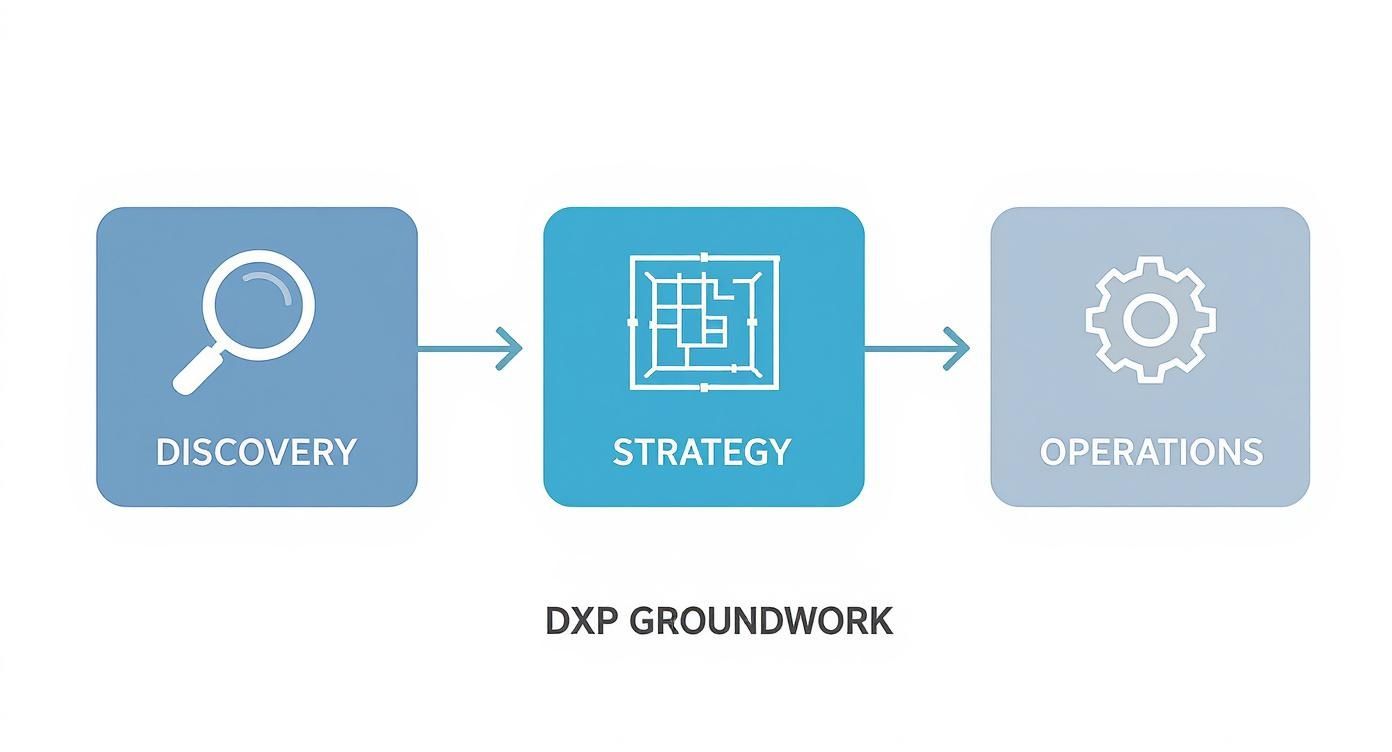
This flow really nails a key point: a solid strategy, born from thorough discovery, is what drives smooth, predictable operations after you launch.
1. Discovery and Strategy
This is where it all begins. It's the foundational phase where you translate ambitious business goals into a concrete technical vision. Before you can figure out how to build it, you have to deeply understand why you're building it.
For a Sitecore project, this means deep dives into personalization goals, content authoring workflows, and the integration points with products like Sitecore CDP or OrderCloud.
Key activities typically include:
- Stakeholder Workshops: Getting marketing, sales, and IT in a room to hammer out business requirements and current pain points.
- Technical Audits: Picking apart the existing tech stack to spot dependencies, risks, and hidden opportunities.
- Solution Blueprinting: Sketching a high-level architectural outline that maps what the business needs to what the platform can do.
The main output here is the Business Requirements Document (BRD). This document becomes the north star for the entire project.
2. Design and Architecture
With a clear strategy in hand, the focus shifts to designing the user experience and the technical architecture that will support it. This phase is all about making sure the solution is not only functional but also intuitive for users and scalable enough for future growth.
For Sitecore, this often involves creating component-based designs that empower marketers to build dynamic pages without calling a developer. In a SharePoint implementation, this could mean designing custom web parts or defining the information architecture for document management.
Key deliverables include wireframes, UX mockups, and a detailed Technical Architecture Diagram.
3. Build and Development
This is where the blueprint comes to life. Developers get hands-on, configuring the DXP, building out custom components, and wiring up all the necessary integrations. For a project on Sitecore XM Cloud, this phase is heavily influenced by modern development practices like headless architecture and CI/CD pipelines.
Development is usually broken down into sprints, with regular demos to stakeholders. This keeps everyone aligned and allows for feedback early and often. The outcome is a functional, coded solution deployed to development and testing environments, ready for the next step.
The move to the cloud has completely changed the game here. Industry analysis shows a massive shift toward cloud-native platforms, pushing teams toward cloud-based project tools that support automated deployments and continuous integration.
4. Testing and Quality Assurance
No implementation is ready for primetime without comprehensive testing. This phase is dedicated to hunting down and squashing bugs to ensure the final product is stable, secure, and can handle the pressure of real-world traffic.
It’s a multi-layered process, not just a single step.
- Unit Testing: Developers test their own code components in isolation.
- System Integration Testing (SIT): QA teams test how all the different pieces of the system work together.
- User Acceptance Testing (UAT): Business users get their hands on the platform to validate that it meets their needs in real-world scenarios.
Deliverables include detailed test scripts, bug reports, and a final UAT sign-off. That sign-off is the green light for deployment.
5. Content and Data Migration
Migration is one of the most critical and risk-prone phases, and it's frequently underestimated. This is where you move content, user data, and digital assets from your old systems into the new Sitecore or SharePoint environment. It requires meticulous planning, scripting, and validation.
A poorly executed migration can undermine the entire project. It's not just about moving data; it's about transforming it to fit the new platform's structure and capabilities, ensuring content integrity and SEO value are preserved.
For a large-scale Sitecore migration, you could be talking about moving millions of content items and media files. A successful migration hinges on a detailed plan, automated scripts, and thorough post-migration checks for broken links, missing content, and data corruption. To help get this right, take a look at our guide on creating a digital platform migration checklist.
6. Launch and Deployment
It's go-live time. This is the phase where the new platform is pushed to the production environment and made available to your users. A smooth launch depends on a detailed cutover plan that outlines every single step, from code freezes and data syncs to DNS changes and post-launch smoke tests.
The deployment itself is often managed through automated pipelines, especially in modern cloud setups like Sitecore XM Cloud. The team stays on high alert during the cutover window to jump on any immediate issues, ensuring a seamless transition with minimal disruption.
7. Operate and Optimize
The project doesn’t end when the site goes live. The final phase is all about ensuring long-term success through ongoing support, performance monitoring, and continuous improvement. Here, the platform is actively managed to make sure it keeps delivering business value.
For Sitecore users, this could mean analyzing user behavior with Sitecore Personalize to fine-tune marketing campaigns. For SharePoint, it might involve refining workflows based on user feedback. This iterative cycle of operating and optimizing ensures the DXP evolves with the business, maximizing its long-term return on investment.
Assembling Your Implementation A-Team
A project plan is just a document until you have the right people to bring it to life. Technology alone, especially a complex DXP like Sitecore or SharePoint, won’t deliver results. You need a sharp, well-organized team where everyone knows exactly what they're supposed to do—and what they're not.
Without clear roles, projects descend into chaos. You get overlapping responsibilities, which means duplicated work, and ownership gaps where critical tasks get completely missed. The goal is to move past a vague list of job titles and create a rock-solid framework for accountability. That's where the RACI matrix comes in. It's a lifesaver.

RACI is a simple but incredibly powerful acronym that stands for Responsible, Accountable, Consulted, and Informed. It's a straightforward way to map out who does what for every single task in your plan.
- Responsible: This is the doer—the person (or people) with their hands on the keyboard, actually performing the work.
- Accountable: The buck stops here. This is the one person who is ultimately answerable for the task's success. There can only be one "A" per task to avoid confusion.
- Consulted: These are your subject matter experts. Their input and feedback are needed before work can move forward or be completed.
- Informed: These folks are kept in the loop on progress. They don't need to be in every meeting, but they need to know what's going on.
A RACI chart forces you to have the tough conversations upfront. It completely eliminates the dreaded phrase, "I thought you were handling that." It turns ambiguity into clarity, which is the foundation of any great implementation team.
Core Roles for a Sitecore or SharePoint Implementation
While every project is a little different, there's a core group of roles you'll almost always need to successfully navigate a DXP implementation. Each person brings a critical perspective, from high-level strategy to the nuts and bolts of the code. Getting this mix of technical and business talent right is everything. You can learn more about crafting the perfect digital marketing team structure in our detailed article.
Here are the key players you absolutely need on your A-team:
1. Project Manager (PM)
The PM is the conductor of the orchestra. They don't just track tasks; they own the entire implementation plan, manage the timeline, and serve as the central communication hub between stakeholders and the tech team. They're the ones looking around corners to spot and mitigate risks before they become problems.
2. Sitecore Solution Architect
For a Sitecore project, this role is completely non-negotiable. The Solution Architect is the master planner who designs the end-to-end technical solution. They ensure it's scalable, secure, and built according to Sitecore best practices, making crucial decisions on everything from component architecture to how it will integrate with tools like Sitecore CDP or OrderCloud.
3. Lead Developer
The Lead Developer is the one who turns the architect's grand vision into clean, functional code. They guide the development team, enforce coding standards, and are hands-on with the most complex technical hurdles. On a SharePoint project, this person would be the expert in the SharePoint Framework (SPFx) and custom development.
4. Business Analyst (BA)
The BA is the translator, bridging the gap between what the business wants and what the technical team can build. They are masters at gathering, documenting, and clarifying business requirements, making sure the final product actually solves real-world problems and delivers tangible business value.
5. QA Lead
The QA Lead is the champion of quality. They don't just find bugs at the end; they embed quality into the entire process. This person develops the testing strategy, writes test cases, and oversees everything from developer-led unit tests to coordinating the final User Acceptance Testing (UAT) with business users.
Sample RACI Matrix for a Sitecore Migration Task
Let's make this real. Here’s how you might use a RACI matrix for a common DXP task like "Migrate Homepage Content."
Sample RACI Matrix for a Sitecore Migration Task
Here's what this simple chart tells us instantly:
- The Content Strategist (R) is Responsible for physically moving the content.
- The Project Manager (A) is Accountable for making sure the task gets done right and on time.
- The Lead Developer (C) must be Consulted if any technical issues pop up during the migration.
- The Business Stakeholder (I) is kept Informed on the status of the migration.
Applying this level of clarity to every major task in your project plan is a game-changer. It prevents bottlenecks, stops finger-pointing, and empowers everyone on the team to focus on what they do best.
Mastering Timelines and Mitigating Risks
Getting a software implementation right comes down to two things: a solid timeline and a smart plan for when things go wrong. Think of them as the twin pillars holding up your project. One without the other is a recipe for a mess. Your timeline gives you a roadmap, but your risk management plan is the shock absorber that keeps you on the road when you hit a pothole.
For big, complex DXP projects—especially when you're dealing with Sitecore’s composable suite or the sheer breadth of SharePoint—a simple list of due dates just won’t fly. Your timeline needs to be a living, breathing tool, not a dusty document you file away. It has to map out dependencies, track who’s doing what, and adapt to the back-and-forth of modern development.
Crafting a Realistic Project Timeline
A truly useful timeline starts by breaking down the huge implementation phases into smaller, bite-sized work packages or sprints. This isn't just about making things look less intimidating; it creates regular checkpoints to see if you're actually on track. Using a Gantt chart to visualize everything is the best way to see how tasks connect and what the project's critical path really is.
Let's take a Sitecore XM Cloud implementation as an example. Your timeline can't just say "Build." It needs to get granular and account for specifics like:
- Environment Provisioning: You have to schedule time for setting up the dev, test, and production environments in the Sitecore Cloud Portal. It’s not instant.
- Headless Development Sprints: This is where your team builds the frontend components that will pull data from Sitecore's Experience Edge.
- Integrating Sitecore CDP/Personalize: You need to block out dedicated time for connecting and configuring these services. This often happens alongside the frontend work, so you have to plan for that overlap.
- Content Migration Strategy: Don't just gloss over this. The technical work of moving content from an old system can be a massive undertaking on its own.
This kind of detail is what turns a timeline from a rough guess into a reliable forecasting tool. It forces you and your team to think through every step and spot potential bottlenecks before they grind the project to a halt.
Identifying and Mitigating Common DXP Risks
Risk management isn’t about being a pessimist and listing every single thing that could go wrong. It’s about being a realist. You identify the most likely and most damaging threats and come up with a game plan before they happen. Being proactive is everything. Up to 50% of a project's budget can get eaten up fixing problems after launch—many of which could have been seen coming.
The core of risk management is turning reactive panic into proactive planning. By documenting potential issues and their mitigation steps in a risk register, you empower the team to address challenges with a clear head instead of scrambling for solutions under pressure.
With powerful platforms like Sitecore and SharePoint, certain risks pop up again and again. Their flexibility can be a double-edged sword.
Common Risk Areas:
- Scope Creep: The classic. Business stakeholders see what the platform can do and suddenly everyone wants "just one more thing."
- Complex Data Migrations: Teams consistently underestimate how much work it is to clean, restructure, and move content. This is especially true when you’re shifting to Sitecore’s component-based model from a legacy monolith.
- Stakeholder Misalignment: The marketing team is dreaming of personalization features, but the IT team never budgeted the infrastructure to support them. A classic disconnect.
- Technical Debt: Cutting corners during the build to hit a deadline. It always comes back to bite you later with performance issues and maintenance headaches.
To get a handle on this, you need a risk register. This is a living document—not a "set it and forget it" spreadsheet—that tracks each risk, its probability, its potential impact, and what you’re going to do about it. Your project team should be looking at this every single week.
To really dig into this, it's worth exploring different approaches to mastering risk management in software projects.
Implementing a Change Management Protocol
Finally, let’s be honest: no project plan survives first contact with reality. Change is going to happen. That’s why you absolutely need a formal change management process. When a stakeholder comes up with a new requirement or a technical roadblock forces a change of plans, this process ensures the change is properly evaluated, approved, and woven into the project plan without derailing everything.
This usually involves a simple change request form that outlines the what, the why, and the potential impact on the timeline and budget. A designated change control board—typically made up of key project leads and stakeholders—reviews the request and gives it a thumbs-up or thumbs-down. This simple bit of bureaucracy is what saves you from the chaos of uncontrolled scope creep and keeps your project anchored to its original goals.
Ensuring a Flawless Launch and Cutover
The final stretch of any software implementation—testing, cutover, and deployment—is where all your careful planning pays off. This is the moment of truth. A solid plan is the only thing standing between a smooth, controlled go-live and a high-stress, chaotic scramble to the finish line. When you're launching a platform like Sitecore or SharePoint, "flipping the switch" is really a carefully orchestrated series of events.
Success here depends entirely on a multi-layered Quality Assurance (QA) strategy. It all starts small, with developers doing their own unit testing to make sure individual components and features work as designed. Then, you broaden the scope to system integration testing (SIT). This is where you test the entire solution from end to end, confirming that all the different pieces—like a Sitecore website and Sitecore OrderCloud—are talking to each other correctly.

Validating Business Needs With UAT
Once the tech teams have signed off, it's time to bring in the business users for User Acceptance Testing (UAT). This isn't just another bug hunt. UAT has one critical purpose: to validate that the new system actually meets the business requirements you agreed on and allows people to do their jobs.
Getting business users engaged in UAT takes a bit of strategy.
- Provide Clear Scenarios: Never just tell them to "test the site." Give them specific, real-world tasks. For example, "create a new campaign page using the component library" or "find and approve a document in the SharePoint workflow."
- Set Expectations: Be clear about what feedback is helpful at this stage. You’re looking for validation and any show-stopping issues, not minor cosmetic tweaks that should have been caught way back in the design reviews.
- Offer Support: Have a dedicated QA person or business analyst on standby to help the UAT testers. This makes sure their questions get answered quickly and their feedback is captured accurately.
The Go-Live Cutover Checklist
Think of the cutover plan as your launch-day playbook. It's a ridiculously detailed, step-by-step checklist that leaves absolutely nothing to chance during the high-pressure move to the production environment. For any Sitecore or SharePoint go-live, this document is non-negotiable.
A cutover checklist turns a potentially chaotic deployment into a predictable, repeatable process. It ensures every team member knows their exact role and that no critical step—from the final data sync to the post-launch smoke test—is forgotten in the heat of the moment.
For a typical Sitecore implementation, your checklist should break down tasks like these:
- Final Content Sync: Pushing the very last content updates from your staging environment into production.
- Publishing and Indexing: Kicking off a full-site publish and making sure your search indexes (like Solr or SearchStax) are completely up-to-date.
- Cache Clearing: Purging every relevant cache—CDN, application, you name it—to ensure users see the new site, not a stale version.
- Smoke Testing: A rapid series of post-launch checks by the core team to verify that key functionality like the homepage, main landing pages, and contact forms are all working as expected.
Keeping any disruption to a minimum is the name of the game. Planning for a zero-downtime or minimal-downtime deployment should always be a key goal. You can find more strategies for this in our guide on how to minimize downtime in Sitecore migrations.
This level of detailed planning is getting a boost from modern tools. The AI in project management software market, for instance, is projected to grow from $3.08 billion in 2024 to $3.58 billion in 2025. This is driven by a need for the kind of predictive analytics that can help teams see launch-day problems before they happen. You can find more insights in the project management statistics on monday.com.
Common DXP Implementation Questions
Even the most buttoned-up project plan is going to hit a few bumps. When you're working with something as powerful as the Sitecore DXP suite or a complex SharePoint environment, questions and challenges are just part of the process. Having good answers ready is what separates a smooth project from a chaotic one.
Let’s walk through a few of the questions we hear all the time, based on our real-world experience getting these platforms across the finish line.
How Do We Handle Scope Creep Without Derailing the Project?
Scope creep is the silent project killer. It often starts small—a stakeholder sees a slick new feature in a Sitecore demo, and suddenly a "nice-to-have" becomes an urgent "must-have." The goal isn't to lock down the project and forbid all changes, but to manage them through a clear, formal process.
Your best defense here is a solid Change Control Board (CCB), which we touched on in our risk management section. When a new request pops up, it has to be formally submitted with a real business case. The CCB then puts it under the microscope and looks at its impact on three things:
- Timeline: How many developer-days will this actually add? What does that do to our sprint and the overall schedule?
- Budget: What's the real cost of the extra resources needed to build, test, and deploy this feature?
- Value: Does the business value of this shiny new thing justify the cost and the potential delay to our go-live date?
This forces everyone to make a deliberate decision, not an impulsive one. For instance, if someone wants to integrate Sitecore Personalize with a new data source halfway through the project, the CCB can weigh the ROI against a two-sprint delay and make a call on whether it’s truly worth it.
What’s the Best Approach for Migrating Content to Sitecore?
Content migration is notoriously underestimated. Far too many teams think they can just lift and shift content from an old CMS into a structured platform like Sitecore. That’s a recipe for disaster. You should be aiming for content transformation, not just a simple transfer. Your project plan needs to treat migration like a full-blown sub-project.
For a successful Sitecore migration, we always recommend a phased approach:
- Content Audit & Cleanup: Before you move a single word, do a ruthless audit. Get rid of anything that's outdated, redundant, or trivial (ROT).
- Mapping and Transformation: This is where the magic happens. Map old content types to new Sitecore data templates and components. It’s your chance to finally move away from unstructured "blobs" of text to a clean, component-based architecture.
- Automated Scripting: For big sites with thousands of pages, you'll need automated scripts. Tools like the Sitecore Content Export/Import tool or custom scripts are non-negotiable for handling the heavy lifting.
- Manual Migration & Enrichment: Your most important pages—the homepage, key product pages, major landing pages—will likely need some manual love to make sure they're taking full advantage of Sitecore's personalization and component features.
- Validation & QA: Test everything. Hunt down broken links, formatting errors, and data integrity issues with a fine-toothed comb.
A classic mistake is treating content migration as a purely technical task. It's a strategic activity. It absolutely requires content strategists, marketers, and developers to be in the same room, ensuring the new content structure actually supports the company's long-term marketing goals.
How Granular Should Our SharePoint Project Plan Be?
For a SharePoint implementation, the more granular, the better. This is especially true when you're dealing with document management, workflows, and permissions. A vague task like "Set up document libraries" is basically useless. You have to break it down into much smaller, more specific actions.
A solid SharePoint plan should have tasks detailed at this level:
- Define Information Architecture for the Finance department's site collection.
- Create content types for "Invoices," "Contracts," and "Expense Reports," each with specific metadata columns.
- Configure the approval workflow for the "Contracts" document library.
- Establish permission groups for "Finance Readers," "Finance Contributors," and "Finance Admins."
- Apply retention policies to the "Contracts" library based on legal department requirements.
This level of detail makes the plan actionable and gives you a clear way to track real progress. It ensures that the complex requirements around governance and compliance—which are central to most SharePoint projects—don't get missed. It takes an abstract goal like "better collaboration" and turns it into a series of concrete, verifiable steps.
At Kogifi, we specialize in turning complex digital ambitions into successful realities. Our expert teams live and breathe Sitecore and SharePoint, crafting detailed software implementation project plans that mitigate risk and maximize ROI. If you're ready to build a digital experience platform that delivers tangible business results, we're here to help you lay the groundwork for success. Learn more about our DXP implementation services.