


Your team is probably already feeling the strain. One market asks for German product pages. Another needs Arabic support content. Legal wants approved disclaimers in every locale. Marketing wants regional campaigns live on the same day. IT wants one architecture, not five separate websites stitched together with manual workarounds.
That's where most localization efforts start to drift. Teams treat translation as the project, when the actual challenge is operating a multilingual digital platform at enterprise scale. In Sitecore and SharePoint environments, that means content modeling, workflow design, search visibility, accessibility, governance, and publishing discipline all have to work together.
The strongest website localization best practices start with market focus, not volume. A cited global statistic notes that there are over 5 billion internet users, while fewer than 26% understand English and nearly 64% of websites still use English as their content language. That mismatch is exactly why enterprise teams shouldn't translate everything at once. They should prioritize target markets, validate demand, localize high-value content first, and build a multilingual architecture that can scale.
This guide is written from an implementation perspective. It's built for enterprise digital teams working with Sitecore, SharePoint, and connected platforms that have to support governance, AI-assisted workflows, and regional user expectations without creating operational chaos.
Table of Contents
- Measure market performance at the content and journey level
- Close the loop between analytics and operations
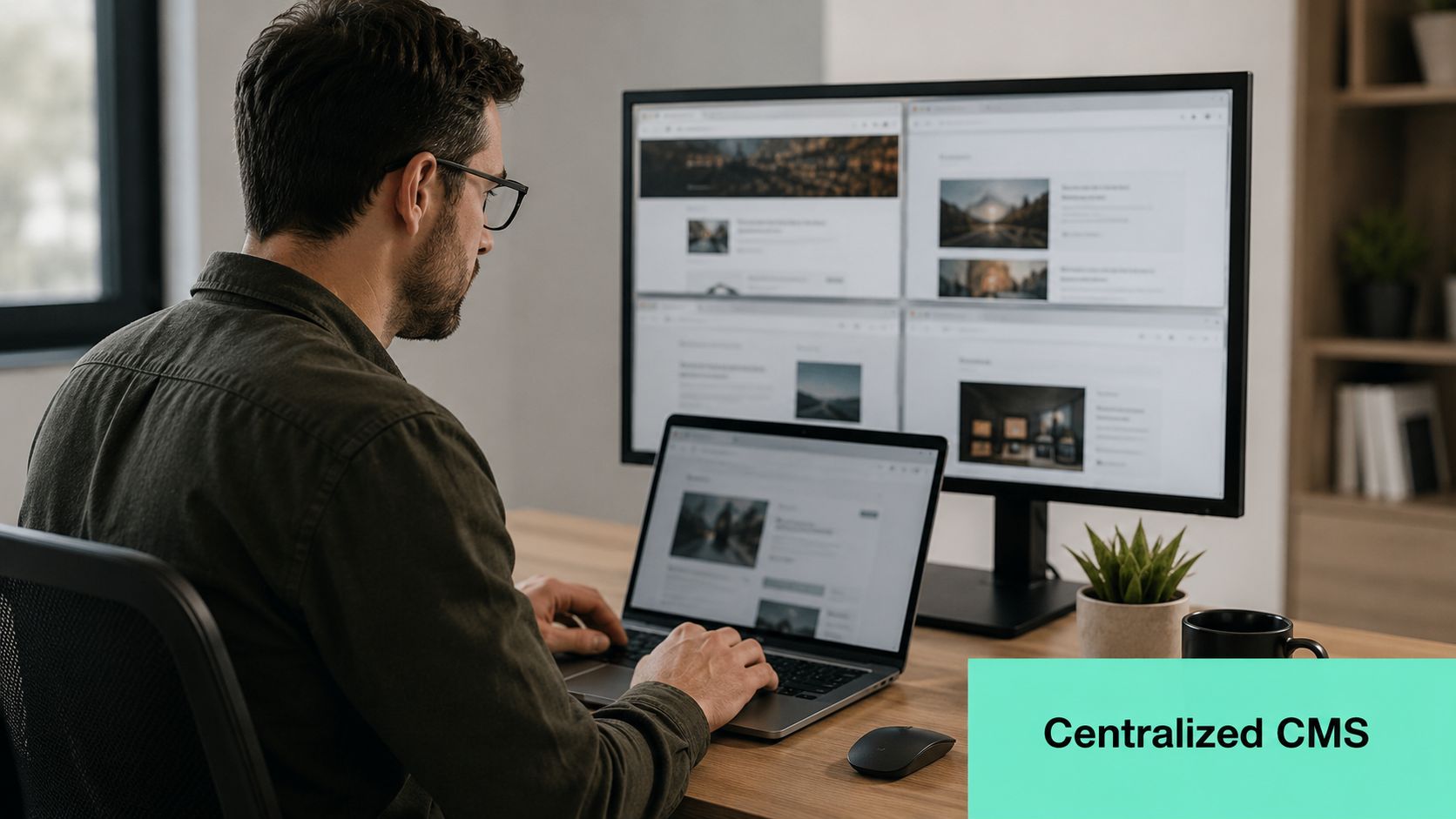
1. Implement a Centralized Content Management System with Multi-Language Support
A fragmented localization stack creates duplicate content, inconsistent approvals, and missed updates. A centralized CMS fixes that by giving teams one source of truth for content models, language versions, workflows, and publishing rules.
In practice, Sitecore is often the better fit when the organization needs multilingual marketing operations, personalization, structured content reuse, and workflow control across regions. SharePoint fits a different but equally important role. It works well for multilingual intranets, policy libraries, knowledge bases, and collaboration-heavy content where document governance matters as much as presentation.
Design the content model before adding languages
If authors are copying entire pages just to swap language, the platform isn't modeled correctly. In Sitecore, shared fields, unversioned fields, versioned fields, language fallback, item hierarchy, and component-level reuse need to be decided early. That structure determines whether localization stays manageable or turns into constant editorial cleanup.
A solid starting point is to configure languages, fallback behavior, and authoring rules in a way that matches how your teams publish. Kogifi's guide to customizing multilingual features in Sitecore is useful here because it addresses the mechanics that teams often postpone until the rollout is already under pressure.
Separate global ownership from local control
Global teams should own brand structure, component standards, taxonomy, and mandatory content patterns. Regional teams should own market nuance, local messaging, and exceptions that improve relevance.
That split works well in both Sitecore and SharePoint when the governance model is explicit:
- Global templates: Lock reusable structures such as hero layouts, product modules, disclaimers, and metadata fields.
- Regional variants: Allow local teams to adapt copy, imagery, CTAs, and market-specific content blocks.
- Workflow gates: Require legal, brand, or local approvers only where risk justifies it.
- Translation integration: Connect a TMS or translation API so content moves through one controlled pipeline instead of email attachments and spreadsheets.
Practical rule: If a local team can publish anything anywhere without workflow, governance is too loose. If they need central approval for every text change, governance is too heavy.
2. Conduct Thorough Cultural and Linguistic Adaptation Beyond Simple Translation
Literal translation is one of the fastest ways to make a global brand feel local in the wrong way. Users notice when the words are technically correct but the experience still feels imported.
That problem shows up everywhere. Product imagery doesn't fit the market. Buttons use the right language but the wrong tone. Regional pages keep US-centric examples, date formats, or promotional assumptions. Enterprise teams often discover that the issue isn't translation quality alone. It's failure to adapt the full user experience.
A practical way to handle this in Sitecore is to keep reusable brand structure centralized while allowing local variants for imagery, component text, and region-specific calls to action.

Local relevance lives in more than copy
Regional adaptation affects more than headlines and body text. It includes icon choices, imagery, testimonial format, humor, formality, product framing, and examples used in support or onboarding content.
For SharePoint-based portals, this matters just as much. Internal communications, HR documentation, and training content can become harder to use when translation ignores local workplace language or country-specific process context.
A practical review cycle usually includes:
- Native-language review: Check whether the copy sounds written for the market, not just translated into it.
- Visual review: Confirm that images, colors, and symbols won't create friction or confusion.
- Functional review: Validate forms, downloadable assets, and embedded media in each locale.
- Business review: Confirm local pricing language, disclaimers, service scope, and offer framing.
Teams usually don't fail localization because they missed a noun. They fail because they shipped a foreign experience in the right language.
A short primer can help align stakeholders on what good adaptation looks like in real page layouts:
Use local review without losing brand consistency
The right model isn't full central control or full local autonomy. It's controlled flexibility. Create market playbooks that define essential brand elements, then document what local teams can change without escalation.
That prevents a common enterprise problem. One region rewrites the brand voice entirely, while another leaves awkward source-market assumptions untouched. Both outcomes weaken trust.
3. Optimize Technical SEO for Each Target Language and Region
A localized site that can't be discovered is just expensive content storage. Technical SEO is what makes multilingual pages visible, indexable, and understandable to search engines.
This matters even more in enterprise environments because Sitecore and SharePoint projects often involve multiple domains, campaign landing pages, regional hubs, and legacy URLs. Without strict SEO rules, localized pages compete with each other, canonical logic breaks, and users land on the wrong market version.
Google continues to recommend unique URLs and hreflang for alternate language versions, and localization guidance also emphasizes separate crawlable URLs, hreflang, and self-referencing canonicals as part of scalable multilingual architecture in enterprise website localization guidance. That's the baseline, not an advanced tactic.
Structure first, then optimize pages
The architecture decision comes before metadata. Pick a model your teams can maintain. In most enterprise builds, subdirectories are easier to govern than scattered regional microsites because they keep templates, analytics, and deployment patterns aligned.
Once the structure is stable, apply search controls consistently:
- Unique localized URLs: Give each language or locale version its own crawlable destination.
- Correct hreflang mapping: Map alternates accurately, including country and language variants where needed.
- Self-referencing canonicals: Prevent mixed canonical signals across duplicate or near-duplicate content.
- Localized keyword targeting: Don't translate source keywords mechanically. Research actual regional search language.
- Regional XML sitemaps: Keep discovery organized for multilingual content at scale.
For Sitecore teams, SEO implementation should be embedded in templates and rendering logic rather than left to authors to remember on every page. Kogifi's article on how to implement search engine optimization is a practical reference for that operational layer.
Avoid the common enterprise mistakes
The recurring failures are predictable. Auto-redirects force users into the wrong locale. Authors clone English metadata into every language. Regional pages share one canonical. Country selection pages get indexed instead of destination content.
A multilingual SEO strategy breaks when language handling sits in front-end behavior alone. Search engines need stable URLs, clear alternates, and crawlable content.
If you're using Sitecore XM Cloud, XP, or a composable implementation, localization SEO belongs in the solution architecture. It isn't a post-launch optimization ticket.
4. Establish Localized Payment, Shipping, and Transaction Processing
Marketing teams often localize the catalog and forget the checkout. That's where trust disappears.
A buyer may accept translated product content and regional landing pages, then leave as soon as pricing format looks unfamiliar, the preferred payment method is missing, or shipping duties are unclear. For B2C commerce, localization is incomplete until the transaction layer feels native to the market. For B2B, the same applies to quote requests, invoicing flows, tax handling, and contract-related checkout steps.
Remove friction from the last mile
The transaction experience should reflect local expectations in obvious ways. Currency display, tax wording, payment options, invoice fields, billing address rules, and shipping disclosures all need regional treatment.
In Sitecore OrderCloud or connected commerce stacks, that usually means localizing more than storefront content. It means integrating market-specific payment gateways, tax engines, inventory rules, and fulfillment messaging.
A practical rollout usually prioritizes these areas:
- Payment method relevance: Offer the methods users in that market already trust.
- Price clarity: Show local currency and avoid forcing users to estimate totals themselves.
- Tax transparency: Present taxes and fees in a format that matches local practice.
- Shipping certainty: Explain delivery windows, restrictions, and cross-border duties before checkout.
- Operational consistency: Make sure confirmation emails, invoices, and customer service responses follow the same regional logic.
For cross-border scenarios, duty estimation often needs explicit handling rather than vague disclaimers. Teams dealing with imports into Australia, for example, may find it useful to review tools that calculate shipping duties from Australia as part of planning how landed-cost messaging should appear.
Treat compliance content as product content
Legal and financial content often sits outside the localization workflow until late in the process. That's a mistake. Refund terms, billing notes, shipping restrictions, and tax statements are customer-facing content. They need the same versioning, translation control, and approval discipline as any conversion page.
In SharePoint-supported operating models, document governance proves helpful. Teams can maintain controlled policies, regional tax documents, and internal fulfillment procedures while Sitecore handles the customer experience layer.
5. Automate Quality Assurance and Testing Across Localized Versions
Localization errors are rarely dramatic at first. A button wraps badly in German. Arabic alignment breaks on mobile. A fallback language appears inside a checkout flow. A form validation message stays in English. One issue won't sink the site. A pattern of them will.
Manual spot checks aren't enough once you're running multiple locales across frequent releases. The testing model has to match the publishing model. If content moves continuously, QA has to move continuously too.
Build localization testing into delivery pipelines
Automated QA should cover the recurring issues machines catch well, while human review handles nuance and market fit. In enterprise programs, both are necessary.
The technical side usually includes layout checks, broken-link scans, encoding validation, structured metadata checks, and regression testing of key user journeys. Human review confirms linguistic accuracy, visual suitability, and context.
A workable testing stack often includes:
- Visual regression tests: Detect overflow, truncation, spacing problems, and component breakage in language variants.
- Functional tests: Validate forms, search, authentication, cart, and account journeys per locale.
- Content integrity checks: Catch missing translations, fallback leakage, and duplicate metadata.
- Device and browser coverage: Verify that localized interfaces work across the combinations your users use.
- Native-speaker review: Approve important journeys before launch, especially on campaigns and transactional pages.
Test the issues your base language never exposes
Localization QA needs scenarios that don't appear in the source market. Right-to-left layouts, text expansion, alternate sort orders, locale-specific validation patterns, and translated asset handling all need dedicated test cases.
This becomes especially important in Sitecore component libraries. A component that works perfectly in English may fail under longer labels or different reading direction. If the design system isn't tested against real localization conditions, every market launch becomes custom remediation work.
Good localization QA doesn't ask, “Did the page render?” It asks, “Can a user in that market complete the task without confusion?”
Teams that get this right usually connect QA to CI/CD, not to end-stage release panic.
6. Create Language and Region-Specific Content Calendars and Workflows
The content operation behind localization is usually where scale breaks. Teams can translate a launch set. They struggle to keep multiple markets current when campaigns, product updates, compliance edits, and seasonal content all move at different speeds.
A single global publishing calendar doesn't solve that. It hides local timing requirements under one master schedule and leaves regional teams reacting late.
Plan content by market reality
Regional calendars need to account for local buying cycles, public holidays, internal approval timelines, and translation lead times. A campaign that fits one market may be mistimed or irrelevant in another.
In Sitecore, this often means pairing global campaign structures with regional publishing windows and workflow states. In SharePoint, it means giving country or business-unit owners controlled publishing responsibilities for local announcements, policy updates, and employee-facing content.
Strong teams usually define three layers:
- Global campaign milestones: Product launches, brand initiatives, and corporate announcements.
- Regional planning overlays: Holidays, working-week differences, legal reviews, and market-specific campaign timing.
- Operational workflow rules: Translation deadlines, local review windows, freeze periods, and publishing cutoffs.
Don't let translation become a bottleneck or an afterthought
Translation teams fail when content arrives without context. Regional teams fail when they get content too late to review properly. Central teams fail when they expect every market to launch on the same date regardless of approvals or relevance.
The fix is workflow discipline. Define content readiness states clearly. Separate source drafting from localization packaging. Include image dependencies, metadata, legal notes, and component context before anything goes to translation.
A mature process in Sitecore often includes structured content items, market tagging, and automated notifications when source content changes. SharePoint helps on the governance side by maintaining supporting documents, approval records, and internal publication procedures that local teams can follow.
7. Implement AI-Driven Personalization and Dynamic Content for Each Market Segment
Localization gets users to the right language. Personalization helps them see the right experience inside that market.
Sitecore has a clear advantage for enterprise teams. Once multilingual content, audience data, and regional rules are in place, Sitecore's AI and personalization capabilities can adapt messaging, recommendations, and journeys based on behavior, geography, and intent. That's far more useful than serving the same translated experience to every visitor in a country.

Use AI to refine, not replace, market strategy
AI is now part of everyday localization operations. The State of Localization 2025 report found that 63% of localization teams are already using AI in some part of their workflow. That doesn't mean AI should run unattended. It means enterprises now have practical reasons to design continuous localization and personalization workflows around it.
In Sitecore environments, useful AI applications include audience clustering, personalized content recommendations, dynamic component selection, and support for regional experimentation. Kogifi's overview of artificial intelligence personalization is relevant here because personalization only works when content architecture and data strategy are already clean.
Dynamic content still needs governance
Dynamic content can drift fast if governance is weak. One market may over-personalize and fragment the message. Another may serve stale content because localized variants weren't updated when the source changed.
Use AI where it improves relevance, then put controls around it:
- Regional segmentation: Start with market, language, and intent before layering deeper behavioral logic.
- Content eligibility rules: Define which localized assets AI can assemble or recommend.
- Editorial review: Keep humans involved for high-risk content, regulated content, and campaign-critical messaging.
- Performance monitoring: Review whether personalization is helping actual user journeys by locale.
- Bias checks: Watch for content patterns that overexpose one message or underrepresent important segments.
For broader context on how dynamic experiences work in practice, this overview of hostAI's guide to dynamic content is a useful companion read.
AI can accelerate localization and personalization. It can also scale inconsistency faster than any manual team ever could.
8. Establish Professional Translation and Localization Partnerships
At enterprise scale, translation quality depends less on individual linguists and more on the system around them. Good partners need context, approved terminology, workflow clarity, and platform integration. Without that, even strong translators produce inconsistent output because the operating model is broken.
This is why machine translation alone usually disappoints on marketing, legal, and UX-critical content. It can help with speed, but it can't independently decide what your brand voice should sound like in every market or when a phrase needs transcreation rather than direct conversion.
Build a managed language ecosystem
Translation partnerships work best when you treat them as part of the delivery team, not as a disconnected procurement line item. That means they receive structured source content, screenshots, field-level notes, glossary access, and clear turnaround expectations.
A strong operating model usually includes:
- Terminology management: Maintain approved product names, technical terms, and forbidden translations.
- Style guidance: Document voice, tone, formality, and market-specific writing choices.
- Context delivery: Send translators page purpose, audience, and UI screenshots, not just strings.
- Review ownership: Define who approves content locally and who resolves disputes.
- Platform integration: Connect the TMS to Sitecore or the CMS so versioning and status stay visible.
Match the translation method to the content type
Not every page needs the same workflow. Brand campaigns, legal documents, and executive messaging usually need full human translation and review. Large support libraries may work well with AI-assisted translation plus human post-editing if the quality gates are clear.
What doesn't work is applying one method to everything. Teams either overspend on low-risk pages or underinvest in high-stakes content. A better model classifies content by risk, visibility, and business importance, then routes it accordingly.
For SharePoint-heavy organizations, this also applies to internal content. HR policies, operational guidance, and training documents need professional handling because ambiguity inside the business creates downstream customer issues later.
9. Ensure WCAG Compliance and Accessibility Across All Localized Versions
Accessibility failures often multiply during localization because teams validate the source site, then assume translated versions inherit compliance automatically. They don't.
Localized pages can break reading order, push focus states out of sequence, truncate labels, alter form instructions, and weaken alt text quality. Right-to-left support adds another layer. So does text expansion. If accessibility is tested only in the base language, the multilingual experience is incomplete.
Accessibility has to be designed into localization
The W3C Internationalization Working Group emphasizes that internationalization should be built in from the start, including support for different scripts, writing directions, and text expansion. Broader localization guidance also points out that multilingual UX and accessibility are often treated separately when they should be tested together in guidance on website localization and multilingual accessibility.
In practice, that means localization QA should check more than wording. It should verify keyboard access, focus order, translated alt text, screen reader behavior, form validation, and component usability in every supported language.
Kogifi's article on accessibility website design is a useful reference for teams aligning multilingual delivery with accessibility requirements.
Test content and interface behavior together
A page can meet visual brand standards and still fail users relying on assistive technology. That failure often appears in small details:
- Translated alt text: Image descriptions must stay meaningful after localization.
- Heading structure: Local edits shouldn't break semantic hierarchy.
- Keyboard paths: Menus, dialogs, and forms need predictable navigation in each locale.
- Validation messaging: Error states must be understandable and announced correctly.
- RTL handling: Focus flow and layout direction have to support the language naturally.
Accessibility isn't a final inspection step. It's part of how multilingual UX is built, reviewed, and published.
This matters most for public sector, education, healthcare, and enterprise platforms where both usability and compliance are under scrutiny.
10. Monitor, Measure, and Optimize Performance Metrics for Each Localized Market
Localized websites shouldn't be managed as one performance bucket. Each market behaves differently, searches differently, converts differently, and often drops off for different reasons. If analytics stay aggregated, teams miss the actual cause of failure.
The best website localization best practices treat each locale as its own digital destination. That operating principle aligns with localization guidance that recommends monitoring locale-specific engagement, conversion, and bounce behavior after launch rather than assuming the source-market baseline applies everywhere.
Measure market performance at the content and journey level
A useful measurement model starts with business outcomes, then connects those outcomes to content and platform behavior. For Sitecore teams, that often means segmenting analytics by locale, campaign, content type, and journey stage. For SharePoint, it may focus more on search success, document usage, task completion, and internal adoption of localized resources.
Teams usually get better signal when they monitor:
- Engagement by locale: Which regions are using the localized experience.
- Conversion path quality: Where users abandon forms, carts, or lead journeys in each market.
- Search visibility and landing behavior: Whether the right pages attract the right audience.
- Content freshness: Whether localized pages lag behind source updates.
- Support feedback: What local teams and users report that analytics alone won't show.
Close the loop between analytics and operations
Measurement only matters if it changes workflows. If one locale shows higher bounce on product pages, the issue might be keyword targeting, weak localization, pricing mismatch, or a broken component. Someone has to trace that back to action.
In Sitecore environments, content operations and personalization strategy should connect. Performance data should influence which market content gets optimized, what AI-driven experiences are allowed to expand, and where editorial review needs tightening. In SharePoint, it should influence search tuning, content findability, and document governance.
The teams that improve fastest don't chase vanity metrics. They look for operational causes and fix the publishing model, content model, or experience design behind them.
10-Point Website Localization Best Practices Comparison
| Approach | Implementation Complexity 🔄 | Resource Requirements ⚡ | Expected Outcomes ⭐📊 | Ideal Use Cases 💡 | Key Advantages ⭐ |
|---|---|---|---|---|---|
| Implement a Centralized Content Management System with Multi-Language Support | High, enterprise setup, integrations, migration complexity | High, licensing, specialized engineers, training, infrastructure | Consistent multilingual content, faster time-to-market, scalable governance | Large enterprises (50+ markets), regulated industries, global brands | Single source of truth; unified workflows; audit/compliance support |
| Conduct Thorough Cultural and Linguistic Adaptation Beyond Simple Translation | Medium–High, market research, creative and UX adjustments | Medium, local consultants, native reviewers, design resources | Higher engagement and conversions; reduced cultural risk | Consumer brands, e‑commerce, marketing campaigns in diverse markets | Strong local resonance; improved brand trust and relevance |
| Optimize Technical SEO for Each Target Language and Region | High, hreflang, URL strategy, CDN/server config, canonicalization | Medium, SEO engineers, dev support, monitoring tools | Improved local search visibility, reduced duplicate penalties, more organic traffic | Global sites prioritizing organic discovery (e‑commerce, SaaS) | Better rankings and discoverability; improved UX via correct redirects |
| Establish Localized Payment, Shipping, and Transaction Processing | High, multiple integrations, regional compliance, tax handling | High, payments/legal specialists, ops, integration effort | Higher conversions, lower cart abandonment, compliant transactions | E‑commerce retailers entering new markets, marketplaces | Local payment methods support; trust; regulatory compliance |
| Automate Quality Assurance and Testing Across Localized Versions | Medium, test suite design, CI/CD integration, localization cases | Medium, QA tooling, localization testers, native validation | Fewer localization errors, consistent UX, faster confident releases | Large multilingual platforms with frequent updates | Early defect detection; reduced manual testing; consistent quality |
| Create Language and Region-Specific Content Calendars and Workflows | Medium, coordination across teams/time zones, approval flows | Medium, regional leads, PM tools, translators | Timely, culturally relevant content; fewer scheduling conflicts | Global marketing teams, seasonal campaigns, product launches | Proactive planning; improved collaboration; relevance to markets |
| Implement AI-Driven Personalization and Dynamic Content for Each Market Segment | High, AI/ML modeling, data pipelines, DXP integration | High, data scientists, engineers, privacy/compliance resources | Increased conversions and CLV; targeted experiences at scale | Data-mature enterprises, large e‑commerce, media platforms | Dynamic optimization; personalized experiences; competitive advantage |
| Establish Professional Translation and Localization Partnerships | Low–Medium, vendor selection, TMS integration, governance setup | Medium, agency fees, SME reviewers, TMS licensing | Accurate, natural translations; preserved brand voice and SEO benefit | Any organization needing high-quality localized content, technical content | Human accuracy; glossary/term control; quality assurance processes |
| Ensure WCAG Compliance and Accessibility Across All Localized Versions | Medium–High, accessibility engineering across languages | Medium, accessibility specialists, testing tools, training | Broader audience reach, reduced legal risk, improved UX and SEO | Public sector, education, enterprises with inclusivity mandates | Inclusive access; compliance (legal/ethical); better structured content |
| Monitor, Measure, and Optimize Performance Metrics for Each Localized Market | Medium, analytics segmentation, KPI definition, dashboards | Medium–High, analytics engineers, tools, data governance | Data-driven localization decisions, ROI visibility, continuous improvement | Enterprises scaling globally, performance-driven marketing teams | Actionable insights; optimized resource allocation; performance benchmarking |
Your Blueprint for Global Localization Success with Kogifi
Website localization works when enterprises stop treating it as a translation task and start treating it as a platform capability. That shift changes the whole execution model. Instead of asking how to produce more translated pages, teams ask how to run multilingual digital experiences that stay accurate, discoverable, accessible, and current across markets.
That's why the strongest programs usually begin with architecture and governance. A centralized CMS model, clear market prioritization, and structured workflows create the conditions for scale. In Sitecore, that means designing multilingual content models, fallback behavior, workflow states, personalization rules, and SEO controls into the solution from the beginning. In SharePoint, it means building the governance backbone that supports multilingual documents, internal publishing, approvals, and operational consistency across regional teams.
The next layer is adaptation. Enterprises rarely struggle because they can't translate text. They struggle because local experience quality breaks down under real market conditions. Content sounds translated instead of native. Checkout and billing flows feel imported. Campaign timing ignores regional calendars. Accessibility gets validated in one language and assumed in the rest. Those are operating failures, not language failures.
AI changes the pace, but not the responsibility. AI-assisted translation, dynamic content assembly, and personalization can make global delivery faster and more responsive. They can also introduce inconsistency at scale if the business doesn't define content rules, review paths, and measurement standards. In Sitecore especially, AI works best when it extends a well-governed content system. It doesn't fix a weak one.
The same is true for performance measurement. Localized content should never be judged as one monolithic global program. Each locale needs its own view of engagement, discoverability, conversion friction, content freshness, and usability. That's how teams identify whether the issue sits in search targeting, translation quality, workflow lag, template design, or transaction experience. Optimization gets sharper when each market is treated as its own environment with shared standards, not as a translated copy of headquarters.
From an implementation standpoint, the practical sequence is straightforward. Prioritize target markets based on business demand. Internationalize the platform before translation volume grows. Build multilingual governance into Sitecore and SharePoint workflows. Localize transactional and support journeys, not just marketing pages. Add QA and accessibility testing that reflect real language conditions. Then use analytics and AI carefully to improve relevance without losing control.
For organizations working through that roadmap, Kogifi is one relevant partner to consider because its work spans Sitecore AI, enterprise CMS delivery, multilingual implementation, accessibility, and platform governance. That combination matters when localization has to function as part of a broader DXP strategy rather than as a disconnected content stream.
Global growth doesn't come from publishing more pages in more languages. It comes from building digital systems that let every market receive a version of the experience that feels intentional, usable, and current.
If your organization is planning a multilingual Sitecore or SharePoint rollout, Kogifi can help shape the architecture, workflows, AI strategy, and governance model needed to support enterprise localization at scale.