


From Asset to Liability: Is Your DXP Being Neglected?
A Sitecore or SharePoint estate rarely fails all at once. It slips. Search pages start returning stale results. A form posts successfully but never reaches the right team. A personalization rule still runs, but the underlying content is outdated. Security patches wait for the next sprint. What looked like a stable digital asset becomes a source of operational drag.
That's the gap in most advice about a website maintenance checklist. Generic lists tell marketers to check broken links and refresh content, but they don't address what enterprise teams wrestle with: release governance, environment parity, dependency risk, accessibility regression, analytics integrity, and the maintenance overhead that comes with composable stacks and AI-enabled experiences.
For enterprise teams, maintenance isn't housekeeping. It's platform stewardship. The most practical checklist structure is cadence-based. Common guidance groups work into weekly, monthly, quarterly, and annual tasks, including weekly checks for broken links, forms, and software updates, monthly reviews for security scans and page speed, and quarterly reviews for backups, browser testing, metadata, and uptime logs, with action recommended if uptime falls below 99.9% in one published checklist. That rhythm matters because it turns ad hoc fixes into operating discipline.
In Sitecore environments, the stakes are even higher. XM Cloud, Content Hub, Search, Personalize, CDP, and integration layers create more moving parts than a basic CMS stack. SharePoint introduces its own governance challenges around permissions, intranet content sprawl, and document lifecycle control. If you want a simpler baseline for smaller teams, this guide on managing small business web updates is useful. But for enterprise DXP teams, the checklist needs to connect technical controls to business outcomes.
Table of Contents
1. Security Patches and Vulnerability Updates
The fastest way to turn a healthy platform into a liability is to delay patching because “nothing looks broken.” In enterprise Sitecore and SharePoint environments, unpatched risk usually sits below the surface in operating systems, containers, libraries, search services, integration middleware, and identity components.

A strong website maintenance checklist treats patching as a governed release stream, not a one-off admin task. The practical cadence generally adopted separates faster checks from slower reviews. One published guide recommends daily or weekly attention on backups, software updates, form validation, spam cleanup, and broken-link or error monitoring, with monthly work covering security scans and other deeper reviews in a structured cycle, as outlined in Shopify's maintenance cadence guidance. That model maps well to enterprise DXP because different failure modes appear on different schedules.
Patch windows need governance
In Sitecore, patching often affects more than the CMS. A hotfix may interact with custom renderings, headless APIs, search indexing, personalization rules, or deployment scripts. In SharePoint, the risk often shows up in custom web parts, permission inheritance, or downstream Microsoft 365 dependencies.
What works:
- Separate environments: Test every vendor update in development and staging before production promotion.
- Patch ownership: Assign named owners across platform, infrastructure, security, and QA.
- Release evidence: Log what changed, what was tested, and what rollback path exists.
What doesn't work:
- Blind patching: Installing updates directly in production because the release notes look minor.
- Shared responsibility with no owner: Everyone assumes someone else reviewed the risk.
- Security without journey testing: Teams confirm the patch installed but never validate search, forms, checkout, or lead capture.
Practical rule: Every critical patch should trigger pre-release and post-release validation of your highest-value journeys, not just a smoke test of the home page.
A mature team also keeps an SLA for patch response. Critical security fixes shouldn't wait behind routine content releases.
2. Performance Optimization and Speed Testing
Performance work gets reduced too often to image compression and cache clearing. In a DXP, speed problems usually come from architecture choices, personalization overhead, search latency, third-party scripts, and rendering strategy.
Start by looking at what users experience across regions, devices, and connection conditions. A page can feel fast in a corporate office and sluggish on mobile networks in another market. That matters more in Sitecore builds where headless delivery, edge caching, personalization logic, and external data calls all compete inside the same request path.
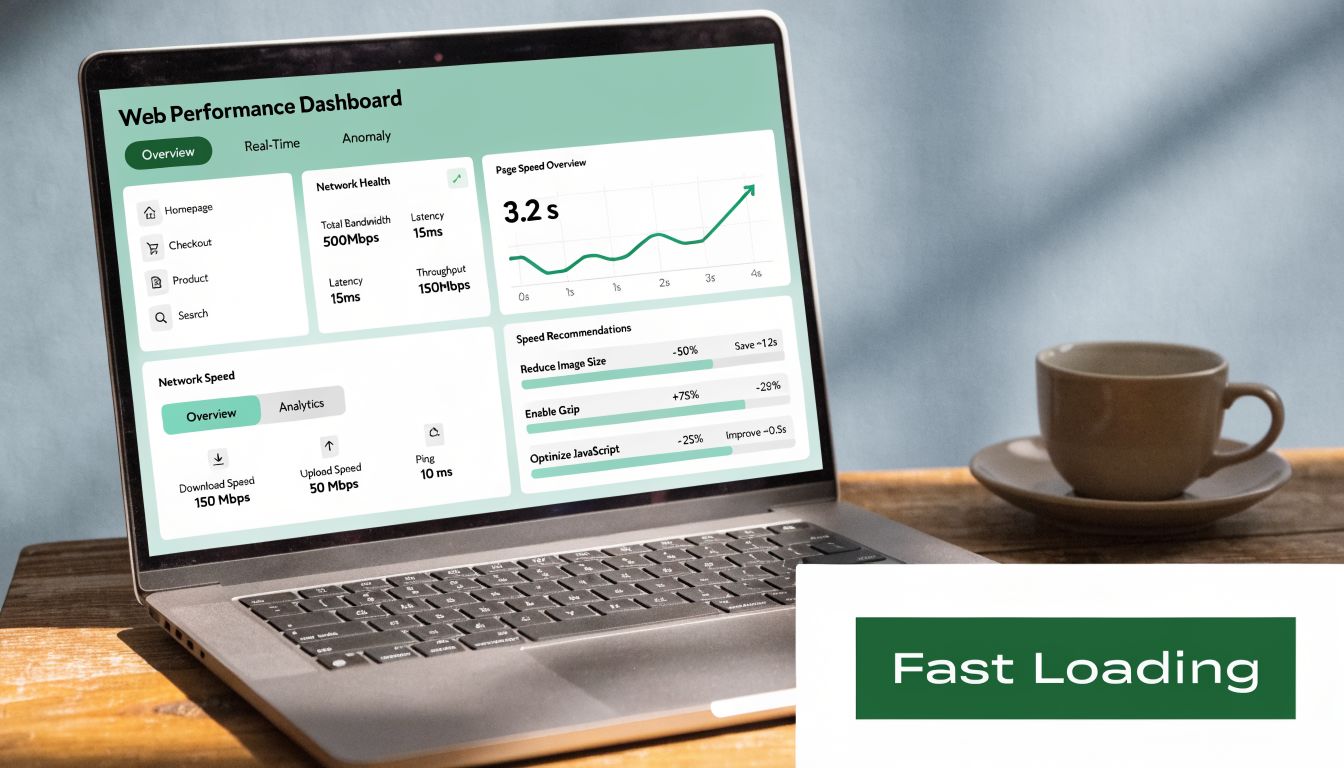
Here's a useful visual cue for the kind of telemetry teams should watch:
Speed work in Sitecore is architecture work
In Sitecore XM Cloud projects, speed tuning usually means checking component hydration, API payload size, caching policy, and whether personalization is being applied in the right place. In Sitecore Search or Personalize implementations, maintenance includes validating that scripts still load efficiently and that new experiments haven't introduced rendering delay.
A practical monthly review should include:
- Page-speed testing: Run Lighthouse or PageSpeed Insights against critical templates, not just the home page.
- Template-level analysis: Check product pages, campaign landing pages, article pages, search results, and forms separately.
- Third-party script review: Remove tags that no longer support active campaigns or reporting needs.
Many maintenance guides correctly place page-speed testing in the monthly review cycle because performance drift is often gradual rather than sudden. One enterprise-oriented checklist also places browser and device testing into quarterly review, which is useful when component libraries evolve over time, as noted earlier in the cadence model.
After your baseline checks, use a deeper walkthrough to review rendering and network behavior:
Slow pages often come from “small” additions. One more script, one more personalization condition, one more API call. Maintenance means catching cumulative drag before users feel it.
What works is trend monitoring tied to release history. What doesn't work is reacting only after SEO, conversion, or user complaints drop.
3. Content Updates and Governance
Who owns the pages that drive revenue, compliance, and customer trust after the launch team has moved on?
That question exposes the true maintenance risk. In enterprise Sitecore and SharePoint environments, content usually keeps publishing. Governance is what slips. Teams lose track of ownership, review dates, localization status, retirement rules, and whether AI-generated summaries or personalized variants still match the current offer.
In Sitecore, that risk spreads quickly because content feeds more than pages. It can power search results, personalization rules, headless components, AI-assisted recommendations, and downstream channels in XM Cloud or composable delivery models. In SharePoint, the same failure shows up differently. Old intranet pages stay searchable, duplicate documents compete with each other, and employees stop trusting what they find.
Content maintenance needs an operating model, not a publishing calendar.
Industry guidance from the U.S. General Services Administration's website content governance resources supports a scheduled review approach for web content, with clear ownership and lifecycle controls. For enterprise teams, that cadence works best when it reflects business risk rather than treating every page the same.
A practical model looks like this:
- Business-critical pages: Assign named owners to product, pricing, legal, support, and lead capture pages. If no owner is accountable, accuracy degrades fast.
- Journey-critical assets: Recheck forms, calculators, search landing pages, gated resources, and campaign destinations after releases, content model changes, or taxonomy updates.
- AI-assisted content and personalization variants: Review prompts, generated outputs, training boundaries, fallback content, and approval rules so automated experiences stay accurate and on-brand.
- Localized and regulated content: Confirm translated, regional, and policy-sensitive pages still reflect current approvals, disclaimers, and market-specific requirements.
- Retirement candidates: Archive or redirect pages that no longer support an active journey, search intent, or business objective.
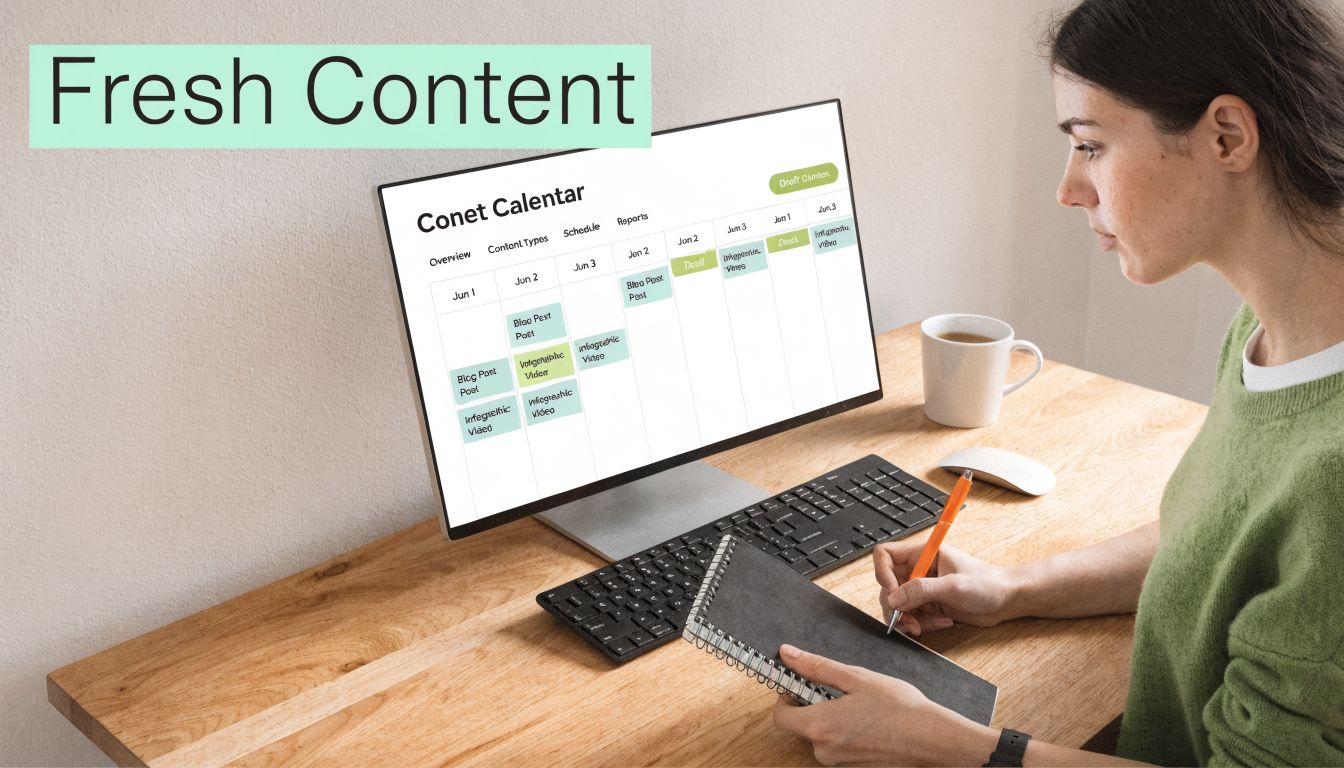
Good workflows do more than route content for approval. In Sitecore, they should enforce metadata completion, taxonomy alignment, SEO fields, accessibility checks, expiration dates, and retirement paths for obsolete assets. In SharePoint, governance should define who can create pages, which templates are allowed, how documents surface in search, and when stale content moves to archive.
I usually advise clients to separate publishing velocity from governance quality. Fast teams often assume high output means healthy content operations. It usually means the opposite unless ownership, review cadence, and archival discipline are built into the workflow. The trade-off is real. Tighter controls slow some authors down, but they also prevent stale content from polluting search, weakening personalization, and creating legal or brand risk.
That is why content governance belongs on a maintenance checklist. Poor governance does not fail loudly at first. It shows up as conflicting messages, low-confidence search results, AI outputs based on outdated inputs, and analytics that are harder to trust because irrelevant legacy pages still attract traffic.
4. Database Maintenance and Optimization
Database maintenance rarely gets executive attention until a search index lags, an authoring environment slows down, or a release window stretches because background jobs are competing for resources. By then, the problem has already affected productivity or user experience.
In Sitecore, database and data-layer maintenance can touch content storage, publishing pipelines, indexes, session or event data, and experience-related services depending on the stack in use. In SharePoint, the pain often shows up as sluggish page loads, bloated content repositories, or search inconsistency tied to content sprawl and retention gaps.
What teams usually miss
Good maintenance is less about “cleaning the database” and more about keeping data operations predictable. That means verifying backups, reviewing growth patterns, checking index health, and making sure archiving rules match the business value of the data being stored.
The common enterprise mistake is treating all data as equally important. It isn't. A live product catalog, active lead form submissions, and search configuration deserve tighter scrutiny than old campaign artifacts or abandoned test content.
Focus your routine on a few practical controls:
- Backup verification: Confirm backups can be restored, not just created.
- Index maintenance: Watch for stale, fragmented, or failed indexes that affect search and page delivery.
- Archive discipline: Move obsolete logs, media, or content versions out of the hot path where possible.
A backup job that reports success is not proof of recoverability. Restoration testing is the real maintenance task.
On Sitecore projects, I've seen teams spend weeks tuning frontend speed while a bloated content tree or neglected indexing strategy was causing avoidable latency in authoring and publishing. On SharePoint estates, the equivalent issue is uncontrolled page and file growth with no ownership model for retirement.
Database maintenance works best when tied to release planning. If campaigns, imports, personalization data, or search changes are coming, review capacity and indexing behavior before the launch, not after.
5. SSL/TLS Certificate Management
Certificate management sounds mundane until a renewal fails, a SAN list is incomplete, or a non-production endpoint breaks integration testing because trust chains weren't handled correctly. Then it becomes urgent very quickly.
Enterprise DXP estates usually have more certificates than teams expect. There's the public website, regional domains, subdomains for microsites, APIs, CDN endpoints, authoring environments, identity providers, and sometimes partner integrations. Sitecore architectures can add more moving parts through headless delivery, search, content APIs, and cloud services. SharePoint environments often bring in intranet zones, hybrid integrations, and Microsoft service dependencies.
Certificates are operational dependencies
A proper website maintenance checklist should track certificates as inventory, not calendar reminders. Expiry dates matter, but so do ownership, validation method, deployment path, and environment coverage.
A practical operating model includes:
- Renewal ownership: Name a team and a backup owner for every certificate.
- Environment mapping: Document where each certificate is installed and what breaks if it expires.
- Staging validation: Test installs outside production before rollover.
What works is automation with visibility. What doesn't work is assuming your provider “probably handles it.” Even when automation is in place, someone still needs to confirm renewals propagated correctly through CDN layers, edge nodes, app gateways, and origin servers.
In Sitecore headless builds, teams should also confirm that secure asset delivery, API endpoints, and third-party services all trust the updated chain. In SharePoint and Microsoft-centric stacks, certificate errors may appear indirectly through sign-in problems, embedded content issues, or service connection failures.
A certificate issue can look like a security issue, a login issue, or a content issue depending on where it appears. That's why maintenance here belongs with platform operations, not just infrastructure.
6. Backup and Disaster Recovery Testing
Many organizations state that they maintain backups. However, fewer can outline the precise steps needed to restore a Sitecore environment, reconnect integrations, rebuild search, validate forms, and reopen content publishing under pressure.
That difference matters. Generic maintenance advice often recommends regular backup verification and broader quarterly checks. One enterprise-oriented checklist explicitly includes backups in quarterly review alongside browser testing, metadata updates, and uptime log inspection, while another common pattern emphasizes weekly backup verification as part of routine site health. The lesson is simple: backup creation and recovery confidence are not the same thing.
Recovery testing beats backup confidence
In Sitecore, disaster recovery has to account for more than content. You may need to restore application configuration, deployment pipelines, indexes, media assets, personalization rules, search settings, identity integrations, and environment secrets. In SharePoint, recovery often involves permissions, document version history, site structure, and governance settings.
A recovery test should answer practical questions:
- Can the team restore content and configuration together?
- Can they validate revenue-critical journeys after restoration?
- Do they know the rollback path if a restore introduces new issues?
The weakest recovery plans are written once and never rehearsed. The strongest ones are tested by the people who'll be on the call during an outage.
Field note: Disaster recovery isn't complete when the site loads. It's complete when users can search, submit forms, authenticate, and complete the journeys the business depends on.
If your infrastructure partner handles hosting, make sure the application team still participates in recovery testing. A restored server with broken personalization, disconnected analytics, or invalid search indexes doesn't meet business expectations.
For teams also reviewing hosting resilience, it helps to align platform recovery planning with the operational assumptions in your affordable website hosting setup, especially around environment availability and escalation paths.
7. Analytics Monitoring and Reporting
Analytics maintenance is often ignored because dashboards still populate. That's a mistake. Data can look healthy while tags are misfiring, events are duplicated, campaign attribution is fragmented, or key funnel steps no longer match the current UX.
This becomes more important in Sitecore environments using personalization, experimentation, search analytics, or customer data activation. If event design drifts, the business starts making decisions on distorted signals. SharePoint teams face a different version of the same problem, especially on intranets where page visits are tracked but task completion, search success, and document usefulness are poorly instrumented.
Trust the implementation before the dashboard
A reliable website maintenance checklist includes monthly analytics review. That cadence is commonly recommended alongside speed testing, security scans, and stale-content checks in practical maintenance guidance. In enterprise work, I'd go one step further and tie analytics validation to every release that touches navigation, forms, search, personalization, or consent controls.
The strongest reviews focus on a few questions:
- Are critical events still firing correctly? Check form submissions, downloads, CTA clicks, search interactions, and logged-in actions.
- Do business definitions still match implementation? A “lead,” “engaged session,” or “qualified search” often changes over time.
- Is consent affecting visibility? Privacy tooling can unintentionally suppress measurement if not reviewed after updates.
What works is a release checklist that includes analytics QA in staging and after deployment. What doesn't work is waiting for the monthly report to reveal that a high-value event disappeared weeks ago.
In Sitecore, AI and personalization governance are essential for this process. If you're using behavioral signals to drive segmentation, recommendations, or customized content, the maintenance task isn't only collecting data. It's confirming the data still means what your models and teams think it means.
8. Plugin and Extension Updates
Every extension promises faster delivery. Every extension also adds maintenance load. That trade-off is manageable when teams keep a tight inventory and retire what they no longer need. It becomes risky when platforms accumulate connectors, marketplace add-ons, custom modules, and campaign scripts that nobody wants to own.
In Sitecore, this usually shows up as custom packages, accelerator components, search add-ons, marketing integrations, identity connectors, and frontend libraries that depend on their own release cycles. In SharePoint, it often appears in web parts, SPFx solutions, Power Platform dependencies, and third-party document or workflow tools.
Every extension adds maintenance load
A mature website maintenance checklist distinguishes between platform updates and extension updates. They aren't the same. A clean Sitecore core platform can still behave unpredictably if one add-on is outdated or incompatible with the current deployment model.
Use a simple review standard:
- Keep an inventory: Record version, owner, business purpose, vendor support status, and environment footprint.
- Test in staging: Validate not just installation, but rendering, search, analytics, forms, and permissions.
- Remove what's idle: Unused extensions create attack surface and increase troubleshooting noise.
The most common failure pattern is sentimental software. Teams keep modules because a campaign used them once, or because removing them feels risky. Over time that caution creates a larger risk surface than controlled retirement would.
For Sitecore XM Cloud and composable architectures, extension review should also include script weight, API dependency, and deployment coupling. If a connector fails, can the experience degrade gracefully? If not, it needs a stronger support model.
SharePoint estates need the same discipline. A web part that still technically works but lacks active ownership can become a governance problem long before it becomes a technical outage.
9. Broken Links and 404 Error Monitoring
Broken links are rarely just a content issue. They expose weak publishing controls, poor redirect governance, and disconnected ownership between content, SEO, and platform teams.
This is one reason cadence-based maintenance works so well. Weekly checks for 404 errors and broken links are commonly recommended in practical checklists because these issues appear constantly as content changes, campaigns end, and pages move. In enterprise environments, that frequency is justified. Large content estates generate link decay as a normal byproduct of ongoing publishing.
Broken links expose process gaps
The fix isn't only “run a crawler.” You also need a redirect policy, page retirement rules, and review gates before authors unpublish or relocate content. In Sitecore, I usually want redirect management tied to publishing governance so changes in content structure don't create SEO or journey failures. In SharePoint, the same discipline helps prevent old internal references from lingering across hub sites and document libraries.
Look at broken links through three lenses:
- User experience: Are users hitting dead ends on key journeys like contact, support, careers, or product discovery?
- Search integrity: Are crawlers encountering unnecessary error paths because content moved without redirects?
- Operational ownership: Who approves URL changes, and who verifies downstream impact?
Broken links don't accumulate because crawlers are weak. They accumulate because governance is weak.
What works is weekly monitoring paired with a clear redirect register for high-value URLs. What doesn't work is relying on ad hoc fixes after support tickets arrive.
I'd also treat repeated 404s as product signals. If users keep requesting missing pages, the issue may be poor navigation, outdated campaigns, or search results surfacing retired content.
10. Accessibility Compliance and Testing
Accessibility maintenance fails when teams treat it as a one-time audit. Accessibility changes every time content authors upload an image, developers ship a new component, marketers add a script, or designers revise interactions.
That's especially true in Sitecore because content and experience layers evolve continuously. A component library may be compliant when it launches, then drift after personalization variants, embedded tools, or AI-assisted content changes are introduced. SharePoint teams see similar drift on intranets when page templates are reused inconsistently and authors bypass formatting guidance.
Accessibility belongs in release validation
A good website maintenance checklist puts accessibility into both routine review and release QA. Broader enterprise guidance also points out a gap in common maintenance lists: they often cover broken links, backups, malware scans, and plugin updates, but they don't explain how to maintain a complex CMS or DXP without causing accessibility regressions, release failures, or compliance drift. That governance gap is well described in Gravitate Design's enterprise maintenance perspective.
For enterprise teams, the practical model is straightforward:
- Test key journeys manually: Navigation, search, forms, login, downloads, and multimedia need keyboard and screen-reader checks.
- Govern content entry: Require alt text, heading structure, link clarity, and table discipline in author workflows.
- Validate after releases: Any template, component, or script change can alter focus order, labels, contrast, or semantics.
What works is shared ownership between design, content, development, and QA. What doesn't work is assigning accessibility to one specialist after deployment.
In Sitecore, accessibility should be built into templates, rendering variants, and authoring guidance so editors don't have to guess what “good” looks like. In SharePoint, use page templates and governance rules to reduce variation before it creates compliance issues.
10-Point Website Maintenance Comparison
| Maintenance Task | 🔄 Implementation Complexity | ⚡ Resource Requirements | ⭐ Expected Outcomes | 📊 Ideal Use Cases | 💡 Key Tips |
|---|---|---|---|---|---|
| Security Patches and Vulnerability Updates | High, coordinated vendor testing and rollback plans | Security engineers, patch automation, staging/prod environments | Prevents breaches, maintains compliance, reduces incident downtime (⭐⭐⭐⭐) | Enterprise CMS with PII, regulated industries (finance, healthcare) | Align patch schedule with vendors; test in staging; document changes |
| Performance Optimization and Speed Testing | Medium–High, iterative profiling and tuning | Performance engineers, CDN, RUM/synthetic tools, load test infra | Faster load times, better SEO and conversions (⭐⭐⭐⭐) | E‑commerce, high‑traffic global sites, personalization platforms | Use RUM + synthetic tests, lazy load assets, monitor Core Web Vitals |
| Content Updates and Governance | Medium, process and editorial workflows | Dedicated content teams, CMS workflows, localization tools | Fresh, consistent content; improved discoverability (⭐⭐⭐) | Marketing sites, multilingual/global brands, publishers | Establish governance, editorial calendar, automated SEO checks |
| Database Maintenance and Optimization | High, requires specialized DBA work and tuning | DBAs, backup systems, monitoring and replication tooling | Faster queries, data integrity, reliable recovery (⭐⭐⭐⭐) | Personalization engines, high‑transaction CMS backends | Automate backups/verification, schedule index maintenance, archive cold data |
| SSL/TLS Certificate Management | Low–Medium, lifecycle automation preferable | Certificate manager, monitoring, staging validation | Encrypted traffic, trust signals, compliance (⭐⭐⭐) | Public sites, e‑commerce, PCI/GDPR required sites | Automate renewals, monitor expirations, test in staging 30+ days early |
| Backup and Disaster Recovery Testing | High, complex orchestration and validation | Backup storage, DR sites, recovery teams, automation | Business continuity, ransomware protection, verified recovery (⭐⭐⭐⭐⭐) | Financial, healthcare, SLA‑driven enterprises | Test recoveries regularly, keep geo‑diverse backups, document RTO/RPO |
| Analytics Monitoring and Reporting | Medium, tagging accuracy and governance critical | Analytics engineers, tracking tools, dashboards | Actionable insights, ROI measurement, behavior analysis (⭐⭐⭐) | Marketing optimization, personalization, campaign attribution | Implement robust event tracking, use KPI dashboards, monitor anomalies daily |
| Plugin and Extension Updates | Medium, compatibility and dependency management | Dev/test environments, plugin inventory, vulnerability scanners | Maintains security and features, reduces technical debt (⭐⭐⭐) | CMS with many third‑party modules, extensible platforms | Keep inventory, subscribe to advisories, test updates in staging, remove unused plugins |
| Broken Links and 404 Error Monitoring | Low–Medium, crawling at scale can be resource intensive | Crawlers, SEO tools, redirect management | Improved UX and preserved SEO authority (⭐⭐⭐) | Large content sites, news orgs, sites with frequent reorganizations | Crawl weekly, use 301 redirects for moved content, monitor Search Console |
| Accessibility Compliance and Testing | Medium–High, requires manual and automated checks | Accessibility auditors, assistive tech, design/dev training | Legal compliance, broader audience access, better UX (⭐⭐⭐⭐) | Public sector, education, legally regulated sites | Combine automated scans with manual testing, train teams, include accessibility in QA |
Transform Maintenance into a Competitive Advantage
What happens when website maintenance stops being a cleanup task and starts operating like part of the revenue model?
A detailed website maintenance checklist does more than reduce outages or retire stale pages. It protects conversion paths, supports trust, and keeps the platform aligned with business priorities. In Sitecore and SharePoint environments, that alignment matters because the website is rarely just a website. It is a content engine, a search layer, a workflow tool, a data collection point, and often a front door to sales or service operations.
That is why enterprise maintenance needs to be treated as an operating framework, not a collection of tickets.
In Sitecore, AI-driven personalization, search relevance, taxonomy quality, and governance all depend on steady maintenance. If the underlying content model drifts, metadata becomes inconsistent, or testing discipline weakens, personalization output gets less reliable and search quality drops with it. In XM Cloud and other composable setups, maintenance also reaches across integrations, APIs, and deployment workflows. The work is no longer limited to patching a CMS. It includes protecting the logic that shapes each experience.
SharePoint has its own version of the same problem. Intranets, document hubs, and hybrid content estates usually decline slowly rather than fail all at once. Permission sprawl grows. Search results lose relevance. Outdated pages remain visible. Template standards erode between departments. Each issue looks minor on its own, but together they reduce confidence in the platform and make adoption harder to sustain.
A useful maintenance model connects cadence to business risk. Weekly checks should catch broken forms, expired integrations, publishing errors, and obvious journey failures. Monthly reviews should cover security scanning, performance validation, analytics QA, and content quality. Quarterly reviews should examine backup recovery, browser and device behavior, search tuning, metadata hygiene, and platform trends over time. Annual reviews should confirm legal content, retention requirements, certificate renewals, and platform dependencies.
The hard part is ownership.
Marketing teams often control content. IT controls infrastructure. Security sets policy. Analytics teams validate reporting. Product owners focus on roadmap delivery. Without a shared operating model, no one is accountable for the health of the full experience across authoring, delivery, personalization, search, and governance. Strong enterprise teams solve that by assigning ownership around business journeys and service levels, not internal department lines.
That approach changes the value of maintenance. It stops being defensive work and becomes a way to protect search visibility, improve editor efficiency, preserve data quality, support compliance, and reduce avoidable release risk. It also gives leadership a clearer view of where operational debt is building before it affects revenue, adoption, or customer trust.
If internal capacity is thin, a specialist partner can run that model with clearer accountability. Kogifi is one option for organizations that need Sitecore, SharePoint, and broader DXP support tied to audits, updates, governance, and ongoing operational management. The practical benefit is consistency. Internal teams stay focused on roadmap and delivery while maintenance work is handled with the discipline enterprise platforms require.
Well-run maintenance is usually invisible to end users. That is the point. Experiences stay fast, search stays relevant, personalization stays credible, and teams spend less time reacting to problems that should have been caught earlier.