Your team probably already has a DAM problem, even if nobody calls it that yet.
It shows up when regional marketers reuse last quarter's banner because they can't find the approved one. It shows up when SharePoint holds one version, a designer's desktop holds another, and Sitecore points to something else entirely. It shows up when legal asks who approved a video, when sales downloads the wrong logo, or when a campaign launch stalls because nobody knows which asset is current.
For enterprise teams running Sitecore, SharePoint, or a broader composable stack, digital asset management cloud isn't just about storing files online. It's about controlling content operations so assets move cleanly from creation to approval to delivery, without turning every launch into a manual rescue exercise.
Table of Contents
- Metadata that does real work
- Search, versions, and renditions
- Governance that supports speed
- AI support that is useful, not decorative
- Where teams see the operational gain
- Sitecore Content Hub and XM Cloud
- Where SharePoint fits and where it does not
- What breaks in real integrations
- Security controls that should be non-negotiable
- Why data sovereignty changes the architecture
- Questions to ask before procurement signs anything
- Build the business case around workflow friction
- Choose a platform for fit not just features
- Run migration as an operating model change
Moving Beyond the Chaos of Shared Drives
A familiar enterprise pattern looks like this. Brand files live across old network drives, SharePoint folders, agency transfers, desktop archives, and cloud storage accounts created for one campaign and never governed after that. Every team has content, but nobody has confidence.
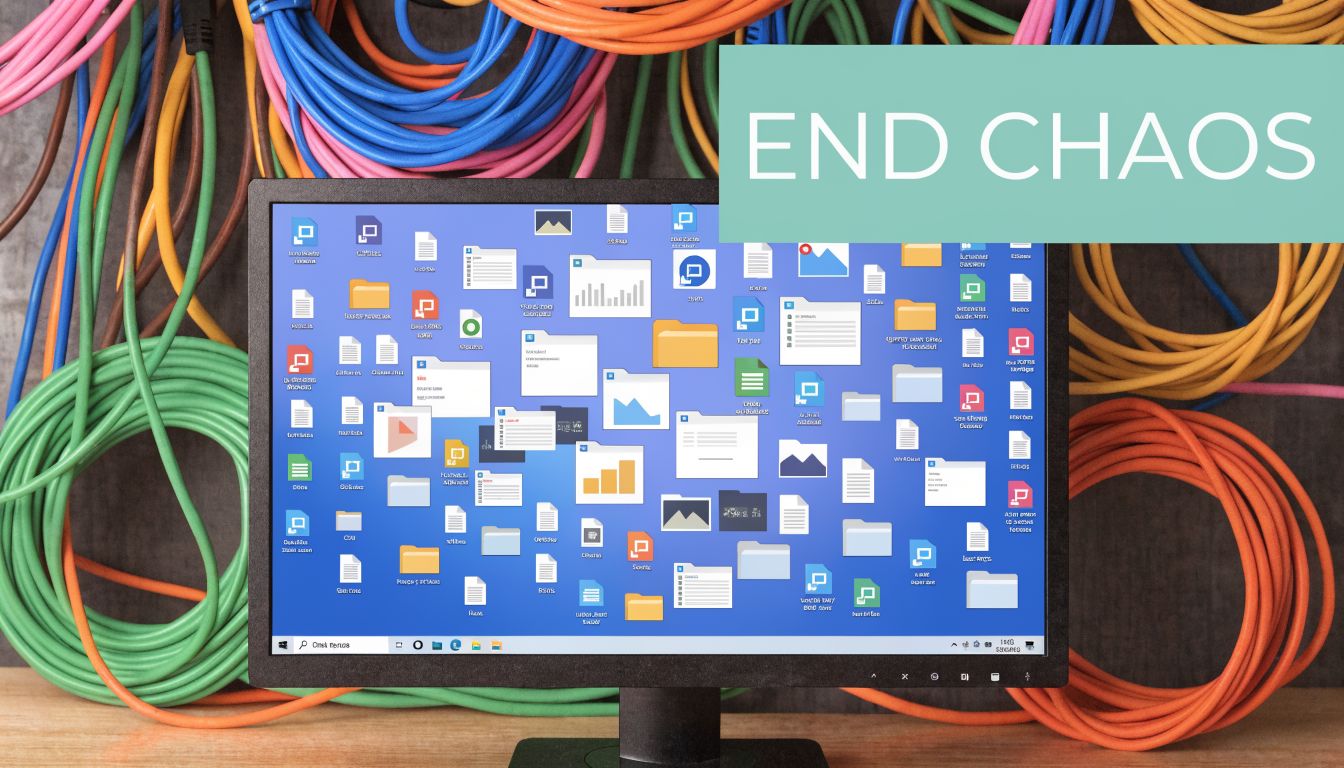
Marketing feels the pain first, but the damage spreads further. Content editors waste time hunting for approved images. Compliance teams struggle to validate usage rights. IT inherits access sprawl, duplicate files, and unclear ownership. In Sitecore projects, this often leads to one of the worst patterns: the CMS becomes an accidental file repository instead of a delivery layer.
A cloud DAM changes that model. It gives teams a governed system of record for images, video, documents, brand templates, and derivatives. More important, it ties those assets to metadata, approvals, permissions, and downstream delivery rules.
The business case is no longer abstract. Enterprises implementing cloud DAM solutions see 320% ROI over three years, along with a 38% reduction in time-to-market and average annual savings of $2.1 million according to Gitnux cloud DAM industry statistics.
Practical rule: If teams still ask in chat, “Does anyone have the latest version?”, you don't have a storage problem. You have a content operations problem.
The same issue appears at every scale. Even lightweight use cases, like Collect wedding photos from guests, show why centralized intake and controlled sharing matter. At enterprise scale, that need becomes stricter because assets affect brand, legal exposure, campaign timing, and customer experience.
For teams trying to bring order to fragmented content estates, a useful starting point is understanding how media asset management systems differ from basic file storage and where they fit inside a DXP architecture.
What shared drives fail to provide
- Clear ownership: folders rarely show who approved an asset, who may use it, or when it expires.
- Reliable discovery: filenames don't scale when users search by product line, region, channel, or rights status.
- Controlled distribution: teams copy and resend files instead of serving approved renditions from one managed source.
- Operational trust: without governance, every launch includes manual verification work that slows delivery.
What is a Cloud Digital Asset Management Platform
A cloud digital asset management platform is a central system for storing, organizing, governing, and distributing digital content. The useful analogy is a smart library for your brand's digital DNA. It doesn't just hold files. It knows what they are, where they can be used, who can access them, and how they should be delivered.
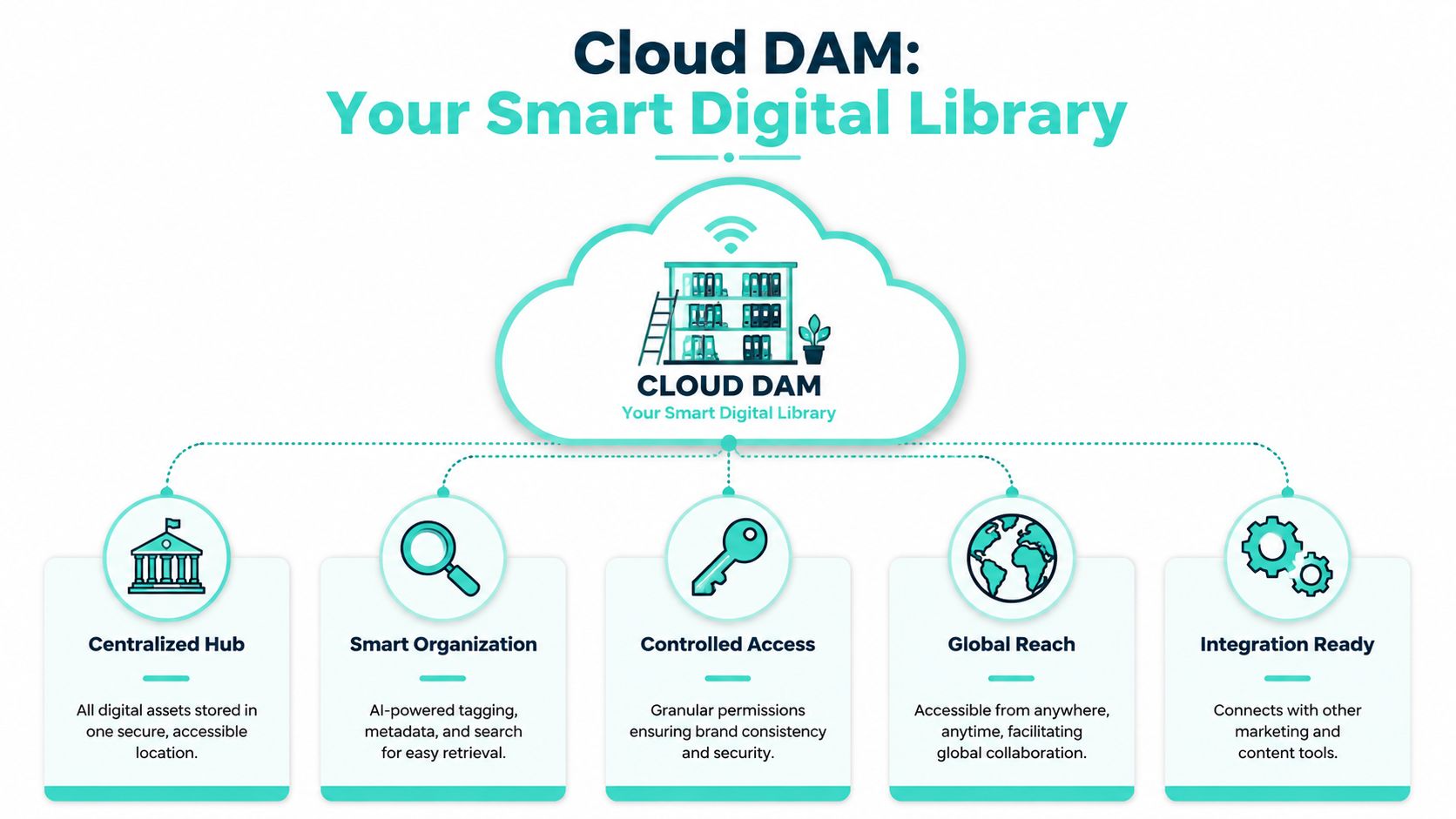
That's the first distinction from generic cloud storage. Dropbox, OneDrive, and shared folders are useful for file access. A DAM is built for content operations. It manages metadata models, approvals, rights, renditions, usage tracking, and system integrations. In enterprise environments, that difference determines whether content can support omnichannel delivery or merely sit in a folder structure.
The single source of truth
A mature DAM becomes the source that Sitecore, SharePoint, creative tools, commerce systems, and campaign teams rely on. Instead of uploading duplicate files into every platform, teams reference one governed master and distribute approved renditions where needed.
That matters because enterprise content rarely stays in one place. The same product image might appear on a Sitecore website, inside SharePoint for internal sales enablement, in email, in paid media, and in regional print outputs. Without one managed source, inconsistency becomes normal.
What makes it intelligent
The intelligence layer comes from metadata, automation, and integration. Cloud DAM systems automatically parse technical metadata such as resolution, format, and file size, enabling precise filtering that reduces retrieval time from hours to seconds, an 80% improvement according to Orange Logic on technical metadata in DAM.
That means users don't need to remember exact filenames. They can search by format, campaign, market, rights status, or asset type. They can filter out low-resolution files before publishing mistakes happen. They can enforce standards instead of relying on tribal knowledge.
A good DAM reduces decision fatigue. Teams stop wondering which file is safe to use because the system makes that answer visible.
For readers interested in the longer arc of digital asset evolution for businesses, that shift from file storage to governed digital assets is the definitive turning point. The value isn't the move to cloud by itself. The value comes from attaching business context to every asset.
The core pillars
| Pillar | What it does in practice |
|---|---|
| Centralization | Brings approved assets into one managed repository instead of scattered locations |
| Metadata | Classifies assets so teams can search, automate, validate, and report on usage |
| Workflow | Routes content through review, approval, expiry, and version control |
| Distribution | Sends the right rendition to the right channel without recreating files manually |
| Integration | Connects assets to CMS, DXP, PIM, collaboration, and creative tools |
A practical buyer's lens is to assess whether a platform can support these pillars at enterprise scale, not just whether it has a clean UI. The shortlist should start with systems designed for governance and integration, which is why many teams begin with evaluations like this guide to best digital asset management software.
Core Capabilities of an Enterprise Cloud DAM
Enterprise DAM discussions often become feature checklists. That's the wrong level. What matters is whether the platform removes friction from how assets are created, approved, reused, and delivered across channels.
Metadata that does real work
Metadata is where a DAM becomes operationally valuable. Every enterprise says assets need to be “organized,” but the useful question is organized by what. Product line. Region. Language. Licensing status. Campaign. Audience. Channel. File type. Expiry. Accessibility status. Approval state.
When teams design metadata well, the DAM starts doing work for them. It can route assets by taxonomy, reject files that don't meet requirements, and support publishing workflows downstream. Technical metadata also matters because it helps teams filter by dimensions such as resolution or format before assets reach Sitecore components, SharePoint pages, or campaign teams.
In practice, the strongest implementations use a mix of controlled vocabulary and automated extraction. They don't leave tagging entirely to end users, and they don't trust AI tags without business review rules.
Architect's note: If your metadata model is vague, your search, governance, and reporting will be vague too.
Search, versions, and renditions
Search quality is where users decide whether they'll trust the platform. If they can't find assets quickly, they return to old folder habits. Enterprise DAM search should support more than keyword lookup. It should let users filter, facet, and narrow by business criteria that match real publishing decisions.
Versioning matters just as much. Teams need to know what changed, when it changed, who changed it, and which version is approved for use. This becomes critical in regulated content, multilingual publishing, and campaign adaptation where one base asset generates multiple market-specific versions.
Rendition management is another dividing line between consumer-grade storage and enterprise DAM. A mature platform can generate and deliver channel-ready outputs from a master asset. That means web formats for Sitecore delivery, print outputs for local teams, lighter files for email, and internally shared versions for collaboration portals.
Governance that supports speed
Governance often gets framed as a brake on creativity. In well-run DAM environments, governance does the opposite. It removes repeated approval work and reduces uncertainty.
Common governance controls include:
- Rights awareness: usage restrictions, approvals, and expiry details stay attached to the asset.
- Permission boundaries: regional teams see what they need without exposing everything to everyone.
- Lifecycle states: draft, review, approved, archived, and expired states become operational rules.
- Auditability: teams can trace who uploaded, edited, approved, or distributed an asset.
Enterprise teams don't just need faster access. They need confidence that access leads to the correct file.
AI support that is useful, not decorative
AI has become a standard talking point in DAM, but the enterprise test is simple. Does it reduce manual work without introducing ambiguity?
Useful AI in DAM typically helps with:
- Auto-tagging: speeding initial classification of images, video, and documents
- Content recognition: identifying objects, scenes, or repeated patterns for search
- Metadata suggestions: helping users complete fields consistently
- Workflow triggers: routing assets based on detected characteristics or business rules
What doesn't work is treating AI tagging as final truth. Teams still need governed taxonomies, review checkpoints, and channel-specific delivery logic.
Where teams see the operational gain
A modern DAM reduces waste in places that usually stay hidden in project plans:
- Editors stop re-uploading assets into Sitecore because approved links or references already exist.
- Design teams stop answering repetitive file requests because self-service retrieval improves.
- Brand teams stop policing usage by email because permissions and approved renditions are built into the system.
- IT stops maintaining scattered repositories that duplicate files across collaboration and web delivery tools.
A practical implementation guide should always include governance and model design, which is why DAM success usually follows the disciplines outlined in digital asset management best practices.
Integrating Cloud DAM with Your DXP and CMS
The DAM only delivers full value when it becomes part of the operating architecture. In enterprise environments, that usually means connecting it to a DXP, a CMS, productivity platforms, creative tooling, and sometimes commerce or PIM. With such connections, abstract DAM conversations become very real.

A file repository sitting beside your stack doesn't solve much. An integrated DAM does. It feeds approved assets into web experiences, personalization flows, editorial workflows, intranets, and partner portals without forcing each team to maintain local copies.
Sitecore Content Hub and XM Cloud
For organizations in the Sitecore ecosystem, the strongest DAM pattern is to treat Sitecore Content Hub as the content operations layer and Sitecore XM Cloud as the experience delivery layer. That separation is healthy. Content Hub governs assets, metadata, workflows, and approvals. XM Cloud consumes approved content and assets to power web experiences.
This becomes more valuable when teams are working with personalization and AI-enabled delivery. If the DAM holds well-structured metadata and approved renditions, Sitecore can use that material more consistently across pages, components, and market variants. You get better reuse and less manual asset wrangling inside the CMS.
The architectural rule is simple. Don't turn XM Cloud into a shadow DAM. Use it to assemble and deliver experiences. Let the DAM own asset governance.
Where SharePoint fits and where it does not
SharePoint is often part of the picture, and it can be useful. For internal collaboration, document-centric workflows, intranets, and team-level publishing, SharePoint does a lot well. Many enterprises already depend on it for document libraries, approvals, and controlled internal access.
But SharePoint isn't automatically a marketing DAM. It tends to struggle when teams need rich media transformations, external brand distribution, complex rights metadata, granular asset lifecycle rules, and efficient omnichannel delivery into public-facing experience platforms.
A practical split often works best:
| Platform | Best role |
|---|---|
| Sitecore Content Hub | Asset governance, media workflows, metadata-rich content operations, external distribution |
| XM Cloud | Presentation, orchestration, personalization, page assembly |
| SharePoint | Internal collaboration, document libraries, operational knowledge sharing, intranet use cases |
That division prevents a common mistake. Teams try to make one platform solve every content problem, then end up with duplicated processes and brittle integrations.
What breaks in real integrations
The hard part isn't whether a DAM has APIs. Most enterprise platforms do. The hard part is whether the systems agree on structure, lifecycle, and ownership.
Real-world enterprise DXP-DAM integrations often face 20-30% higher failure rates due to unaddressed schema mismatches, and expert partners can reduce deployment time by up to 40%, according to MediaValet on cloud-based DAM integration challenges.
The usual failure points are consistent:
- Metadata mapping mismatches: the DAM stores asset types, rights, market, and campaign data one way, while Sitecore fields expect another structure.
- Sync timing issues: assets update in the DAM but cache invalidation or downstream sync doesn't reflect the change quickly enough.
- Workflow disagreement: one platform treats an asset as publishable while another still sees it as draft.
- Identifier inconsistency: duplicate records appear because systems don't share a stable ID strategy.
- Permission confusion: internal collaboration permissions don't map neatly to external publishing needs.
Plug-and-play is rarely true in enterprise DAM. Integration succeeds when taxonomy, workflow states, identifiers, and delivery rules are designed together.
A useful reference point for teams evaluating the architectural side of this decision is cloud-based digital asset management, especially when the DAM is expected to support a composable DXP.
After the model is defined, the integration work gets much more predictable. Teams can create clear contracts for metadata, event handling, rendition delivery, and asset state transitions.
A short product walkthrough helps illustrate how this fits in the Sitecore world:
One practical implementation option is to work with a delivery partner such as Kogifi, which focuses on Sitecore AI, SharePoint, and enterprise DXP integrations. The important point isn't the vendor label. It's whether the team can design the metadata model, integration logic, governance rules, and support processes as one system rather than a chain of disconnected projects.
Navigating Security Compliance and Data Sovereignty
Security questions around cloud DAM are usually asked too late. By the time procurement or legal raises them, the shortlist is already shaped around UI demos and feature lists. That's risky, especially for public sector organizations, global brands, education, and companies operating under regional data residency rules.

Security controls that should be non-negotiable
At minimum, enterprise buyers should expect AES-256 encryption, SSO via SAML, and compliance with SOC 2 Type II and ISO 27001 in multi-tenant architectures, as described by Activo Consulting on cloud-based DAM security. Those are not luxury features. They are baseline controls for a system that stores approved brand content, regulated documents, campaign media, and user access histories.
SSO matters because DAM access should align with enterprise identity controls. Audit logs matter because teams need to trace who changed, downloaded, or approved an asset. Tenant isolation matters because a multi-tenant cloud model only works if customer data is properly segregated and governed.
Why data sovereignty changes the architecture
Data sovereignty is where many DAM evaluations become superficial. A platform may be secure in a general sense and still be a bad fit for a regulated environment if storage location, backup region, or processing path conflicts with legal obligations.
A 2025 study found 42% of cloud DAM users in regulated industries faced compliance violations due to vendor-hosted storage in non-sovereign regions, highlighting the need for geographic data residency and strict audit trails for GDPR and Saudi NCA compliance, according to Aprimo on cloud digital asset management.
That changes the design conversation. You need to ask where master files live, where renditions are generated, where backups replicate, where logs are stored, and whether AI-generated metadata processing crosses jurisdictional boundaries. For Saudi organizations and multinational firms operating in GCC contexts, those aren't secondary concerns.
Security without residency clarity isn't enough. A platform can be technically hardened and still create compliance exposure if it stores or processes data in the wrong place.
The same broader principle appears in regional guidance on Philippines business cybersecurity. Different jurisdictions create different operational expectations, and cloud decisions have to reflect that reality rather than assuming one global default works everywhere.
Questions to ask before procurement signs anything
Use these questions early, not after vendor selection:
- Where does data reside: ask about primary storage, backup storage, and log retention locations.
- How is access governed: verify SSO, 2FA support, role-based permissions, and auditability.
- How are assets isolated: understand tenant isolation in multi-tenant deployments.
- What happens to AI-derived metadata: confirm where processing occurs and how outputs are retained.
- How are legal hold and deletion handled: especially for regulated or public sector content.
- What evidence is available: request current compliance documentation and operational controls, not just marketing statements.
For regulated enterprises, the safest posture is to evaluate DAM as part of your broader DXP and collaboration estate. A secure DAM connected badly to Sitecore, SharePoint, or downstream publishing tools can still create governance gaps.
Your Roadmap to Cloud DAM Adoption and ROI
The strongest DAM programs start with business friction, not software demos. If you anchor the project around “we need a better place for assets,” the result is usually a nicer repository. If you anchor it around launch delays, asset misuse, duplicated work, weak governance, and inconsistent delivery across Sitecore and SharePoint, the program becomes much easier to justify.
Build the business case around workflow friction
Start by identifying where assets slow work down today. Look for repeated manual approvals, duplicate uploads into CMS templates, agency requests for files already created, unclear rights ownership, and poor search behavior across departments.
Then map those issues to outcomes that matter internally:
- Marketing operations: faster campaign assembly and fewer approval bottlenecks
- Editorial teams: cleaner asset selection inside Sitecore and fewer broken content references
- Brand governance: stronger control over current logos, templates, and approved media
- IT and security: reduced repository sprawl and clearer access management
- Regional teams: better self-service without losing central standards
These are the conversations that get budget support because they tie DAM to operating efficiency rather than abstract modernization.
Choose a platform for fit not just features
A buying checklist helps, but it should be weighted toward fit with your stack and governance model.
- Integration model: if Sitecore XM Cloud is central to your web estate, test the depth of DAM integration with delivery workflows, not just API availability.
- Metadata flexibility: make sure the platform can support your taxonomy, rights model, locale structure, and approval states.
- Search behavior: run real user scenarios. Can editors, marketers, and regional teams find assets the way they think?
- Rendition delivery: confirm whether the platform can produce and deliver appropriate outputs for web, collaboration, print, and campaign usage.
- Security posture: verify AES-256, SSO via SAML, SOC 2 Type II, and ISO 27001 support through the vendor's documented controls, using the security baseline outlined by Activo Consulting.
- Operating support: ask how incidents, metadata changes, sync problems, and publishing failures are handled after go-live.
A short selection matrix can keep teams honest:
| Decision area | Strong sign | Warning sign |
|---|---|---|
| DXP fit | Clear model for Sitecore or SharePoint integration | Generic “works with everything” messaging |
| Governance | Structured workflow, permissions, and lifecycle states | Folder-based governance with weak metadata |
| Search | Business filters match real user tasks | Search depends heavily on filenames |
| Compliance | Residency and audit answers are specific | Security language stays high-level |
| Adoption | User journeys are tested by role | Selection is driven mostly by admin demos |
Run migration as an operating model change
DAM migrations fail when teams treat them as bulk file moves. The work is not just transfer. It's curation.
A sound implementation sequence usually looks like this:
Define the asset model
Decide what belongs in the DAM, what remains in SharePoint, and what should stay out of the platform entirely.Design metadata and governance
Build taxonomies, approval states, permissions, rights fields, and archival rules before importing at scale.Clean before migration
Remove obsolete, duplicate, or ungoverned assets. Migrating junk faster still gives you junk.Connect downstream systems
Establish how Sitecore, collaboration tools, and other platforms will reference, sync, or consume assets.Train by role
Editors, marketers, brand managers, and IT admins need different workflows, not one generic training session.Measure operational change
Track search success, asset reuse, approval speed, publishing reliability, and support tickets after launch.
The migration is successful when teams stop creating side channels for content. Adoption shows up in behavior before it shows up in dashboards.
A cloud DAM works best when it becomes part of a broader content operating model across DXP, CMS, and collaboration systems. That's particularly true for Sitecore-first organizations, where content governance and personalized delivery depend on clean asset flow from source to experience.
If your team is evaluating how digital asset management cloud should fit into Sitecore, SharePoint, or a wider composable DXP, Kogifi can help assess the architecture, metadata model, integration approach, and rollout plan so the platform supports real publishing and governance workflows rather than becoming another isolated repository.