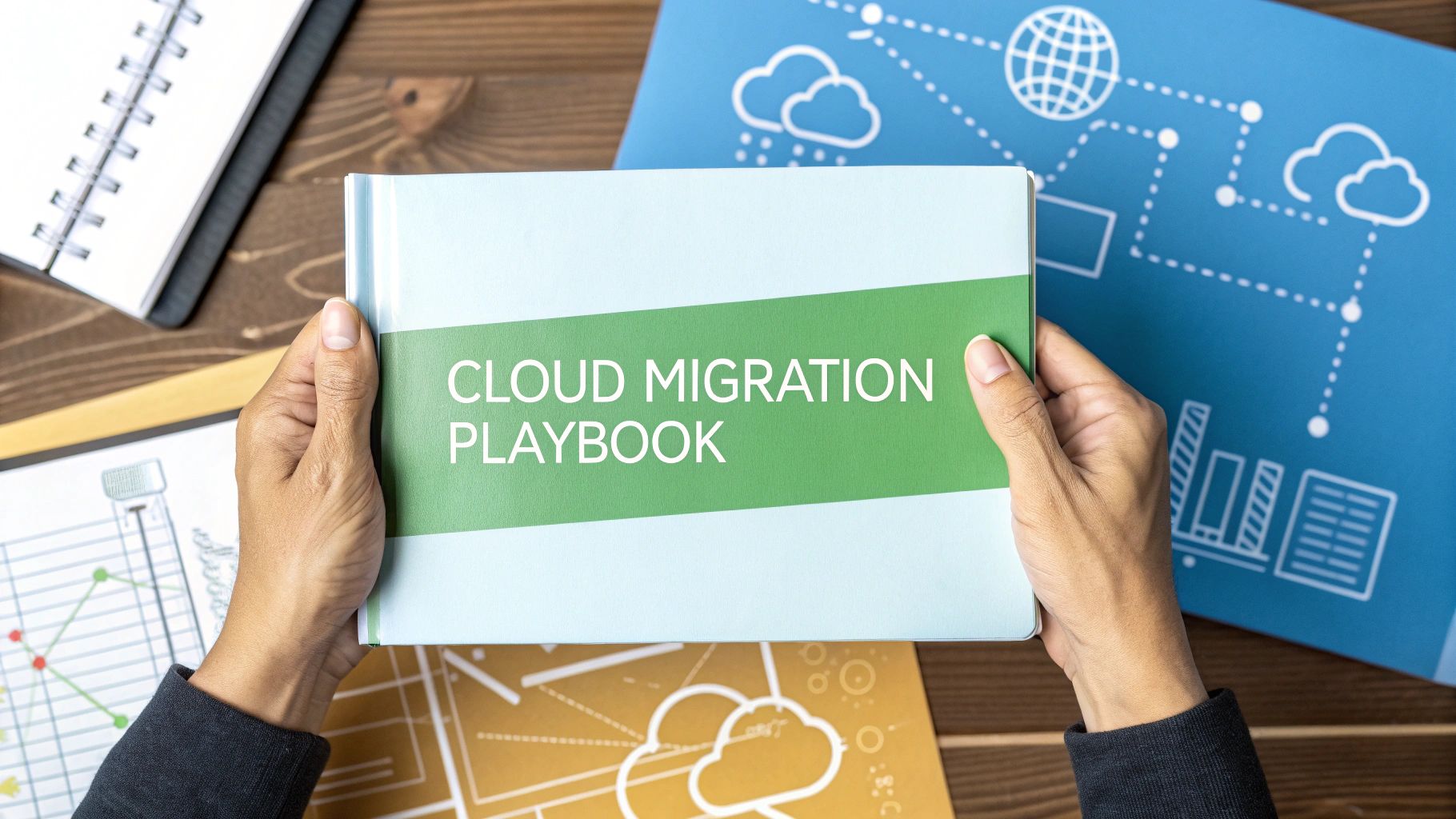



An enterprise cloud migration strategy is the playbook for moving your company’s digital heavy-hitters—like Sitecore or SharePoint platforms—from on-premise servers into a cloud environment. This is so much more than just a change of address for your data; it’s a foundational business shift that paves the way for greater agility, opens the door to AI-driven personalization, and sharpens your competitive edge.
Why a Cloud Migration Strategy Is Non-Negotiable
Lifting complex platforms like Sitecore and SharePoint into the cloud isn't a weekend IT project. It’s a strategic business decision that sends ripples through everything from customer experience to day-to-day operations.
Without a rock-solid plan, enterprises stumble into chaotic implementations, watch costs spiral out of control, and ultimately miss out on what the cloud can really do. A well-thought-out strategy elevates the migration from a technical chore to a genuine business transformation.
Let’s be honest, this move is essential to stay in the game. The market is screaming cloud, with public cloud spending projected to swallow up over 45% of all enterprise IT spending by 2026—a massive leap from less than 17% in 2021. If you're not moving, you're getting left behind.
For IT leaders, this shift is a golden opportunity to squeeze more ROI out of their tech stack and build scalable Digital Experience Platform (DXP) architectures that can handle the 24/7 demands of a global audience.
Aligning Technology with Business Outcomes
A winning strategy ties every technical choice back to a clear business goal. For a Sitecore migration, the objective might be to finally unleash AI features like Sitecore Personalize and see conversion rates climb. For a SharePoint move, it could be as simple as making global collaboration less painful by shifting to SharePoint Online.
To give you a clearer picture, here’s a breakdown of what a solid strategy looks like in practice.
Core Pillars of an Enterprise Cloud Migration Strategy
A summary of the essential components and their primary business objectives for a successful DXP cloud migration.
This table shows how a structured approach ensures the migration isn’t just about swapping servers. It’s about building a launchpad for future innovation so you can tap into the full potential of modern DXP solutions.
The Shift to a Composable Future
At the end of the day, the biggest driver for a cloud strategy is the need to be nimble. Monolithic, on-premise systems are slow, clunky, and a nightmare to maintain.
Migrating Sitecore to a composable architecture, for instance, frees up your marketing and IT teams to roll out new features independently without stepping on each other’s toes. You can dive deeper into this concept in our guide on future-proofing with composable DXP architecture. This is the real "why" behind the migration—it’s a conscious decision to build a more flexible, scalable, and intelligent digital future.
Building Your Foundation with a Discovery and Readiness Audit
A successful enterprise cloud migration doesn't start with picking a cloud provider. It begins with a brutally honest look in the mirror. Before you can even think about mapping out your journey, you have to understand your starting point. This initial discovery and readiness audit is the single most critical phase for de-risking the entire project, especially for tangled ecosystems like Sitecore and SharePoint.
Skipping this step is like trying to build a skyscraper on sand. It just won’t work. You need a detailed blueprint of your current on-premise DXP, including every last customization, integration, and hidden dependency. This is exactly where so many migrations go wrong—an unknown legacy API or a forgotten web of SharePoint workflows can bring a multi-million dollar project to a grinding halt.
Auditing Your Sitecore and SharePoint Ecosystems
The first job is a deep-dive technical audit. For a Sitecore instance, that means going way beyond a simple content inventory. You need to map out every custom component, pipeline processor, and integration point. Are you leaning heavily on outdated modules that have no future with Sitecore XM Cloud? Now is the time to find out, not halfway through the project.
For SharePoint, the audit zeroes in on custom web parts, farm solutions, and those notoriously complex permission structures. Many on-premise SharePoint environments are weighed down by years of unmanaged customizations that are simply impossible to "lift and shift" to SharePoint Online. Finding these early lets you plan to either modernize or retire them.
Your audit absolutely must document:
- Application Dependencies: A complete list of every internal and third-party system that talks to your DXP, from the CRM to the ERP.
- Technical Debt: An honest catalog of all the outdated code, unsupported modules, and architectural shortcuts that need to be dealt with.
- Performance Baselines: Capture current metrics like page load times and server response so you have a clear benchmark for success later on.
Defining Business Objectives Beyond Cost Savings
Look, a cloud migration is a business initiative, not just an IT project. The goals have to reflect that reality. While trimming costs is always a factor, the real value comes from unlocking new capabilities you just couldn't access before. Your objectives need to be specific, measurable, and tied directly to business outcomes.
Moving to the cloud is your opportunity to redefine what's possible. Stop asking, "How can we save money on servers?" and start asking, "How can we use Sitecore's AI to increase customer lifetime value by 15%?" This simple shift in perspective gets the entire organization aligned around growth, not just maintenance.
For example, a primary goal for a Sitecore migration should be to finally activate its powerful AI-powered product suite.
- Goal: Increase content velocity and personalization.
- KPI: Cut the time to launch a new campaign from four weeks to one week by using Sitecore’s composable tools.
- KPI: Boost user engagement by 25% using Sitecore Personalize to deliver real-time, AI-driven experiences.
For a SharePoint migration, your objectives might focus more on improving collaboration and smashing the operational friction that slows your teams down.
Assessing Team Skills and Establishing KPIs
Finally, you have to take a hard look at your team. Do they have the skills to manage a cloud-native DXP, or is there a serious knowledge gap? A smart cloud migration strategy must include a plan for upskilling your developers and IT staff on cloud architecture, DevOps practices, and platform-specific tools like Sitecore's composable DXP. A well-prepared team is just as crucial as a well-planned migration.
This foundational audit provides the data-driven clarity you need to make every subsequent decision informed and strategic. To see how this process fits into a larger project framework, you can learn more about the importance of a project discovery phase in our detailed guide. This groundwork ensures you’re building on solid rock, not shifting sand.
Choosing Your Migration Path and Target DXP Architecture
Picking the right migration path is one of the most critical decisions you'll make. There’s no silver bullet here; the best approach hinges on your business goals, how much technical debt you’re carrying, and your long-term vision for platforms like Sitecore and SharePoint. This choice doesn't just define the project's cost and complexity—it determines its ultimate value to the business.
For some, the path is pretty straightforward. A SharePoint setup used mainly for internal collaboration might just need a simple Rehost, what many call a "lift-and-shift." You're essentially moving your existing servers to the cloud with minimal tweaks. It's fast and relatively cheap, but you’re not really changing how the system works or tapping into what makes the cloud so powerful.
But for a platform like Sitecore, which is the engine behind your customer experience, a simple rehost is a huge missed opportunity. To truly get the most out of the cloud, you need a bolder plan—one that completely reimagines your digital architecture.
From Monolith to Composable Sitecore DXP
For a modern Sitecore migration, the real prize is to Rearchitect the platform from a rigid monolith into a flexible, composable DXP. This is more than a technical upgrade. It's a strategic shift that lets you assemble your digital experience from a collection of best-in-class, API-first services.
Sitecore’s composable suite is built exactly for this kind of future. A modern target architecture should be built around these core pieces:
- Sitecore XM Cloud: This is a cloud-native, headless CMS that separates content management from the front-end presentation. It frees up developers to use modern frameworks while your content teams can work in an environment they already know.
- Sitecore Personalize: Think of this as an AI-powered brain that delivers real-time, one-to-one personalization on any channel. By decoupling it from the CMS, you can use its power on your website, mobile app, or even in-store displays.
- Sitecore CDP (Customer Data Platform): This service pulls together customer data from every touchpoint into a single, unified profile. It feeds the personalization engine with the rich, real-time data it needs to understand the complete customer journey.
Moving to this composable model is how you unlock the agility that probably drove you to the cloud in the first place. You can swap services in and out without a massive replatforming project, letting the business adapt as quickly as customer expectations change. To get a better feel for how these platforms compare, an AEM vs. Sitecore DXP comparison offers some valuable context.
DXP Migration Patterns Compared
Choosing your migration strategy involves a trade-off between speed, cost, and long-term value. The table below breaks down the common "R" patterns to help you decide which approach best fits your Sitecore, SharePoint, or other DXP migration.
Ultimately, the right pattern depends on your platform and goals. A simple Rehost might be fine for an internal tool, but a customer-facing DXP like Sitecore often justifies the investment of a full Rearchitect to stay competitive.
Modernizing SharePoint Solutions
When it comes to SharePoint, the architectural path almost always leads toward SharePoint Online and the wider Microsoft 365 ecosystem. While you can "lift-and-shift" old farm solutions to Azure VMs, the real strategic move is to Replatform or Refactor.
This usually means rewriting custom solutions to work with the SharePoint Framework (SPFx) and using the Power Platform (Power Apps, Power Automate) for automating business processes.
The target architecture here shifts away from clunky server-side code to a modern, client-side model. It's more secure, performs better, and is far easier to maintain in the SaaS world of Microsoft 365. This is how you ensure you’re actually benefiting from Microsoft's constant stream of updates and integrations.
Designing Your Hybrid and Multicloud Architecture
Defining your target architecture also means picking the right cloud environment—or environments. Today, it’s rarely about choosing just one provider. In fact, 89% of companies now have a multicloud strategy, and 59% use multiple public clouds to avoid vendor lock-in and increase resilience. This is complex stuff, which is why 63% of companies have set up a cloud center of excellence (CCOE) to keep it all straight. You can discover more insights about these cloud computing statistics on finout.io to get a better handle on market trends.
Your choice of cloud provider becomes the foundation for your new DXP. Sitecore, for example, runs exceptionally well on Microsoft Azure, leveraging services like Azure Kubernetes Service (AKS) and Azure SQL. However, a multicloud strategy might see you running other parts of your digital ecosystem on different clouds to access specific services or pricing advantages.
To make a smart architectural call, a solid Google Cloud vs AWS vs Azure comparison is a must. This analysis helps you match each cloud's strengths with the specific needs of your Sitecore or SharePoint workloads, ensuring your chosen path leads to a high-performing, cost-effective, and future-ready DXP.
Putting the Plan in Motion: From Data to Deployment
You've got a solid strategy and a clear architecture. Now for the hard part: execution. This is where all that careful planning starts to pay off, moving your digital experience platform from the constraints of on-premise hardware to the possibilities of the cloud. The technical heavy lifting here demands precision, from building a secure foundation to mapping out the final switch-over.
This is the phase where abstract goals become a tangible, high-performing DXP.
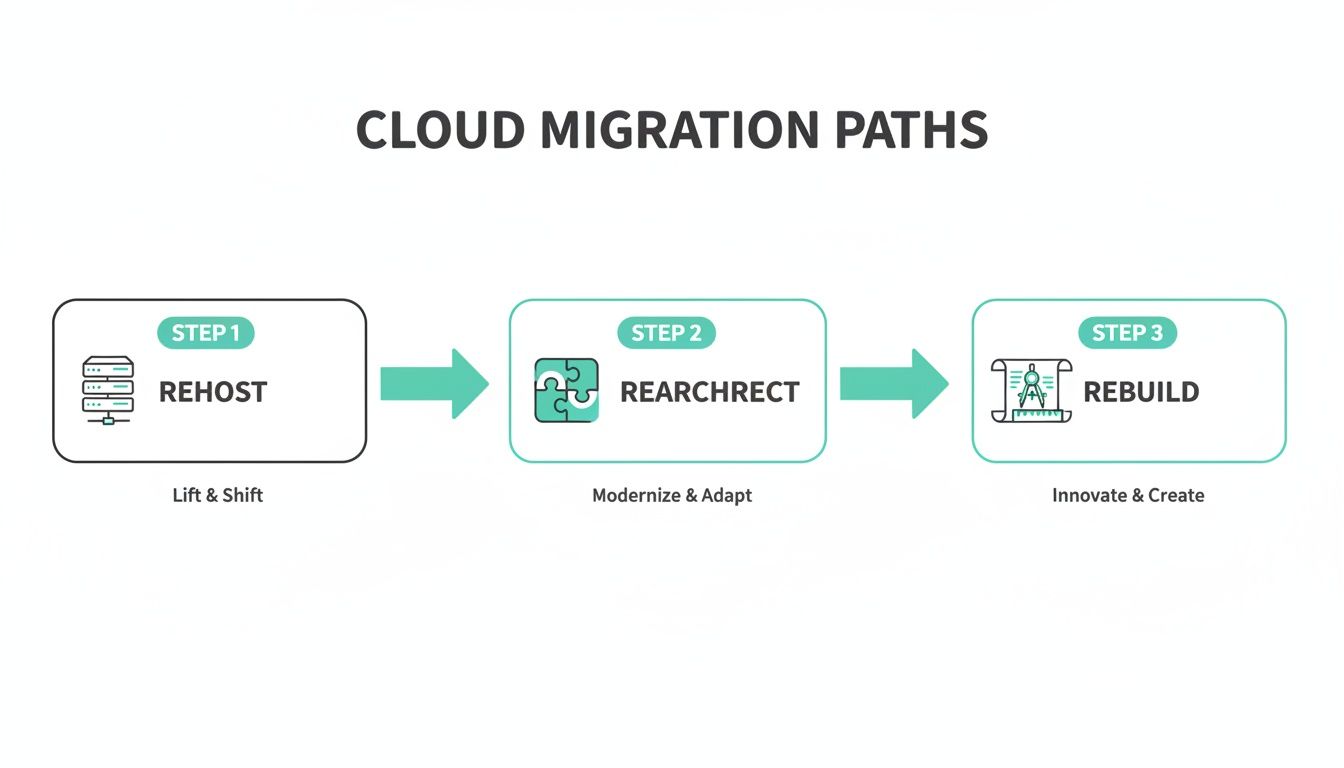
As you can see, a simple 'Rehost' is the quickest path, but it's the 'Rearchitect' or 'Rebuild' approaches that truly unlock the power of platforms like Sitecore by modernizing them for a cloud-native world.
Preparing the Cloud Landing Zone
Before you even think about moving a single byte of data, you have to build out a secure and compliant cloud "landing zone." This is your foundational environment, pre-configured with all the necessary security controls, networking rules, and identity management from the get-go.
For a Sitecore migration to Azure, this means properly setting up Virtual Networks (VNets), Network Security Groups (NSGs), and Azure Active Directory (Azure AD) integrations. Think of it as preparing the construction site before laying the first brick. Getting this right from day one prevents a world of security vulnerabilities and compliance headaches down the road.
Modern CI/CD Pipelines for Sitecore and SharePoint
An enterprise cloud migration strategy isn't complete without overhauling your deployment process. Manual deployments are slow, risky, and just don't cut it in a cloud-native environment. This is where Continuous Integration/Continuous Deployment (CI/CD) pipelines become absolutely essential.
Using tools like Azure DevOps or Jenkins, you can automate the entire build, test, and deployment cycle. For a composable Sitecore solution, this looks like:
- Automated Builds: Code commits automatically kick off a build process for your various microservices.
- Automated Testing: Unit, integration, and performance tests run on their own, catching bugs long before they hit production.
- Infrastructure as Code (IaC): Tools like Terraform or ARM templates define your cloud infrastructure in code, which guarantees your environments are consistent and repeatable.
This level of automation is what delivers the agility the cloud promises, empowering your teams to release new features and updates quickly and with confidence.
A Phased Approach to Data Migration
Migrating years—sometimes decades—of content and user data is arguably the riskiest part of any migration. A "big bang" approach, where you try to move everything at once over a weekend, is a recipe for disaster. A phased data migration plan is the only way to minimize business disruption and ensure data integrity.
For a large SharePoint migration, you might move departmental sites in waves, starting with less critical content to validate the process. With Sitecore, you could migrate content from older, less-trafficked sections of a website first before tackling core product pages. To get this right, a comprehensive data center migration checklist is an invaluable resource.
Cutover Planning and Rollback Procedures
The cutover is the moment of truth—when you finally switch from your old system to the new cloud environment. This requires meticulous planning, clear communication, and a non-negotiable go/no-go checklist. Your plan should detail every single step, each team member's responsibility, and a precise timeline.
Just as critical is a well-defined rollback plan. If something goes sideways—if performance tanks or a critical feature breaks—you need a documented, tested procedure to revert to the old system with minimal impact. This safety net gives stakeholders the confidence to approve the final push. Having a solid plan is a core tenet of database migration best practices, and it's just as vital for the entire platform. This detailed preparation ensures the final step of your migration is a confident stride forward, not a leap of faith.
Post-Migration Success: Optimization and Governance
Going live isn't the finish line; it’s the start of a whole new race. The real win from your cloud migration comes in the weeks, months, and years that follow. This is where you pivot from a project mindset to a cycle of continuous improvement, making sure your new cloud-native DXP keeps delivering more and more business value. For platforms like Sitecore and SharePoint, that means getting serious about performance, cost, and governance.
Your first priority is to get a deep, honest look at how your new environment is actually performing. Forget the generic server health metrics you used to rely on. You need comprehensive monitoring that gives you real-time insights into both application performance and, more importantly, the end-user experience. This is absolutely critical, especially after moving to a composable Sitecore architecture where many different services have to work together perfectly.
Harnessing Sitecore AI for Continuous Optimization
With a modern Sitecore DXP, monitoring is about so much more than just CPU usage. The real goal is to draw a straight line from technical performance to business outcomes.
For example, by tapping into the data flowing into Sitecore's CDP, you can analyze user journeys and pinpoint the exact performance bottlenecks that are causing people to leave. Maybe a slow API call is crippling the real-time personalization engine, tanking your conversion rates. You wouldn't know that from a simple server health check.
By weaving performance monitoring directly into Sitecore's analytics fabric, you can start answering the questions that matter:
- How does page load speed impact the results of an AI-powered personalization campaign run in Sitecore Personalize?
- Are specific customer segments experiencing slower response times? What does that tell us about their digital journey?
- Can we connect infrastructure performance to content engagement metrics to optimize how we deliver assets?
This approach transforms monitoring from a reactive IT chore into a proactive tool for making the customer experience better.
Mastering Cloud Costs with FinOps
One of the biggest post-migration shocks for any company is an unexpectedly massive cloud bill. A solid FinOps (Financial Operations) practice isn't just nice to have; it's non-negotiable for managing your spending and proving the migration's ROI. FinOps is more of a cultural shift than a tool—it brings finance, IT, and business teams to the same table to take shared ownership of cloud costs.
For a Sitecore or SharePoint setup, practical FinOps strategies include:
- Tag Everything: Meticulously tag every single cloud resource—servers, databases, storage—by department, project, or feature. This gives you a crystal-clear view of where every dollar is going.
- Right-Size Your Instances: Don't just set it and forget it. Continuously analyze usage data to make sure you're not paying for oversized virtual machines or database tiers you don't need.
- Automate Shut-Downs: Set up scripts to automatically shut down non-production environments (like dev and staging) outside of business hours. It’s a simple way to stop burning money.
A mature FinOps model isn't just about cutting costs; it's about optimizing value. It gives you the confidence to invest cloud resources where they'll make the biggest impact—like scaling up the infrastructure that powers Sitecore's AI personalization during a huge sales event.
Evolving Support Models and Team Skills
Your old on-premise support model simply won't cut it in the cloud. The focus has to shift from managing physical hardware to managing services, APIs, and automated pipelines. Your support teams need to evolve from traditional server admins into cloud-native engineers who are fluent in Infrastructure as Code (IaC), sophisticated monitoring, and modern security practices.
For a platform like SharePoint Online, the support model changes completely. It becomes less about patching servers and more about driving user adoption, enforcing governance, and integrating with the Power Platform. The skills you need are centered on business process automation and collaboration, not infrastructure management.
Establishing a strong governance framework is the final piece of the puzzle. This framework needs to define clear, enforceable policies for security, compliance, and cost management. It creates the guardrails that empower your teams to innovate safely and responsibly in their new cloud environment. This disciplined, ongoing effort is what turns a one-time migration success into sustained business momentum.
Your Enterprise Cloud Migration Questions Answered
Even the most buttoned-up cloud migration strategy is going to come with some tough questions. We see it all the time—leaders from both IT and marketing find themselves at a crossroads, needing to make complex decisions that will define their digital future.
Let's dig into some of the most common questions we hear, with practical answers focused on Sitecore's AI-driven tools and modern SharePoint solutions.
What Is the Biggest Mistake in a Cloud Migration Strategy?
Hands down, the most common and costly mistake is treating a cloud migration like a simple infrastructure project. So many organizations fall into the "lift-and-shift" trap, moving their servers to the cloud and expecting an immediate drop in costs. Instead, they get blindsided by "cloud shock"—sky-high bills and sluggish performance.
This happens because they didn't take the time to re-architect their applications to actually work in the cloud. A successful strategy, especially for a sophisticated DXP like Sitecore, is a business transformation, not just swapping a server room for a data center. The goal should always be to move toward a cloud-native model.
How Does Migrating Sitecore Differ from Migrating SharePoint?
While they’re both massive enterprise platforms, their migration paths and what you're aiming for at the finish line are worlds apart.
A SharePoint migration is usually about moving on-premise instances to SharePoint Online as part of a Microsoft 365 adoption. It’s fundamentally a SaaS migration. The real work is in migrating content, untangling user permissions, and integrating with other tools in the ecosystem, like the Power Platform.
A Sitecore migration, on the other hand, is a much deeper architectural overhaul. The goal isn't just to run the same old monolith on a cloud server. The real prize is moving to Sitecore's composable DXP, which includes powerhouses like XM Cloud, the AI-fueled Sitecore Personalize, and Sitecore CDP. This means breaking that monolith apart into a nimble, API-first architecture to unlock genuine digital agility.
How Can We Ensure Security and Compliance During Migration?
Security can't be a line item you check off at the end. It has to be baked into your strategy from day one. The first real step is building a "secure landing zone" in your chosen cloud environment before a single piece of data makes the trip.
Here's what that looks like in practice:
- Data Classification: You absolutely must identify sensitive information like PII or financial data from the get-go. This data needs specific encryption and access controls applied from the very start.
- Identity and Access Management (IAM): Lock things down with the principle of least privilege. Users and systems should only have access to what they truly need to function. Multi-factor authentication is non-negotiable.
- Continuous Monitoring: Use cloud-native security tools to keep a constant eye out for threats. This isn't just a migration-day task; it's how you stay compliant with standards like GDPR or HIPAA long after you've gone live.
Why Is a Composable DXP the Ideal Target for Sitecore?
The composable DXP is the modern answer to the rigid, one-size-fits-all platforms of the past. Instead of being stuck with one massive system, you assemble your digital platform from a collection of specialized, best-of-breed services that all talk to each other through APIs.
For Sitecore, this means pulling together a suite of powerful, interconnected products:
- Sitecore XM Cloud: A headless, cloud-native CMS that gives your content team the interface they know and love, while developers get the freedom to use modern front-end tech.
- Sitecore Personalize: This is your AI engine, delivering real-time, one-to-one experiences on any channel, all driven by deep customer insights.
- Sitecore CDP: It’s the brain of the operation, gathering customer data from every touchpoint into a single unified view that fuels the personalization engine.
This composable model is the ideal target because it delivers something every business craves: agility. Marketing and IT teams can add, swap, or upgrade capabilities without a six-month project to overhaul the entire system. This is how you innovate at the speed of your customers—the ultimate goal of any forward-thinking cloud migration.
By moving to a composable model with Sitecore's portfolio, you aren't just migrating an old platform. You're building a foundation for future growth and a genuinely better customer experience.
At Kogifi, we specialize in transforming your digital presence with expert Sitecore AI and SharePoint solutions. Our deep expertise in DXP implementations and cloud migrations ensures your strategy delivers maximum ROI. Ready to build your future-proof digital platform? Learn more about our services at kogifi.com.