


Media asset management is the backbone for organizing, protecting, and distributing your company’s most valuable digital content—videos, images, audio files, you name it. It serves as the single source of truth, making sure teams can actually find and use approved media assets without a headache.
Think of it as a strategic control tower for your entire rich media library.
What Is Media Asset Management and Why It Matters Now
Imagine your company's huge collection of videos, product shots, and audio clips is a global logistics network. Without a central control tower, things get chaotic, fast. Assets get duplicated, old logos sneak into important campaigns, and teams on different continents waste hours hunting for one specific video clip. This kind of mess kills productivity and hurts your brand.
This is exactly the problem a smart media asset management (MAM) strategy is built to solve.

A MAM system is that control tower for all your rich media. It’s an ecosystem designed from the ground up to ingest, catalog, secure, and distribute your most important digital content. By creating one centralized, searchable hub, it empowers your teams to find what they need in seconds, not hours.
This level of organization is the bedrock for any scalable Digital Experience Platform (DXP) and is non-negotiable for enterprises that want a high-quality, consistent global presence. When your assets are organized, you finally unlock their real potential.
The Growing Importance of Centralized Media
The need for solid media asset management isn't a niche concern anymore; it’s a core business function. The global Media Asset Management (MAM) market is absolutely exploding. It was valued at around USD 2.4 billion in 2025 and is projected to hit USD 10.1 billion by 2035, growing at a healthy compound annual growth rate (CAGR) of 15.2%.
This massive growth is a direct reflection of the digital transformation hitting enterprises everywhere. Organizations are struggling to manage massive libraries of video, images, and audio across their global operations.
At its core, Media Asset Management transforms your digital content from a disorganized liability into a high-performing, accessible, and secure business asset. It’s the difference between content chaos and content intelligence.
This centralized control is what guarantees brand consistency across every touchpoint—from a public website running on Sitecore XM Cloud to an internal training portal built on SharePoint. A key benefit here is its ability to enable powerful content repurposing strategies that squeeze every drop of value from your digital assets.
Ultimately, it’s not just about storage. It's about making your content work smarter for you.
The Core Pillars of an Enterprise MAM System
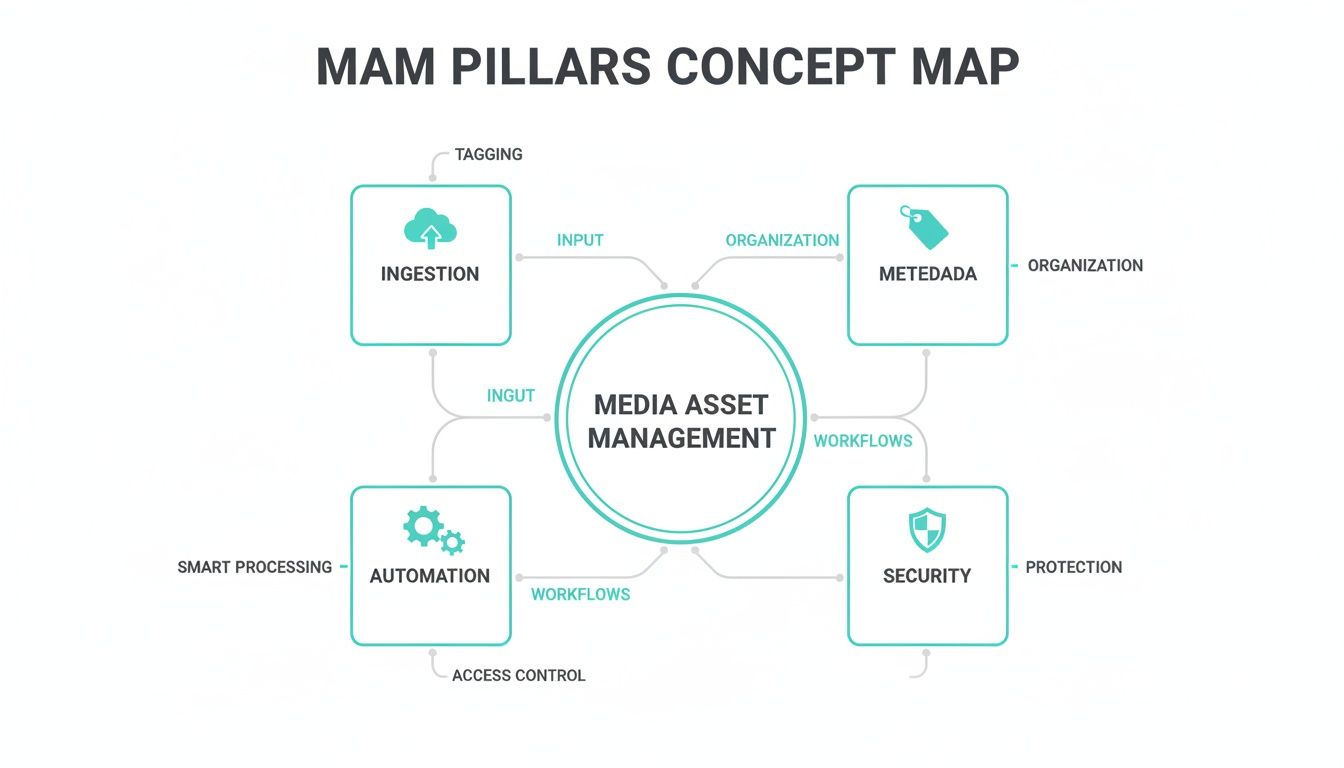
A serious media asset management system is so much more than a digital storage locker. It’s a dynamic engine built for efficiency, speed, and brand control. Enterprise-grade solutions are built on four core pillars that work together, turning your media library from a passive archive into an active, strategic advantage.
Think of these pillars like the foundation of a skyscraper. If one is weak, the entire structure becomes unstable and can’t handle the demands of a global business. Each one addresses a critical need, making sure your content is safe, discoverable, compliant, and ready to go on any channel.
Ingestion and Transcoding
First up is Ingestion and Transcoding, the front door for every piece of media entering your system. In a global company, assets show up in a dizzying array of formats—from a high-resolution 8K video from a production agency to a simple PNG logo from a regional office. An enterprise MAM has to swallow these files whole and, more importantly, automatically transcode them into whatever formats and resolutions you need.
This single step means one master file can serve countless purposes without anyone lifting a finger. A 4K product video, for example, can be uploaded once and automatically spun into a lightweight MP4 for a SharePoint-based training portal, a vertical cut for social media, and multiple resolutions for a responsive website powered by Sitecore. This automation saves countless hours of manual work and ensures every asset is perfectly optimized for its destination.
Advanced Metadata and Taxonomy
If ingestion is the door, then Advanced Metadata and Taxonomy is the intelligent filing system—and the GPS—for your entire media library. Metadata, the descriptive data attached to a file, is what makes an asset findable. A solid taxonomy is the structured vocabulary that keeps that classification consistent across the whole organization.
Modern platforms like Sitecore Content Hub go way beyond simple tags. They support complex schemas that include technical metadata (file type, resolution), operational data (usage rights, expiration dates), and descriptive tags.
The real magic happens when AI gets involved. Sitecore's AI can automatically scan an image or video to generate tags for objects, people, sentiment, and even spoken words. A once-manual chore becomes an intelligent, automated process.
This deep level of organization means a marketer can search for "happy customers using product X in a sunny outdoor setting" and get the right results in seconds, instead of manually scrubbing through hundreds of generic files. It’s the difference between a simple search and true content discovery.
Workflow Automation
The third pillar, Workflow Automation, is all about taming the complex review and approval cycles that govern content. In a large enterprise, a single video might need a sign-off from legal, brand, marketing, and regional teams before it sees the light of day. Trying to manage that over email is a recipe for disaster.
A true MAM gives you the tools to build sophisticated, automated workflows. Think about these real-world scenarios:
- Approval Routing: A new campaign video is automatically sent to the legal team. Once they approve it, it moves to the brand team for the final check before being marked "globally approved."
- Rights Management: An asset with a license expiring in 30 days can trigger an automatic notification to the content owner, heading off compliance issues before they start.
- Version Control: When a designer uploads a new version of an image, the system automatically archives the old one and pings stakeholders, so everyone is always working with the correct file.
Platforms like Sitecore Content Hub and SharePoint bring powerful workflow features to the table, creating a seamless content lifecycle from initial draft within a document-centric workflow to final rich media asset.
Robust Security and Governance
Finally, Robust Security and Governance is the pillar that protects your brand and minimizes risk. It’s all about controlling who can see, edit, and share your assets. Enterprise MAMs provide granular, role-based permissions, so a freelance designer can only upload to a specific project folder, while a global marketing director can approve assets for worldwide use.
This pillar is absolutely critical for:
- Brand Consistency: Preventing outdated logos or unapproved images from making their way into the wild.
- Legal Compliance: Enforcing digital rights management (DRM) and ensuring assets are only used within their licensed terms.
- Data Security: Protecting sensitive or embargoed product shots from leaking before a launch.
Together, these four pillars elevate media asset management from a simple storage tool to the central command center for your brand’s most valuable content.
Connecting Your MAM with Sitecore for a Smarter DXP
Integrating your media asset management system with a Digital Experience Platform (DXP) is where your content strategy really comes alive. For enterprises running on Sitecore, this connection isn't just a technical handshake; it's the key to unlocking a smarter, more personalized customer journey. A well-integrated MAM acts as the high-octane fuel for Sitecore's powerful personalization engine.
Modern DXPs thrive on data, and a MAM provides a goldmine of rich media metadata. When Sitecore understands not just the file name of an image but its entire context—the products featured, the sentiment it evokes, its usage rights, and performance history—it can make intelligent decisions on the fly. This is what elevates your DXP from a static content library into a dynamic experience delivery platform.
The Power of Sitecore Content Hub as a Hybrid Solution
For many organizations deep in the Sitecore ecosystem, any talk about MAM integration quickly turns to Sitecore Content Hub. This platform is much more than a simple asset library. It’s a premier hybrid solution that brilliantly combines the strengths of a MAM, a Digital Asset Management (DAM) system, a Content Marketing Platform (CMP), and Marketing Resource Management (MRM) tools.
This unified approach tears down the walls that usually separate content strategy, asset creation, and campaign execution.
- Single Source of Truth: Content Hub centralizes all your marketing content, from raw video files and campaign images to final ad copy. This guarantees every team is working from the same playbook.
- Streamlined Content Lifecycle: It manages an asset’s entire journey—from the initial brief and creative collaboration to review, approval, and final distribution through Sitecore XM Cloud or other channels.
- Deep DXP Integration: As a native Sitecore product, Content Hub is built to work seamlessly with the DXP, feeding assets and their metadata directly into the personalization and content management workflows.
This is what a centralized command center looks like—a unified view of all your marketing assets and operations.
The visualization shows how the platform merges asset management with content operations, creating a cohesive ecosystem for enterprise marketing teams. For a deeper look at the architecture, check out our guide on cloud-based digital asset management.
Fueling Hyper-Personalization with Sitecore AI
The real game-changer in this integration is Sitecore AI. When you connect a metadata-rich MAM like Content Hub to Sitecore's DXP, you give the AI the crucial data it needs to power hyper-personalization at an incredible scale.
Imagine a retail website. A user who previously looked at hiking boots lands on the homepage. Instead of seeing a generic banner, Sitecore AI can instantly query the MAM for assets tagged with "outdoors," "hiking," and "adventure." It then automatically selects the highest-performing image from that group and serves it to that specific user, creating a far more relevant and compelling experience.
This isn't just about swapping one image for another. It's about using the deep intelligence within your MAM to let the DXP make thousands of micro-decisions in real-time, tailoring experiences for every single visitor without any manual work.
This is the capability that sets market leaders apart. It’s the engine that drives higher engagement, better conversion rates, and lasting customer loyalty.
Composable Architecture for Omnichannel Delivery
The modern digital ecosystem isn’t just a website anymore. Content needs to flow effortlessly to countless channels—mobile apps, social media, in-store displays, and even IoT devices. A composable, headless MAM architecture is what makes this omnichannel presence possible.
In this setup, the MAM acts as a centralized, channel-agnostic repository. It manages and prepares the media, while a headless CMS like Sitecore XM Cloud pulls the necessary assets via APIs to deliver them to any front-end application.
This kind of flexible architecture is supported by a few fundamental pillars of a robust MAM system.
By mastering ingestion, metadata, automation, and security, a MAM provides the reliable foundation needed for a high-performing, composable DXP. This structure gives enterprises the agility to quickly launch new digital products and experiences without being held back by a rigid, monolithic system.
Bridging Sitecore with SharePoint for Complete Content Control
While Sitecore is the star player for customer-facing digital experiences, SharePoint is the undisputed champion of internal content collaboration and document management. It’s a classic mistake to see these platforms as rivals. In reality, they're powerful complements that, when architected correctly, create a secure, end-to-end content lifecycle—bridging internal creation with external delivery.
For most large organizations, SharePoint acts as a robust Content Services Platform (CSP), purpose-built for the meticulous world of document-centric workflows and internal media. Its real strengths shine in areas where precision, security, and version history are absolutely non-negotiable. This makes it the perfect starting point for your content.
SharePoint as the Internal Content Hub
Think of SharePoint as the secure, structured environment where teams collaborate on materials long before they’re ready for the public eye. This covers everything from drafting marketing briefs and legal disclaimers to managing internal training videos and compliance paperwork. And thanks to its deep integration with the Microsoft 365 ecosystem, teams can move seamlessly between Word, Excel, and Teams while keeping everything tied to a single source of truth.
Its powerful, built-in features are perfect for managing the initial, critical stages of the content lifecycle:
- Granular Permissions: You can control exactly who can view, edit, or approve documents at a very fine-tuned level. This keeps sensitive information locked down until it’s officially ready for a wider audience.
- Robust Versioning: SharePoint automatically tracks every single change made to a file. This creates an unshakeable audit trail—which is critical for compliance—and lets teams roll back to previous versions in a pinch.
- Automated Workflows: Complex approval chains become simple and automated. A document can be routed from a content creator to a manager, then on to legal for a final sign-off, with notifications and tracking at every step.
This controlled environment is where the raw materials for your campaigns are forged, refined, and officially approved.
Think of SharePoint as the secure cleanroom where content is meticulously assembled and verified. Only after passing rigorous internal checks is it ready to be moved to a platform like Sitecore for public distribution.
This separation of duties is a hallmark of a mature media asset management strategy. It ensures that only finalized, fully vetted content ever makes it into your customer-facing DXP, minimizing the risk of errors and protecting your brand's integrity.
Architecting a Secure Content Lifecycle
The most effective enterprise setups create a seamless bridge between SharePoint and a DXP like Sitecore. Our experts design integrated systems where content flows logically from internal creation to external publication, creating a secure and efficient pipeline. This approach prevents the chaos of managing assets across disconnected platforms and provides complete, end-to-end governance.
A typical workflow in this kind of integrated model looks something like this:
- Creation and Collaboration in SharePoint: A marketing team drafts a campaign brief in a Word document, which is stored in a dedicated SharePoint site. All the supporting files, like legal reviews and product specs, are also stored and versioned right there.
- Internal Review and Approval: Using SharePoint’s built-in workflows, the brief and its related documents are routed for approval. Every comment and change is tracked, providing a complete history of the asset's development.
- Seamless Publishing to the DXP: Once finalized, the approved content—whether it's text, images, or training videos—is pushed seamlessly into the DXP. For example, an approved product image is transferred to Sitecore Content Hub, where it’s enriched with marketing metadata and optimized for web delivery.
This integrated approach ensures that the rigor and security of your internal processes directly fuel the agility and personalization of your external marketing. You can learn more about how our experts architect these powerful integrations by exploring our approach to SharePoint platform solutions. By connecting these systems, you build a complete content lifecycle, from the very first draft to the final personalized experience a customer sees.
How AI Is Reshaping the Media Asset Lifecycle
Artificial intelligence is doing more than just organizing media files; it's fundamentally changing the entire asset lifecycle. It’s moving MAM systems far beyond simple storage, unlocking the hidden value in every video, image, and audio file you own. AI-powered services, especially those built into platforms like Sitecore, are automating the most grueling tasks, completely transforming how enterprise teams find, manage, and use their media.
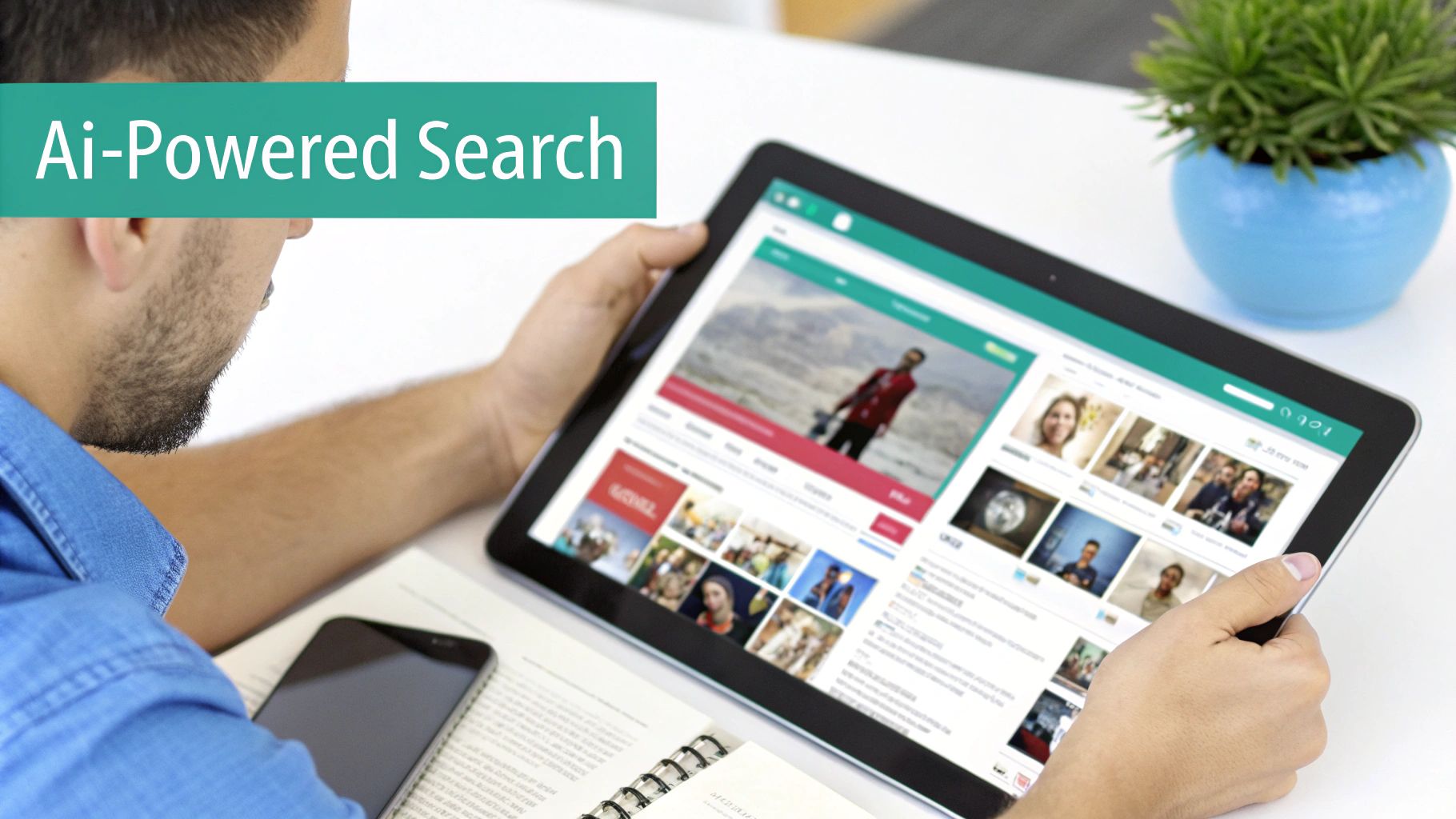
This shift is most obvious when it comes to metadata. Forget manual tagging—a slow, error-prone process that everyone hates. Modern systems with integrated AI, like Sitecore's, analyze media the moment it's uploaded. They automatically generate rich, structured metadata by identifying objects, recognizing faces, transcribing speech, and even gauging the emotional tone of a video clip.
From Manual Searches to Intelligent Discovery
The real-world impact of this automation is huge. Think about a classic marketing task: finding the perfect clip for a new campaign.
Before AI: A marketer needs a three-second clip of a family smiling while using a specific product outdoors. This kicks off a painful process of manually scrubbing through hours of raw B-roll footage. It can easily burn an entire afternoon, relying on guesswork and vague file names.
After AI: That same marketer simply types a natural language query into their MAM: "family smiling with product X outside." Sitecore's AI, leaning on the deep metadata it already created, instantly pulls up the exact clips that fit the bill. It understands the objects ("product X"), the people ("family"), the sentiment ("smiling"), and the setting ("outside"). The search is over in seconds.
This leap from manual drudgery to intelligent discovery delivers a massive return on investment. The hours saved are a direct productivity boost, freeing up creative and marketing teams to focus on strategy and execution instead of administrative busywork.
As AI becomes more integrated into content workflows, it's worth exploring how dedicated AI automation services can further streamline your entire media asset lifecycle.
Enhancing Collaboration in SharePoint and Beyond
This kind of intelligence isn't just for customer-facing platforms like Sitecore. Over in the world of SharePoint, AI features are also making internal media management much smarter. Microsoft Syntex, for example, applies similar AI models to documents and videos stored in SharePoint libraries, automatically pulling out metadata to make internal training videos or compliance materials just as easy to find.
This creates a smarter, more connected content ecosystem. A training video stored and tagged in SharePoint can be found in a flash by an employee on the other side of the world, just as a marketer finds a campaign asset in Sitecore Content Hub. If you want to dig deeper, our article on the benefits and challenges of AI in DXPs is a great next step.
Ultimately, AI is the engine that turns a static media library into a dynamic, intelligent resource. It doesn’t just store your content; it understands it. This makes every single file more valuable, more accessible, and ready for deployment at just the right moment—a critical advantage for any CTO or marketing leader trying to maximize their digital content's impact.
Your Strategic MAM Implementation and Migration Checklist
Kicking off a media asset management project is about more than just picking the right software—it's about having a clear, strategic roadmap. A smooth implementation or migration comes down to solid planning, getting everyone on the same page, and truly understanding your company’s content chaos. Think of this checklist as your step-by-step guide to get it right.
Phase 1: Initial Discovery and Audit
First things first: you need a full content audit. Before you can manage anything, you have to know what you’re working with. This means digging in and cataloging every media file you own—videos, images, audio clips, documents—and figuring out where they all live, from forgotten network drives to various cloud accounts.
At the same time, start talking to the key players in every department that touches this content. Sit down with teams from marketing, IT, legal, and creative to hear their pain points. What workflows are completely broken? How much time do they waste just trying to find the right file? This discovery work is what builds your business case and ensures the solution you choose actually solves real problems.
A successful MAM implementation is 20% technology and 80% strategy. The initial audit and requirements-gathering phase lays the foundation for everything that follows, directly influencing user adoption and overall ROI.
Phase 2: Planning and Design
Once you have a clear picture of your assets and your needs, you can start designing a system that’s built to last. This phase is all about creating structure.
- Define Your Taxonomy: This is where you build the intelligent labeling system that will make your assets easy to find. Get stakeholders involved to make sure the metadata and categories reflect how different teams actually think about and search for content.
- Establish Governance Policies: Figure out who can upload, edit, approve, and delete assets. You need to document clear rules for everything—naming conventions, usage rights, and when to archive old files—to keep things organized and compliant from day one.
- Plan the Migration: Map out the technical game plan for moving assets from the old systems into your shiny new MAM. Don't try to move everything at once. Prioritize content based on business value, starting with the assets your teams use most often. For a deeper dive, our complete digital platform migration checklist has more insights.
Phase 3: Execution and Adoption
Start with a phased rollout. Don’t unleash the new MAM on the entire company all at once. Launch it with a pilot group, like a single marketing team, to get feedback and fine-tune workflows before the big deployment. This approach minimizes disruption and helps build early momentum.
Finally, make user adoption your top priority. This is more than just a training session; it’s about showing people the value. Demonstrate exactly how the new MAM solves the specific frustrations you uncovered during your discovery phase. When users see for themselves how much time it saves and how much easier their jobs become, they’ll turn into the system’s biggest advocates, guaranteeing its success for the long haul.
Frequently Asked Questions About Media Asset Management
When you're thinking about bringing a media asset management solution into your enterprise, a few practical questions always come up. Let's tackle the most common ones we hear about ROI, implementation, and how these platforms fit into your existing tech.
How Does a MAM System Improve Marketing ROI?
A MAM system boosts your marketing ROI in a few key ways. It dramatically cuts down the time your teams waste searching for assets, which means no more money spent recreating content you already have but can't find. This gets campaigns out the door faster.
When you integrate it with a DXP like Sitecore, you can intelligently reuse and personalize your best media across every channel, squeezing maximum value out of every single asset. Plus, with strong analytics, you can finally see which assets are actually performing and invest in the content that truly converts.
What Are the First Steps to Prepare for a MAM Implementation?
Your first move should always be a thorough content audit. You have to get a handle on what media you have, where it lives, who uses it, and all the different formats it’s in. You can't manage what you don't know you have.
Next, get your key stakeholders in a room—marketing, IT, legal, and creative. Getting everyone on the same page early on is critical for defining clear business needs and setting up governance rules. This collaboration ensures the MAM you choose actually fits your real-world workflows from day one.
Can Sitecore Content Hub Function as a Complete MAM Solution?
Yes, absolutely. Sitecore Content Hub is built to manage the entire content lifecycle. It comes with powerful Digital Asset Management (DAM) capabilities that are more than a match for an enterprise-grade MAM, especially for marketing and digital experience teams.
It’s brilliant at handling everything from images and videos to other digital files, and it ties them seamlessly into content creation (CMP), product information (PCM), and marketing resource management (MRM)—all inside the Sitecore ecosystem.
This unified setup makes it the perfect central command for all your enterprise media assets.
At Kogifi, we architect and implement powerful media asset management solutions within the Sitecore and SharePoint ecosystems. Discover how we can help you build a smarter content strategy.