


Global teams usually recognize the problem before they recognize the architecture. Campaign briefs live in one tool, design files in another, approved copy in email threads, local market variations in spreadsheets, and published pages across multiple CMS platforms. By the time a launch goes live, nobody is fully sure which version was approved, which assets can be reused, or how the team should measure whether the work paid off.
That is the environment where the adobe content supply chain becomes useful. Not as a slogan, and not as a single application, but as an operating model for planning, creating, governing, delivering, and measuring content across the enterprise.
From a DXP architecture perspective, this matters even more in organizations that already run a mixed estate. Adobe often sits beside Sitecore, SharePoint, commerce platforms, PIMs, translation systems, and internal knowledge repositories. The question is rarely “should we use Adobe?” It is “how do we make the entire content operation work without adding more fragmentation?”
The Content Chaos Your Enterprise Is Facing
A familiar scenario plays out inside large organizations.
The brand team asks for tighter governance. Regional marketers ask for more flexibility. E-commerce wants faster campaign turnaround. Legal wants auditable approvals. IT wants fewer integrations to maintain. Creative teams just want the same file to stop arriving three different ways with three different comments.

The pressure is not imagined. 88% of customer experience and marketing professionals report that content demands have at least doubled in recent years, and 90% of teams still rely on manual efforts for metadata and tagging according to Adobe’s content supply chain overview at https://business.adobe.com/solutions/content-supply-chain.html. That combination is what breaks content operations. Demand climbs while the mechanics stay manual.
What the mess looks like in practice
In most enterprises, the symptoms are easy to spot:
- Assets are hard to find. Teams recreate banners, product visuals, PDFs, and snippets because the original files are buried in disconnected folders or poorly tagged DAM structures.
- Approvals are slow. Reviews happen in email, chat, shared docs, or meetings. Nobody has one authoritative record of who approved what.
- Localization creates drift. Country teams adapt content to local needs, but brand consistency weakens because governance is bolted on late.
- Performance data arrives too late. Teams can report channel metrics, but they struggle to connect an asset, a variation, and an approval path to business outcomes.
This is not just an Adobe problem. Sitecore and SharePoint customers hit the same wall for different reasons.
In Sitecore environments, the issue often appears as strong delivery capability with weak upstream orchestration. Content reaches the CMS, but planning, asset governance, and reuse are inconsistent. In SharePoint-heavy estates, teams often have solid document collaboration but poor marketing workflow discipline and weak omnichannel activation.
Why enterprises need an operating model, not another tool
The fix is not to buy one more approval app or one more DAM add-on.
A fragmented content operation usually fails at the handoffs, not at the individual tools.
That is why the adobe content supply chain matters. It reframes the problem from “where do files live?” to “how does content move from brief to measurable experience without losing control, speed, or context?”
When it works, the supply chain gives enterprise teams a shared system for intake, creation, metadata, approvals, publishing, and optimization. When it fails, it usually fails because the organization tried to install software without redesigning process, ownership, and governance.
Defining the Adobe Content Supply Chain
The cleanest way to understand the adobe content supply chain is to think about a manufacturing supply chain.
Raw materials arrive. They are assembled through defined stages. Quality checks happen before goods move forward. Distribution is controlled. Performance is measured. Waste gets reduced over time.
Content operations should work the same way.
From raw ideas to activated experiences
In this model, the raw materials are briefs, brand guidelines, product information, campaign goals, copy blocks, imagery, and existing approved assets. The finished goods are web pages, emails, paid media variations, commerce content, social assets, landing pages, and localized experiences delivered to customers.
The “supply chain” part matters because enterprise content does not move in a straight line. It passes through multiple functions:
- marketing intake
- creative production
- legal and compliance review
- asset management
- CMS publishing
- personalization
- analytics and reuse
Without orchestration, every stage creates its own records, its own version history, and its own delays.
The strategic shift behind the model
Adobe’s approach is to connect people, process, and platforms across that lifecycle so content can move with less friction and better governance. That is different from having a DAM, or having a CMS.
A DAM stores and governs assets. A CMS publishes experiences. A work management platform coordinates tasks. A supply chain links them into one operating system.
For teams that already understand Sitecore’s content operations model, the comparison is helpful. Sitecore is strong in experience delivery, personalization, and increasingly AI-enabled orchestration across its product portfolio. But many organizations still need to solve the upstream flow of briefs, approvals, and asset movement. In SharePoint estates, the analogy is different. SharePoint can anchor collaboration and document control, but it does not replace a purpose-built marketing content supply chain.
What enterprises are really buying
An enterprise is not buying “Adobe Content Supply Chain” as a single box. It is adopting a framework built from connected Adobe products and related practices.
That framework usually aims to create:
- A single intake model so requests do not start in email
- A governed creation path so design and copy teams work against approved briefs
- A reusable asset layer so teams stop recreating content
- A controlled publishing path so approved content reaches channels without manual rework
- A measurable feedback loop so operations improve over time
For organizations comparing architecture patterns, this is close to the same strategic question discussed in broader content operations work such as https://www.kogifi.com/articles/content-supply-chain. The technology stack matters, but the operating model matters more.
If your enterprise treats content as a chain of disconnected projects, scale will always be expensive. If it treats content as a repeatable supply chain, reuse and governance become realistic.
The practical value is simple. Better handoffs. Better discoverability. Better reuse. Better control over how content becomes a customer experience.
Core Components of the Adobe Ecosystem
Adobe’s supply chain only becomes meaningful when you map each product to a job in the lifecycle. Enterprises often get into trouble because they buy several Adobe products at once and assume the stack will organize itself. It will not. Each component needs a clear role, clear data ownership, and a clear integration boundary.
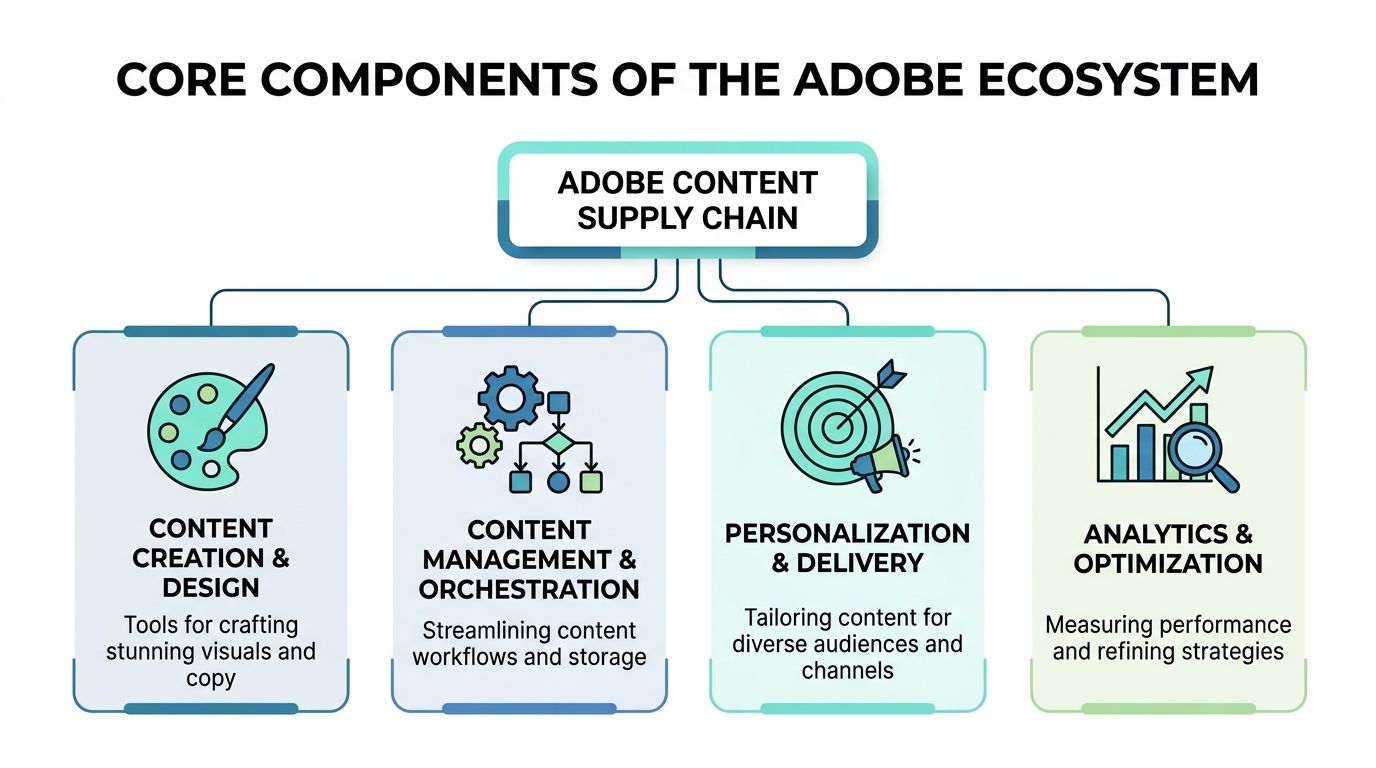
Adobe’s native integration architecture is the core advantage here. Adobe states that this architecture can cut content production time by up to 70% and increase team capacity by 30% by automating handoffs between Workfront, AEM Assets, and Creative Cloud at https://experienceleague.adobe.com/en/perspectives/how-to-build-a-seamless-content-supply-chain. The keyword is not “automation.” It is handoffs. That is where most enterprise waste sits.
The tools and what they do
The Adobe stack usually centers on four practical layers.
| Component | Primary Function | Stage in Supply Chain |
|---|---|---|
| Adobe Workfront | Intake, planning, resourcing, approvals, workflow orchestration | Planning and governance |
| Creative Cloud | Design and content creation across creative teams | Creation |
| AEM Assets | Digital asset management, metadata, search, reuse, rights and governance | Asset management |
| AEM Sites | Structured publishing and experience delivery across channels | Delivery |
That table is simple on purpose. If a platform does not have a primary job, it becomes shelfware or overlap.
Workfront as the operational front door
Workfront should become the intake and orchestration layer, not just another project tracker.
In strong implementations, campaign requests enter through standardized forms. Those forms capture audience, market, deadlines, asset types, and approval requirements early. That sounds basic, but it changes the rest of the chain. Creative work starts with structure. Reporting starts with structure too.
For Sitecore teams, this often feels similar to establishing disciplined work intake before content reaches XM Cloud or a personalization workflow. For SharePoint users, the difference is that Workfront is designed for marketing operations, not general collaboration.
Creative Cloud in the supply chain context
Creative Cloud is familiar, but in a supply chain model it stops being just a production toolkit.
Designers still use Photoshop, Illustrator, InDesign, Premiere Pro, and related apps. The architectural point is that creative production should stay connected to the request, the approval path, and the DAM destination. Otherwise approved assets still leak into desktop folders, unmanaged exports, and local file shares. Native integration matters more than feature checklists. A beautifully designed asset is not operationally valuable if nobody can find the approved master later.
AEM Assets as the control point for reuse
AEM Assets carries a large share of the long-term value because it determines whether an organization can reuse content.
If Workfront is the front door, AEM Assets is the warehouse with governance. Metadata, taxonomy, rights, renditions, search, and lifecycle controls all sit here. Enterprises that skip metadata design usually discover later that their DAM is just an expensive archive.
A useful parallel exists with SharePoint document libraries. SharePoint can manage documents well when information architecture is disciplined. But campaign assets, omnichannel renditions, brand governance, and activation workflows usually need DAM-specific thinking. This is also why broader practices around Digital Asset Management with AI have become relevant. The hard part is not storing assets. It is making them discoverable, trustworthy, and reusable at scale.
AEM Sites as the delivery engine
AEM Sites is where approved content becomes customer-facing experience. Templates, components, structured content models, localization patterns, and publishing workflows all matter here.
For Sitecore practitioners, this is familiar territory. The difference is less about whether AEM or Sitecore can render experiences and more about how upstream supply chain data reaches the delivery layer cleanly. If metadata, approvals, and asset lineage are weak upstream, the CMS ends up carrying operational problems it was never meant to solve.
A useful primer for teams evaluating that side of the stack is https://www.kogifi.com/articles/adobe-experience-manager-tutorial.
Where implementations usually break
Most failed or disappointing implementations break in one of three places:
- Metadata design is treated as cleanup work. It must be designed before scale arrives.
- Folder structures reflect org charts. That creates brittle permissions and poor search over time.
- Workflow automation exists without governance ownership. Automation speeds up bad process if nobody owns the rules.
Native Adobe integration removes a lot of plumbing work. It does not remove the need for architecture.
In mixed estates, this is even more important. AEM may handle brand sites while Sitecore handles another division. SharePoint may remain the internal collaboration layer. That can work well, but only if asset ownership, approval authority, and publishing responsibilities are explicit.
The Role of AI in Modern Content Operations
The most important thing to understand about AI in the adobe content supply chain is that the value is not limited to generation. Enterprises often focus too narrowly on image creation or copy drafting. The more durable value usually comes from classification, governance, decision support, and personalization.
Adobe’s AI layer is relevant because content operations fail when human teams have to do every repetitive task manually.
Where AI helps
Adobe’s modern supply chain applies AI at several stages. According to Blue Acorn iCi, AI can automatically analyze creative briefs, forecast timelines, run brand compliance checks, and support audience-specific delivery in AEM at https://www.blueacornici.com/blog/the-modern-content-supply-chain.
Those are practical uses, not novelty features.
A few examples matter most in enterprise settings:
- Brief analysis and planning. AI can extract key project details, route work, and help teams start with more complete operational context.
- Metadata support. AI can improve tagging and findability so assets are not lost after approval.
- Brand governance. Automated checks can flag visual or content deviations before review cycles drag on.
- Personalized activation. AI can help match content variants to audience segments across channels.
The difference between generation and operation
Generating more assets is easy compared with governing more assets. Many programs go off course at this point.
If AI increases variation volume without improving metadata, approval logic, and lifecycle control, the organization just creates clutter faster.
That is why the architecture matters. In Sitecore environments, teams often ask a similar question around AI personalization and content operations. The same principle applies. AI should be connected to content models, rules, audience strategy, and analytics. It should not sit beside the workflow as an isolated feature. A practical overview of that mindset appears in https://www.kogifi.com/articles/ai-personalization-in-dxp-implementation-guide-2025.
AI in visual production and product content
One useful pattern is AI-assisted production for commerce and catalog scenarios, where brands need many visual variations while staying on brand. In those use cases, teams often evaluate specialist workflows such as product to model AI alongside broader content operations platforms. The lesson is the same across tools. Generated outputs only create value when they enter a governed supply chain with clear approvals, rights, and publishing rules.
What works and what does not
What works:
- AI that enriches metadata at ingestion
- AI that checks compliance before human review
- AI that helps teams localize or segment content within defined governance rules
- AI that supports reuse by surfacing relevant approved assets
What does not work:
- AI that produces content into unmanaged folders
- AI pilots with no taxonomy model
- personalization logic disconnected from the CMS and DAM
- generated content with no accessibility or brand review path
AI should remove repetitive effort and improve decision quality. It should not create a second, unmanaged content pipeline.
That distinction is especially important in regulated sectors, public sector environments, and multilingual organizations. The implementation standard has to be higher than “the tool can generate content.”
Quantifying the Business Impact and ROI
Enterprise leaders eventually ask the right question. Not whether the adobe content supply chain sounds modern, but whether it changes operating economics.
Adobe cites strong business outcomes. A Forrester Total Economic Impact study on Adobe’s Content Supply Chain Solution reports a 310% ROI over three years, a payback period of less than six months, a 47% faster production cycle, a 30% increase in asset reusage, and $8.6 million in total benefits over three years for a composite organization at https://business.adobe.com/resources/reports/forrester-tei-adobe-content-supply-chain.html.

Those figures are substantial, but they only make sense if you connect them to operational causes.
Where the economic value comes from
The return is not magic. It usually comes from a few repeatable shifts.
First, teams spend less time recreating content that already exists. That only happens when metadata, DAM governance, and search are good enough to support reuse.
Second, approvals move faster because review paths are structured and auditable. Delays shrink when the organization stops routing content through email and chat.
Third, creative and marketing teams recover time previously lost to admin work. That matters more than most executives initially expect. The hours saved are often what lets teams increase output without growing headcount pressure at the same pace as content demand.
The KPIs that matter
In practice, I would not judge success by one top-line ROI figure alone. I would track a smaller set of operating indicators tied to business outcomes.
- Content velocity. Are assets moving from intake to activation with fewer stalls?
- Reuse quality. Are teams using approved assets again, or still rebuilding them?
- Approval discipline. Can you prove who approved what, and when?
- Time spent on management overhead. Are teams doing less manual coordination?
- Delivery effectiveness. Are personalized variants reaching the right channels in a controlled way?
A supply chain implementation becomes credible when those indicators improve together.
Why finance and IT should care
The strongest business case is usually cross-functional.
Marketing gets faster execution. Creative teams get less repetitive admin. Legal gets better auditability. IT gets fewer brittle custom handoffs between tools. Platform owners get a clearer architecture for lifecycle governance.
Later in the decision process, it helps to hear Adobe explain the business framing directly:
The realistic interpretation of ROI
A supply chain should not be sold internally as “content software that pays for itself.” That invites disappointment.
It is more accurate to position it as a disciplined operating model that can produce measurable economic value when the enterprise commits to metadata, integration, governance, and change adoption. The software enables the gains. Process maturity unlocks them.
The business case gets strongest when Adobe stops being treated as a stack of products and starts being run as one governed system.
Your Implementation and Migration Roadmap
The implementation path for an adobe content supply chain should look more like an enterprise transformation program than a software rollout. The fastest way to fail is to begin with tool configuration before defining ownership, metadata, workflow rules, and integration responsibilities.
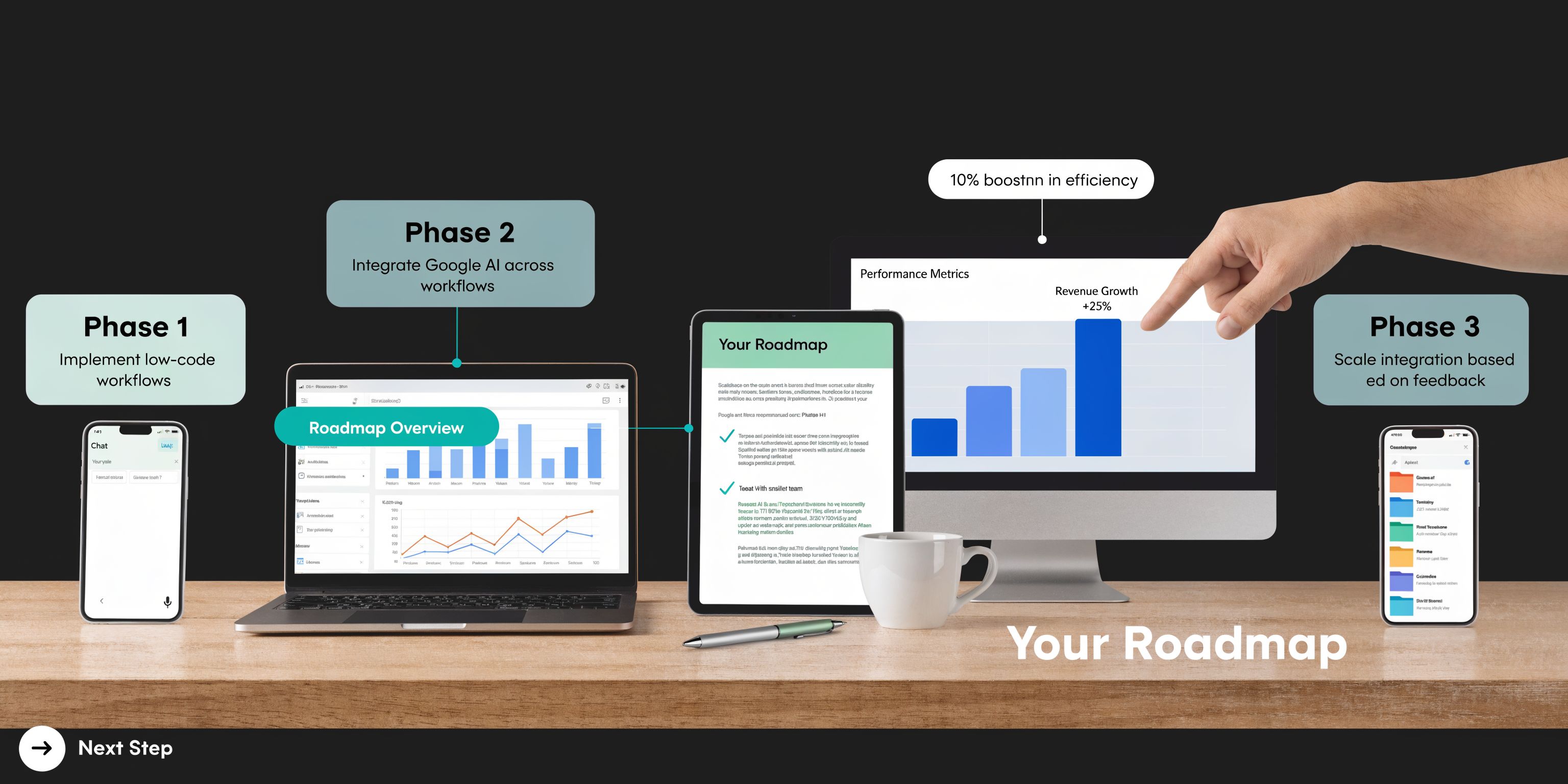
Phase one starts with an audit
Before changing platforms, map the current flow of content across teams and systems.
That means identifying where briefs originate, where assets are created, how approvals happen, where metadata is applied, where final content is stored, and how publishing works across websites, commerce platforms, email systems, and regional channels.
The output should not be a generic capability map. It should show actual handoffs and actual breakpoints.
A useful audit normally covers:
- System inventory. Adobe products, Sitecore instances, SharePoint libraries, PIMs, commerce tools, translation systems, analytics tools.
- Workflow map. Intake, production, review, legal approval, DAM handoff, CMS publishing, localization, retirement.
- Content model review. Asset types, templates, component structures, taxonomy, market variants.
- Governance review. Who owns metadata standards, folder structures, approval paths, and exceptions.
For organizations with significant legacy estates, this step often overlaps with a broader migration assessment such as https://www.kogifi.com/articles/cms-migration-services.
Phase two is architecture, not configuration
Once the current state is clear, the next step is designing the target operating model.
In Adobe-led environments, that usually means deciding how Workfront, Creative Cloud, AEM Assets, and AEM Sites connect. In mixed estates, it also means deciding where Adobe ends and where platforms such as Sitecore or SharePoint remain authoritative.
A few examples:
- If AEM Assets becomes the enterprise DAM, decide whether Sitecore and SharePoint consume approved assets from it or continue storing local copies.
- If SharePoint remains the internal collaboration platform, define what content belongs there and what must move into governed campaign workflows.
- If Sitecore remains a delivery platform for some brands, define how approval status, taxonomy, and localization metadata travel across systems.
Multi-platform experience matters at this point. Adobe is not always replacing everything. Sometimes it becomes the orchestration and DAM layer while existing CMS estates continue serving certain brands or business units.
Phase three is controlled rollout
Do not launch the full supply chain across every market and team at once.
Start with one business domain where value is visible and workflow boundaries are clear. Global campaign operations, e-commerce merchandising, or a single regional marketing program are usually better starting points than trying to rewire the whole enterprise.
A practical rollout pattern looks like this:
- Standardize intake first. Move requests into Workfront with approved forms and workflow triggers.
- Implement metadata rules early. Do not wait until the DAM is crowded.
- Connect approvals to asset destinations. Approved assets should land in governed AEM Assets locations with the right permissions.
- Publish through defined models. AEM Sites, Sitecore, or other channels should consume approved content through agreed patterns.
- Measure and tune. Review search behavior, reuse rates, approval bottlenecks, and exception handling.
The migration issue most teams underestimate
Content migration is rarely just file transfer.
In Adobe programs, the hard work is usually normalizing metadata, rationalizing duplicate assets, aligning component and content models, and deciding which historical material deserves active governance. SharePoint repositories and legacy DAMs often contain years of duplicated or low-value content. If everything is migrated without curation, the new system inherits the old mess.
Migrate content by business value and governance readiness, not by storage location alone.
Change management is not optional
The final point is cultural. Supply chain programs fail when teams keep bypassing the new process.
If marketing still sends requests through email, if designers still export assets to unmanaged locations, or if local markets keep separate approval records, the architecture degrades quickly. The answer is not more policing. It is clear process design, executive backing, role clarity, and training tied to real work.
Expert Best Practices for Long-Term Success
The common assumption is that once Adobe is integrated, the ROI follows. In practice, that is where the harder work begins.
Adobe has promoted strong return metrics, but Adobe also notes that results are not automatic. According to Adobe’s own discussion of building a durable content supply chain, only 40% of brands achieve promised content velocity due to unoptimized AI tagging and governance, which is why audits and continuous optimization matter at https://business.adobe.com/blog/how-to/create-a-content-supply-chain-that-will-stand-the-test-of-time.
Best practice means operating discipline
The long-term winners usually do five things well.
- They establish a governance council. Marketing, IT, creative operations, legal, and regional stakeholders all need representation when workflow rules or taxonomy standards change.
- They treat metadata as a product. Taxonomy, naming, rights, and search logic need stewardship, not occasional cleanup.
- They build a reuse culture. Teams should be rewarded for finding and adapting approved assets, not only for creating new ones.
- They review AI outputs operationally. Tagging quality, compliance checks, and personalization logic should be audited regularly.
- They include accessibility in the chain. Accessibility should be part of creation and review, not a final pre-launch scramble.
The contrarian lesson
A content supply chain can increase velocity and still disappoint the business.
That happens when the enterprise optimizes throughput but ignores quality, findability, accessibility, or regional operating realities. Public sector, education, and multilingual organizations feel this especially strongly because governance complexity is higher and shortcuts are more visible.
The best supply chains are not the fastest ones. They are the ones that scale without losing control.
What mature teams keep doing
They keep auditing. They keep simplifying taxonomy. They retire unused workflows. They tighten the link between asset performance and content planning. They revisit whether Adobe, Sitecore, and SharePoint each still hold the right responsibilities in the architecture.
That ongoing discipline is what turns an implementation into an operating advantage.
If your organization is evaluating Adobe, Sitecore AI, SharePoint, or a mixed DXP architecture, Kogifi can help you assess the current state, define a realistic roadmap, and build a governed content supply chain that works across global teams, complex integrations, and long-term support requirements.