


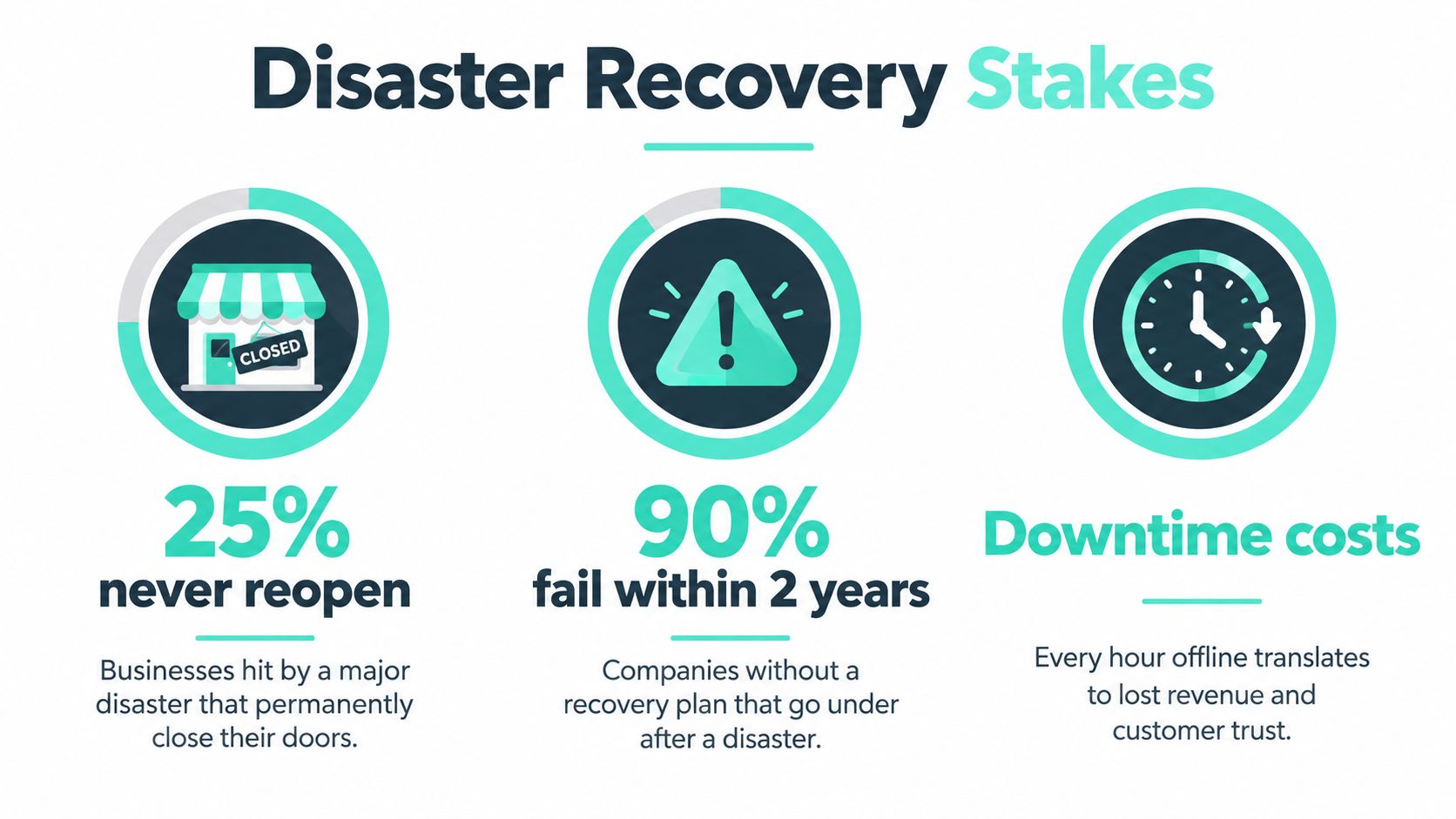
FEMA-cited figures put the stakes in stark terms: approximately 25% of businesses affected by a major disaster never reopen, and 90% of businesses unable to resume operations within five days fail within the following year (disaster recovery statistics and continuity context). For an enterprise digital experience platform, recovery is therefore not an infrastructure checkbox. It's part of keeping the business operating.
Sitecore, Adobe Experience Manager (AEM), and SharePoint sit where customer transactions, marketing campaigns, employee communications, partner integrations, and regulatory processes meet. When one fails, the issue may include missing content, inaccessible identities, broken search, stalled workflows, or unavailable commerce journeys. A recovery plan that restores a server but not the experience it supports can leave the organization technically online and operationally stuck.
The platform is part of the operating model
An outage can interrupt customer access and employee work at the same time. A Sitecore recovery, for example, may require more than restoring content: teams may also need to re-establish identity, search, personalization, integrations, and publishing. The same principle applies to AEM author and publish environments, or a SharePoint intranet connected to business-critical Power Automate flows.
The risk grows when teams plan separately. Marketing may assume the CMS vendor owns recovery, while IT expects the platform team to restore integrations and security expects clean, accessible backups. If those responsibilities aren't settled before an incident, decision-making and restoration slow down when time matters.
For a practical way to frame the financial consequences of an outage, use this guide to how much downtime costs your business. Then assess platform exposures alongside the enterprise CMS security risks and solutions that can make recovery harder, including compromised credentials and vulnerable integrations.
The lesson is straightforward: recovery capability supports organizational survival. Disaster recovery services should account for the customer journey and internal operations, not just the underlying compute and storage.
Table of Contents
Core Concepts Behind Disaster Recovery Services
A useful recovery plan starts with four terms. Disaster recovery is the process for restoring systems and data after a damaging incident. Business continuity is the wider plan for keeping essential work moving while normal services are unavailable. For a DXP, that could mean restoring the platform while giving editorial teams an approved fallback for publishing urgent information.
Two objectives turn these ideas into operational commitments. Recovery Point Objective (RPO) is the amount of recent data the business can afford to lose, expressed as time. Recovery Time Objective (RTO) is how long a service can remain unavailable before its downtime exceeds the business's tolerance. A tight RPO may be important for a frequently updated content database, while a search index that can be rebuilt from an authoritative source may tolerate a different recovery approach.
CISA recommends the 3-2-1 backup model: keep three copies of important data on two different media types, with one copy off-site. It also advises testing full and partial restores, using offline, encrypted backups, and validating that recovery points are usable (CISA guidance on backing up business data). A backup that can't be restored cleanly doesn't satisfy its purpose.
Set targets by service, not by platform name
A single RPO and RTO for an entire DXP is usually too blunt. Content, identity, search, and deployment services have different business roles and dependencies. Agree targets with business owners, then confirm that the chosen backup and failover design can meet them.
The table below is a planning template, not a set of universal targets. Replace the placeholders with business-approved objectives and verify them through restoration exercises.
Recovery Objectives by DXP Service Tier
| Service Tier | Example Component | RPO Target | RTO Target |
|---|---|---|---|
| Revenue-critical | Transactional journey or commerce integration | [Business-approved target] | [Business-approved target] |
| Content operations | Sitecore content database or AEM authoring content | [Business-approved target] | [Business-approved target] |
| Discovery | Sitecore Search index | [Business-approved target] | [Business-approved target] |
| Employee services | SharePoint intranet and connected workflows | [Business-approved target] | [Business-approved target] |
A vendor SLA is meaningful only when it covers the services that make the experience work. Check whether it defines recovery for data, configuration, identity, and integrations, or merely promises availability for a hosting layer.
Practical rule: If the business can't say what data loss and downtime it accepts for a service, the recovery target hasn't been agreed.
Comparing Backup, Failover, and DRaaS Models
Three patterns cover much of what enterprise teams buy. Backup and restore keeps recoverable copies, then brings services back through a planned restoration process. It can suit systems where a longer interruption is acceptable, but its weak point is operational: teams still have to restore, configure dependencies, and prove the result.
Hot-standby or pilot-light failover maintains a secondary environment, either ready to take traffic or prepared for rapid expansion. It can shorten recovery, but only if data replication, access, capacity, and traffic routing work as designed. A secondary site that hasn't been exercised can create confidence without providing dependable recovery.
Disaster Recovery as a Service (DRaaS) uses a provider to operate or orchestrate parts of the recovery environment. Grand View Research estimated the global DRaaS market at USD 10.62 billion in 2022 and projected it to reach USD 74.34 billion by 2030, with a 27.2% compound annual growth rate from 2023 through 2030 (Grand View Research's DRaaS market report). The projection signals a shift toward cloud-based and externally operated recovery. It doesn't transfer responsibility for defining criticality, approving RPOs, or documenting dependencies.
Match the model to the operating reality
Backup, Failover, and DRaaS Compared
| Model | How It Works | Best Fit Scenario | Key Trade-off |
|---|---|---|---|
| Backup and restore | Restore copies and rebuild or reconfigure services after an incident | Non-critical workloads or services that can tolerate a longer recovery | Lower standby overhead, but recovery depends on tested procedures and available staff |
| Hot-standby or pilot light | Maintain a secondary environment, ready or partly ready for failover | Platforms where reducing downtime justifies operating a recovery environment | Faster path to service, with added cost and replication complexity |
| DRaaS | A provider supplies or manages recovery orchestration and infrastructure | Teams seeking external operational support alongside cloud recovery capability | Provider scope must be clear, and customer responsibilities remain |
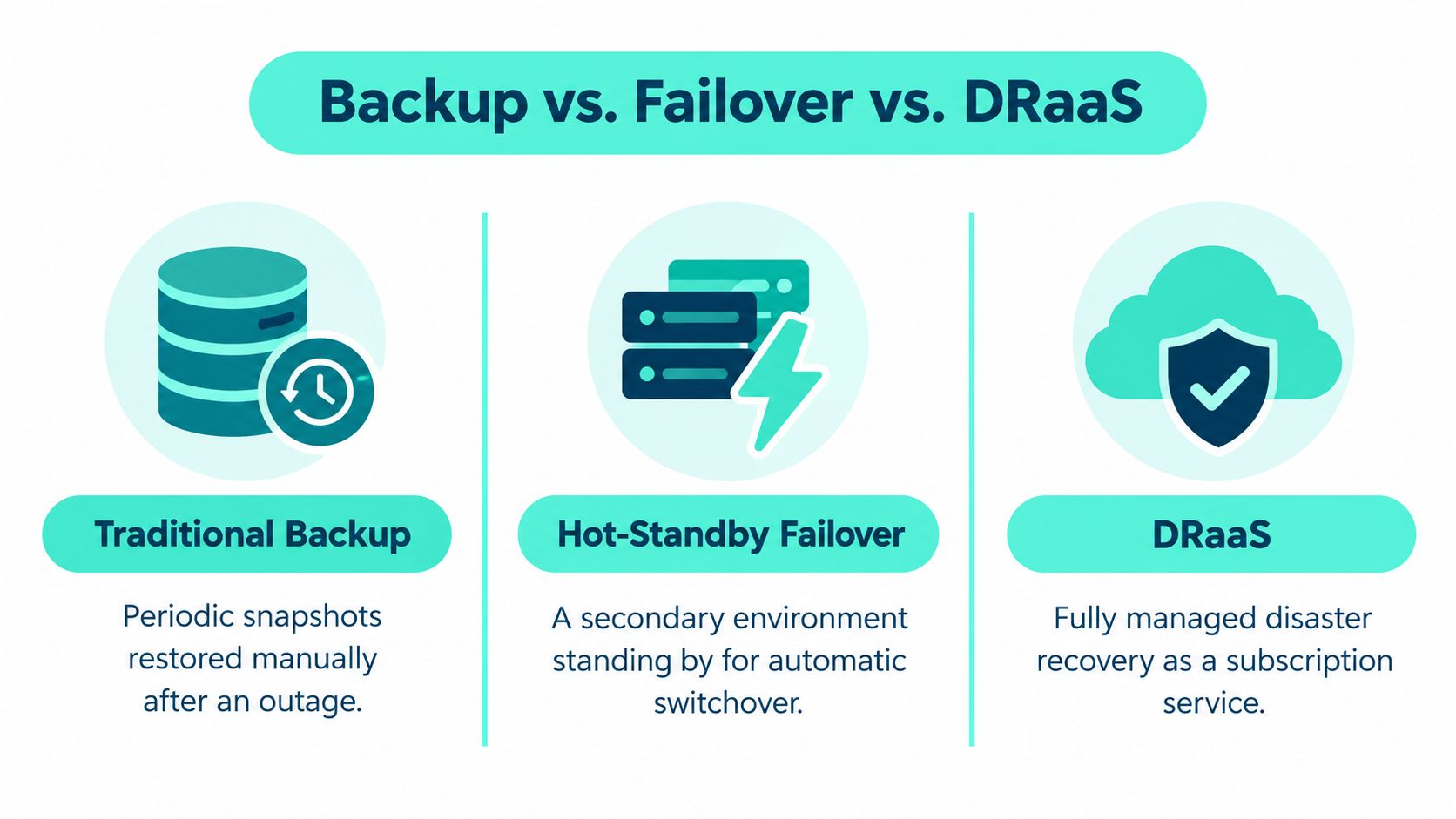
For an enterprise DXP, backup-only recovery may work for a service that can be restored in a controlled window. A standby model is more suitable when the business needs a faster return and can operate a secondary environment. DRaaS can help when specialist orchestration is difficult to maintain internally, but it won't solve unclear application ownership or an incomplete dependency map.
Whichever model you choose, protect the data path as well as the application. For teams running Microsoft SQL Server behind their platforms, SQL Server backup considerations are part of the recovery design, not a separate afterthought.
Platform-Specific Recovery Patterns for Sitecore, AEM, and SharePoint
A recovery plan has to reflect how each platform is assembled. The important question isn't just which database or files to restore. It's what must be brought back, in what order, for users to complete real tasks.
Sitecore XM Cloud and XP
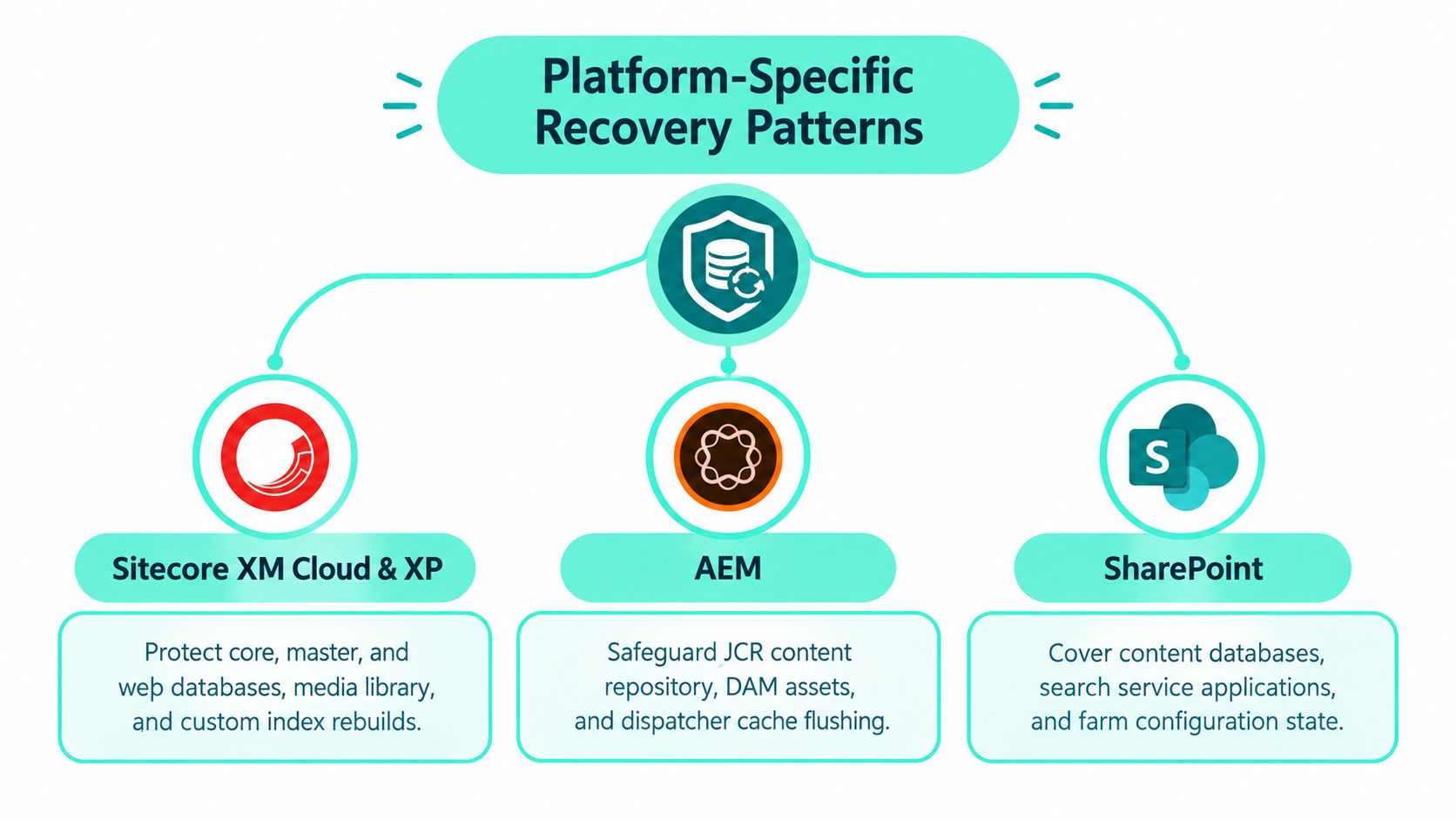
For Sitecore XP, map Core, master, and web databases alongside the media library, xDB/xConnect, identity provider, deployment pipelines, and edge or CDN configuration. Include Solr or Sitecore Search indexes, but determine which can be rebuilt from authoritative content and which need a tested restoration path. Personalization rules and relevant behavioral data also need explicit ownership and validation.
XM Cloud changes the infrastructure responsibilities, not the need for end-to-end recovery planning. Document the services, integrations, identity dependencies, content delivery paths, and deployment processes the experience relies on. Sitecore Search has configurable content sources, crawling or pushing into indexes, result controls, and analytics; those operational settings and the content that feeds search belong in the recovery picture (Sitecore Search user guide).
Sitecore AI features also need a practical recovery view. Sitecore Stream spans Content Hub, XM Cloud, and Sitecore Search, including visual search, AI-assisted content optimization, and answers grounded in a customer's content collection (Sitecore Stream AI capabilities). Sitecore Personalize and automated personalization depend on content variants, rules, and decisioning. Verify that restored experiences preserve the approved variants and brand controls, rather than assuming that restoring the page alone restores its behavior.
AEM and SharePoint Online
For AEM, distinguish authoring from publishing. Protect the Oak repository and its persistence layer, Digital Asset Management assets and renditions, dispatcher configuration and cache behavior, replication queues, and Adobe IMS integration. The recovery sequence should confirm that authors can publish and that the publish tier serves the correct content after cutover.
For SharePoint Online, account for Microsoft's service responsibilities while identifying the customer-managed pieces. Include SPFx solutions, Power Automate flows, SharePoint Lists used as data sources, search schema, permissions, and the role and scope of Microsoft 365 Backup tools. Restoring files without validating connected automations or search behavior can leave an intranet visible but functionally incomplete.
Why Recovery Validation Matters More Than Backup Ownership
A backup inventory tells you what copies exist. It doesn't prove the business can recover its service. A 2025 survey of more than 3,000 IT professionals found that 11% tested disaster recovery daily and 20% weekly, while 12% tested ad hoc or not at all. The same survey found that 60% believed they could recover in under a day, while only 35% could (Kaseya's 2025 backup and recovery report).

A DXP can pass a basic restore check and still fail the user. Sitecore may return without a complete search index or working personalization; AEM may restore authoring but not a usable publish path; SharePoint may bring back documents while flows remain disconnected. That's why immutable backups and cloud replication are safeguards, not proof of recoverability.
Test the experience, not just the storage
A meaningful exercise should follow dependencies from the recovery point to a working user journey. Teams should confirm the restoration sequence, credentials and secrets, DNS and CDN changes, connected services, and the integrity of content and assets. Then test publishing, search, authentication, accessibility, integrations, and the release controls that prevent an unreviewed fix from reaching users.
The test should also record the actual recovery point and elapsed restoration time, then compare them with the approved objectives. If marketing owns content acceptance, IT owns infrastructure, and security owns access controls, all three need a role in validation. A platform that starts but can't support the organization's critical journeys hasn't passed.
A focused restoration exercise can expose gaps without treating production as a test environment. The accompanying video offers another perspective on disaster recovery testing:
Recovery is a demonstrated capability, not a property of the backup product.
Cloud and SaaS Dependency Risks During Recovery
A DXP can be restored and still remain unusable if the services around it are down. Identity, security controls, monitoring, search, web gateways, CDNs, and deployment systems may sit outside the platform's backup scope. If administrators rely on the failed identity provider or cloud control plane to carry out recovery, the documented steps may be inaccessible when they need them.
The 2025 SANS analysis cited in the original report raises concerns about downtime costs, cloud data loss, and gaps in failover, multicloud redundancy, and offline options for controls such as identity management and threat detection. Without a stable source link for its figures, those numbers should not be treated as verified here. For DXP teams, the practical point is clear: recovery planning needs to cover the services and access paths required to operate Sitecore, AEM, or SharePoint, not just restore the application.
Write a degraded-mode plan
Ask specific questions. Can emergency administrators sign in if the primary identity service fails? Can editors publish urgent updates if a managed CMS API is unavailable? What happens to search or customer journeys if the CDN or payment gateway is down? Who can approve regional failover, and which vendor owns each action?
Cloud-native services reduce the work of operating infrastructure, but they can concentrate dependencies in a small number of providers. A degraded-mode runbook should identify emergency accounts, alternate communication and publishing paths, regional failover choices, and who can authorize a traffic or provider change. Record support escalation routes and contractual responsibilities as well, so teams know what each vendor will do during an incident.
Third-party integrations and operational access also need review. The Horus Intelligence on supply chain threats resource can inform that review. Map each external service to its owner and fallback, then use this guide to compare PaaS and SaaS responsibilities. In practice, test those fallback paths with the identity, search, personalization, and content delivery dependencies your recovery process expects to work.
A Practical Recovery Runbook for Enterprise DXPs
A runbook should make decisions easier under pressure, not merely describe architecture. Start with named owners, contact paths, and placeholders for the response targets your organization has approved. Uptime Institute reported that more than 60% of outages in its 2022 analysis produced at least USD 100,000 in total losses, while 15% exceeded USD 1 million; nearly 30% of outages in 2021 lasted longer than 24 hours, compared with 8% in 2017 (Uptime Institute's 2022 outage analysis). A written process needs rehearsal to be useful when the service is down.
A runbook skeleton to adapt
| Runbook Stage | Primary Action | Example Internal SLA | Owner |
|---|---|---|---|
| Detection and triage | Confirm impact, scope, and affected services | [Insert approved detection target] | Operations |
| Severity classification | Declare incident level and identify business-critical journeys | [Insert approved classification target] | Incident lead |
| Communication | Notify stakeholders through the agreed tree and provide updates | [Insert approved update interval] | Communications lead |
| Failover decision | Choose restore, standby, or degraded mode based on impact and data integrity | [Insert decision target] | Incident commander |
| Restoration and validation | Restore dependencies, then test access, content, search, and integrations | [Insert approved recovery target] | Platform and business owners |
| Traffic cutover | Route users to the recovered service after technical and business checks | [Insert approved cutover target] | Platform operations |
| Sign-off and review | Record acceptance, data loss, duration, and follow-up actions | [Insert review target] | Business owner and security |
Keep the actions explicit. For Sitecore, include index reprocessing or rebuilding, identity checks, publishing validation, and personalization behavior. For AEM, verify author-to-publish replication and dispatcher cache handling. For SharePoint, check search behavior, SPFx components, permissions, and Power Automate connections.
A traffic switch isn't the end of the incident. Confirm content integrity, transactions or key workflows, and stakeholder acceptance before declaring service restored. Record actual RTO and RPO against the approved objectives, then capture what delayed recovery or required manual work. Teams building their response structure can use this overview of an incident response team to clarify roles and escalation.
Building a Recovery-Ready DXP Program
A recovery-ready program rests on four connected practices: tiered objectives, validated restoration, dependency mapping, and rehearsed runbooks. None works alone. Objectives without tests are assumptions; backups without dependencies miss the paths that make the platform useful; and runbooks without clear owners become stale documents.
Ownership should follow the work. Marketing validates content, publishing, and customer journeys. IT operates platform infrastructure, integrations, and traffic changes. Security verifies clean recovery points, credentials, and access. Vendors and delivery partners document their responsibilities, escalation paths, and contribution to failover. A single accountable program owner should keep those boundaries current as platforms and services change.
Buyer questions that deserve operational answers
How often should recovery be tested? Set a cadence that reflects service criticality and the rate of change, then test whenever a material architectural change could invalidate the recovery path. A scheduled exercise should include a measurable restoration and a review of the result, not just a tabletop discussion.
Who owns validation across marketing and IT? IT can confirm the system is available, but business owners must verify that the experience works. Assign joint acceptance for critical journeys, with security participating where access, data integrity, or incident containment is involved.
What should a DRaaS contract cover for Sitecore or AEM? Define which platforms, data, configurations, dependencies, and recovery activities are in scope. Clarify who sets and measures RPO and RTO, who approves a failover, what testing the provider supports, how credentials are handled, and how recovery evidence and post-incident actions are shared.
How do you budget without overbuilding? Classify services by business impact, then fund the recovery model each tier needs. Don't maintain expensive standby capacity for every component by default, and don't rely on a low-cost backup-only approach for a journey the business can't afford to lose. Review the trade-offs with owners who understand both outage consequences and ongoing operating costs.
For Kogifi's platform work, the practical standard is to treat Sitecore Stream, Sitecore Search, and Sitecore Personalize as recoverable assets, not optional features outside the DR plan. Apply the same discipline to SharePoint intranets, SPFx components, and Power Platform flows. A recovery-ready DXP has agreed targets, documented ownership, and tested procedures that restore the service users need.
Kogifi helps enterprise teams stabilize and recover Sitecore, AEM, and SharePoint environments through dependency mapping, runbook development, controlled failover drills, and platform recovery support. If your team wants a recovery-readiness assessment for its DXP estate, visit Kogifi to discuss the platforms, dependencies, and recovery objectives you need to validate.