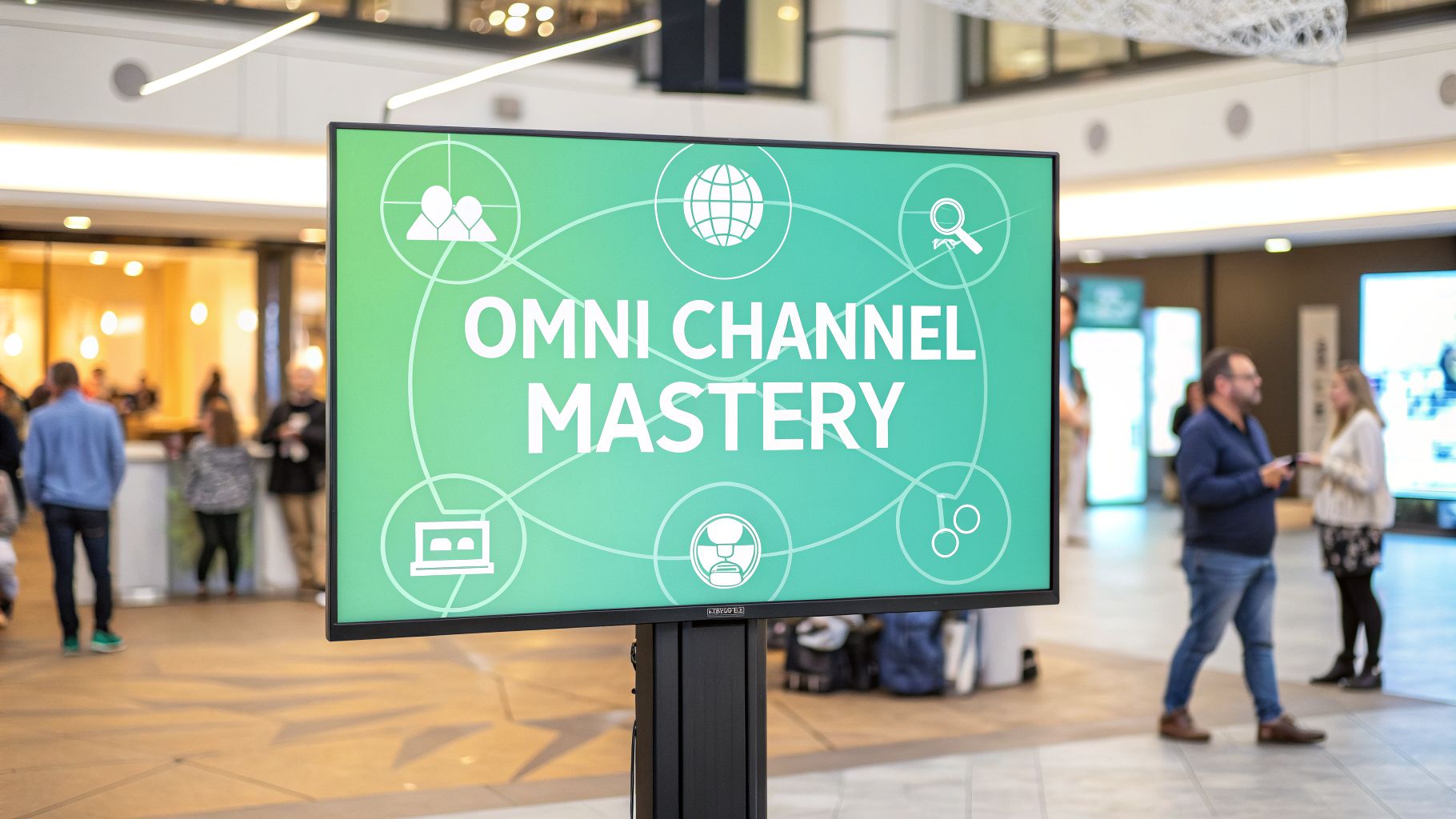



An omni channel campaign stops your marketing from feeling like a collection of separate, disconnected conversations and turns it into a single, unified dialogue with your customer. Instead of channels operating in silos, they start working together to create a seamless and continuous brand experience that follows the customer everywhere—from your website to a physical store and back again.
Moving Beyond Disconnected Channels to Unified Experiences
Think about what happens when your marketing channels don't talk to each other. Your email team runs a promotion, your social media managers are posting about a completely different product, and the staff in your physical stores are unaware of either. This is the reality of a multi-channel strategy. It gives customers multiple ways to reach you, but the experience is often fragmented and frustrating.
Now, imagine those same channels working in perfect harmony. Every touchpoint, from the violins to the percussion, plays its part in creating a single, powerful piece of music. This is what a true omni channel campaign feels like. It’s a customer-centric model where every interaction is interconnected, creating one fluid and consistent brand experience.
Omni Channel vs Multi-Channel: A Core Distinction
To truly grasp the difference, it helps to see how these two approaches stack up side-by-side. While both use multiple channels, their fundamental philosophy and execution are worlds apart. One focuses on the brand broadcasting out, while the other centers everything on the customer's experience.
| Attribute | Multi-Channel Approach | Omni Channel Approach |
|---|---|---|
| Focus | Brand-centric; pushing messages out on various channels. | Customer-centric; creating a unified experience across channels. |
| Channel Integration | Channels operate independently, often in silos. | Channels are interconnected and work in synergy. |
| Customer Journey | Fragmented and inconsistent. | Seamless and continuous. |
| Data Strategy | Data is siloed by channel. | Data is unified into a single customer profile. |
| Messaging | May be inconsistent from one channel to the next. | Consistent and persistent across all touchpoints. |
The takeaway is clear: multi-channel is about having a presence everywhere, while omni channel is about creating a persistent, intelligent presence that revolves around the customer.
The Conductor in the Digital Symphony
Achieving this level of coordination requires a conductor—a central intelligence that directs the entire performance. In the world of digital experiences, platforms like Sitecore fill this role. Sitecore's AI-driven tools act as the brain of the operation, orchestrating every customer interaction into a cohesive journey.
For instance, Sitecore AI can identify a user who browses a product on your mobile app, then retarget them with a personalized ad on social media. If they abandon their cart, it can automatically trigger an email with a special offer. This seamless flow is what turns a potential customer into a loyal one. Adopting a comprehensive strategy is key, as detailed in this guide to omnichannel customer service.
An omni channel campaign isn't about being on every channel; it's about creating a single, persistent customer identity that moves fluidly across all the channels you use. The focus shifts from the channel itself to the customer's overall experience with your brand.
From Silos to Synergy
Making the switch from multi-channel to omni channel is about more than just technology; it requires a fundamental shift in mindset. It means tearing down the internal walls that separate your marketing, sales, and service teams.
- Data Unification: Instead of separate pools of data for each channel, all information flows into a central system. A Sitecore Customer Data Platform (CDP), for example, creates a 360-degree view of each customer.
- Content Consistency: A centralized content hub, often supported by solutions like SharePoint, ensures your brand’s messaging, assets, and offers are identical everywhere. This prevents the jarring experience of seeing one price online and another in-store.
- Team Collaboration: Everyone works from the same playbook. A sales associate can see a customer's online wishlist, and a support agent can view their entire purchase history, all armed with the same real-time insights.
Unifying your strategy isn't a luxury anymore—it's essential for building the meaningful, long-term relationships that drive modern business growth. You can learn more about how to define omnichannel marketing and its core principles in our detailed article. This foundational shift is the groundwork for every successful digital initiative.
Designing the Architectural Blueprint for Omni-Channel Success
A powerful omni-channel campaign isn't just a marketing strategy—it's an engineering feat. It needs a tough, flexible tech foundation that can handle real-time data and deliver personalized experiences at a massive scale. That foundation is a modern Digital Experience Platform (DXP) built on composable, cloud-native principles.
At the core of this architecture, you need a central intelligence, and this is where Sitecore's product portfolio really shines. Picture your DXP's architecture as a solar system. At the center, you have the sun—Sitecore AI and its integrated Customer Data Platform (CDP). This is the gravitational force holding everything together, pulling in customer data from all the orbiting "planets" or touchpoints.
This diagram shows how a customer-first omni-channel strategy sits at the very top of the marketing hierarchy, connecting all the different channels.
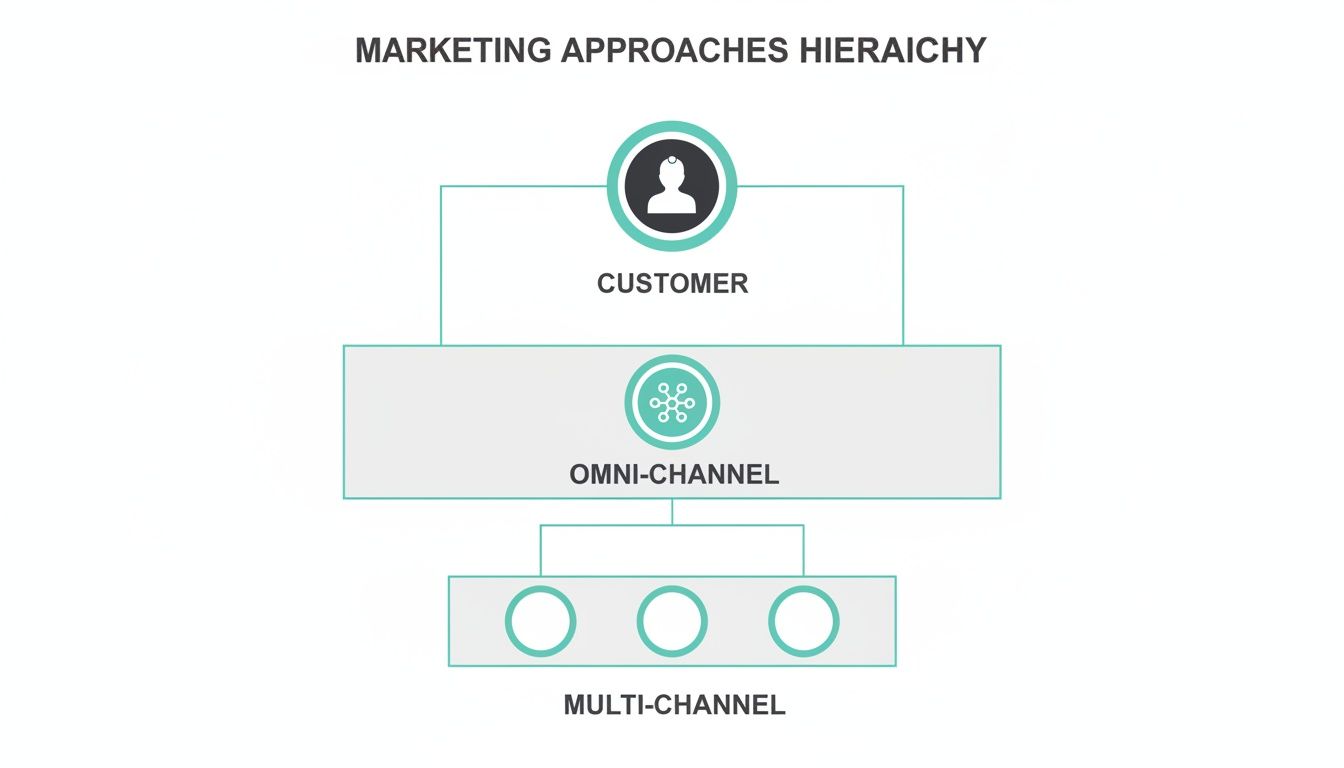
As you can see, while multi-channel marketing treats channels as silos, an omni-channel approach brings them all together under one customer-focused strategy.
The Brain and Nervous System of Your DXP
Think of Sitecore's CDP as the central brain. It takes in and unifies data streams from every touchpoint you can imagine. We're not just talking about website clicks or email opens. This includes data from:
- CRM systems: Capturing sales interactions and lead status.
- ERP platforms: Integrating purchase history and inventory levels.
- Commerce engines: Tracking shopping cart activity and transactions.
- Point-of-Sale (POS) systems: Linking in-store behavior to a digital profile.
Once all this data is pulled together into a single, usable customer profile, Sitecore AI acts as the nervous system. It analyzes behavior, predicts what a customer might do next, and sends signals to other parts of the DXP to trigger personalized actions in real time.
Composable Architecture: The Building Blocks of Agility
A monolithic, all-in-one system is just too rigid for today's omni-channel campaigns. Instead, a composable architecture—a core idea in Sitecore's philosophy—lets you assemble a "best-for-you" DXP. You use specialized, interchangeable components connected by APIs (Application Programming Interfaces). This gives you incredible agility and makes your tech stack future-proof.
A composable DXP, powered by Sitecore, means you are no longer locked into a single vendor's ecosystem. You can integrate a third-party analytics tool or a specialized commerce engine seamlessly, ensuring your platform evolves with market demands and business needs.
This API-first design is what makes real-time data synchronization possible. When a customer adds an item to their cart on your mobile app, an API call instantly updates their profile in the Sitecore CDP. That event can then trigger a personalized push notification or a follow-up email, all orchestrated through a headless framework.
The Role of Headless and the Data Layer
Headless capabilities are essential for a true omni-channel campaign. By separating the "head" (the front-end presentation layer like a website or app) from the "body" (the back-end content and data), you can deliver consistent content to any channel or device from one single source. Sitecore Content Hub, for instance, can serve assets to a website, an in-store kiosk, a smartwatch app, and even an internal SharePoint intranet—all at the same time.
This headless approach depends on a solid and well-structured data layer. This is the invisible script running on your digital properties that standardizes and sends user interactions to your analytics platforms and Sitecore's CDP. A clean data layer ensures the information feeding your AI engine is consistent and reliable, which is the foundation of any effective personalization.
Organizations looking to build this kind of resilient digital ecosystem can learn more by exploring the principles of future-proofing with composable DXP architecture. This structure doesn't just power today's campaigns; it gives you the scalability to handle whatever comes next.
Powering Personalization at Scale with Sitecore AI
Your architecture sets the stage, but real performance is driven by intelligence. This is where Sitecore's AI and machine learning capabilities come in, turning your unified customer data into the kind of personalized experiences that define a truly great omnichannel campaign. It’s the difference between just collecting data and actively using it to anticipate and meet customer needs in real time.
This jump from theory to practice is powered by a few key Sitecore products working together to guide the customer journey.
The Core Engine: Sitecore Personalize and CDP
At the heart of Sitecore’s offering is the powerful combination of Sitecore Customer Data Platform (CDP) and Sitecore Personalize. The CDP is your central hub, pulling in data from every touchpoint—browsing history, past purchases, real-time actions—to build a rich, 360-degree view of each customer.
Sitecore Personalize then puts that unified data to work. Think of it as the brain of the operation. It uses AI to run experiments, trigger experiences, and decide in the moment what content or offer a specific user should see next, no matter which channel they're on. This is what makes true 1:1 personalization possible.
For a deeper dive into how this works, you can explore our AI personalization in DXP implementation guide.
Predicting Intent and Automating Journeys
One of the most powerful things Sitecore AI can do is predict what a customer is about to do next. By analyzing behavioral patterns, the system can spot users who are likely to convert, at risk of churning, or just starting to show interest in a new product—often before the customer even knows it themselves.
This predictive insight is what fuels automated journey orchestration. Imagine a customer browses a specific product category on your website. Sitecore’s AI flags this as a "high-intent" signal and automatically starts a sequence of actions:
- Instantly: A personalized hero banner appears on the homepage, highlighting related products.
- 2 hours later: A web push notification offers a limited-time discount on an item they looked at.
- 24 hours later: An email arrives showcasing customer reviews for that same product.
This isn’t a rigid, pre-programmed workflow. It's a dynamic journey that adapts in real time. If the customer buys the product after the web push notification, the follow-up email is automatically canceled, preventing the kind of irrelevant communication that frustrates customers.
This level of intelligence drives significant business outcomes. As detailed on Sitecore.com, brands leveraging these capabilities have seen dramatic lifts in key metrics, such as increased conversion rates and higher average order values, by delivering the right message at the right moment. The ability to automate and personalize journeys at scale is no longer a futuristic concept but a proven strategy for growth.
The SharePoint Connection: Internal Empowerment
While Sitecore manages the external customer experience, a well-integrated SharePoint solution empowers the internal teams making it all happen. When you connect SharePoint’s content and document management capabilities to the Sitecore ecosystem, you create a single source of truth for your entire marketing organization.
For instance, approved campaign assets, brand guidelines, and product info stored in SharePoint can be accessed directly within the Sitecore content interface. This ensures that the content being personalized and delivered to customers is always accurate, on-brand, and approved. This internal alignment is the hidden backbone of a consistent omnichannel campaign, making sure everyone is working from the same playbook.
Integrating SharePoint for a Cohesive Internal Workflow
You can't deliver a brilliant external customer experience without first getting your internal house in order. While a DXP like Sitecore masterfully orchestrates the customer-facing elements of an omni channel campaign, the unsung hero of internal alignment is often Microsoft SharePoint. It provides the essential backbone that keeps your teams synchronized, informed, and ready to deliver on your brand promise.
Think of SharePoint as the central nervous system for your internal operations. It’s the single source of truth where marketing assets, campaign plans, brand guidelines, and product information all live. When this internal hub is cut off from your customer-facing platforms, you’re just asking for friction, inconsistencies, and wasted effort. Integrating SharePoint isn’t a nice-to-have; it's a strategic necessity.
Creating a Unified Content Supply Chain
Connecting SharePoint with your DXP creates a powerful, streamlined content supply chain. This integration ensures that the content your teams create and approve internally flows seamlessly into the experiences your customers see. The whole point is to kill the manual handoffs and get rid of the risk of using outdated or wrong information.
This integration usually takes a few key forms:
- Direct Asset Synchronization: You can connect SharePoint document libraries straight to your DXP's media library. When a new product photo or campaign video gets the green light in a SharePoint workflow, it instantly appears in Sitecore, already tagged with the correct metadata.
- Content and Data Integration: Using APIs, you can pull approved product specs, legal disclaimers, or promo details from SharePoint lists directly into your DXP’s content items. This guarantees that critical information is always accurate everywhere.
- Workflow Integration: Link the approval workflows between both systems. For instance, a campaign brief started in SharePoint can automatically trigger the creation of placeholder pages in Sitecore, giving content authors a heads-up that it’s time to start building.
This tight integration means that when your DXP's AI decides to push a personalized offer, it’s pulling from a pool of assets and data that has been properly vetted through a solid internal process managed in SharePoint.
The real magic happens when you stop treating SharePoint like a dusty file cabinet and start using it as an active part of your DXP ecosystem. It becomes the starting point for content that gets personalized and delivered to customers, ensuring brand consistency from creation to delivery.
Empowering Teams with a Single Source of Truth
A successful omni channel campaign demands that everyone—from marketing and sales to customer support—is working from the same playbook. A well-organized SharePoint intranet serves as this single source of truth, giving teams the right information when they need it most.
For example, when a new campaign kicks off, your SharePoint portal can host all the critical resources in one place:
- The official campaign brief and objectives for the marketing team.
- Sales enablement materials, like scripts and battle cards, for the sales department.
- Customer-facing FAQs and troubleshooting guides for the support team.
Having all of this information centralized eliminates the classic problem of different departments using conflicting messages. A support agent referencing a SharePoint guide will give a customer the same information they see on the website, which builds trust and reinforces your brand’s integrity.
Before you can achieve this level of internal harmony, you need a modern, connected intranet. This table breaks down how different SharePoint functions directly support a robust omni channel strategy.
SharePoint's Role in an Omni Channel Ecosystem
| SharePoint Function | Contribution to Omni Channel Campaign | Example Use Case |
|---|---|---|
| Document Management | Centralizes all campaign assets (images, videos, copy) to ensure brand consistency across every channel. | Marketing approves a new banner ad in a SharePoint library, which automatically syncs to Sitecore and becomes available for web and email campaigns. |
| Internal Communication Site | Acts as the single source of truth for all campaign-related information, aligning sales, marketing, and support teams. | A new product promotion is announced on the SharePoint intranet with links to sales scripts, marketing messaging, and customer FAQs. |
| Workflow Automation | Streamlines the content creation and approval process, reducing delays and ensuring all content is vetted before going live. | A content author submits a blog post in SharePoint, which triggers an automated approval workflow involving legal and marketing before publishing. |
| Knowledge Base | Empowers customer support teams with accurate, up-to-date information, enabling consistent and helpful service. | A support agent quickly finds the latest return policy in the SharePoint knowledge base to answer a customer query on social media. |
Organizations looking to optimize these internal processes often find expert guidance invaluable. Investing in professional SharePoint migration services can help build the modern, connected foundation you need. This internal alignment is the quiet engine that drives the consistency of your external omni channel campaign, making every customer interaction a testament to your brand's integrity.
Mapping the Customer Journey and Measuring What Matters
A successful omni channel campaign hinges on two things: deeply understanding the customer journey and measuring what actually drives the business forward. The days of a customer following a simple, straight line from A to B are long gone. Today, they move fluidly across a complex web of devices and platforms, and your strategy has to keep up.
This means looking past vanity metrics. Social media likes and email open rates might offer some clues, but they don't tell you the whole story about business impact. Real success comes from how well you guide customers through their journey and connect those actions to tangible results.
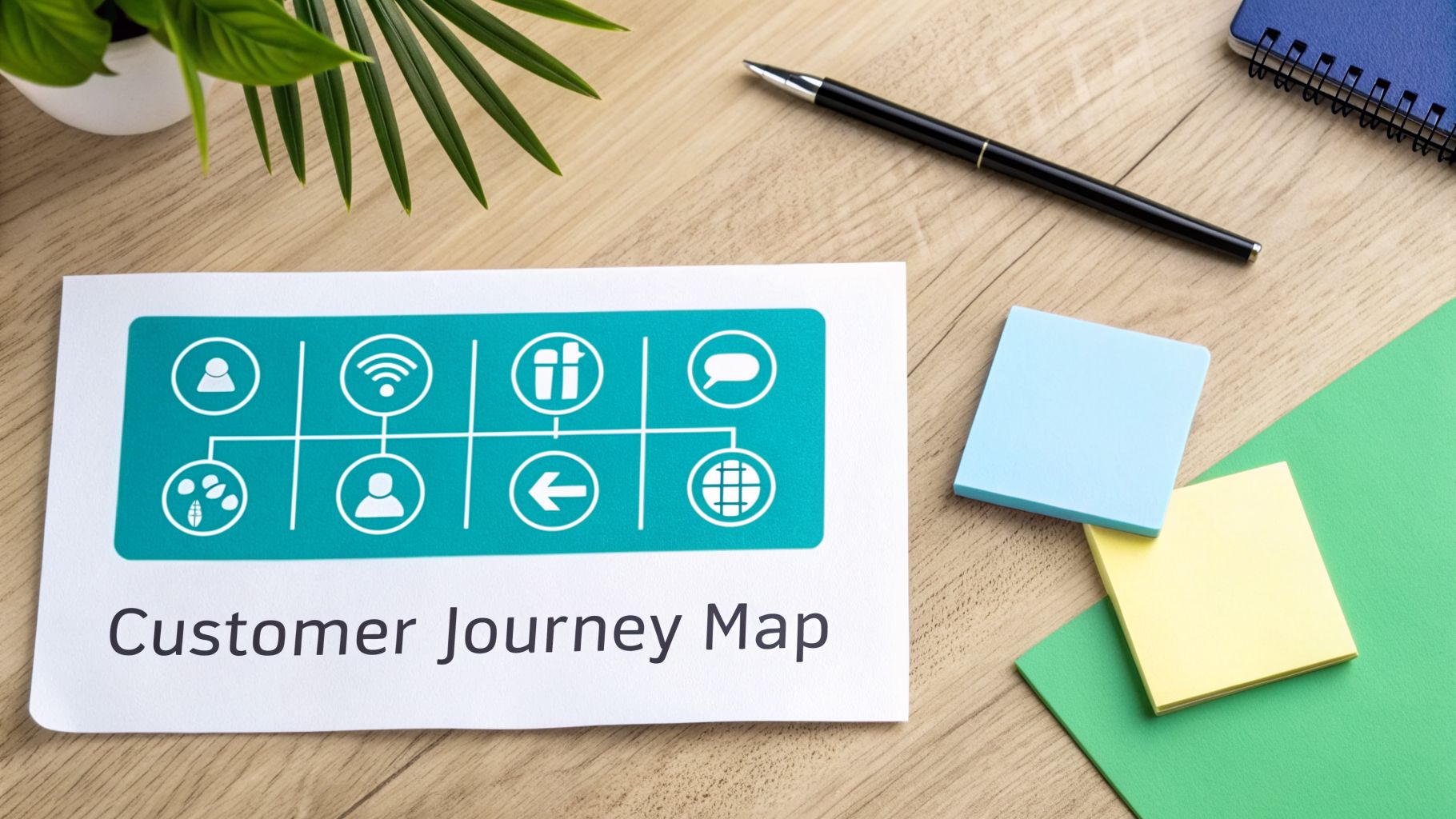
To really get a handle on your campaign's performance, you need a solid approach for measuring omnichannel marketing success.
From Touchpoints to Tailored Journeys
Let's walk through a common B2B technology buyer's journey. Mapping this isn't just about listing channels; it's about connecting their actions and intent as they move between them, with a platform like Sitecore tracking every interaction.
- Awareness (Blog Post): The journey kicks off with a search. A buyer lands on your blog, reading about an industry problem you solve. Sitecore's AI starts quietly building a profile, flagging their interest in that topic.
- Consideration (Webinar): Because of what they read, the personalization engine promotes a relevant on-demand webinar. When they register and watch, their profile gets a lot richer. This high-intent action tells the system they're moving from casual interest to active research.
- Decision (Sales Call): After the webinar, the system can trigger a personalized email from a sales rep, referencing the content they just viewed and offering a one-on-one call. When the buyer books it, their entire history is ready for the sales team, paving the way for a smooth, informed conversation.
Throughout this entire flow, Sitecore isn't just a passive observer—it's an active participant. Website content shifts, emails become more specific, and every touchpoint builds on the last.
Measuring Business Impact Beyond Vanity Metrics
Once you have a clear journey map, you can pivot to KPIs that prove real business value. The goal is to show the ROI of your DXP by linking specific marketing activities directly to financial outcomes.
An omni channel campaign's success is not measured by the noise it creates on individual channels, but by the value it generates from a unified customer experience. Your metrics must reflect this holistic view, tying channel activity directly to revenue and customer loyalty.
Your performance dashboard should prioritize metrics that tell a story about business growth.
- Customer Lifetime Value (LTV): Are customers who engage across multiple channels more valuable in the long run? Track the LTV of omni-channel customers versus single-channel ones to prove the financial upside of an integrated experience.
- Customer Acquisition Cost (CAC): How does your omni-channel strategy impact the cost of landing a new customer? A well-orchestrated journey should drive down CAC by making your conversion funnels more efficient.
- Channel-Assisted Conversions: Which touchpoints helped close the deal, even if they weren't the "last click"? Sitecore's analytics can reveal how a social media post or a blog "assisted" a conversion that closed days later through email.
This shift in measurement is critical because omni-channel shoppers are more valuable. Sitecore case studies frequently highlight that customers who engage across multiple, connected touchpoints exhibit significantly higher retention rates and spend more over their lifetime, directly proving the ROI of a unified commerce strategy. This data reinforces why tracking metrics like LTV and CAC is essential for proving your campaign's worth.
Your Implementation Checklist for Enterprise Teams
Turning your strategy into a real-world omnichannel campaign is all about having a clear, step-by-step plan. This checklist breaks down the big ideas—getting your teams on the same page, auditing your tech, and testing your approach—into a roadmap you can actually follow. It's built to help enterprise teams navigate the rollout of a modern DXP strategy, especially one centered around Sitecore's powerful ecosystem.
Phase 1: Achieve Organizational Alignment
Before you touch a single line of code or deploy any new software, your teams need to be aligned. An omnichannel campaign is, at its core, a customer-first strategy. That means you have to tear down the internal silos that lead to clunky, disconnected customer experiences. The goal here is a shared vision that gets marketing, sales, service, and IT all rowing in the same direction.
- Establish a Cross-Functional Task Force: Pull together leaders from every key department. This group will be your champions for the initiative, setting shared KPIs and making sure everyone stays in the loop.
- Define a Unified Customer Vision: Get in a room and map out what the perfect, seamless customer journey looks like. This document becomes your North Star for every decision that follows.
- Secure Executive Sponsorship: You absolutely need buy-in from the top. Leadership support is what gets you the budget, helps you push past internal resistance, and keeps the project from losing steam.
The numbers back this up. Teams that successfully align sales and marketing see 208% higher marketing revenue and 67% faster deal velocity. What's more, businesses with effective omnichannel strategies retain an impressive 89% of their customers, compared to just 33% for companies stuck in single-channel mode. You can discover more statistics on the business impact of integrated campaigns and see why customer LTV can jump by 30%.
Phase 2: Conduct a Technology and Data Audit
Once your teams are aligned, it's time to take a hard look at your current technology stack and data. This audit is where you'll spot the gaps, find redundant systems, and identify opportunities for integration. The main focus is figuring out how ready your organization is to support a Sitecore-powered ecosystem.
A successful omnichannel campaign is built on clean, unified data. Your audit should be ruthless in identifying data silos and legacy systems that will hinder your ability to create a single, actionable customer view in Sitecore CDP.
Your audit needs to answer a few critical questions:
- Current DXP Capabilities: What pieces of a modern DXP (like a CDP, personalization engine, or content hub) do you already have? Where are your biggest gaps?
- Data Source Inventory: Where is all your customer data living? Map out every source, from your CRM and ERP to e-commerce platforms and analytics tools.
- Integration Readiness: Can your key systems actually talk to Sitecore? Assess whether they have modern APIs and figure out the real effort needed to connect your data streams.
- SharePoint's Role: How are you using SharePoint today? It could be a great central hub for content and internal knowledge, helping keep your campaigns consistent.
Phase 3: Plan and Launch a Pilot Campaign
Trying to roll out everything at once is a recipe for disaster. A pilot campaign lets you test your strategy, technology, and team alignment in a controlled, low-risk environment. Pick a specific customer segment and a well-defined journey to prove that your omnichannel approach works before you go all-in on an enterprise-wide deployment.
Steps for Your Pilot:
- Choose a High-Impact Journey: Start with a common customer path that has obvious pain points you can solve, like cart abandonment or the bumpy transition from online research to an in-store purchase.
- Implement Core Sitecore Tools: For your pilot group, deploy key tools like Sitecore CDP and Personalize. Get at least two channels integrated (like your website and email) to show a truly connected experience.
- Define Success Metrics: Set clear, measurable goals. Focus on KPIs like a lift in conversion rates, better engagement, or a drop in cart abandonment for your target segment.
- Measure, Learn, and Iterate: Use the results from your pilot to fine-tune everything. The insights you gain will be priceless for planning the full rollout and making the business case for more investment.
Frequently Asked Questions About Omni Channel Campaigns
When you're mapping out a true omni channel campaign, a lot of practical questions come up. We've gathered the most common ones here, with clear answers focused on implementing a strategy with Sitecore AI and integrating essential internal platforms like SharePoint.
How Long Does a Sitecore AI Omni Channel Implementation Take?
The timeline really depends on your organization's digital maturity and how complex your current tech stack is. A phased approach is almost always the most effective path forward.
You can typically expect to see initial, measurable benefits from a pilot omni channel campaign within 3 to 6 months. This first phase usually involves integrating two or three key channels with Sitecore CDP and Personalize.
A full, enterprise-wide transformation connecting every touchpoint might take 12 to 18 months. The key, however, is that you deliver value incrementally at each stage, not just at the very end.
What Is the Biggest Adoption Challenge?
The number one challenge is almost always organizational, not technological. You can have the most powerful Sitecore AI setup in the world, but it will underperform if your internal teams are stuck in silos.
Getting marketing, sales, customer service, and IT to work together is the most critical step.
True omni channel success depends on achieving a single, unified view of the customer. This requires more than just integrated technology; it demands integrated teams with shared goals and data. Without this internal alignment, your customer experience will remain fragmented.
A practical first step is creating a SharePoint-based knowledge hub. This ensures that a support agent, a salesperson, and your website are all working from the same script—a foundational piece for any seamless experience.
Can Small Businesses Implement an Omni Channel Campaign?
Absolutely, though the approach and scale will look quite different. While enterprise solutions like the full Sitecore DXP offer deep, AI-driven capabilities, the core principles of an omni channel campaign—unifying data and keeping the customer experience consistent—are universal.
Smaller businesses can start by creating a seamless experience between their core channels, like their website, email marketing, and social media. The goal is to ensure a consistent brand voice and a persistent customer identity across these touchpoints.
This builds a strong foundation, making it much easier to scale up to a more comprehensive DXP solution when the business is ready.
At Kogifi, we specialize in designing and implementing advanced DXP solutions powered by Sitecore and SharePoint. Our expert teams can help you build the architectural and organizational foundation for a successful omni channel campaign. Contact us to begin your digital transformation journey.