



More than 13% of reviewed websites could be compromised completely automatically in a historical Web Application Security Consortium analysis. That's a strong reason to automate security testing, but not a reason to trust a clean homepage scan. In a composable Sitecore or SharePoint estate, the important exposure may sit behind an API, an identity relationship, an edge service, or an AI-assisted publishing workflow.
Table of Contents
- Separate product responsibilities and trust
- Test publishing as a privileged journey
- Apply the same discipline to SharePoint
What Web Application Scanning Is Built to Catch
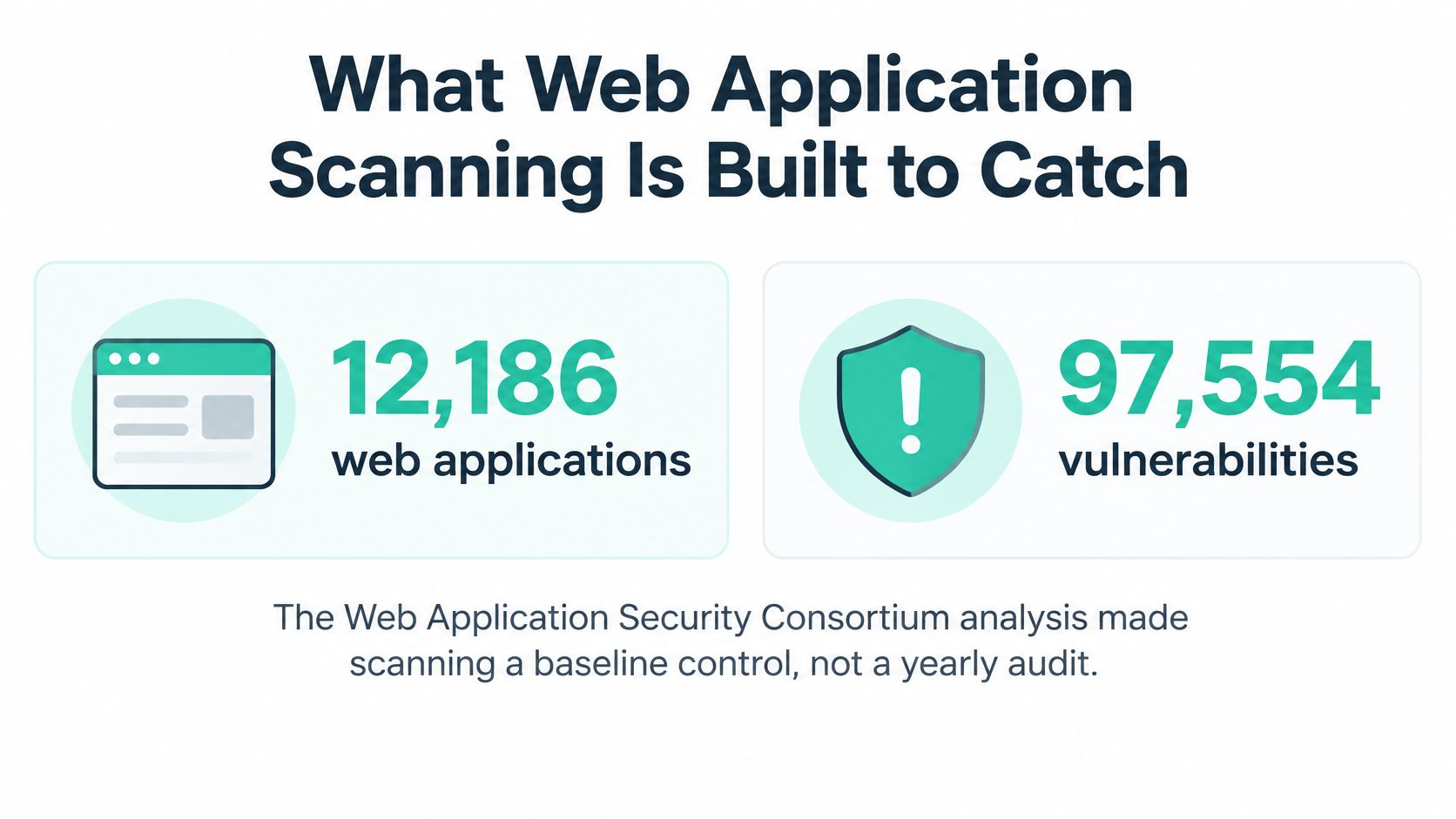
The consortium analysis covered 12,186 web applications and 97,554 detected vulnerabilities. Approximately 49% contained urgent or critical vulnerabilities identified through automated scanning, while more than 48% failed PCI DSS requirements in approved scanning-vendor testing. These are historical findings, not a current global prevalence estimate or a risk score for your own estate. The population and testing method matter.
Cross-site scripting, information leakage, SQL injection and HTTP response splitting were among the widespread classes. The practical lesson is repeatability: teams can test again after a release instead of waiting for an annual audit.
A smoke alarm, not a building inspection
Web application scanning uses an automated program to examine a web application for potential security weaknesses, a distinct assurance activity from network vulnerability scanning. NIST's web application scanner work formalized that foundation with a draft functional specification on August 21, 2007, followed by Special Publication 500-269 in 2008.
Think of a Sitecore estate as a building with shared corridors, contractors and badge readers. A scanner works like a smoke alarm: useful, repeatable and capable of warning you about danger, but silence doesn't prove every door is locked.
Scope rule: Scan the routes and trust relationships that reach business functions, not just the pages visitors can browse.
For employee platforms, F1Group's guidance on how to identify Microsoft 365 security risks provides useful context for extending assessment beyond the intranet homepage. The delivery decision is then which testing method covers code, running applications and runtime behavior, and what evidence each can produce.
Static Dynamic and Interactive Scanning Side by Side
| Method | When it runs | What it can see | Structural blind spot | Best DXP use |
|---|---|---|---|---|
| Static (SAST) | Source, pull request or build | Code patterns, templates and repository dependencies, alongside composition analysis | Live configuration, cookies, CDN behavior and real sessions | JSS or Next.js rendering apps, .NET clients, Helix components and SPFx |
| Dynamic (DAST) | Running staging or internet-facing application | HTTP input, sessions, headers, errors and some misconfiguration | Many authorization and business rules; anonymous crawls miss private routes | Public sites, preview, authoring and APIs with role accounts |
| Interactive (IAST) | Instrumented test runtime during QA | Requests tied to the code paths that handled them | Requires an agent in a runtime you control; weak fit for unmanaged SaaS production | Staging rendering hosts and test SharePoint or API workloads |
Match the method to the surface
Static application security testing examines the application before deployment. Pair it with software composition analysis against dependency manifests and lockfiles. For a Sitecore team, that means examining the Next.js rendering repository, shared components and custom .NET services; for SharePoint, include SPFx packages and their supporting services.
Don't mistake repository access for visibility into the deployed estate. A safe code pattern won't tell you whether a CDN response caches personalized content incorrectly or whether a live session cookie has the intended restrictions.
Dynamic application security testing and API scanners send HTTP requests to running pages, GraphQL endpoints and REST services. NIST's scanner functional specification calls for reports that describe an attack for each finding and an acceptably low false-positive rate. Require reproducible request-and-response evidence, not just a vulnerability label.
Interactive application security testing adds an agent to a test runtime so analysts can connect a request with the code that processed it. Use it on a rendering host or custom API you control. Don't assume you can install instrumentation inside a managed Sitecore or SharePoint SaaS service.
Turn coverage into evidence
Give the scanner separate test identities for relevant roles. Crawl server-rendered pages and APIs, including representative language, brand and tenant paths. Confirm that authentication remains valid throughout the run; a successful login at the start doesn't prove the scanner stayed authenticated.
A useful division of responsibility is:
- Authoring: Exercise permitted editor and publisher workflows in an approved environment.
- Delivery: Test rendering responses, sessions and browser-facing behavior.
- APIs: Supply endpoint definitions and representative requests, then check object and operation permissions manually.
Track precision, deduplicated confirmed findings, authenticated route coverage and mean time to triage rather than raw alert volume. Record a compensating control before excluding a noisy check, because an exclusion can remove a real attack path.
This work also needs an owner who understands both testing and delivery. Teams defining that role can use GENTY recruitment SAST/DAST specialists as a reference when discussing specialist staffing. Judge the resulting capability by demonstrated coverage and usable evidence, not the tool's detection-rate claim.
Vulnerability Classes That Show Up on DXP Estates
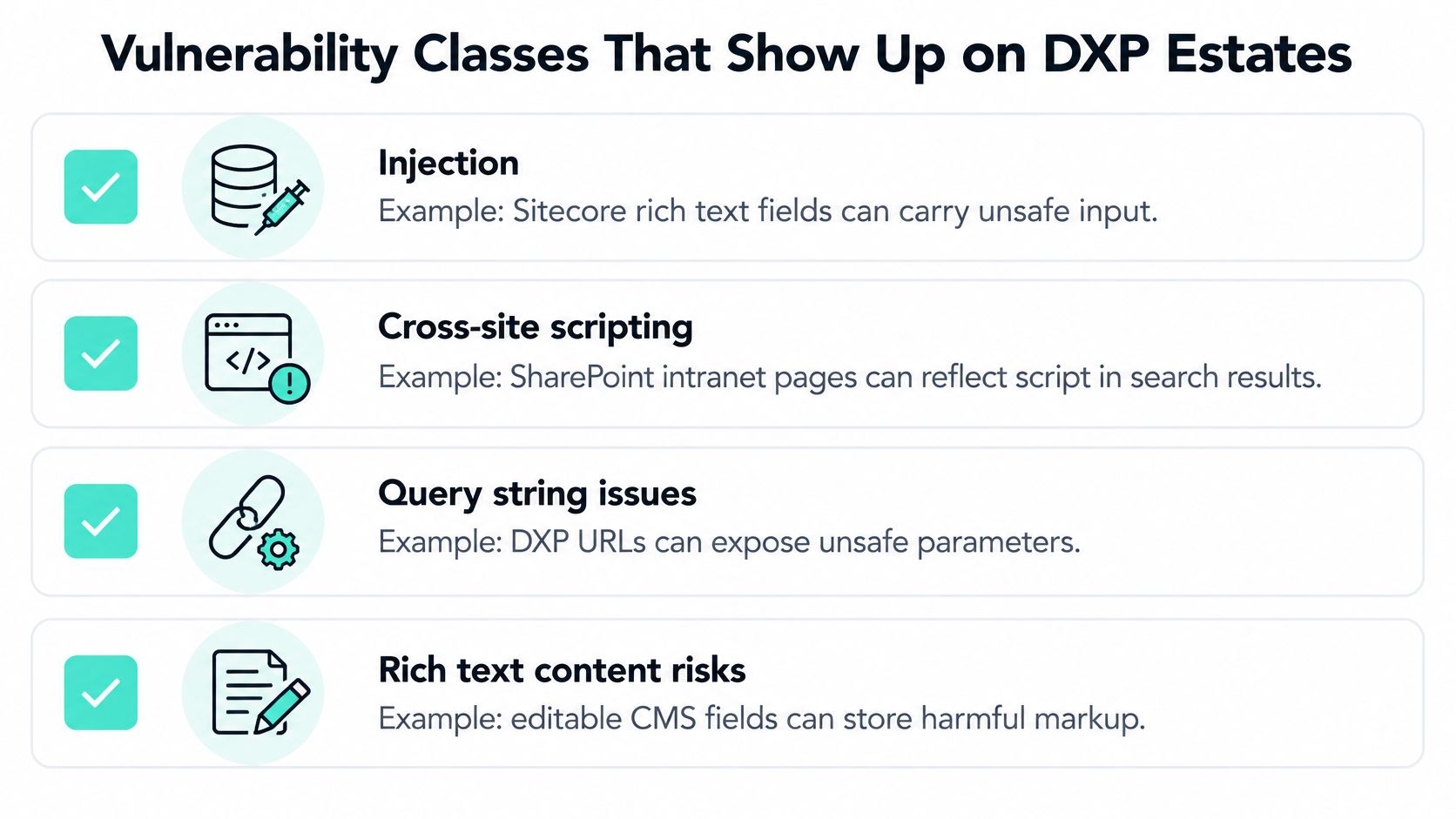
Treat the following as test scenarios, not assumptions that a particular product is vulnerable. The defect usually sits in implementation code, configuration, permissions or an integration boundary.
| Class | Where it shows up | What a page crawl misses |
|---|---|---|
| Injection and cross-site scripting | Rich text, site search, query strings and personalization conditions | Untrusted content rendered after an AI-assisted or manual publish |
| Information leakage | Verbose errors, leftover debug or preview routes, version details, paths and internal hostnames | Staging hostnames and supplier error pages |
| Broken access control | A marketer reaching another brand, anonymous data or personalization calls, unintended SharePoint library inheritance | Role, brand and tenant boundaries an anonymous crawler never opens |
| Misconfiguration | Cookies, CORS, security headers, open redirects and exposed GraphQL or REST schemas | CDN, WAF and Experience Edge policy |
| Third-party and edge exposure | Identity providers, payment or booking partners, CDN and WAF edges, VPNs and machine-to-machine APIs | Supplier access paths and perimeter components outside the application crawl |
Test the implementation, not the product name
For injection and scripting, place harmless test markers in a Sitecore rich-text field and follow them through preview and delivery. Check whether the rendering component treats content as intended rather than trusting its origin in the CMS.
For information leakage, provoke a controlled error in a custom search integration. Inspect whether the response reveals an internal hostname, filesystem path or diagnostic detail that doesn't belong in a browser.
For broken access control, use a marketer account restricted to a brand and attempt to retrieve another brand's content directly through the API. In SharePoint, verify effective library permissions rather than assuming the page's navigation reflects access rights.
For misconfiguration, inspect how a custom API responds to an unapproved origin. An exposed schema isn't automatically a vulnerability, but it deserves review alongside authentication and operation-level authorization.
These scenarios complement a broader review of enterprise CMS security risks and solutions, particularly where shared components span several sites.
Let breach evidence change the boundary
Verizon's 2025 Data Breach Investigations Report analyzed more than 22,000 incidents and 12,195 confirmed breaches: third-party involvement doubled to 30% of breaches, while vulnerability exploitation rose 34% and accounted for 20% of initial-access vectors. It also found that 22% of exploited vulnerabilities affected edge devices and VPNs, nearly eight times the previous year's 3%.
That changes prioritization. Include identity providers, payment and booking partners, perimeter devices and machine-to-machine credentials in the exposure map. Application scanning won't replace device vulnerability management or supplier assurance.
The governing question is concrete: Which connected service can reach sensitive functionality, and which internal team or supplier can fix it?
How Teams Should Score a Scanner
A scanner's detection-rate claim is useful only when the team can reproduce it. The OWASP Benchmark provides executable tests with expected results. Its Java Benchmark, version 1.2, contains slightly fewer than 3,000 test cases mapped to vulnerability categories, CWE identifiers, and expected true- or false-positive results.
Keep the initial comparison controlled. Record the engine, rules, credentials, exclusions, and runtime conditions so another engineer can repeat the test.
| Metric | What to record | Why it changes the decision | Working practice |
|---|---|---|---|
| True positives by CWE | Hits on expected vulnerable benchmark cases | An overall percentage can hide weak categories | Compare results by category, not as one vendor score |
| False positives | Alerts on cases expected to be safe | Noise delays triage and can lead teams to ignore findings | Set an acceptable rate before using results to block releases |
| False negatives | Missed cases marked vulnerable | A fast scan with missed vulnerabilities creates false confidence | Retest after changes to rules, engine, or login |
| Authenticated coverage | Intended role, language, brand, and API routes reached | Public crawls miss authoring and partner flows | Use separate role accounts and representative locale routes |
| Duration | Benchmark and staging runtime | An unfinished scan cannot inform a release decision | Separate a CI-sized job from deeper scheduled testing |
| Remediation clock | Confirmed critical and high findings, each with a named owner | Deadlines without responsibility do not reduce exposure | Set deadlines through the organization's risk policy |
Accuracy has an operational cost
Suppose a scanner flags an injection issue on a Sitecore search endpoint. An analyst must reproduce the request, check whether the input reaches an unsafe operation, and identify the affected environment. If alerts rely on unproven patterns, release time goes to disproving warnings instead of fixing confirmed defects.
Calculate precision from confirmed true positives and false positives. Track missed expected vulnerabilities separately by CWE category, so a strong scripting result does not conceal weak injection coverage. Repeat the controlled run after a meaningful engine, rule-pack, or authentication change.
A benchmark measures detection against known cases, not the full architecture. Pair it with tests in production-like staging that exercise authoring, preview, GraphQL or REST, redirects, CDN/WAF behavior, and role boundaries. Confirm that the scanner completes each journey without losing its session.
A fast scan that never reaches private routes measures the wrong surface.
Give findings a clock and an owner
Set remediation deadlines for critical and high findings according to the organization's risk policy, and assign each finding a named owner. The policy should account for exposure and the time needed to address the issue; an actively exploited exposure may need faster action than the standard deadline.
Support those decisions with an asset inventory, a scan cadence, and retained evidence. A scanner should demonstrate precision, authenticated coverage, and repeatable duration under a fixed test. A dashboard alone cannot tell a delivery lead whether the release is safe enough to approve.
Scanning Gates Inside CI/CD and Live Monitoring
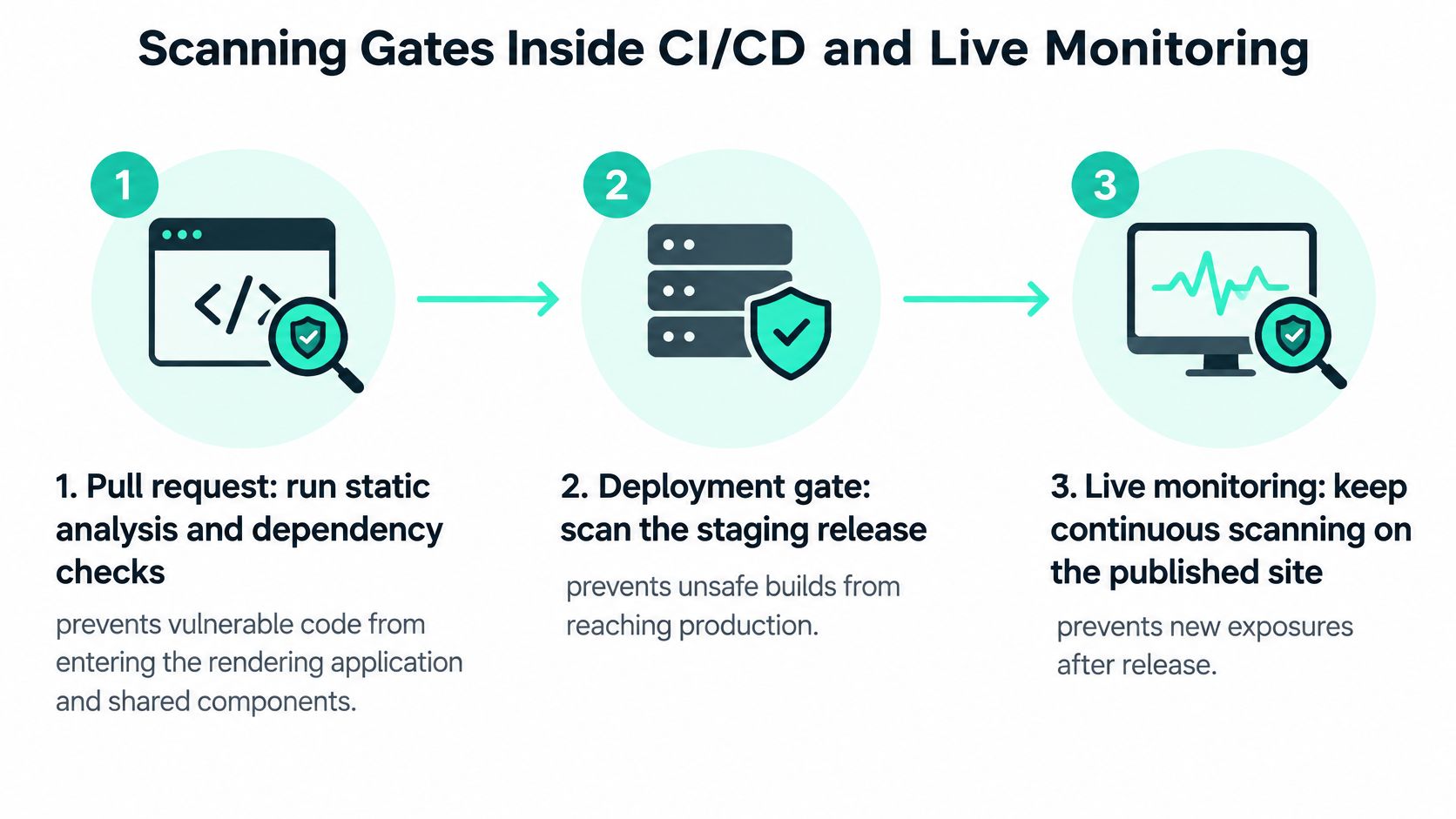
Security checks work best when the team knows which decision each check supports. A pull-request job should help developers correct code; a staging scan should inform release approval; production monitoring should reveal changes and suspicious activity without disrupting customers.
Use the same environment names and package identifiers across build records, scan reports and incident tickets. Otherwise, an analyst may confirm a defect against a staging package that no longer matches the proposed release.
Put the checks in delivery order
Run static analysis and dependency checks on the pull request. Include the rendering application, shared components, custom APIs and SPFx packages. This catches actionable code and dependency defects before a preview environment becomes the first place anyone tests them.
Scan the deployed staging release with authenticated accounts. Exercise public pages, preview, authorized authoring endpoints and the APIs those journeys call, using accounts appropriate to each role and locale. This prevents a release decision based only on anonymous browsing.
Block new critical findings and unacceptable regressions. Compare against the last accepted baseline rather than failing every build on historical warnings that already have owners and documented treatment. This keeps the gate meaningful without turning an unresolved backlog into a permanent bypass.
File deduplicated, confirmed findings in the delivery tracker. Include environment, route, reproduction evidence, affected package and a named owner. This prevents security tickets from becoming detached from the content or application release that introduced the problem.
Use production-safe scans and live signals after launch. Schedule checks of internet-facing hostnames and inspect WAF, availability and error signals for exploit attempts. Don't replay intrusive tests against live personalization, publishing actions or customer data without explicit approval and safeguards.
Rescan after consequential platform changes before traffic cutover. Include upgrades, identity changes and WAF rule changes. Retain the report, commit or package version, tested route list and written acceptance of residual risk with the release record, so approval remains traceable.
The deployment flow should make these checks visible to developers and release managers.
Keep approval separate from ongoing assurance
Scanning evaluates behavior at a point in time. Configuration drift, changed integrations and newly published components can alter exposure without a major application release. For workloads where the team controls deployed files, file integrity monitoring can help detect unexpected changes; it doesn't replace testing what those files do.
Kogifi's platform audits combine automated tools with expert analysis. That distinction matters when an apparently valid configuration creates an unsafe architectural relationship, such as a broadly privileged integration account connecting otherwise separated brands.
A green pipeline is release evidence, not permanent assurance. Monitoring tells the team whether the conditions behind that approval still hold next week.
Sitecore AI Estates and SharePoint Intranets
A public website can return clean scan results while the routes that publish, personalize, or retrieve content remain exposed. In a composable Sitecore or SharePoint estate, the security boundary includes APIs, identity trust, connected services, and AI-assisted publishing workflows, not just the pages a browser can reach.
SitecoreAI includes Agentic Studio for collaboration on planning, content creation, and personalization, along with Agentic Flows for coordinating briefing, experimentation, publishing, and optimization. For a security team, each handoff is a boundary to assess. A workflow may involve a user, an AI-assisted step, an approval, and a publishing service, each with its own permissions.
Map the content workflow alongside the technical architecture.

Separate product responsibilities and trust
XM Cloud is designed for headless implementations rather than MVC-based solutions. JSS, Experience Edge, and Jamstack or .NET Core clients are typical candidates. This means the rendering host and content platform have separate security responsibilities. Inventory delivery hostnames, Experience Edge endpoints, and custom APIs individually, and test only within authorized service boundaries. For managed services where internal testing is unavailable, review tenant configuration and credentials.
Sitecore separates XM Cloud content management from CDP and Personalize, Search, and Content Hub. Product access does not mean these services share a permission model. Record which identity and credential each integration uses, and confirm what it can read or change.
Sitecore describes Stream as an AI layer across products including XM Cloud, Content Hub, and XP, supporting generative assistance, content intelligence, and workflow orchestration. Check the product structure and availability that apply to the estate rather than assuming every capability is present in every environment.
Test publishing as a privileged journey
Create a draft restricted to a brand and language, then follow it through the AI-assisted workflow, approval, and publication. Check that automation cannot bypass approval, expose the draft through delivery APIs, or reuse a service credential with excessive access. Inspect the rendered content as well as the workflow decision.
For architecture planning, guidance on cloud security for Sitecore DXP can help teams assign responsibilities across managed services and custom workloads.
Use this accompanying video alongside the workflow discussion.
Apply the same discipline to SharePoint
For SharePoint Online, examine effective permission inheritance, external sharing links, SPFx API permissions, and Power Platform connectors. Test whether a restricted employee can retrieve a document through a connector or custom component. Navigation hiding a library is not evidence that the underlying data is inaccessible.
A page can look clean while a connected service still reaches the data.
Assign application fixes to the delivery team, tenant permissions to the Microsoft 365 owner, and supplier-controlled defects to the supplier. Each finding needs an owner who can change the affected boundary.
Start with an Exposure Snapshot and a Readiness Check
Define scope before buying another scanner. Map public sites, languages, brands, rendering hosts, Experience Edge, CDP, Personalize, Search, Content Hub, identity providers, partner APIs and the SharePoint intranet. Use a website audit checklist to turn that map into a reviewable inventory rather than a collection of remembered URLs.
Choose the review that answers the uncertainty
Our Sitecore Support Readiness Check reviews current patch level, hosting, compensating controls and what must be safe before AI agents work in the CMS. It takes 1–2 weeks, uses read-only access and compares three paths with cost and risk. A free 45-minute Exposure Snapshot can come first and ends with a one-page summary.
For a mixed estate, our Platform Audits service evaluates Sitecore, Adobe Experience Manager and SharePoint for performance, security and compliance. That broader scope is useful when the question crosses platform ownership rather than stopping at a Sitecore instance.
- Bring the estate map: Include integrations and administrative surfaces, not just public domains.
- Preserve the baseline: Keep reports, package versions, route lists and written residual-risk acceptance with release records.
- Name decision owners: Separate who approves risk from who implements the fix.
If a homepage crawl is your only evidence today, start by establishing what it never reached.
Kogifi offers exposure reviews, platform audits and delivery support to turn web application scanning into actionable release evidence. Visit Kogifi to arrange an Exposure Snapshot and identify which Sitecore, SharePoint and connected-service boundaries need verification first.