


The median mobile page includes alt attributes for only 60% of its images, according to the 2025 Web Almanac accessibility chapter. For enterprise teams, that's a publishing-system problem, not just an editorial backlog. Effective alt attribute SEO starts with a useful description, but it lasts only when SitecoreAI components, localized content, and SharePoint libraries preserve that description through delivery.
Table of Contents
Why Missing Alt Text Still Costs Search and Access
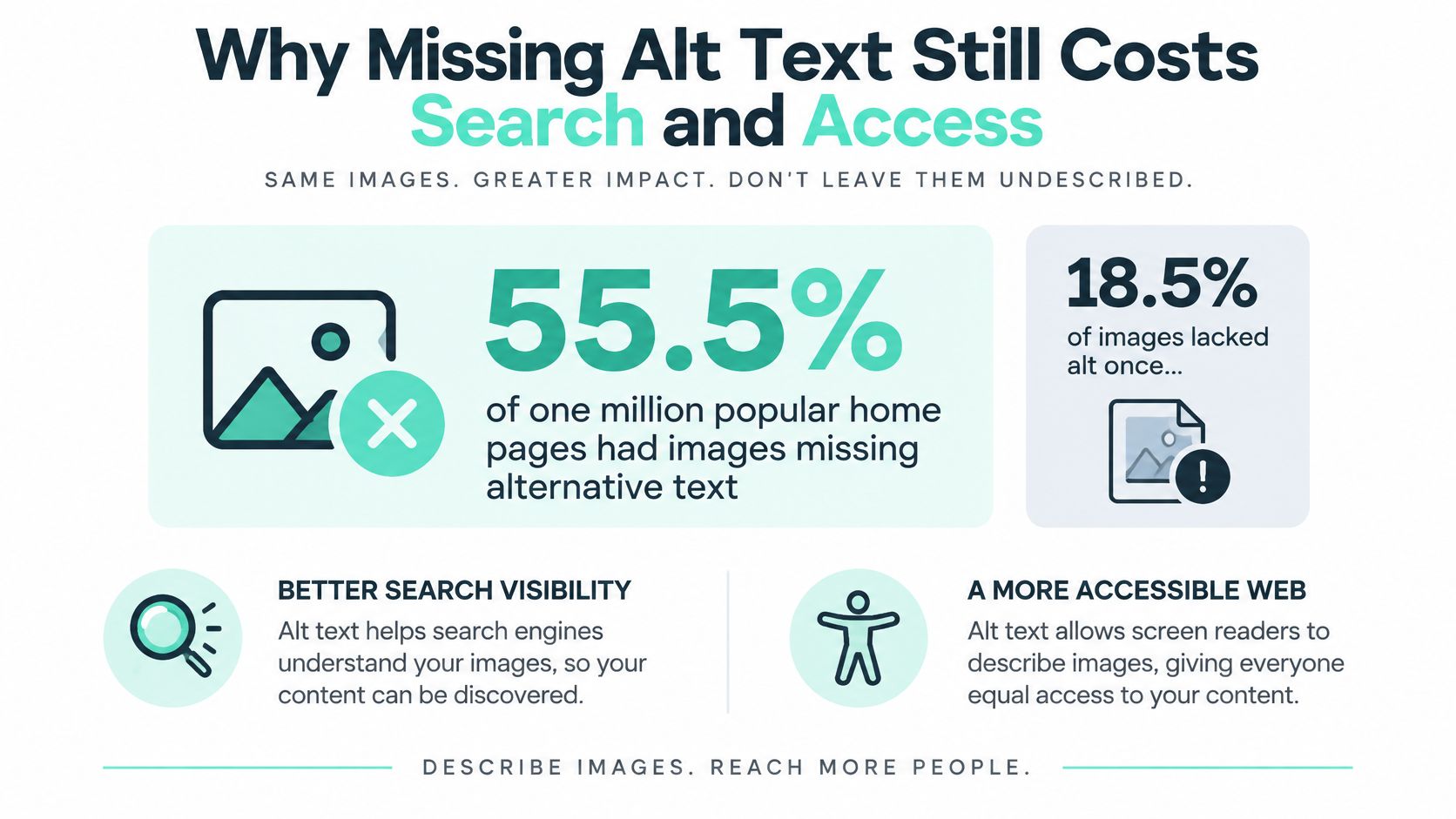
WebAIM's 2025 Million report found images missing alternative text on 55.5% of the home pages of one million popular websites. Across those pages, 18.5% of images lacked alternative text, excluding intentional empty attributes, and the average home page contained 11 images. The comparable missing-image figure was 21.6% in the WebAIM 2024 Million report.
The linked-image findings deserve particular attention. In WebAIM's 2025 analysis, 44% of images missing alternative text were linked images, and one in five linked images lacked alt text. Those failures affect more than descriptions: they can leave people without a useful name for a destination.
The infographic summarizes the accessibility gap.
Understand the failure through a booking card
Say an airport publishes a parking card containing a photograph that's also the only link to booking. A sighted visitor recognizes the parking area, but a visitor using a screen reader needs the link's purpose expressed in text.
The alt attribute is the HTML text alternative attached to an image. It isn't a visible caption, a title tooltip, or a container for search keywords. Its connected jobs are to communicate information or function to people who can't see the image and provide search systems with contextual text.
Practical rule: A useful alternative explains what the visitor would otherwise miss, not everything the photographer captured.
For commerce teams, RankEngine's guidance on accessible image descriptions for online stores provides a useful adjacent resource for product imagery. The same editorial discipline belongs within broader accessible website design, rather than a separate SEO cleanup.
A delivery team needs a purpose lookup, contextual writing rules, translation controls, and fields that survive rendering. SitecoreAI and SharePoint need different implementations of that shared policy, followed by template-level testing. Name the image's job before writing its phrase.
Choose Alt Text by What the Image Does
| Image purpose | Alt rule | Search effect | Example |
|---|---|---|---|
| Informative photo | Describe the fact the image adds, in context | Subject signal alongside vision and nearby copy | alt="Blue Airbus aircraft at an airport gate" |
| Linked or button image | Name the destination or action | Functions as anchor text | alt="Book a gate tour" |
| Decorative or layout-only | Empty attribute so it is ignored | No ranking value to pursue; avoids noise | alt="" |
| Chart, map, or infographic | Short label plus nearby data or long description | Meaning must match the visual, not a keyword | Hypothetical: alt="2025 passenger volumes by terminal" plus a data table |
| Text embedded in the image | Include the words needed to understand it | Makes the message available as text | Hypothetical: alt="Gate closes 20 minutes before departure" |
| Icon with a visible text label | Empty when the visible label already names the control | Duplicate text doesn't help relevance | alt="" on an icon inside a button whose text is Search |
| Filename or keyword list | Reject and rewrite | Stuffing can be treated as spam | Avoid alt="airport aircraft airline travel aviation" |
Use this alt value by image purpose lookup on the next image you publish. Classify its role in the actual component, not just its appearance in the media library.
An informative photograph needs the detail it contributes. The aircraft example identifies a visible subject and setting without narrating every object in the frame. Don't add airline names, locations, or aircraft specifications unless you can verify them and they matter to the reader.
For an image-only link or button, prioritize the destination or action. Google's image SEO documentation explains that linked-image alt text can function as anchor text and warns that keyword stuffing creates a poor experience and may be treated as spam. A photograph serving as a booking control therefore needs a different alternative from the same photograph illustrating an article.
Handle empty values deliberately
A decorative border or spacer should have alt="". That's an intentional instruction to skip the image, not an unfinished editorial field. Don't treat an omitted attribute and an explicitly empty attribute as interchangeable in validation.
Complex visuals require a different decision. A chart label identifies the subject, while nearby prose or a data table supplies the relationships and values readers need. For a map, provide the relevant routes, locations, or instructions in an accessible format rather than trying to compress the entire graphic into a sentence.
Text embedded in a graphic belongs in the alternative when the message depends on those words. An icon beside a visible Search label, however, usually doesn't need another spoken label.
Reject shortcuts before release
A filename describes storage. A page title describes the page. Neither automatically explains an individual image.
- Informative images: Require human-readable alternatives that fit their placement.
- Decorative images: Require an explicit empty value.
- Reusable templates: Reject repeated boilerplate that ignores differences between brands, assets, and locales.
The release check should evaluate purpose and output, not merely whether a field contains characters.
How Google Combines Alt Text With Page Context
Consider a hypothetical airport page about winter operations. Its heading introduces aircraft de-icing, the adjacent paragraph explains how crews prepare aircraft for departure, and the photograph shows a truck spraying an aircraft's wing. A suitable alternative might be alt="De-icing truck spraying an aircraft wing at the departure gate".
The relationship between those elements is the useful signal.
Align the description, copy, and picture
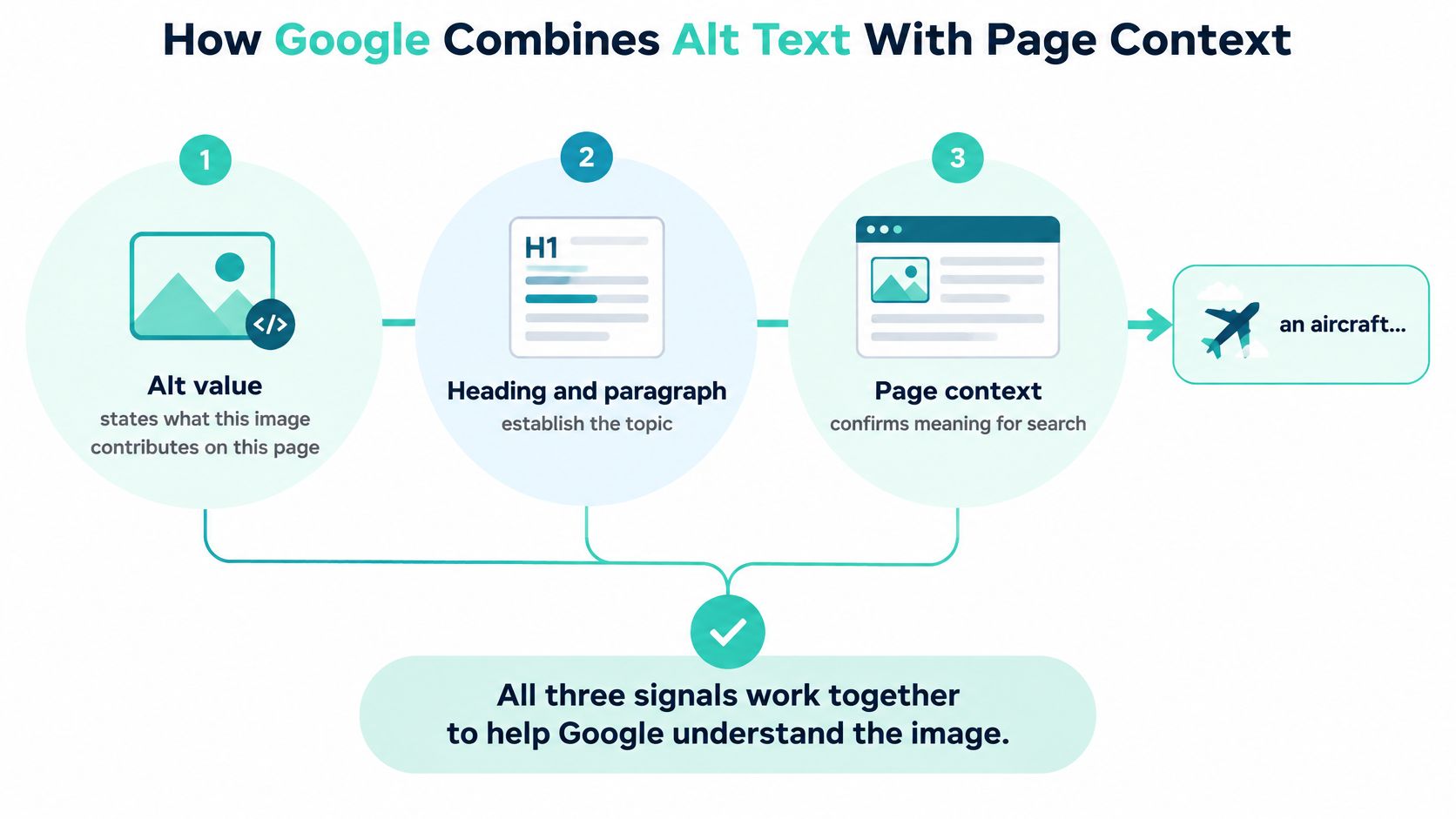
Google identifies alt as the most important image metadata attribute and uses it alongside computer-vision analysis and surrounding page content to understand an image's subject. The practical implication is agreement, not keyword density.
The alternative states what the image contributes in that location. The heading and paragraph establish why that contribution matters. The picture itself must support the description, so don't name a de-icing truck when the image shows a refuelling vehicle.
Alt text is a subject signal, not a standalone ranking lever.
The same aircraft photograph might support a gate-operations page or a fleet-finance page. The alternative can emphasize different relevant details, but it must remain truthful to the picture. Context isn't permission to describe something that isn't visible.
Copying the page title into every image produces a weaker result. On a winter-operations page, repeating the title across a truck photograph, a terminal map, and a process chart erases their different contributions. Across multi-brand templates, that shortcut also makes editorial review harder because populated fields appear complete.
Keep supporting metadata in its place
A descriptive filename, useful caption, or appropriate structured data can support the page's image context. None replaces the image's alternative. Keep longer explanations in visible copy so visitors can read them without depending on hidden metadata.
Keyword strings such as alt="airport aircraft airline travel aviation flights" don't explain a scene. They substitute a topic list for meaning and create the stuffing risk Google warns against. A decorative visual should remain empty even when a marketer would like another keyword placement.
Use the accompanying video as an additional discussion aid during an image review workshop.
Architects should inspect the rendered component, not stop at the authoring screen. Compare the selected asset, delivered alternative, nearby copy, and destination in the browser. A completed CMS field provides no benefit if a headless view drops it, replaces it with a default, or attaches it to the wrong image.
Write Alt Text That Survives Translation
Once the image's purpose is settled, editors need a repeatable writing routine. Aim for language that a colleague could understand without opening the file, rather than a description that sounds optimized for a crawler.
- State the contribution. Explain what the image lets the visitor know or do. For an instructional image, identify the relevant action or condition.
- Keep it focused. Use a phrase or sentence that distinguishes this image from the next. Move extended explanations into the page.
- Choose visitor language. Include a product or place name when identifying it is the point, but avoid internal asset codes.
- Skip unnecessary framing. Don't start with “image of” unless the format itself matters, such as identifying a historical photograph or a screenshot.
- Reject pasted defaults. A filename, heading, or keyword list isn't an editorial alternative.
Make language part of the content contract
The WCAG 2.2 specification requires text alternatives for non-text content so people can access information through forms such as speech, Braille, symbols, or simpler language. Alternatives should match the language of the content experience. An otherwise localized page shouldn't unexpectedly announce its image descriptions in English.
That creates a modeling requirement: tie the alternative to the asset, its usage, and the locale. A shared library can hold a useful default, but it shouldn't force the same string into every regional experience.
For wider planning, the LLMrefs guide to multilingual SEO is a useful companion to language-consistent publishing. Operationally, CMS localization needs to cover image fields and review states alongside headings and body copy.
Define fallback instead of inheriting it accidentally
Choose what happens when a translation is unavailable. You might hold a new localized page for review or provide an approved, language-matched alternative. Don't convert missing translated content into a decorative designation.
- Embedded messages: Translate the necessary words in the alternative, and check whether the image itself also needs a localized version.
- Charts and maps: Route them to a human reviewer who can verify that supporting text communicates their meaning.
- Rejected defaults: Flag filename-derived strings and source-language values carried into translated pages without approval.
A short chart label can identify a subject without communicating the underlying evidence. Give translators access to the actual visual and its surrounding explanation, not an isolated field export.
Before approval, read the alternative aloud with the adjacent paragraph. Ask whether a colleague who can't see the file would still understand the intended information or action.
Store Alt Text in SitecoreAI and the Content SDK
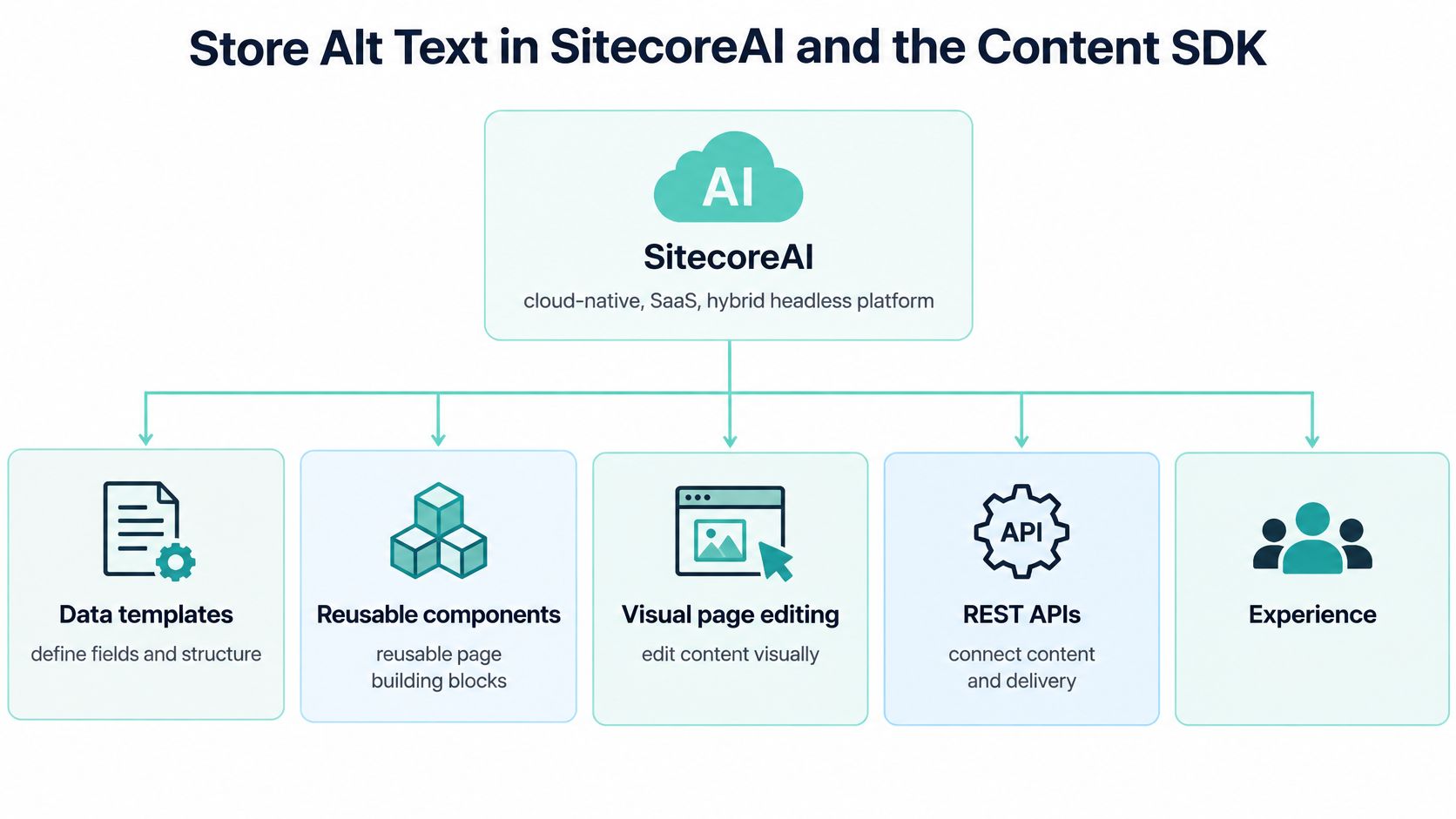
Sitecore's developer documentation describes SitecoreAI as a cloud-native, SaaS, hybrid headless digital experience platform. Data templates, reusable components, visual page editing, REST APIs, and Experience Edge GraphQL delivery provide the architecture for treating image alternatives as managed content.
The Content SDK's Next.js starter supports visual editing, personalization, tracking and analytics, localization, and multi-site solutions. An alternative therefore belongs in the content contract, not in a hardcoded React string.
The platform model provides the foundation for the editorial controls.
Model intent separately from the asset
Use the following as an implementation pattern, not as a claim about default Sitecore fields.
| Proposed field | Responsibility |
|---|---|
| Image | References the selected media asset |
| Alt | Localizable text, required when the usage is informative or functional |
| Decorative | Explicitly selects empty alternative output |
| Purpose | Records whether the image informs, navigates, decorates, or needs extended explanation |
| Review status | Tracks editorial and language approval |
Store the alternative on the image usage or a dedicated media content item with a contextual override. A master asset can supply a starting description, while the component's content version holds the wording appropriate to its page and locale.
Configure conditional validation: Decorative selected means empty output; otherwise Alt is required. Don't generate a fallback by copying the page title or asset filename. In the visual editor, expose the alternative beside the image selection so marketers can review both without leaving their page-editing task.
Preserve the contract through delivery
Map the resolved fields through the Content SDK image component and inspect the published page using content delivered through Experience Edge. Verify the resulting <img> element, not just the GraphQL response. Experience Edge delivers content; the front end remains responsible for correct HTML.
For variants, keep the image, purpose, alternative, and locale together. The Content SDK documentation describes support for personalization and component A/B/n testing, making variant coverage part of the test plan. A replacement image needs its corresponding alternative, including during audience-targeted rendering.
Sitecore Stream, built on Microsoft Azure OpenAI Service, supports content creation and brand-oriented workflows through supported products and the Cloud Portal, subject to the provisioned tier. Use those capabilities to assist drafting from an approved brief and brand context, rather than assuming automatic image recognition or approval. An editor must still verify the proposed description against the actual asset and its purpose.
Treat Content Hub as the place to govern master assets and localized metadata before page-specific use. Keep the final contextual decision with the consuming component.
For teams planning Sitecore architecture, the acceptance checklist should include:
- Field present: The image usage exposes its alternative.
- Locale present: The published language resolves to approved content.
- Decorative path: The renderer emits
alt="". - Linked image: The accessible name communicates the destination or action.
Apply the Same Rules in SharePoint Libraries
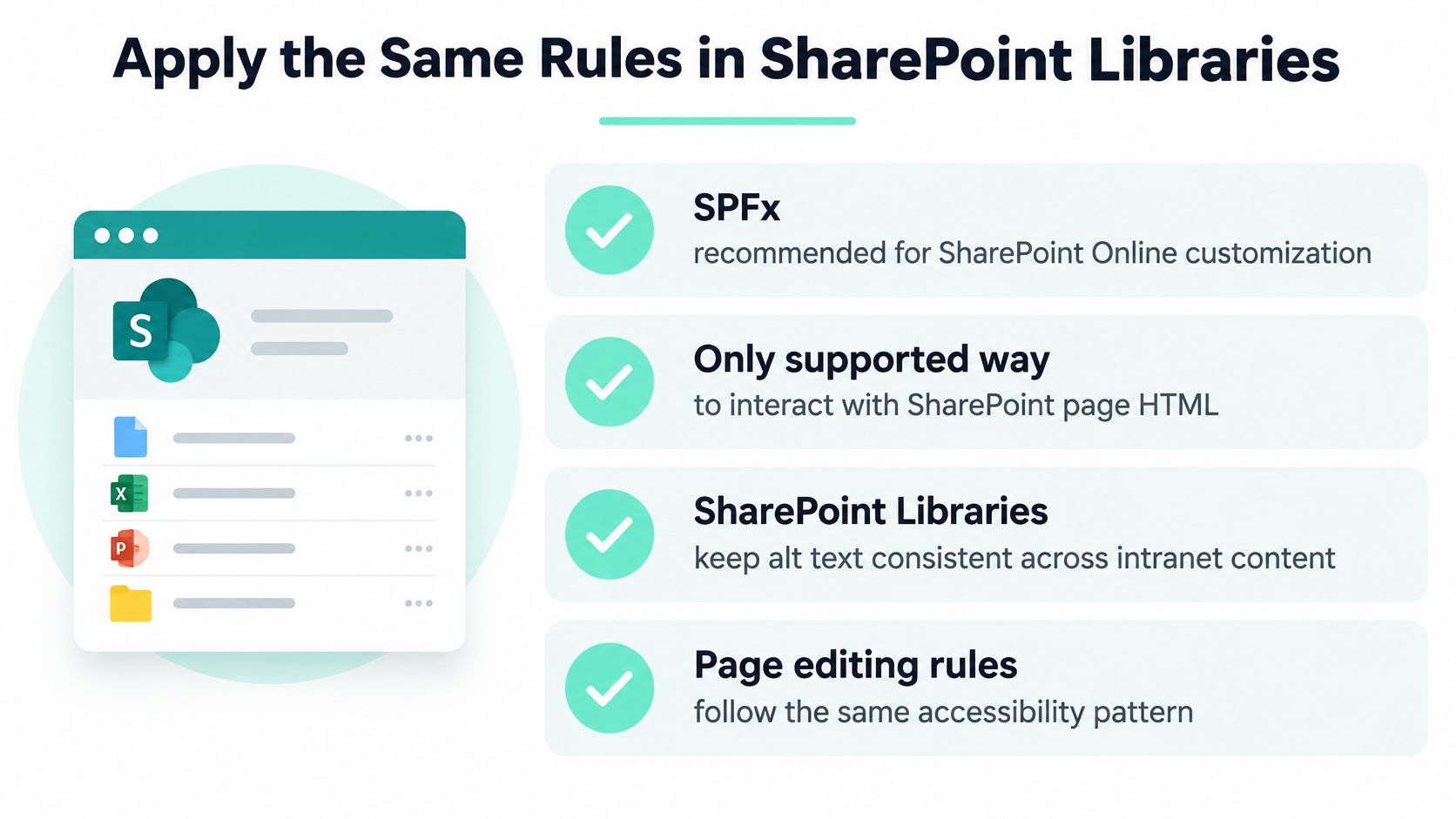
Microsoft identifies SPFx as the recommended SharePoint Online customization model and the supported route for interacting with page HTML. Its SharePoint Online SPFx guidance also identifies generally available Copilot UX components in SPFx 1.24. A custom image web part should render its alternative from governed content, not patch the DOM after rendering.
Library scale also affects the design. The following SharePoint Online limits that shape alt governance are the Microsoft thresholds summarized with that guidance.
| Limit | Value | Design consequence |
|---|---|---|
| Items in a list or library | Up to 30 million items or files and folders | A shared image content type can standardize metadata across the asset estate |
| Unique permissions supported | Up to 50,000 items | Technically possible, but not the design target |
| General recommended unique permissions | 5,000 items | Keep alt review out of per-item permission schemes |
| Inheritance break threshold | Cannot be broken above 100,000 items | Plan folder structure so inheritance can be managed |
These are capacity and permission constraints, not reasons to build a single unrestricted asset repository. Plan library boundaries around ownership, audience, retention, and access. Alt approval shouldn't require unique permissions on every image.
Make the content type the source of truth
Define a shared image content type with Alt text, Decorative, Language, and Review status columns. Make approved metadata a selection condition in your custom page web part, rather than assuming a required library column controls every publishing route.
The governance pattern should remain consistent across libraries and pages.
Use a Power Automate flow to flag filename-like values, reject blank alternatives for non-decorative items, and route complex visuals to a reviewer. Store the result in Review status, then have the web part enforce that status when authors select or publish an image. A flow alone won't prevent every insertion path.
Copilot UX components can provide an interface for a description-assistance workflow, but they aren't themselves evidence of a built-in alt-generation service. If you implement suggestions, keep the approved column value authoritative.
Test the consuming page
For news and page imagery, verify how each actual SharePoint component consumes metadata. A correct library form doesn't prove that a web part reads the column, preserves the language, or handles decorative output.
In AEM, apply the same delivery contract through a localized asset dc:description or component-level alt property, mapped by the image component. Use a contextual override where a shared asset serves different purposes, and preserve an explicit decorative path.
For SharePoint solutions, report exceptions by site, library, content type, and consuming web part. That gives owners a repairable pattern rather than a list of disconnected pages. For authenticated intranets, accessibility and information quality are the immediate priorities; don't promise public search visibility for content crawlers can't access.
Audit Templates Before Rewriting Every Image
Fix the component and media content type before editing individual files. Otherwise, an author can correct a page only for the next publish, variant change, or asset replacement to reintroduce the failure.
Plan a two-week audit around rendered templates and representative publishing paths. Include a high-traffic SitecoreAI page, localized variants, image-only controls, and a SharePoint page that consumes library metadata. Treat the duration as a proposed delivery window, not a guarantee of complete remediation.
Separate missing content from correct silence
Count failures in distinct categories so developers and editors receive actionable work:
- Missing attributes: The renderer never emitted an alternative.
- Filename-derived values: A fallback substituted storage metadata.
- Language mismatches: Source-language text appeared in a localized experience.
- Vague linked images: The alternative failed to identify the destination.
- Incorrect empties: Meaningful visuals were marked decorative in bulk.
Prioritize navigation, image links, product and service visuals, and charts. Keep purely decorative empties out of the defect backlog.
Release decision: A populated CMS field isn't a pass. The published experience must preserve its intended meaning.
Content operations should own purpose rules and translations. Development should own the SitecoreAI field mapping and SharePoint web part, while accessibility reviewers assess complex visuals and interactive controls.
Automation can help with drafting beyond the DXP too. Pin Generator's resource on AI alt text for Pinterest pins is relevant to teams distributing image-led content, but channel-specific drafts still need contextual review.
Kogifi's Sitecore and SharePoint team can run this audit when internal capacity is limited. Start with one high-traffic template and one SharePoint image content type, then expand only after both pass the rendered-HTML check.
Kogifi offers Sitecore and SharePoint audits, component implementation, and multilingual accessibility work to help teams make image alternatives reliable across publishing workflows. Visit Kogifi to discuss a focused review of your SitecoreAI image rendering and SharePoint library governance, with a prioritized plan for field, workflow, and template fixes.