



The most common AEM migration advice starts with moving pages and assets. That's the wrong first question. A successful Adobe Experience Manager implementation starts by deciding which parts of the old system should no longer be connected: AEM should govern and deliver content, SitecoreAI can own personalized experience operations, and SharePoint can serve employees. Moving a tightly coupled system to the cloud without changing its architecture only relocates the same problems to a new operating environment.
Consider a multinational company with public websites, personalized customer journeys, and an employee intranet. It doesn't need one platform to do everything. It needs clear ownership for each kind of content, deliberate handoffs between systems, and a way to prove that the new setup works better than the old one.
Table of Contents
What an AEM Implementation Decides and How to Baseline It
Installing AEM isn't the project. The project is deciding how content gets created, governed, personalized, and delivered, and which systems are allowed to do each job. That distinction matters because a cloud migration can preserve slow templates, oversized assets, fragile integrations, and publishing bottlenecks unless the team changes the architecture as well as the hosting.
A useful starting scenario is a company with several regional websites and a central marketing team. Regional editors need to adapt content, while the global team needs consistent brand rules, accessible components, and a reliable release process. Before anyone builds templates, the team must agree on the delivery pattern, localization ownership, component reuse, authoring workflows, analytics, search, personalization, accessibility, and integrations with commerce or identity systems. Content-library practices can help teams structure reusable material across this kind of estate; this guide to enterprise content library strategies from Contesimal offers a useful way to think about organization and reuse.
AEM Sites with Edge Delivery Services signals that Adobe's direction includes familiar authoring, structured content, reusable components, experimentation, performance optimization, and edge delivery. Adobe introduced this approach on October 10, 2023, describing a platform that can serve estates ranging from hundreds to hundreds of thousands of pages. For enterprise teams, the takeaway isn't that every site should use the same front end. It's that central governance and independently evolving delivery layers need to be deliberate design decisions, rather than accidental outcomes of a legacy build. Adobe's announcement of AEM Sites with Edge Delivery Services marks this shift toward cloud-native, composable delivery.
Baseline before changing the platform
Take a company launching a new AEM program. Before migration, it records its current performance score, page-load time, search visibility, engagement, conversion, publish time, and author-support volume. It also inventories the content types, component library, languages, integrations, and publishing approvals behind those measures. After launch, it reports the same fields using the same measurement methods. Without that baseline, a team may know that a release went live but not whether customers or authors are better served.
Adobe's published customer outcomes show what a program might measure, not what every implementation should expect. In results announced in October 2023, Volvo Trucks increased its mobile performance score from 35 to 100 and its visibility score from 2.5% to 43%. Merative improved its web-performance score from 34 to 100, reduced page-load time from 10.9 seconds to 1.6 seconds, and reported engagement up 42% and conversion up 100%. Maidenform reported page-load speeds 400% faster after adopting Edge Delivery Services. These are vendor-reported outcomes, and results depend on content complexity, front-end code, hosting, caching, integrations, traffic, and measurement methods. Adobe's customer examples for AEM Sites provide useful indicators, but they aren't universal benchmarks.
If a migration keeps heavy templates and weak publishing workflows, it shouldn't expect comparable results. Set measurable targets before build work begins, then use the same scorecard after launch.
Architecture Patterns for Cloud and Headless Delivery
Choose one primary pattern for the public web before discussing vendors, partners, or templates. The table compares the patterns by job to be done, while SitecoreAI and SharePoint appear as adjacent parts of the operating model, not as AEM features.
| Pattern | Best for | Authoring | Delivery | Main constraint |
|---|---|---|---|---|
| AEM as a Cloud Service | Continuously updated brand sites | AEM authoring and workflows | Managed publish and CDN | Custom code must fit cloud limits |
| AEM Sites with Edge Delivery | Speed, experimentation, large page estates | Familiar or structured authoring | Edge Delivery Services | Heavy templates and weak content models keep pages slow |
| Headless or hybrid AEM | Apps and multiple channels | Content fragments and components | APIs plus optional edge | Cache and integration complexity |
| SitecoreAI portfolio | Personalization, search, and AI operations | Experience Platform and Stream | Experience Edge and Personalize | Separate platform, not an AEM module |
| SharePoint Online | Employee intranet and workflows | Pages, lists, and SPFx | Microsoft 365 | Wrong tool for public marketing DXP |
AEM as a Cloud Service suits brand sites where the organization wants managed publishing and a continuously updated service. Cloud operation doesn't make the work disappear: release management, integrations, monitoring, content modeling, and deployment automation become ongoing disciplines. Custom code must fit supported cloud patterns, so teams should assess it before treating a move as a straightforward upgrade.
AEM Sites with Edge Delivery Services suits teams that prioritize delivery speed and experimentation across large page estates while keeping governance centralized. Adobe's 2023 launch combined familiar authoring, structured content, reusable components, experimentation, performance optimization, and edge delivery. Its value depends on the quality of the content model and templates; a weak model can carry the same slow experience to the edge. (Adobe's description of the Edge Delivery direction.)
Headless or hybrid AEM fits applications and other channels that need structured content through APIs. Content fragments can feed different presentations, but separating content from page rendering also means teams must design the caching, integrations, and front-end responsibilities carefully. For a practical view of system boundaries, this overview of AEM integrations can help frame what connects to the content platform.
SitecoreAI is a separate portfolio for organizations that want connected content, search, personalization, and AI capabilities. Experience Platform handles content creation, management, and publishing; Search supports predictive retrieval across content sources; Personalize handles real-time decisioning and experimentation; and Stream adds AI assistance in supported workflows. Teams mapping agentic systems may also benefit from these enterprise AI architecture insights from Yellow.ai, especially when defining which actions agents can take and which require approval.
SharePoint Online belongs on the employee side. It supports intranet content and workflows through Microsoft 365, SPFx, and Power Platform, but it isn't a public marketing DXP. Choose it when employees, internal knowledge, and workflow are the audience and job.
A hybrid estate is normal. The rule is simple: one system of record for each content type. Pick AEM, SitecoreAI, or SharePoint for a specific type of content and define how other systems consume it.
How an Enterprise AEM Project Runs
A reliable AEM program moves from evidence to design, then to controlled delivery. The sequence below keeps assessment and production readiness connected, rather than treating launch as the moment a package installs.

Baseline the current estate. Record page counts, languages, custom workflows, author groups, identity, commerce, search, and the scorecard measures defined before the build. This inventory tells the team what must work on day one and gives the acceptance test a meaningful starting point.
Assess customizations in a production-like environment. Use Adobe's Best Practices Analyzer, then sort custom code and workflows into keep, redesign, or retire. A customization that no longer serves an active business need shouldn't become a migration requirement by default.
Model content before templates. Establish shared taxonomies, localization rules, and reusable components across brands before designing page layouts. That order helps editors reuse governed content without forcing developers to solve content ownership in template code.
Separate code and configuration from mutable content. Deployable code and configuration belong in the release process; mutable content follows its own publishing path. The distinction makes changes easier to test and reduces the risk of a content update being confused with a software release.
Promote through Cloud Manager. Adobe documents a production pipeline that moves code through staging to production with configured quality gates. Changes tested in a Rapid Development Environment can be promoted to a regular development environment through the pipeline. That gives teams a repeatable path instead of relying on manual packaging knowledge. (Adobe's Cloud Manager production pipeline guidance describes these controls.)
Put operational checks in the pipeline. Configure performance tests for response latency, error rates, security checks, and critical author and publish workflows. A build that passes compilation but fails a key publishing flow isn't ready for production.
Prove cache and rollback behavior. Test authenticated and anonymous responses, Dispatcher filters, virtual-host mappings, and rollback before go-live. These are release gates: poor cache rules can push traffic back to AEM Publish, while permissive rules can expose responses that should remain private.
Launch in a measured slice. Release a manageable portion of the estate, verify the measured results, and schedule remaining content top-ups within a planned window. Keep Sitecore Stream agents and SharePoint SPFx solutions on their own delivery pipelines; Cloud Manager shouldn't ship changes to another platform.
Acceptance rule: A release is done when the same measurement method used at baseline still passes after publishing, not when the package installs.
| Metric | Baseline | After launch |
|---|---|---|
| Performance score | Record before build | Measure with the same method |
| Page-load time | Record before build | Measure with the same method |
| Search visibility | Record before build | Measure with the same method |
| Engagement | Record before build | Measure with the same method |
| Conversion | Record before build | Measure with the same method |
| Publish time | Record before build | Measure with the same method |
| Author-support volume | Record before build | Measure with the same method |
Sitecore AI Portfolio and SharePoint Beside AEM
Treat these systems as boundaries, not as a list of features to switch on. AEM governs and delivers its assigned content. SitecoreAI can own experience logic, including personalization and AI-assisted authoring. SharePoint serves employees with collaboration and intranet content.

Sitecore Stream places AI support inside supported Sitecore workflows. Built on Microsoft Azure OpenAI Service, Stream provides copilots and agents for ideation, content creation, campaign briefs, message personalization, and content refinement. It can be accessed through the Sitecore Cloud Portal, so implementation planning should include portal access, workflow permissions, and rules for using approved brand material. (Sitecore Stream documentation describes these capabilities.)
SitecoreAI's Agentic Studio supports autonomous or semi-autonomous experience operations. Sitecore Personalize provides goal-driven A/B testing, context-aware personalization, customized offers, and operational messages, while Stream API events support experiments, analytics, and decisioning. That means a team must implement event instrumentation, audience logic, experiment goals, and controls for what agents may change. (Sitecore Personalize documentation describes its experimentation and decisioning capabilities.)
For a headless Next.js experience, published variants can be stored in page-layout data on Sitecore Experience Edge. Next.js Middleware can evaluate visit context, including geolocation and local time, using page-view events from the Sitecore Cloud SDK, then rewrite the request path to the selected variant. The rendering layer must be able to retrieve that variant data; personalization isn't just a CMS template choice. (Sitecore's JSS guide to personalization in Next.js outlines this pattern.)
A practical proof point from Kogifi's Sitecore work is Regal Rexnord: its move from Sitecore XP to headless XM Cloud reduced go-live timelines by 35 to 50 percent and made publishing twice as fast. Kogifi also worked on FANUC's Sitecore Experience Platform website, where the Experience Database collects customer behavior for personalized experiences. These examples illustrate why teams may assign journey testing and experience decisions to a dedicated Sitecore layer rather than pushing that responsibility into AEM.
SharePoint Online handles the employee experience in less space. Use SPFx for custom intranet components, Power Platform for workflows, and Microsoft 365 identity for access. A bilingual, accessibility-aware intranet can share taxonomy and search concepts with the public estate without copying marketing pages into SharePoint lists.
Keep the boundaries explicit: use one profile store, one search index per audience, and never cache a personalized variant as anonymous HTML.
For the broader portfolio, Sitecore's product documentation describes Experience Platform, Search, Personalize, and Stream as connected capabilities with distinct roles.
Migration Risks That Block a Cloud Cutover
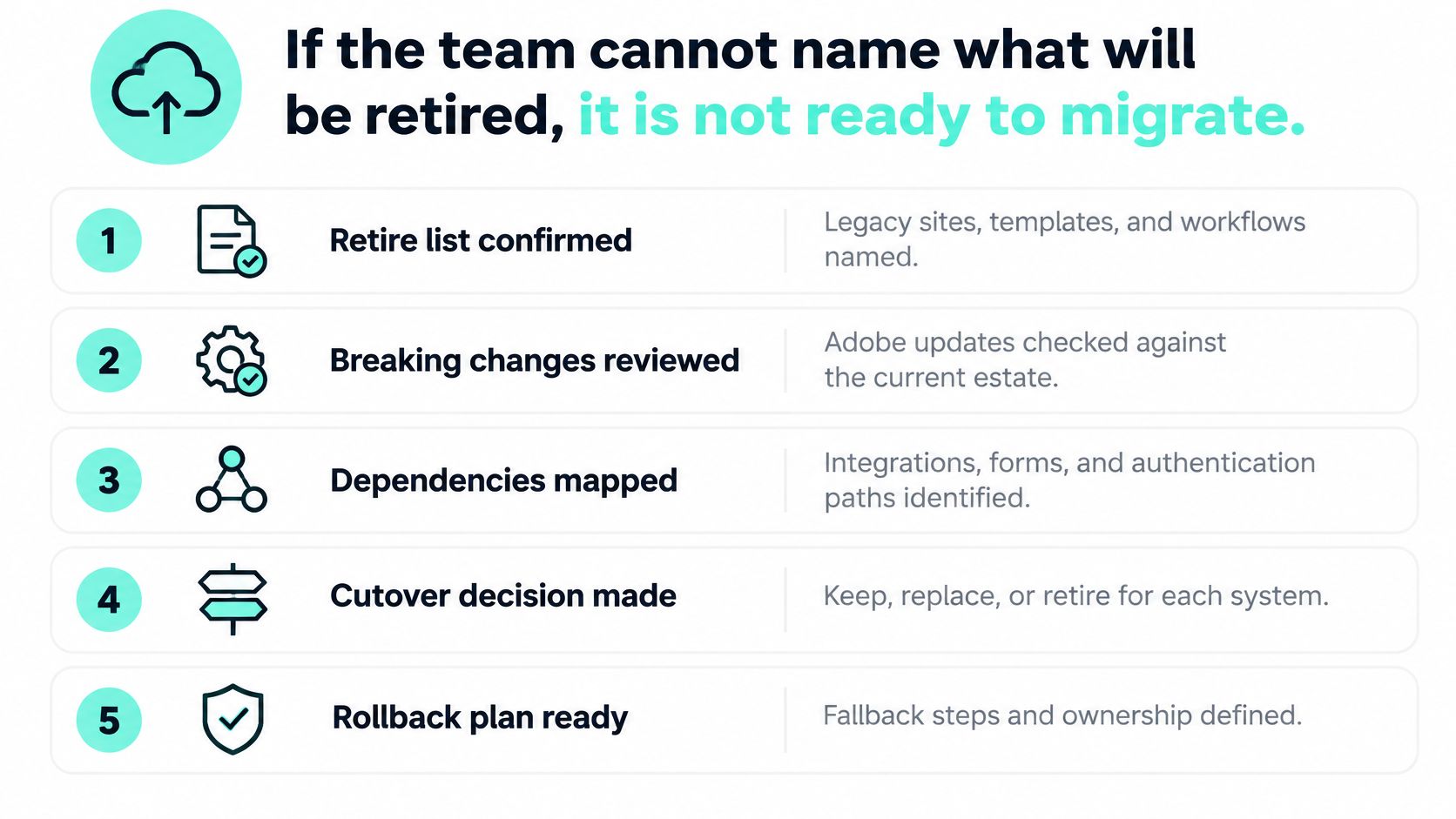
A cloud cutover can preserve the very dependencies it should remove. Before moving content, identify which customizations to rebuild, replace, or retire. Adobe's Best Practices Analyzer helps identify legacy patterns that need attention; the delivery team must then decide whether each dependency deserves a place in the new architecture.
| Legacy pattern | Cloud Service reality | Implementation response |
|---|---|---|
| Replication agents | Content distribution replaces legacy replication agents | Redesign and test publish paths |
| Reverse replication | Unsupported | Remove or replace the dependent workflow |
| Local file I/O | Instances are ephemeral; local files cannot provide durable storage | Remove dependencies on persistent local files |
| Classic DAM processing | Cloud asset processing replaces legacy processing patterns | Rework rendition processing, using Asset Compute where needed |
| Legacy author SAML | Author authentication uses Adobe IMS | Reconfigure author identity and test access before cutover |
| Large content top-up | Extraction plus ingestion should stay within 48 hours | Rehearse the transfer and schedule a content freeze around the measured duration |
Treat this table as a set of cutover gates. A successful content transfer does not prove that authors can sign in, publish changes, or complete an asset workflow. Test those paths in a production-like environment before committing to the freeze.
Score each customization by dependency count, content volume, and authoring criticality. Refactor workflows with a clear business purpose, retire those without an owner or current use, and port only what fits supported cloud patterns. For a multilingual or regulated organization, authoring disruption deserves particular attention: an extended freeze can create more operational risk than delaying a template.
The boundary matters as much as the code. Keep content delivery responsibilities in AEM, personalized experience operations in Sitecore AI, and employee workflows in SharePoint. A migration should reduce the connections that must change together, rather than reproduce every legacy workflow inside AEM.
Kogifi tests custom code, OSGi bundles, and integrations on mirrored staging environments before deployment during updates and upgrades. Its overview of cloud migration challenges also helps organize broader migration risks. For teams moving Houston business applications to the cloud, general application-dependency and sequencing guidance applies beyond the CMS.
Before approving cutover, give every retained workflow an owner, a tested replacement path, and a reason to remain. Familiarity with the old screen is not enough to justify rebuilding its dependencies.
Performance Caching and the Operating Model
AEM caching has two layers that can disagree. Dispatcher acts as a reverse proxy and cache, while a CDN adds another cache closer to visitors. After content activation, Dispatcher can invalidate changed pages and directly associated files, but the CDN may still serve an older response unless its caching headers or an explicit invalidation mechanism address it.
For AEM as a Cloud Service, CDN behavior is mainly governed by Cache-Control, Surrogate-Control, and Expires. Adobe recommends TTL-based expiration rather than routinely flushing its managed CDN. Set policies by how frequently content changes, and test the full path from activation to the visitor's browser. Adobe's Dispatcher documentation covers this layered caching model.
| Content type | TTL or invalidation | Test before go-live |
|---|---|---|
| Fingerprinted JavaScript, CSS, and images | Long TTL with URL versioning | Confirm new filenames reach browser and CDN |
| Frequently edited HTML | Shorter TTL | Confirm activation reaches Dispatcher, CDN, and browser |
| Urgent editorial correction | Event-driven invalidation | Confirm outer cache is cleared and no stale inner copy is re-stored |
| Personalized or authenticated responses | Never cached as anonymous HTML | Run authenticated versus anonymous cache tests |
URL versioning matters for client-library resources. When a filename or query-string revision changes with the asset, Dispatcher and the CDN can treat the updated resource as new instead of returning an old browser or edge-cache copy. Test invalidation from author activation through publish, Dispatcher, CDN, and browser. Clearing only the outer layer can allow a stale response from an inner layer to be cached again.
The operating model needs owners too. Decide who approves a component, owns taxonomy and localization, checks accessibility, and can roll back published material. For a Sitecore Stream draft, record which agent or copilot produced it, who reviewed and approved it, and which brand policy applied. Apply the same accountability to SharePoint news and Power Platform flows that publish internally.
Track the cost of that governance through cost per governed release, author-support tickets, and component reuse. A fast edge doesn't remove the need for clear decisions; without ownership, exceptions accumulate and the platform becomes harder to operate. For implementation teams improving delivery behavior, this guide to AEM performance optimization can help focus investigation on the performance layer.
Support Model and Exit Cost
Every customization creates a future support obligation.
Price that obligation before the first release. Name who handles author questions, publish failures, Dispatcher and CDN issues, and Cloud Manager pipeline errors. Set response expectations for each support tier, then connect escalation to someone authorized to change code, configuration, content, or the release plan. A ticket queue is a routing system, not a substitute for decision-making authority.
Use issue-resolution time and author-support demand to identify expensive dependencies. For each customization, record its business purpose, business owner, technical owner, and retirement date. During a quarterly review, ask whether its value still justifies troubleshooting and maintenance. If nobody can explain why it remains, review it for retirement rather than carrying its support burden indefinitely.
Exit cost belongs in the operating budget. Optimizely's CMS exit discussion reports migration specialists' estimates of four to eight months to leave a CMS. Treat that as context, not a schedule for your implementation. A proprietary repository can make departure difficult, so establish what can be exported, in which format, and how it would reach the destination. An export file is only useful if the receiving platform can use its contents.
Apply the same test to platform boundaries. With AEM handling content delivery, SitecoreAI owning personalized experience operations, and SharePoint owning the employee layer, support responsibilities should follow those boundaries. Assign one accountable owner per content type and a clear escalation path when an issue crosses systems. The aim is less architectural coupling: changing one platform should require fewer coordinated changes elsewhere. Keep a visible budget line for platform change so that retiring a dependency remains a practical option.
Choose the Operating Model Before You Build
Settle three decisions before signing a build statement of work. First, choose the primary AEM delivery pattern. Second, decide whether SitecoreAI owns personalization and agent-assisted authoring. Third, decide whether SharePoint owns the employee intranet. If any legacy migration constraint remains unresolved, the next step is an assessment, not a build.
Bring three practical inputs to that assessment: the baseline scorecard, a customization inventory, and a list of content types the organization refuses to split across systems. Include an AEM estate review for performance, security, and compliance, plus an upgrade path for version moves, patches, and service packs. A failing author or publish tier also needs a recovery plan before a broader migration begins. Teams assessing investment can use this guide to Adobe Experience Manager pricing to organize the commercial questions alongside the architecture decisions.
Kogifi's Migrations service covers transitions across Sitecore, Adobe Experience Manager, and SharePoint. Its Updates & Upgrades service includes version migrations, patch management, and service-pack updates for those platforms. Kogifi is an official partner of Adobe and Microsoft, which is relevant when an assessment needs to account for the boundaries between those product ecosystems.
The decision rule is straightforward: implement AEM where governed content and cloud or edge delivery are the job, SitecoreAI where experience decisions and agents are the job, and SharePoint where employees are the audience. When those responsibilities are explicit, a hybrid estate can remain manageable instead of becoming three overlapping systems.
Kogifi offers platform audits, migrations, updates, and upgrade support across Adobe Experience Manager, Sitecore, and SharePoint. Bring your baseline scorecard and customization inventory to Kogifi to request an assessment and define the right operating boundaries before you build.