


Your AEM project may have started with a straightforward goal: publish a reliable website. Then the surrounding architecture grew. Commerce supplied product context, the CRM shaped audience rules, Analytics measured engagement, search indexed content, and corporate identity controlled access. AEM became the place where those systems met, and every connection introduced another credential, network route, permission model, and failure path.
That's why Adobe Experience Manager integrations should be designed as operating systems for content, not as a checklist of connectors. The central question isn't only whether AEM can connect to another service. It's who owns the data, how the systems authenticate, what happens when a call fails, and how the team knows that content has stopped moving.
Table of Contents
Why Adobe Experience Manager Sits at the Center of Enterprise Stacks
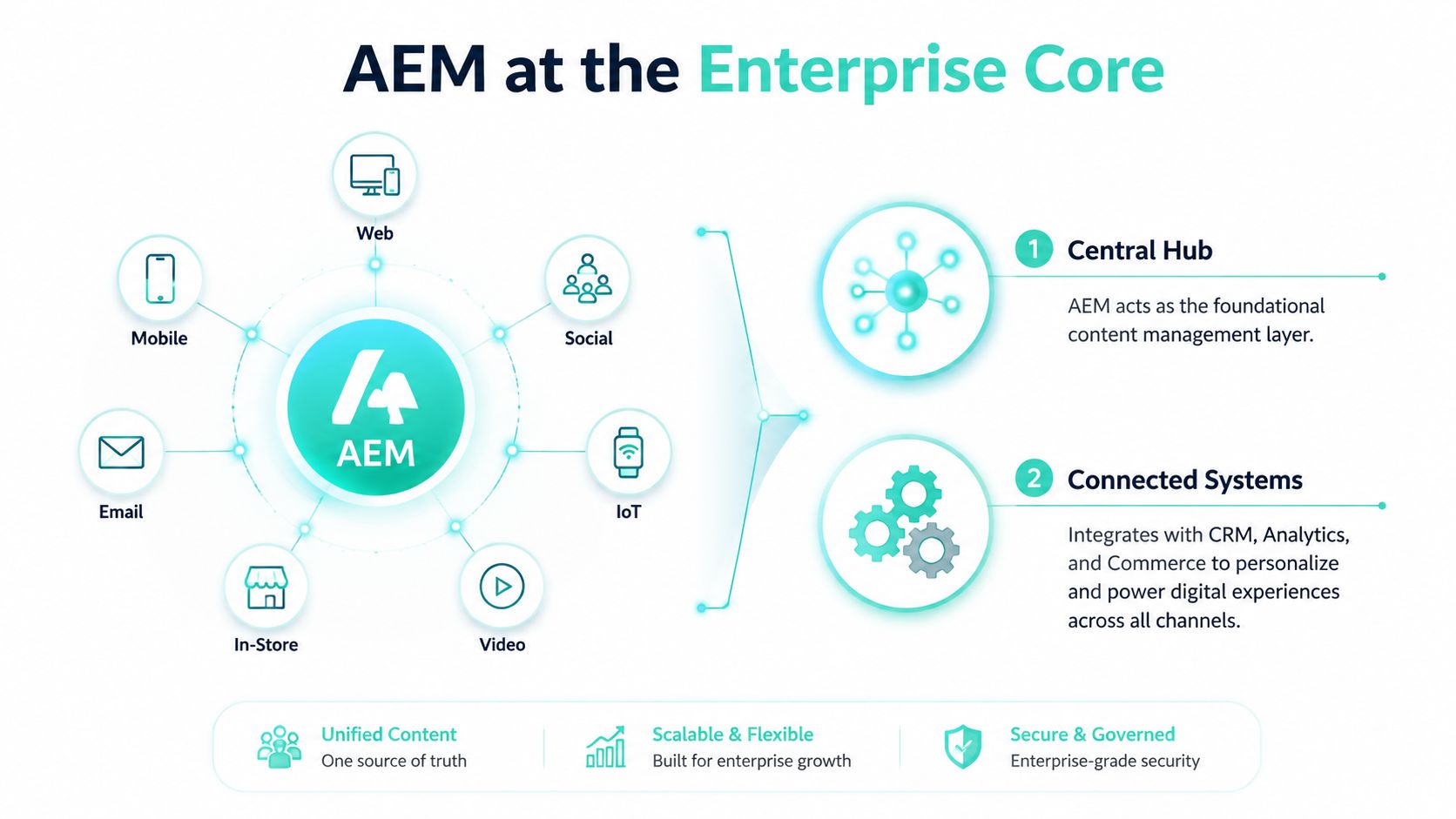
Consider a global product launch. The commerce platform owns pricing and checkout. A CRM or audience platform supplies customer context. Analytics records page visits, link clicks, and video usage. Identity determines whether an employee, partner, or customer can reach restricted material. AEM sits between these systems as the governed content layer, managing reusable pages, assets, structured content, approvals, and publishing.
That central position makes AEM useful, but it also creates responsibility. If a product feed becomes stale, a search index misses a deletion, or an identity assertion fails, the problem often becomes visible at the AEM boundary. AEM doesn't remove those dependencies. It gives the enterprise a common place to define how content enters, gets approved, and reaches customer-facing channels.
A content hub needs clear ownership
A durable design assigns each fact to a system of record. AEM should generally own editorial content, presentation rules, assets, and publishing state. Commerce should own transactions and pricing. Customer systems should own customer records and account relationships. Analytics should own behavioral measurement.
Teams then document the practical contract between those systems:
- Data direction: Identify whether information flows into AEM, out of AEM, or in both directions.
- Change behavior: Define whether synchronization is event-driven, scheduled, or requested by an application.
- Failure handling: Specify retries, fallbacks, alert thresholds, and manual recovery.
- Access boundaries: Separate authoring, publishing, integration, and administrative permissions.
- Observability: Capture correlation identifiers and delivery status without exposing credentials.
This is the difference between a connected platform and an improvised enterprise service bus. Teams looking for a broader explanation of how to connect software with integration can use that model to clarify where AEM belongs in the wider application ecosystem.
Adobe describes AEM Assets reporting for uploads, downloads, shares, storage usage, and asset performance. Its Analytics integration supports measurement of page visits, link clicks, and video usage, while Experience Platform connections relate channel performance to content for cross-channel optimization. Adobe also says these integrations help organizations measure Assets adoption, identify frequently searched keywords, and connect content usage with audience behavior across web, email, and mobile channels. See the Adobe Experience Manager platform overview for a practical view of how those capabilities fit into enterprise delivery.
Architectural rule: Treat AEM as a governed content hub with explicit boundaries, not as a universal adapter for every enterprise data problem.
How AEM Works as an Integration Hub
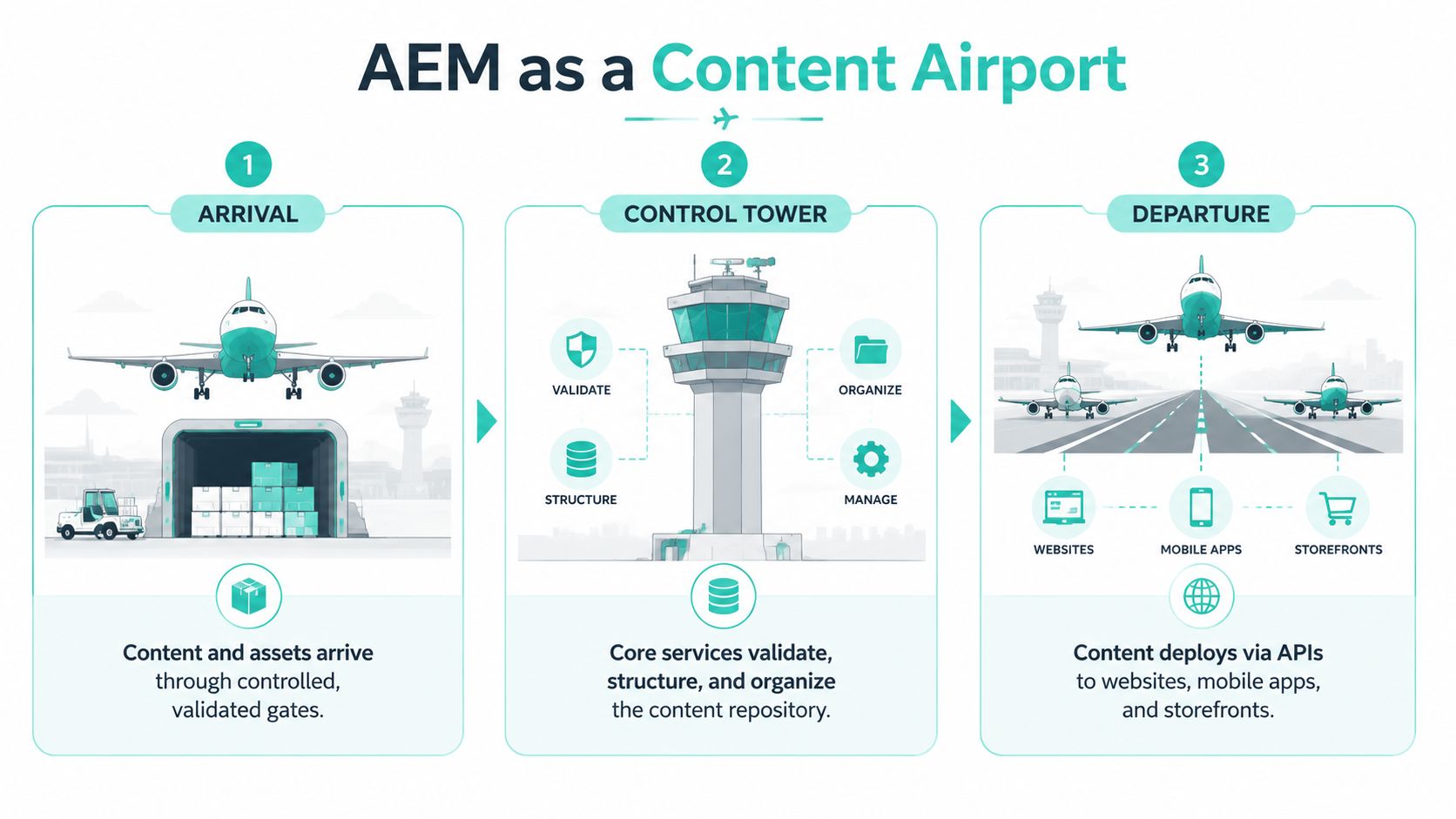
A useful analogy is an airport. Content and assets arrive through controlled gates, pass through validation and organization, then leave through different runways for websites, mobile applications, storefronts, search services, and downstream data platforms. The airport doesn't own every passenger's destination. It coordinates movement through rules, identity checks, schedules, and operational controls.
The two core API surfaces
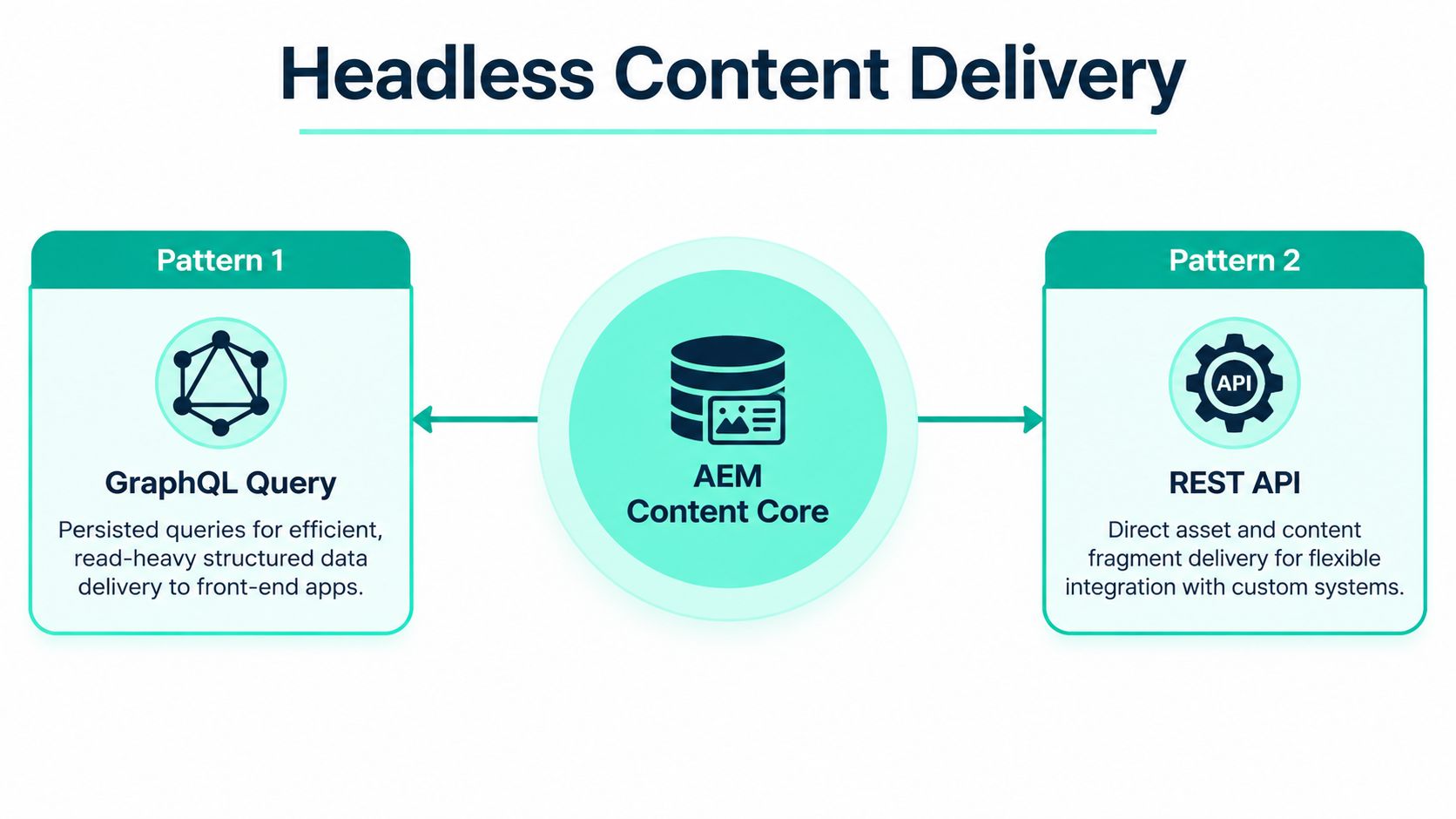
AEM's headless model uses GraphQL to query and deliver Content Fragments. Applications can request the structured fields they need instead of retrieving an entire page or coupling themselves to repository internals. This makes GraphQL the read-oriented delivery contract for front ends and external applications.
The second surface is the Assets REST API, which Adobe documents for creating and modifying Content Fragments and other assets. REST is therefore suited to controlled content operations, asset metadata changes, and approved write workflows. Writes should remain deliberate and validated, especially when an external system can update content that editors later publish.
Adobe also documents hybrid delivery. An organization can render selected pages traditionally in AEM while exposing selected structured fragments to mobile applications, single-page applications, kiosks, or partner experiences. That arrangement avoids forcing every channel into one delivery model.
Three routes for integration traffic
AEM integrations usually follow one of three paths:
- Outbound calls send information from AEM to another service, such as approved content sent to search or a notification sent after publication.
- Inbound requests let applications consume content or assets through APIs.
- Events and messages notify downstream systems that a publication, asset change, or workflow transition occurred.
A typical flow might bring a product description from commerce into an AEM content model, validate the fields, approve and publish the fragment, then notify search and personalization services. The event should trigger downstream work, but a reconciliation process should still verify that the target reflects the source.
Teams evaluating available adapters can browse the integration marketplace as part of connector discovery. The wider principle is covered in this guide to what systems integration means, where protocols, ownership, and operational behavior matter as much as the connection itself.
Keep the contracts versioned. Define filtering, pagination, authentication, error semantics, caching, and rate behavior before front-end teams build against the endpoint. A clean API makes AEM a dependable content airport. An undocumented API turns every application into a passenger trying to negotiate its own route.
Connector Families Across CRM, Search, Analytics, and Commerce
Not every connector has the same job, and not every failure looks the same. A CRM connection may fail because audience permissions are wrong. Search may accept a document but fail to remove an old version. Analytics may collect events before consent is available. Commerce may return content successfully while pricing context remains unavailable.
| Connector family | Typical data exchanged | Primary design question |
|---|---|---|
| CRM and customer context | Audience membership, account context, permissions, personalization rules | Which system owns customer and audience decisions? |
| Search | Approved content, metadata, URLs, publication state, access signals | How will freshness, deletion, and access changes be reconciled? |
| Analytics | Page activity, link interaction, video usage, campaign and channel events | Where are consent, identity, and event-quality controls enforced? |
| Commerce | Product content, categories, pricing context, and checkout links | Which platform owns transactional truth and product availability? |
Native Adobe connections
Native Adobe integrations usually share Adobe identity conventions, product terminology, and supported configuration patterns. AEM Assets can expose reporting, connect with Adobe Analytics, connect with Adobe Experience Platform, and work with third-party analytics tools, according to Adobe's product documentation. AEM as a Cloud Service also changes how teams configure integrations, with Cloud Services and extensions becoming more important than older on-premises approaches.
That shared ecosystem reduces some integration friction, but it doesn't eliminate ownership work. Teams still need to identify the source of truth, define data direction, decide which environment owns configuration, and establish a recovery process.
Third-party adapters
Third-party connectors can provide specialized mappings, managed synchronization, or support for systems outside the Adobe portfolio. They may accelerate delivery when an enterprise has an established CRM, search engine, or commerce platform that doesn't share Adobe's identity model.
The trade-off is another vendor dependency. The connector may introduce separate credentials, release schedules, logging conventions, and retry behavior. A connector inventory should record:
- Authentication method: Document tokens, OAuth flows, service accounts, and rotation responsibility.
- Trigger and transport: Record whether changes move through APIs, scheduled jobs, queues, or events.
- Reconciliation method: Define how teams detect missing, duplicated, stale, or unauthorized records.
- Business fallback: State what customers see when the remote service is unavailable.
- Data limits: Keep customer, order, inventory, and transactional data in the system that owns it.
The strongest connector isn't necessarily the native one. It's the one whose operational contract the team can explain and support.
Headless APIs and Content Synchronization Patterns
Headless delivery separates content management from presentation. Editors work with structured Content Fragments, while applications request approved content through an API. AEM's documented model uses GraphQL for querying and delivering Content Fragments, while the Assets REST API supports creating and modifying Content Fragments and other assets. Adobe also supports hybrid patterns, so an enterprise doesn't have to choose between traditional pages and API delivery everywhere.
Choose the delivery contract before building the front end
Start with the content model. Define fields, references, required values, localization behavior, publication state, and ownership. Then decide which applications need read access and which, if any, need controlled write access.
GraphQL fits read-heavy delivery because applications can request a defined selection of structured fields. The Assets REST API fits authoring-oriented operations, metadata updates, and asset workflows. Separating those responsibilities reduces the temptation to let every front end write directly into the content repository.
A hybrid implementation can render a campaign page in AEM while exposing product guidance, campaign messages, or reusable content fragments to an external application. That arrangement lets teams preserve editorial controls without duplicating approved content across channels. The principles behind this approach are also outlined in what headless architecture means.
Synchronization needs more than an event
Publication notifications, webhooks, or Adobe I/O Events can tell downstream systems that content changed. They shouldn't be treated as proof that synchronization completed. Events can be missed, delayed, repeated, or processed out of order.
Build consumers with idempotency, correlation IDs, retry controls, and dead-letter handling. Add reconciliation jobs that compare source and target records, including:
- Relationships: Preserve references between fragments, assets, categories, and localized variants.
- State: Distinguish authored, approved, published, and retired content.
- Metadata: Carry last-modified information and version context.
- Cache behavior: Invalidate cached content when a publish event arrives.
- Search recovery: Reindex records when downstream processing fails.
Search and SEO teams may also need to merge ranking and backlink snapshots with content release information, especially when a fragment change affects discoverability. The API contract should define authentication, filtering, pagination, errors, caching, and versioning before application teams depend on it.
Identity, SSO, and IMS Authentication for Adobe Integrations
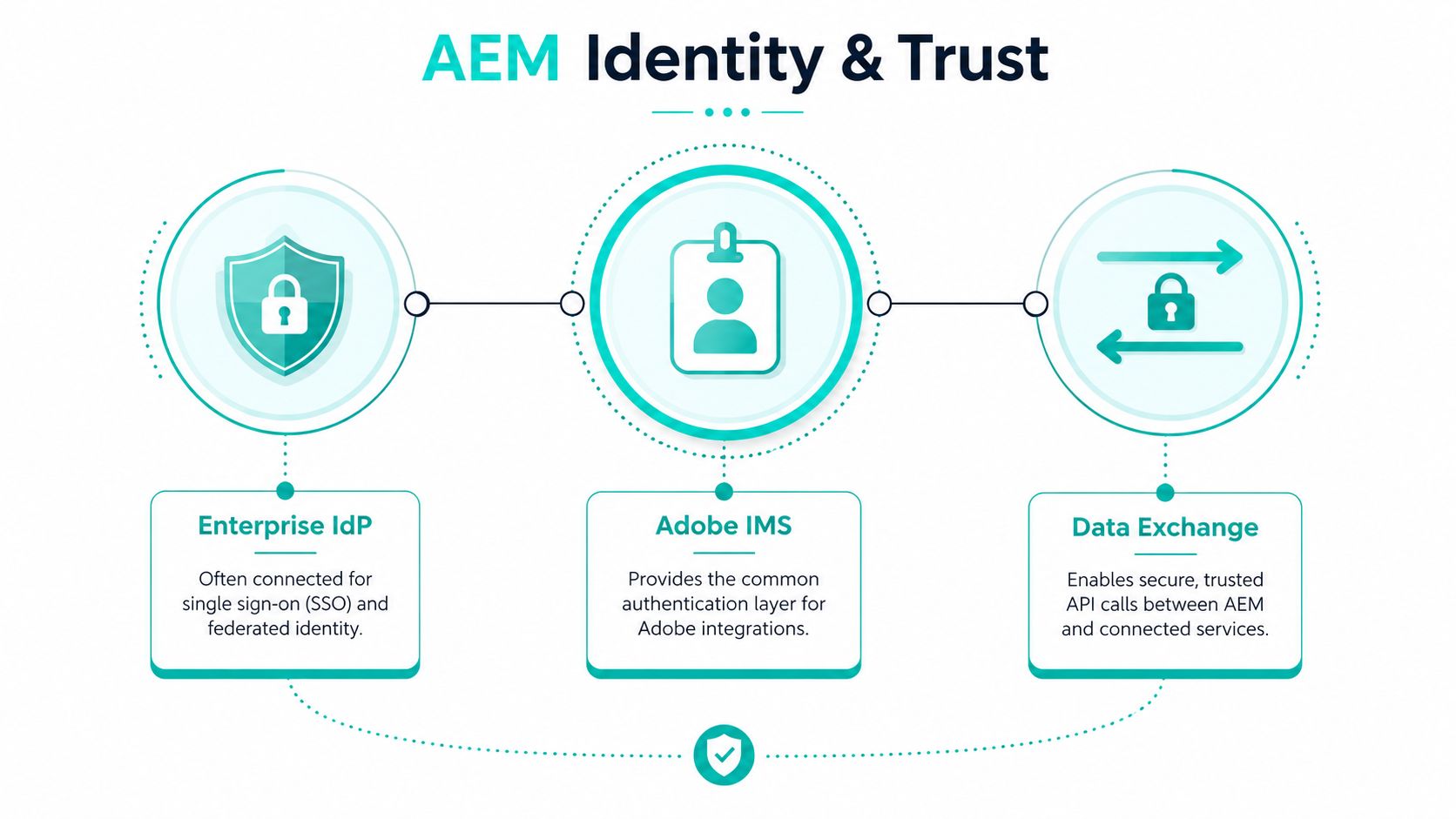
Identity is the gate every Adobe integration passes through. Adobe IMS provides a common identity layer for Adobe capabilities, while enterprises may connect their own identity provider through federation, OIDC, or SAML. A corporate sign-on can simplify user access, but it doesn't decide what each person can do inside AEM.
A user may authenticate successfully and still lack access to a repository, asset folder, Content Fragment, workflow, or API. IMS authentication proves identity and Adobe entitlement. AEM authorization determines resource access. Keeping those boundaries separate prevents teams from treating successful login as evidence that the whole integration works.
Build a chain of trust
For server-to-server traffic, use supported OAuth service credentials or another supported token flow rather than embedding long-lived administrator secrets. Map enterprise groups to narrowly scoped AEM roles, and keep authoring, publishing, integration, and administration separate.
A practical identity review checks each layer:
- Corporate identity: Confirm federation, OIDC, or SAML behavior and group claims.
- Adobe IMS: Verify user, group, product profile, and service entitlement assignments.
- AEM permissions: Check repository paths, asset access, fragment permissions, workflows, and API scopes.
- Technical accounts: Review service users, OAuth credentials, ownership, rotation, and dormant access.
- Target services: Confirm that the receiving platform authorizes the same identity and action.
Adobe's AEM as a Cloud Service documentation specifies IMS authentication for Adobe Analytics integration and describes Adobe Launch as part of the setup. That means teams must manage not only AEM configuration but also the Adobe identity and extension context around the connection.
Adobe Target introduces another dependency chain for headless personalization. Content Fragments must be exported from AEM Author to Target, Adobe IMS and Admin Console permissions must be configured, and an Experience Platform Datastream ID is required for the Adobe Web SDK to serve personalized offers in headless applications. Without the export and datastream configuration, the client application can't resolve the intended offer.
Teams formalizing these boundaries can use IAM best practices for DXPs as a reference point. Log token claims, profile assignments, and correlation identifiers, but never credentials. Test rotation, dormant-account reviews, and break-glass access before an outage exposes the gaps.
Middleware Patterns and Cloud-Native Implementation Considerations
Direct integration looks attractive because it has fewer visible components. AEM calls a service, the service responds, and the project appears complete. That pattern works when protocols, security policies, release ownership, and failure handling already align. In a larger estate, every direct connection adds another route to secure, monitor, change, and eventually retire.
Match the middleware to the problem
| Pattern | Best fit | Main trade-off |
|---|---|---|
| Direct API connection | A small number of stable, well-understood integrations | Low initial complexity, but tighter coupling and distributed monitoring |
| API gateway | Authentication, routing, throttling, and centralized visibility | Adds a managed boundary that requires platform ownership |
| Enterprise service bus | Durable asynchronous exchanges and transformation | Can become a central bottleneck if governance is weak |
| Event bus | Publish, asset, lead, order, or behavioral notifications | Consumers must handle duplicates, delay, and reordering |
| iPaaS | SaaS orchestration and configurable business workflows | Faster configuration, with less control over runtime behavior |
A queue doesn't make delivery reliable by itself. Retries can duplicate side effects, and event consumers can process messages out of order. Use idempotency keys, correlation IDs, dead-letter queues, replay controls, and source-to-target reconciliation.
Keep long-running orchestration in middleware, not in AEM templates. A template that waits on several external services can slow publishing or make page rendering dependent on remote availability. Middleware can isolate those calls, cache approved responses, and expose a controlled contract to AEM or the front end.
Cloud failures are often administrative
Adobe's August 2026 release notes document integration-related failure modes involving SMTP delivery without Advanced Networking port-forwarding, OAuth IMS save errors for Adobe Target linked to bundle-version mismatches, and Repository Browser access failures caused by Admin Console product-profile or Cloud Manager access configuration. These examples point to a common operational reality: an integration can fail even when its business logic is sound. The fault may sit in networking, package compatibility, or permissions.
Operational test: For every integration, name the person who owns credentials, network access, product profiles, runtime alerts, and vendor escalation.
Before production, confirm egress behavior, private connectivity or allow-list requirements, TLS validation, DNS dependencies, secret storage, regional latency, Adobe service endpoints, and environment-specific configuration. Monitor dependency health and test credential rotation. A mature cloud implementation doesn't promise that failures won't occur. It makes each failure isolated, diagnosable, and recoverable.
Governing Integrations at Scale as Adobe Services Multiply
Integration sprawl begins unobserved. A team adds Analytics for measurement, Target for personalization, Commerce for product context, Workfront for delivery workflows, and Journey Optimizer for activation. Each service may be valuable on its own. Together, they create a system that needs shared governance across content quality, identity, accessibility, performance, and release management.
Adobe introduced native AEM Dynamic Media integration with Journey Optimizer in 2025 and later positioned AEM Sites Optimizer around automated issue diagnosis and recommendations, while Adobe's 2026 messaging emphasizes governance, quality, consistency, and coordination as AI reduces the cost of content creation. The implication is practical: more automation increases the need for controls around what gets created, approved, personalized, published, and measured.
Turn every connector into a governed service
Create a service register for every Adobe connection. Record its owner, purpose, data classification, source of truth, authentication method, environments, dependencies, fallback, monitoring, and decommission plan. Then connect the register to release management so teams review integration behavior when Adobe changes the platform, not only during a periodic architecture meeting.
Quality gates should follow the content wherever it travels:
- Brand governance: Validate components, assets, language, and personalization rules against approved standards.
- Accessibility: Check that templates, fragments, media, and generated variations remain usable for people with disabilities.
- Performance: Measure API latency, cache behavior, asset delivery, and dependency impact on page rendering.
- Data protection: Apply consent and access rules before behavioral or customer context enters downstream services.
- Operational ownership: Assign responsibility for token expiry, failed exports, stale indexes, and schema drift.
RACI decisions matter more than another dashboard. Someone must approve a new connector. Someone must monitor its credentials. Someone must investigate when Target exports stop resolving offers or when a downstream index misses a published change.
Kogifi provides implementation, integration, migration, support, audits, performance tuning, and stabilization services across AEM, Sitecore, and Microsoft 365 environments. In an enterprise program, that kind of delivery model can serve as the operational layer that keeps architecture decisions, ownership, monitoring, and recovery visible as the Adobe estate expands.
Planning an AEM Integration Program That Holds Up
Start with five decisions before development begins:
- Identity model: Choose IMS, an external identity provider, or a federated arrangement, then map product profiles and AEM roles.
- Network map: Document egress, private connectivity, endpoint access, TLS, DNS, and environment differences.
- Content contract: Define Content Fragment models, GraphQL queries, REST operations, versioning, caching, and error behavior.
- Observability: Add correlation IDs, delivery status, dependency health, token rotation logs, and schema-drift alerts from the first release.
- Ownership register: Assign an accountable owner to every Adobe service, connector, credential, fallback, and escalation route.
Measure integration health with the same discipline used for feature delivery. Test missed events, duplicate messages, expired tokens, unavailable dependencies, and stale search results. Set fallback latency budgets and reconciliation schedules so the program can absorb Adobe's release cadence without turning every change into an emergency.
Kogifi helps enterprise teams design, implement, stabilize, and support Adobe Experience Manager integrations across content, assets, identity, analytics, personalization, and downstream platforms. Visit Kogifi to discuss your integration architecture, cloud migration, governance model, or ongoing operational support.