





At its heart, systems integration is the craft of connecting different IT systems, services, and software so they act as a single, powerful unit. It’s what turns a jumble of standalone applications into a well-oiled machine, letting data and processes move without a hitch. This connectivity is the true backbone of any modern digital operation.
What Is Systems Integration in a Connected World
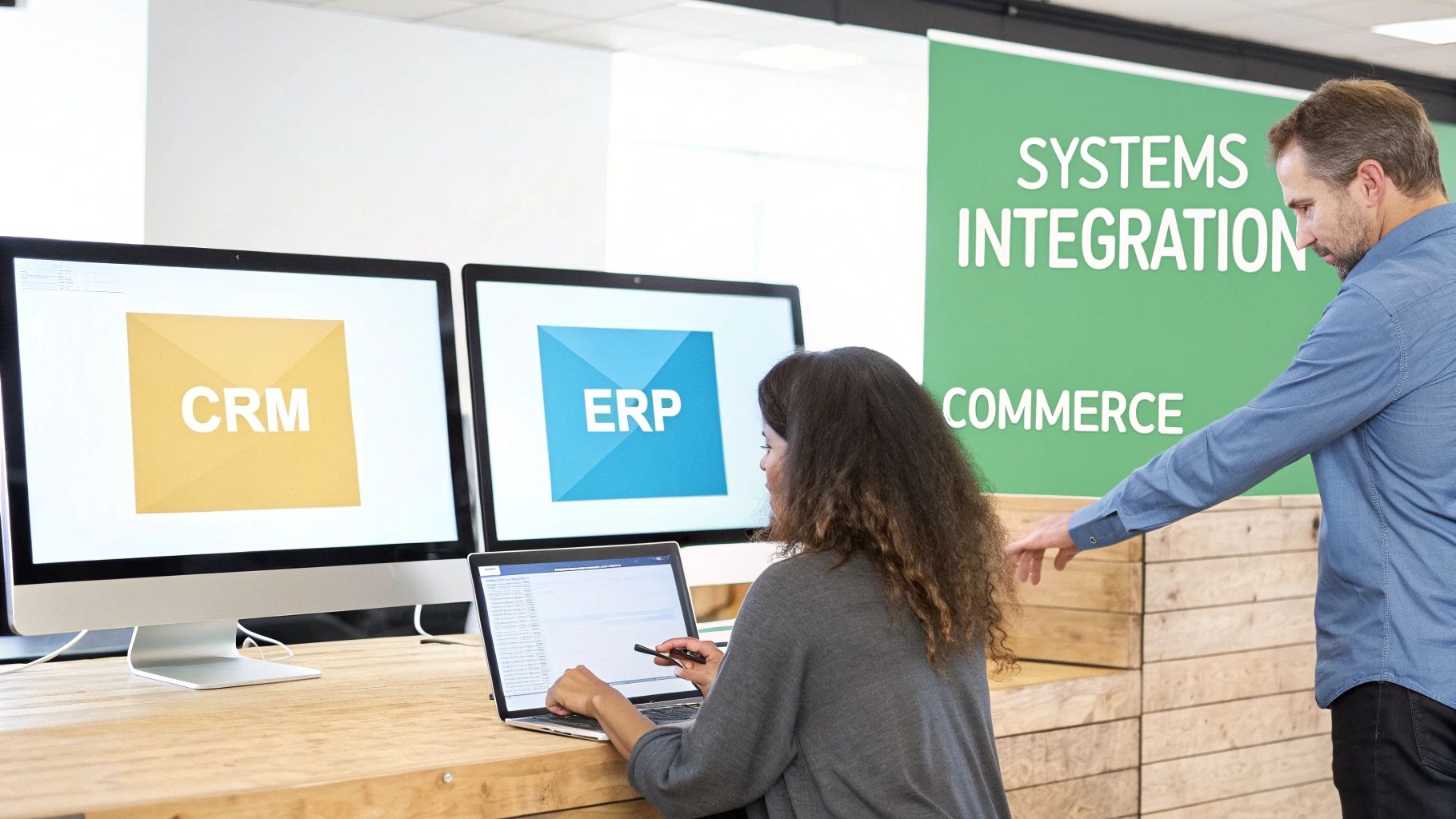
Think of your business as an orchestra for a moment. Your CRM, ERP, commerce engine, and content platform are all individual instruments. Each one might sound great on its own, but you only get a symphony when a conductor—in this case, systems integration—makes sure they all play together in harmony.
Without that conductor, you're stuck with disconnected data silos. Customer details in your CRM never make it to the personalization engine in your DXP. Inventory numbers in your ERP don't update your e-commerce site in real time. The result is a messy customer journey and clunky internal workflows that frustrate everyone.
The Bedrock of Modern Digital Experiences
Systems integration is the magic that transforms a powerful platform like Sitecore from a collection of impressive tools into an intelligent, unified force. When you connect Sitecore’s AI with data from other systems, you can finally deliver hyper-personalized experiences based on a customer’s entire history—not just their last click.
This process is absolutely essential for building a modern Digital Experience Platform (DXP). To get a better handle on how these platforms function, check out our deep dive on what is a Digital Experience Platform.
A truly effective DXP is fueled by a constant, two-way flow of information. Systems integration is the circulatory system that pumps the right data to the right application at just the right moment, empowering smart decisions and frictionless user interactions.
The Scale of the Integration Challenge
In a typical large company, this isn’t about linking just two or three things. We're often talking about connecting anywhere from 10 to 50 separate platforms. The aim is to make tools like Sitecore, SharePoint, and various marketing automation systems work as one cohesive unit.
The market for this discipline shows just how critical it is. Valued at over $410 billion in 2024, it's on track to more than double by the early 2030s, with North America leading the way. The demand is undeniable.
To really grasp how integration drives business growth, it helps to understand the DevOps methodology, which shares the goal of creating seamless, automated workflows between systems. By bridging these disparate technologies, businesses turn isolated data points into a connected customer journey, paving the way for better engagement and smarter operations.
The Journey From Silos to Seamless Architectures
To really get why modern systems integration is such a big deal, you have to look at where we came from. Not too long ago, the digital world was built on rigid, monolithic systems—think giant mainframes in the 80s and clunky on-premise applications in the 90s. These systems were held together with custom-coded, point-to-point links, creating a fragile web that was a nightmare to maintain.
In that era, sharing data was painfully slow. Most businesses were stuck with overnight batch transfers and manual file uploads to get information from one system to another. A customer's purchase on Tuesday might not show up in the marketing system until Wednesday morning, leaving businesses perpetually a day behind. It’s this history that makes the shift to an agile, API-first world feel so necessary.
The Rise of Composable Architectures
The old monolithic systems weren't just slow; they were a roadblock to innovation. Need to add a new feature or connect a new tool? Get ready for a massive, risky, and expensive overhaul of the entire system. This inflexibility is exactly what led to the rise of composable DXP architecture, a completely different way of thinking.
Instead of being locked into one giant, all-in-one platform, a composable approach lets you pick the best tool for each job. You can choose a best-in-class vendor for e-commerce, another for personalization, and a third for content management, then weave them all together into a seamless stack.
This shift is about moving from a "one-size-fits-all" model to a "build-your-own-perfect-fit" strategy. It gives businesses the agility to adapt, innovate, and respond to what’s happening in the market without being chained to a single technology stack.
Understanding this evolution is key. It's why platforms like Sitecore have gone all-in on a headless, API-first model built for a composable world. Of course, making this switch often means dealing with older technology, which is where knowing effective legacy system modernization strategies becomes the critical first step.
Connecting the Modern Enterprise Stack
Today's seamless architectures are about more than just technology; they're a new philosophy for running a business. By breaking down the walls between departments and systems, companies can finally get a single, unified view of their customers and operations. For instance, unified platforms like Microsoft Dynamics 365 bring CRM and ERP functions together, showing just how powerful integration can be for core business processes.
It’s the same story with SharePoint. When properly integrated, it stops being just a document library and becomes a dynamic hub for collaboration. By connecting it to other enterprise systems, you ensure teams are always working with the most current information right inside their daily workflows. This journey—from isolated silos to an interconnected ecosystem—is the very foundation of what systems integration means today.
Choosing Your Enterprise Integration Strategy
Picking the right integration strategy isn't a one-size-fits-all task; it's a foundational decision that will define your company's digital agility for years to come. The approach you choose determines how easily you can plug in new technologies, how freely data flows between systems, and ultimately, how quickly you can adapt to what's next. It’s the architectural blueprint for your entire digital ecosystem.
Different challenges call for different solutions. The strategy that works perfectly for linking internal tools like SharePoint might be completely wrong for building a flexible, customer-facing platform with Sitecore. Getting a handle on the core approaches—API-led, iPaaS, and event-driven—is the first step to making a smart decision that actually aligns with your business goals.
This decision tree breaks down the high-level choice: are you building a custom, best-of-breed stack or sticking with a more traditional, all-in-one platform?
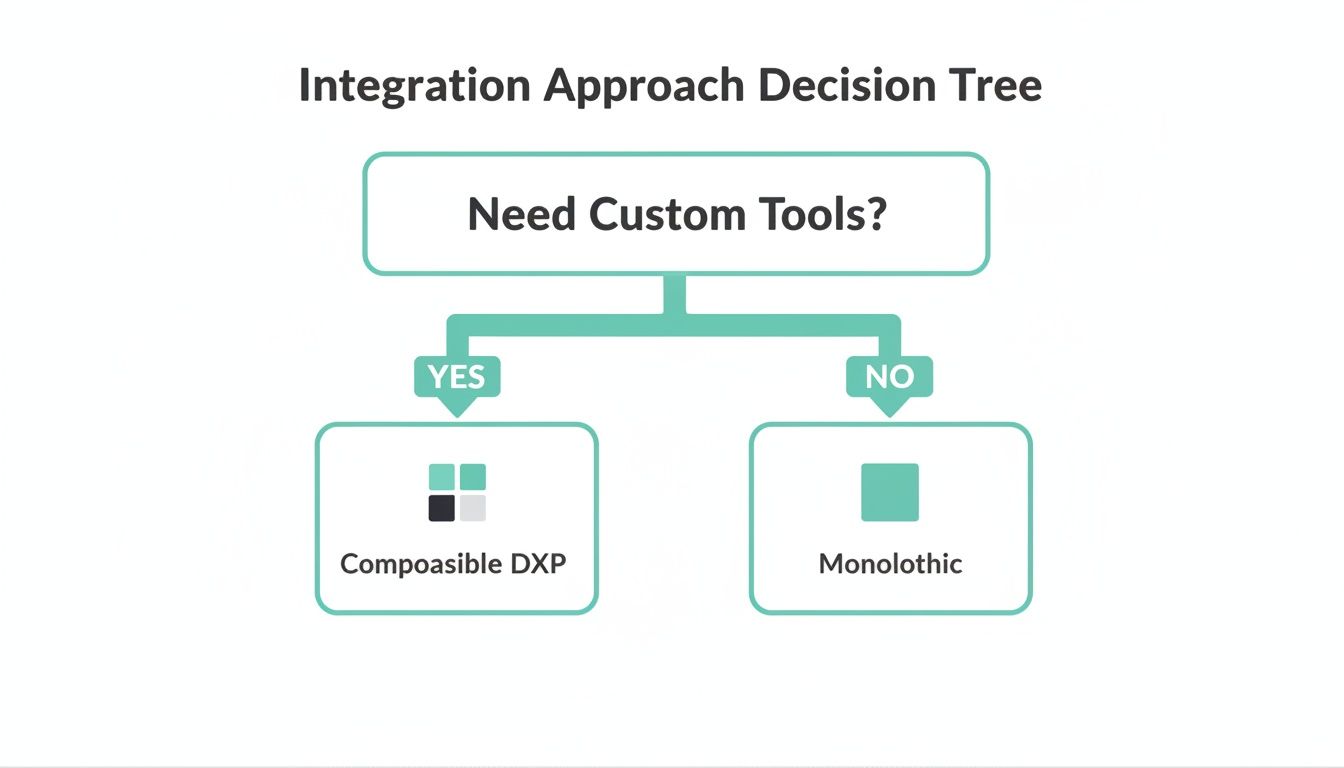
As the diagram shows, if you need to integrate specialized, custom tools, you're heading toward a composable DXP. If your needs are more standard, a monolithic system might still do the job.
API-Led Connectivity: The Composable Cornerstone
API-led connectivity is the bedrock of any modern, composable business. Think of an API (Application Programming Interface) as a universal adapter or a standardized menu. It lets one system request data or services from another in a clean, predictable way, without needing to understand all the messy code running behind the scenes.
This approach is absolutely essential for platforms like Sitecore XM Cloud. A composable DXP is, by definition, a collection of best-in-class services for commerce, search, and personalization all working together. APIs are the glue holding these independent pieces together, making them feel like a single, unified platform. For example, a Sitecore DXP uses APIs to pull product information from a commerce engine and customer data from a CRM, all in real time.
An API-led strategy isn't just about connecting A to B. It’s about creating a library of reusable digital assets. Each API becomes a building block that developers can grab to build new experiences much faster than starting from scratch.
This method gives you incredible flexibility and scalability. For a deeper dive into making this work, check out these best practices for API integration in DXPs.
Integration Platform as a Service (iPaaS): The Central Hub
An Integration Platform as a Service (iPaaS) takes a different route. Instead of creating custom point-to-point connections, an iPaaS acts as a centralized, cloud-based hub to manage all of your integrations. It’s like a Grand Central Station for your data, complete with pre-built connectors and visual tools to route information between different systems.
This strategy is a game-changer for standardizing connections, especially when you have a mix of cloud and on-premise applications. For instance, an iPaaS can easily handle a workflow where a new lead in Salesforce automatically creates a user profile in SharePoint and adds them to a marketing campaign in another tool.
The biggest wins here are speed and simplicity. An iPaaS solution offers a visual interface for mapping out and monitoring data flows, which dramatically lowers the technical barrier for creating solid, reliable integrations.
Event-Driven Architecture: The Real-Time Communicator
Event-driven architecture flips the script entirely. Instead of one system directly calling another, it broadcasts an "event"—like "Order Placed" or "Inventory Low"—to a central message broker. Other systems can subscribe to those events and react immediately, without ever being directly connected to the system that produced the event.
Think of it like a news alert. A reporter (the producing system) publishes a breaking story. Anyone who subscribed to that topic (the consuming systems) gets the notification instantly. The reporter doesn't need to know who is listening; they just send the news out. This creates a beautifully decoupled system where every part operates independently and in real time.
This pattern is perfect for scenarios that demand instant responses. In a Sitecore-powered e-commerce setup, a single "Order Placed" event could simultaneously trigger:
- An inventory update in the ERP.
- A shipping request to the logistics partner.
- A "thank you" email from the marketing automation platform.
Each system just listens for the event and does its job without waiting for instructions. The result is a highly efficient and responsive process that’s essential for modern applications that provide immediate feedback to both users and the business.
Comparison of Common Integration Architectures
Choosing the right integration pattern can feel overwhelming, but it boils down to understanding your specific needs. This table offers a side-by-side look at the architectures we've discussed to help you decide which is the best fit for your next project, whether it's with Sitecore or SharePoint.
Ultimately, the best strategy often involves a mix of these approaches. You might use an API-led philosophy for your core platform while leveraging an iPaaS to quickly connect to standard third-party tools. The key is to match the pattern to the problem you're trying to solve.
Activating Sitecore AI with Strategic Integration
An AI engine is only as smart as the data it’s fed. Without a steady flow of rich, contextual information, even the most advanced AI is essentially flying blind. This is where systems integration becomes a game-changer for Sitecore users; it’s the process that fuels the AI, turning it from a cool feature into a powerful business asset.
Strategic integration connects Sitecore’s product portfolio, transforming a collection of powerful tools into a unified, intelligent machine. It bridges the gap between customer data, content assets, and commerce operations, giving Sitecore's AI the full picture to make smarter decisions that drive real ROI. This is how you go from basic personalization to predictive, one-to-one engagement.
Fueling Hyper-Personalization with Connected Data
Sitecore Personalize is built to deliver hyper-relevant experiences, but its effectiveness hangs on the data you give it. A standalone setup can only react to what a user is doing right now—their last click, the page they’re on. True personalization, however, demands a deep understanding of the customer's entire history.
This is why integrating Sitecore Personalize with your Customer Relationship Management (CRM) system is so critical. By creating a real-time, two-way data flow, you enrich every interaction with valuable context.
- Past Purchases: Your CRM can tell Sitecore about previous orders, enabling personalized recommendations for products that actually make sense.
- Support Tickets: If a customer just had a service issue, the AI can adjust its messaging, maybe holding back a sales pitch in favor of helpful support content.
- Loyalty Status: Recognizing a high-value, long-term customer allows the platform to serve up exclusive offers or content, building even stronger brand loyalty.
By connecting these systems, you empower the AI to craft experiences based on a customer’s complete journey, not just a single snapshot in time.
Integration transforms personalization from a reactive tactic into a proactive strategy. It allows Sitecore to anticipate a customer’s needs and deliver a uniquely relevant experience before they even have to ask.
Automating Content Delivery with PIM and Content Hub
Keeping brand messaging consistent across dozens of channels is a huge undertaking. Manually updating product images, descriptions, and specs on your website, mobile app, and partner portals is slow and full of opportunities for error. Integrating Sitecore Content Hub with a Product Information Management (PIM) system solves this by putting automation to work.
A PIM acts as the single source of truth for all product data. When you connect it with Content Hub, any update in the PIM—a new product photo, a tweaked description, or a price change—can automatically kick off workflows.
Content Hub can then resize images for different channels, link the new data to relevant marketing campaigns, and push the approved content straight into your Sitecore XM Cloud instance. This integration ensures every customer touchpoint displays accurate, consistent, and on-brand information without anyone lifting a finger, freeing up your content teams to focus on strategy instead of tedious updates. For more insights on this topic, discover our guide on how an enterprise CMS powers AI personalization.
Creating Superior Discovery with Enriched Search
Sitecore Search delivers a fast, relevant search experience right out of the box, but you can amplify its power through integration. When you enrich the search index with data from external sources, you create a far better discovery journey for your users.
Imagine connecting Sitecore Search with your ERP system. Suddenly, search results can show real-time inventory levels, letting a customer know if a product is low in stock or available for pickup at a nearby store. That small piece of information can create urgency and drive a sale.
Likewise, connecting it to a ratings and reviews platform allows search results to be sorted by customer satisfaction, not just keyword relevance. This social proof builds trust and helps users make purchasing decisions with confidence. By feeding external data into the search algorithm, you turn a simple query into a rich, informative interaction that helps users find exactly what they need, faster.
Boosting Productivity with SharePoint Integration
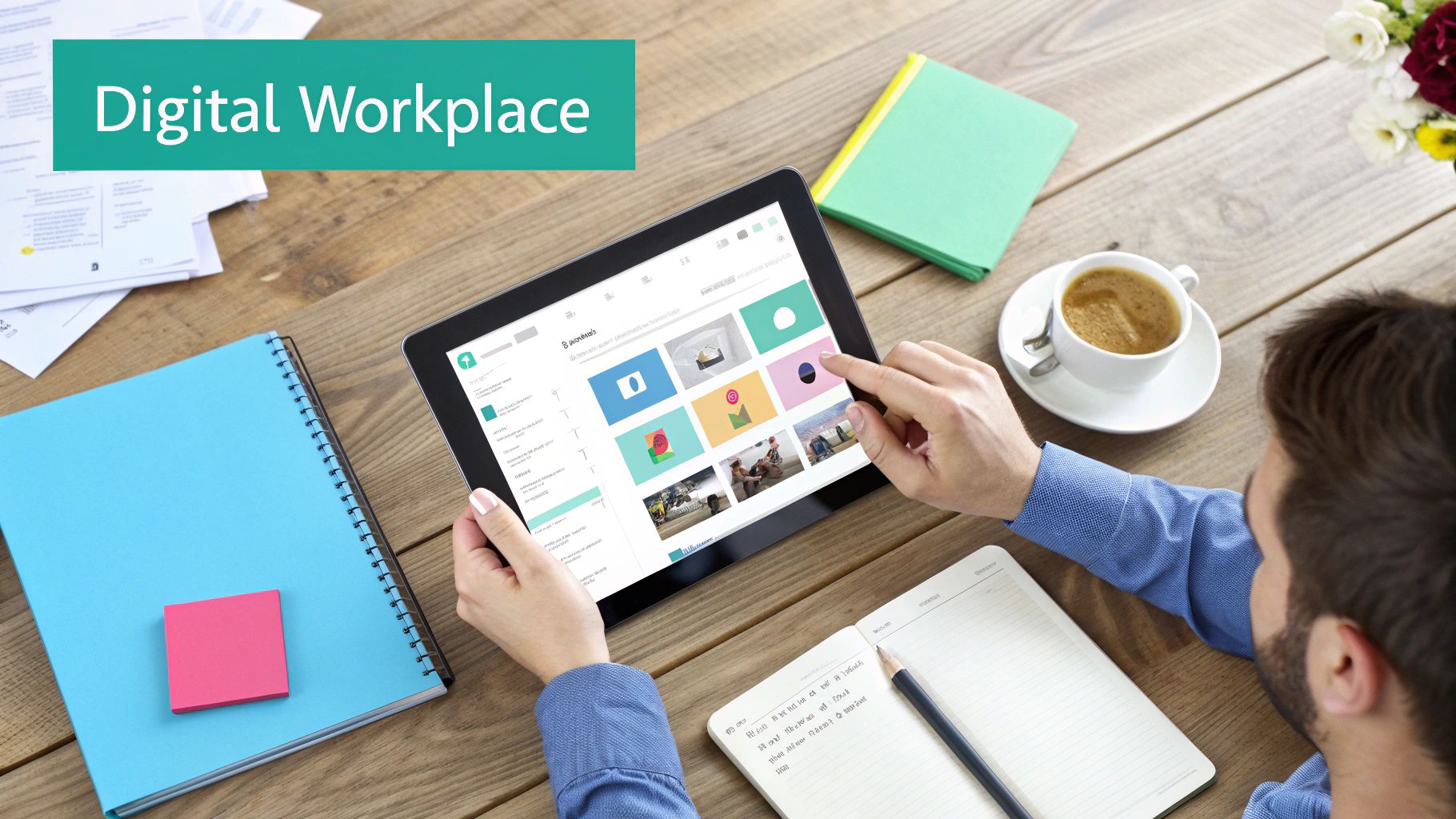
While customer platforms like Sitecore get a lot of the integration spotlight, the same thinking can be a game-changer for your internal teams. A properly integrated SharePoint setup stops being a simple file cabinet and starts acting like the central nervous system for your entire digital workplace. This is where systems integration directly tackles information silos and boosts day-to-day productivity.
When you connect SharePoint to the rest of your business software, you create a seamless flow of information that empowers people with the data they need, right where they're already working. It’s a strategic move that turns a passive document library into an active hub for projects, workflows, and communication.
Unlocking a Single Source of Truth
One of the biggest headaches in any large company is the "single source of truth" problem. Is the final version of the sales deck on a shared drive, lost in an email chain, or buried somewhere in the CRM? Integrating SharePoint with your core systems cuts through that confusion once and for all.
A great example is connecting SharePoint to a CRM like Salesforce or Dynamics 365. Suddenly, your sales team has instant access to the latest product sheets and marketing materials without ever leaving their CRM. When a new case study gets approved, it’s just there for everyone. This simple link prevents people from using old, outdated assets and keeps the entire team on the same page.
SharePoint integration isn't just about linking files; it's about embedding critical business information directly into operational workflows. It transforms a static library into a dynamic, contextual resource that actively helps people do their jobs better.
Streamlining Project and Resource Management
Big projects are notorious for pulling data from all over the place. A project manager might need budget figures from the ERP, task updates from Jira, and contracts from the legal team's database. Without integration, they spend way too much time chasing down information and piecing it together manually.
A far better way is to integrate SharePoint directly with your ERP system. This gives project managers a live look at resources and budgets from right inside their SharePoint project site.
- Real-Time Budget Tracking: An integrated dashboard can pull financial data from the ERP, showing project spend against the budget without anyone having to log into another system.
- Automated Document Workflows: When a project hits a key milestone, a workflow can automatically create and file the right reports in the right SharePoint folder. No more manual drag-and-drop.
- Centralized Asset Access: Engineering drawings, marketing collateral, and financial reports from different systems can all be accessed from one secure SharePoint portal.
By making SharePoint the central point for all this information, you slash administrative overhead and give your leaders the visibility they need to make faster, smarter decisions. This approach also maximizes your investment in the Microsoft ecosystem, ensuring its collaborative tools are powered by accurate, real-time data from every corner of the business. The result is a more connected, efficient, and productive workforce.
Your Blueprint for a Successful Integration Project
Successful systems integration projects don't just happen. They’re the result of a deliberate, well-executed plan that marries business goals with deep technical know-how. Following a structured roadmap is the only way to cut through the complexity and make sure your project moves smoothly from a good idea to a successful launch.
This journey is broken down into clear phases, each one building on the last. It kicks off with discovery and finishes with ongoing support, turning an ambitious vision into a reality that actually drives value. Without this structure, even simple projects can wander off course, leading to painful delays and budget headaches.
The Four Pillars of an Integration Project
A solid integration project always follows a clear, four-stage lifecycle. Each stage sets the foundation for the next, ensuring business goals, technical architecture, and final execution are all perfectly in sync. This methodical approach is crucial, whether you're linking Sitecore's AI tools to your CRM or building a unified digital workplace with SharePoint.
Discovery and Strategic Alignment: This is the "why" phase. It all starts with deep-dive workshops with stakeholders to get a crystal-clear picture of the business objectives, map out the systems you already have, and define what success actually looks like. The goal here is to nail down a detailed project scope that ties every bit of the integration effort to a measurable business outcome.
Architectural Design: Once the "why" is solid, this phase tackles the "how." Architects get to work designing the integration solution, picking the right patterns (API-led, iPaaS, etc.) and defining data flows, security protocols, and how to handle errors. For a Sitecore project, this might mean mapping exactly how customer data will flow into Sitecore Personalize. For SharePoint, it could be designing document workflows between your ERP and project sites.
Agile Implementation and Testing: This is where the blueprint comes to life. Development teams build out the connections in agile sprints, which allows for constant feedback and quick pivots. Rigorous testing—from unit and integration tests to user acceptance testing—happens at every single stage to make sure the final solution is reliable, secure, and performs just like it's supposed to.
Launch and Post-Launch Support: After a successful launch, the project shifts into a support phase. This isn’t the end, but the beginning of the long-term value. It includes ongoing monitoring to catch issues before they become problems, performance optimization, and planning for future enhancements. A great support partner ensures the integration keeps delivering value long after the initial go-live.
Essential Best Practices for Success
Beyond the project stages, a few core principles are absolutely fundamental. Establishing clear data governance from day one is non-negotiable—you have to define who owns what data and the rules for using it. Security can't be a box you check at the end; it has to be woven into the entire process, from the first design sketch to the final deployment.
A classic mistake is underestimating the importance of testing. Comprehensive testing isn't just about squashing bugs; it's about confirming that the integrated system truly solves the business problem and delivers the experience your users expect.
Vetting Your Integration Partner
Choosing the right partner is arguably the most critical decision you'll make. A team with deep, platform-specific knowledge in Sitecore and SharePoint will see challenges coming a mile away and build a more resilient, future-proof solution.
When you’re evaluating potential partners, ask sharp, targeted questions:
- Can you show us a Sitecore integration you've built that connects to a CRM and an e-commerce platform?
- How have you handled a SharePoint integration with a legacy ERP system?
- What is your process for data mapping and governance in a multi-system environment?
- How do you approach security and compliance for integrations handling sensitive customer data?
Their answers will tell you everything you need to know about their real-world expertise, helping you find a team that can turn your integration project into a guaranteed success.
Frequently Asked Questions About Systems Integration
Jumping into systems integration means you're going to have questions, from technical details to bigger strategic decisions. We've put together answers to some of the most common ones we hear, especially when it comes to platforms like Sitecore and SharePoint, to help you get a clearer picture and plan your next steps.
How Long Does a Typical Sitecore Integration Project Take?
Honestly, the timeline can be all over the map because it really depends on what you're trying to connect. A simple, straightforward job—like linking Sitecore Content Hub to a PIM with a pre-built connector—might just take a few weeks.
But if you're looking at a deep, complex integration, say, weaving Sitecore Personalize with a legacy CRM and an ERP system, you’re looking at a project that could easily span several months. That kind of work involves meticulous data mapping and often requires building custom APIs from scratch.
What Are the Primary Security Risks?
When you're connecting systems, the biggest worries are almost always data breaches and insecure APIs. Think of every connection point as a potential doorway for trouble.
It's absolutely critical to encrypt data both while it's moving and when it's stored. You'll also want to use secure authentication protocols like OAuth 2.0 and run regular security audits. This is non-negotiable when you have sensitive customer or employee information flowing between systems like Sitecore or SharePoint.
The most secure integrations adopt a "zero-trust" model. This means that no system is automatically trusted, and verification is required from every user and device trying to access resources, significantly reducing the attack surface.
How Do You Measure the ROI of Integration?
Measuring the return on your investment comes down to tracking both the hard numbers and the softer, but equally important, gains.
- Quantitative Metrics: Look for things you can count. Are you spending fewer hours on manual data entry? Are order processing times down? Have conversion rates gone up, thanks to Sitecore's AI-powered personalization?
- Qualitative Metrics: These are about improvements in how people work and feel. Is collaboration better within SharePoint? Are customer satisfaction scores climbing because of a more consistent experience? Is the business able to adapt and move faster?
By figuring out these metrics before you start, you can clearly show the real business value that a solid integration strategy brings to the table.
Ready to unify your digital ecosystem and activate the full power of your platforms? The experts at Kogifi specialize in designing and implementing robust integration solutions for Sitecore and SharePoint. Let's build your connected future together.






