


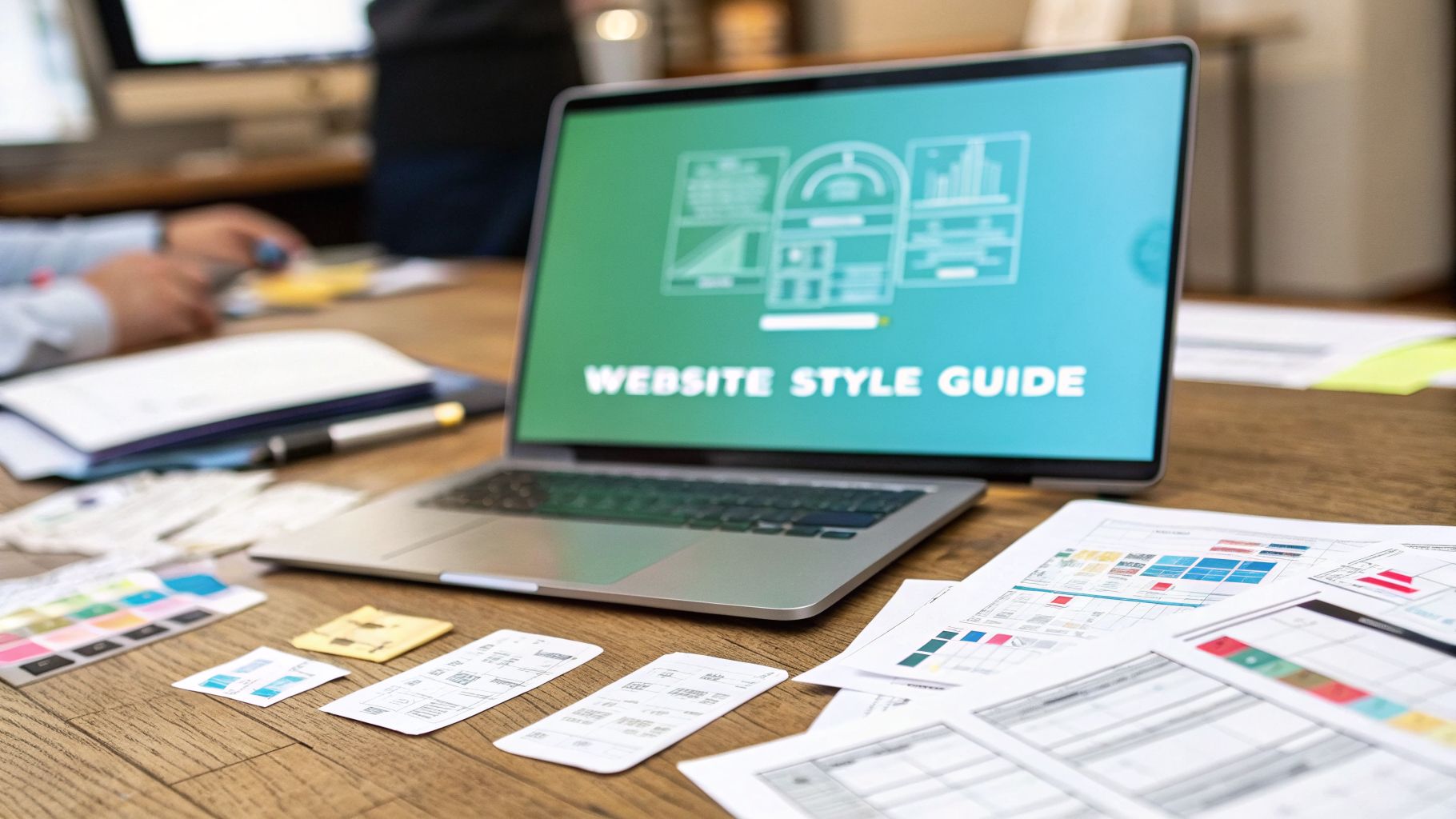



Think of your website style guidelines as more than just a document—they're a critical business asset. They act as the single source of truth for your brand's entire digital personality. When done right, every color, font, and interactive element works together to tell a consistent story, which has a massive impact on how users trust and perceive your brand. For any large organization, these guidelines are the bedrock of a scalable and unified digital presence.
Why Website Style Guidelines Are a Business Imperative

It’s a common mistake for organizations to see style guides as something that only concerns the design team—a simple PDF with logos and color codes. This view completely misses the immense business value hiding in a well-built set of standards, especially when you’re working within a powerful Digital Experience Platform (DXP) like Sitecore. Without clear guidelines, even the most advanced DXP can quickly become a chaotic mess of brand fragmentation and wildly inconsistent user experiences.
What happens when every team is playing by different rules? You end up with a disjointed digital footprint. One landing page uses a button style that looks nothing like the one on another page. A new campaign rolls out with a shade of blue that's almost your brand color, but just off enough to feel wrong. These seemingly small inconsistencies add up, eroding user trust and weakening your brand's authority.
Over time, this chaos also piles on significant technical debt. Developers are forced to build one-off components for every new request instead of reusing standardized, on-brand elements from a shared library.
The True Value in an Enterprise Context
For large enterprises, the payoff from clear guidelines goes far beyond just looking good. They become a core operational tool that speeds up content creation and makes everyone more efficient.
Imagine a content author working in Sitecore XM Cloud. With a robust style guide baked right into the DXP, they aren’t left guessing which hero image format to use or what CTA button to pick. They’re given a menu of pre-configured, on-brand components to choose from. This not only makes their job easier but also ensures every single piece of content they publish is correct by default.
This level of consistency has a direct, positive impact across several key areas of the business:
- Accelerated Onboarding: New marketers, designers, and agency partners can get up to speed in record time. They just need to consult the single source of truth for all digital standards.
- Streamlined Content Authoring: Teams build pages and launch campaigns faster. They can pull from a library of pre-approved components, which dramatically reduces their dependency on developers.
- Improved User Trust: A cohesive, predictable user experience builds credibility. It makes your brand feel professional and reliable.
- Reduced Technical Debt: Developers create a scalable system of reusable components. This minimizes redundant code and makes the entire platform easier to maintain and upgrade down the line.
A strong style guide isn't about restricting creativity; it's about providing a solid foundation so teams can focus on crafting compelling messages instead of reinventing the visual wheel for every project.
At the end of the day, website style guidelines are a strategic imperative. They transform your digital presence from a random collection of assets into a unified, high-performing ecosystem. For any organization using platforms like Sitecore or even SharePoint for internal sites, these standards are the key to unlocking the full potential of your technology investment.
To understand what goes into these guidelines, it helps to break them down into their core pillars.
Key Pillars of an Enterprise Website Style Guide
Here’s a quick look at the core components that form the foundation of a modern style guide built for a DXP.
Each of these pillars works together to create a comprehensive system that governs not just how your site looks, but how it feels and functions for every single user.
Defining Your Visual and Interactive Language
This is where your high-level strategy gets real. Moving from abstract ideas to concrete rules is how your website style guidelines truly come to life. We're talking about the specific, nitty-gritty decisions that shape every click, scroll, and impression, ensuring your digital presence feels intentional, not like a jumble of disconnected pages.
The absolute bedrock of this language is your typographic hierarchy and color system. These aren't just aesthetic fluff; they are powerful tools for communication. Thoughtful application of visual cues is the first thing users see, directly impacting brand perception and trust. The right typography and color also improve readability, which affects how users perceive and remember your brand from the moment they land on your site.
Nailing Down Typography and Color Systems
Your typography rules need to be much more than just "we use this font." You have to define a clear, functional scale for everything: headings (H1, H2, H3), body copy, captions, and pull-quotes. This isn't just about looks; it creates a visual hierarchy that guides the user’s eye, making your content a breeze to scan and digest. Every single text element needs a defined font size, weight, and line height.
Your color palette needs a job description, too. It's not enough to just list your brand's hex codes. You have to assign clear roles:
- Primary Colors: These are for the big-ticket brand items—think headers, footers, and critical calls-to-action.
- Secondary Colors: Use these to highlight secondary info or add some visual flair without stealing the show from the primary palette.
- Feedback Colors: These are non-negotiable. Standardize your colors for success (green), error (red), and warning (yellow) messages in forms and notifications.
- Neutral Tones: A solid range of grays is essential for text, backgrounds, and dividers. They provide balance and ensure everything is readable.
When you create brand guidelines, you're building a framework that keeps every one of these elements in check.
A well-defined color system acts as a silent guide for the user. It tells them what's important, what’s clickable, and what requires their attention, creating a predictable and intuitive interface.
Standardizing Interaction and Spacing
Consistency in how things behave is what separates a polished digital experience from an amateur one. Your guidelines must be crystal clear about how interactive components work across the entire site. That means documenting the different states for elements like buttons (default, hover, active, disabled) and defining standard patterns for your forms, modals, and navigation menus.
The invisible framework holding it all together is a robust grid and spacing system. By defining standard margins, padding, and layout grids, you create visual harmony and perfect alignment on every page, no matter the device. It’s what keeps your site from looking cluttered and makes your content feel organized and deliberate.
The real magic here is how Sitecore's component-based architecture embeds these rules directly into the platform. This ensures that every content author, by default, builds experiences that are perfectly on-brand.
For enterprises on Sitecore XM Cloud, this is a game-changer. You can build a library of pre-styled components—a "Hero Banner," a "Card," a "CTA Button"—each with these visual and interactive rules already baked in. When a marketer needs to create a new page, they aren't starting from scratch. They're just assembling it from a kit of perfectly designed, on-brand parts. This approach slashes errors and empowers even non-technical users to create professional, consistent content effortlessly. A similar principle applies in SharePoint, where you can develop custom themes and web parts to enforce these same branding rules across your internal collaboration platforms.
Building a Living Design System with Sitecore AI
A static PDF of your website style guidelines is a relic. If it’s buried on a server somewhere, it’s not helping anyone. For modern enterprises, these rules need to be alive, breathing, and integrated directly into the platforms where your teams actually build experiences. The goal is to evolve your guidelines from a document into a dynamic design system—a single source of truth that enforces brand consistency automatically.
This journey starts with a concept called design tokens. Think of tokens as the atomic building blocks of your brand's visual language. They aren't just static values; they are centrally managed variables for things like color (--color-brand-primary), spacing (--spacing-medium), and font sizes (--font-size-h1). So instead of a developer hardcoding a hex value like #005B94 every time they need your brand's blue, they just reference the token.
The real magic happens during a brand refresh. When that primary blue needs a slight tweak, you update the token's value in one central file. That single change then cascades across every single component and page using it. A sitewide rebranding effort that used to take weeks of painstaking manual work now becomes a task you can knock out in minutes.
From Tokens to a Sitecore Component Library
With your design tokens in place, the next logical step is to build a practical component library right inside your DXP. This is where your style guide stops being a theoretical document and becomes an actionable tool for your marketing and content teams. In a platform like Sitecore XM Cloud, this means creating a collection of pre-built, pre-styled, reusable elements.
These aren't just abstract mockups; they are fully coded, functional building blocks for your website.
- Hero Banners: Already configured with the right typography, button styles, and image aspect ratios.
- Accordions: Built from the ground up with your brand’s interactive animations and spacing rules.
- Product Cards: Standardized layouts that guarantee every product is presented with perfect consistency.
- Call-to-Action Blocks: On-brand buttons and text fields, ready for content authors to simply add copy.
When you provide a library like this, you make the correct, on-brand choice the easiest choice. Content authors no longer need to remember the hex code for a CTA button or the right margin for a headline. They just drag an approved "CTA" component onto the page, and the design system handles the rest. This speeds up the entire content creation lifecycle dramatically.
A component library operationalizes your website style guidelines. It shifts the burden of brand compliance from individual employees to the system itself, creating a safety net that guarantees consistency at scale.
Accelerating and Optimizing with Sitecore AI
Now, let's make that living design system intelligent. Sitecore AI can dive into massive amounts of user behavior data to help you optimize experiences within the guardrails of your brand standards. It connects the dots between your defined style and how it actually performs in the real world.
For example, your guidelines might define three approved button colors: primary blue, secondary gray, and an accent green. Sitecore AI can run automated A/B or multivariate tests to figure out which of those pre-approved colors drives the most clicks for a specific CTA on a specific landing page. The AI isn't inventing new, off-brand styles; it’s finding the optimal way to use the styles you've already defined.
It goes even further by personalizing the content inside your components. The AI can analyze a user’s profile and past behavior to dynamically select the most compelling headline, image, or offer to show within a hero banner. The banner's structure, colors, and fonts remain perfectly on-brand, but the content becomes hyper-relevant to each visitor. Fusing a rigid design system with flexible, AI-driven content is the key to delivering powerful personalized experiences without creating brand chaos. By connecting these tools, you can refine your digital presence with data-backed insights—a core principle of effective marketing automation strategies.
The SharePoint Connection
This design system thinking isn't just for your public-facing website. It can and should be applied to your internal platforms like SharePoint. By creating custom SharePoint Framework (SPFx) web parts and site themes that pull from your organization's design tokens, you ensure your intranet reflects the same professional brand identity as your .com.
This creates a cohesive digital employee experience, reinforcing brand values from the inside out. A unified visual language across all platforms—both internal and external—strengthens brand identity and makes everyone's job a little easier.
Weaving Your Guidelines into DXP Workflows
A brilliant set of style guidelines is just a document until it’s put to work. Its real value isn’t in how pretty it looks, but in how much it’s used every single day. The end game is to weave these rules so deeply into your DXP that following them becomes second nature—the path of least resistance for every content author and marketer.
The secret is making on-brand choices the easiest choices. Think about Sitecore’s page editor, for example. This means setting up rendering variants and component properties to strategically limit creative freedom. Instead of giving an author a color picker with 16.7 million options, you give them a dropdown with your five approved brand colors. Simple, but effective.
The same principle holds true for component selection. By carefully curating the building blocks available in the editor, you guarantee that authors can only construct pages using pre-approved, accessible, and perfectly styled elements from your design system. This kind of system-level enforcement beats relying on human memory or manual checks every time.
Sitecore Governance and Automated Workflows
But true operationalization goes beyond just well-configured components; it demands automated governance. Sitecore’s workflow engine is incredibly powerful and can be tailored to uphold your brand standards. You could, for instance, configure a content approval workflow that automatically flags any change introducing a non-standard component or a deprecated style, sending it directly to a brand steward for review.
Imagine a workflow that scans new content for specific HTML tags that violate accessibility rules or for image file sizes that blow past your performance budgets. This automated first-pass review saves a massive amount of time and catches problems long before they have a chance to go live. To get this right, many organizations explore different workflow automation solutions to embed these checks seamlessly.
This flow shows how a living design system evolves, moving from atomic tokens all the way to a component library, with AI helping to connect the dots.
The takeaway here is that each stage builds on the last, creating a smart, automated system that makes consistency scalable.
Extending Brand Consistency to SharePoint
And this workflow-driven mindset isn't just for your public-facing website. If you’re running SharePoint for your intranet, the exact same logic applies. You can build a consistent employee experience by developing custom site themes, page layouts, and web parts that echo your corporate brand.
This typically involves a few key steps:
- Custom SharePoint Themes: Define a theme with your company’s color palette, fonts, and logo. This ensures every new site starts from a branded foundation.
- Branded Web Parts: Develop custom SharePoint Framework (SPFx) web parts that pull from your design system, bringing visual consistency to how content is displayed.
- Governance Policies: Lock things down by applying policies within SharePoint that restrict site creation to pre-approved, branded templates. This stops brand dilution in its tracks.
By making your guidelines an active participant in your DXP and CMS workflows, you transform them from a passive reference document into a proactive guardian of your brand.
Training That Creates Brand Stewards
Finally, you can’t just rely on technology. Real adoption requires a cultural shift. Your teams need to understand the "why" behind the rules. Training shouldn't be a boring walkthrough of a PDF. It should be a hands-on workshop showing how the design system actually makes everyone's job easier and leads to a better, more effective digital presence. You can learn more about how to streamlining your workflows with Sitecore Content Hub can help manage and distribute these brand assets.
When your content authors stop seeing the guidelines as a set of restrictions and start seeing them as a toolkit built for their success, they become true stewards of the brand. This cultural buy-in is the final, crucial piece of the puzzle, turning your style guide into a living, breathing part of your company’s DNA.
Designing for Accessibility and Global Audiences

For global enterprises, designing for everyone isn't just a "nice-to-have"—it's a fundamental part of doing business. Your website style guidelines have to tackle accessibility and localization right from the start. It’s how you make sure your brand connects with every user, everywhere.
If you don't build this into your digital DNA, you're not just shrinking your market; you're also walking into potential legal risks.
Making Your Design DNA Truly Inclusive
A genuinely inclusive digital experience means baking the Web Content Accessibility Guidelines (WCAG) into your design system. This goes way beyond just adding alt text to images. It involves defining hard-and-fast rules for things like color contrast, keyboard navigation, and ARIA landmarks directly in your style guide.
These aren't just abstract ideas; they're concrete, actionable directives for your designers and developers. For instance, your guidelines must spell out the minimum contrast ratios for text and backgrounds to ensure people with low vision can actually read your content. The guide should also detail focus states for every interactive element, so someone using a keyboard knows exactly which button or link they're on.
Building a truly accessible website design is a complex journey, but the payoff is enormous.
Crafting Guidelines That Work on a Global Scale
Localization is the other side of the coin. Your visual language has to be flexible enough to work across different cultures and languages without completely falling apart. This is a common pitfall in many style guides—they're built on the assumption that one size fits all.
A well-crafted guide anticipates the real-world headaches of global content. For example, German text is often 20-30% longer than English. Your components—buttons, headlines, navigation—have to be designed to handle that extra length without shattering the layout.
Likewise, your guidelines need to plan for right-to-left (RTL) languages like Arabic, making sure entire interface layouts can be flipped seamlessly.
Here are a few things we always build into global-ready guidelines:
- Component Flexibility: Design components with dynamic content in mind. Avoid fixed-width containers that cause text to overflow or wrap in weird ways.
- Iconography Choices: Use icons that are universally understood. Stay away from symbols that might have unintended cultural meanings in certain regions.
- Image and Color Symbolism: Give clear guidance on imagery and color, acknowledging that specific visuals or shades can carry very different connotations from one culture to another.
By planning for linguistic and cultural diversity from the start, you transform your style guide from a regional rulebook into a global framework for consistent, respectful brand communication.
How a DXP Becomes Your Hub for Inclusive Experiences
This is where a powerful DXP like Sitecore becomes your best friend. Sitecore's architecture is purpose-built to manage complex multilingual and multi-site experiences from one central place. You can create accessible components once and deploy them across hundreds of regional sites, knowing that core WCAG compliance is already baked in.
Need to make a change, like updating an ARIA label for better screen reader performance? You can push that update globally from a single interface. Sitecore’s versioning and language fallback features also make managing localized content far more efficient, ensuring users see content in their preferred language whenever it’s available.
Mobile responsiveness is non-negotiable. With a majority of global web traffic originating from mobile devices, your guidelines must ensure a seamless experience on any screen size. This has massive implications for accessibility and layout flexibility.
This same logic applies to your internal platforms, too. By enforcing accessible themes and web parts in a tool like SharePoint, you ensure your internal communication tools are usable by all employees. It’s a key step in fostering an inclusive corporate culture. SharePoint’s multilingual capabilities allow global teams to work together effectively, all within a branded, accessible environment defined by your central guidelines.
Common Questions About Website Style Guidelines
Even with a rock-solid plan, you're going to hit some bumps in the road when rolling out website style guidelines. It happens every time. Enterprise teams, in particular, tend to run into the same hurdles, so let's tackle a few of the most common ones I see, especially in environments like Sitecore and SharePoint.
How Often Should We Update Our Website Style Guidelines?
Think of your guidelines as a living document, not some static PDF that gets locked away on a server and forgotten. While a big, formal review makes sense annually or during a major brand refresh, the smaller updates should be happening all the time.
A modern design system built inside a DXP like Sitecore makes this a much more fluid process. You can push out small, incremental updates to design tokens or roll out new components as the business needs them. The key is to have a clear governance process. Put someone in charge—a dedicated owner or a small committee—to gather feedback from designers, developers, and marketers. This is the only way to keep the system relevant and prevent it from becoming a relic everyone ignores.
What Is the Difference Between a Style Guide and a Design System?
This one trips people up constantly, but getting it right is critical. The distinction is actually pretty simple.
- A website style guide is the "what." It's your rulebook, the source of truth for your brand's digital identity. It defines the visual standards—colors, fonts, logo usage, and even interaction patterns.
- A design system is the "how." It brings the style guide to life by providing the actual, reusable code components and design tokens that developers and content authors use every day.
Here's an easy way to think about it: the style guide is the recipe, but the design system is a pantry stocked with all the pre-measured, ready-to-use ingredients. In a Sitecore context, this means your content editors have a library of pre-approved building blocks with all the rules already baked in, making it incredibly simple to build on-brand experiences.
A style guide tells you what a button should look like. A design system gives you the actual button component to drag and drop onto a page, with all its states and styles correctly configured from the get-go.
How Can We Drive Organization-Wide Adoption?
This all comes down to two things: communication and integration. You can't just publish the guidelines and expect people to magically start using them.
First, you need buy-in from the top to show that brand consistency is a business priority. Then, make the guidelines impossible to ignore by making them ridiculously easy to access. A dedicated, easy-to-search SharePoint site is a thousand times better than a file buried five folders deep.
Most importantly, build the rules directly into the tools your teams already use. Configure Sitecore's page editor so it only offers on-brand options. This makes following the guidelines the path of least resistance. Finally, run training sessions that focus on the "why"—show your teams how the system makes their jobs easier and helps them produce better work, faster.
How Can Sitecore AI Enhance Our Style Guidelines?
This is where your system goes from being a simple set of rules to an intelligent tool that actively helps you optimize. Sitecore AI lets you deliver highly personalized experiences without ever compromising brand consistency because it works within the guardrails you’ve already established.
For instance, Sitecore AI can analyze user behavior to figure out which of your pre-approved hero banner components is most likely to drive a conversion for a specific visitor. It can also personalize the content inside that component, like dynamically swapping an image or headline based on user data.
The banner itself—its typography, button style, and spacing—stays perfectly on-brand. It also lets you run data-driven experiments, like A/B testing different button colors (from your approved palette) to find the one that performs best for a key call to action. This creates a powerful feedback loop, allowing you to refine your guidelines based on what actually works with your audience.
At Kogifi, we specialize in turning static rules into living, breathing design systems that accelerate content creation and ensure brand consistency at scale. Our expertise in Sitecore and SharePoint allows us to build and integrate robust website style guidelines directly into your DXP workflows. Discover how we can help you build a smarter, more consistent digital presence at https://www.kogifi.com.






