


A CMS (Content Management System) is your digital storefront, arranging content to attract visitors. In contrast, a CRM (Customer Relationship Management) is the store manager who remembers every customer's name and preferences. When these two platforms work together, they turn anonymous website traffic into genuine, personalized customer journeys. The result? An unstoppable force for business growth.
The Digital Power Couple CMS and CRM

Think of your website as an expertly designed retail space. Your CMS is the architect and interior designer, responsible for creating an engaging layout, displaying your products (your content), and making sure visitors have a smooth experience. It handles everything your audience sees and interacts with, from blog posts and videos to product pages.
Your CRM, on the other hand, is the attentive and sharp-as-a-tack store manager. It keeps a running tab on every single interaction a customer has with your brand—what they looked at, what they bought, any questions they asked. It holds the key to truly understanding who your customers are and what they actually care about.
Distinguishing Roles and Responsibilities
While both systems are crucial for modern business, they serve fundamentally different purposes. They're typically managed by completely different teams, too.
- Content Management System (CMS): This is the world of marketing and content teams. A CMS is laser-focused on creating, managing, and publishing digital content for your public-facing website. Its entire universe revolves around the anonymous or known visitors who are interacting with that content right now.
- Customer Relationship Management (CRM): This is the domain of sales, customer service, and marketing automation teams. The CRM centralizes all known customer data. It’s built to manage leads, contacts, and account histories to build relationships and, ultimately, drive sales.
To put it in perspective, here’s a quick breakdown of where each platform shines.
CMS vs CRM Core Functions at a Glance
As you can see, each system is powerful on its own, but they operate in separate worlds.
By themselves, these platforms are powerful. The CMS attracts an audience, and the CRM manages known leads. However, a significant gap exists between the anonymous visitor on your website and the detailed profile in your CRM.
This separation means your website often treats valuable, returning leads like complete strangers. The real magic happens when you bridge this gap.
Understanding how to connect these platforms is the first critical step. For a deeper look, it's worth learning more about what is systems integration and how it forms the backbone of a connected digital strategy. This foundation is essential before exploring advanced platforms like Sitecore where this synergy drives truly exceptional results.
Why Integrating Your CMS and CRM Is a Game Changer
Connecting your CMS and CRM is more than a simple tech project—it fundamentally reshapes how you see and talk to your audience. Without that link, your content strategy is essentially flying blind. You can't tell the difference between a first-time visitor and a high-value lead who’s one step away from buying.
But once you integrate them, you give your content strategy vision.
Imagine a B2B prospect downloads one of your whitepapers and comes back to your site a week later. Instead of hitting them with the same generic homepage, your CMS—now fed by your CRM—serves up case studies from their specific industry. That’s the magic of a unified customer view. Your website transforms from a static brochure into a dynamic, personal consultant for every single visitor.
Creating a Single Source of Truth
The most immediate win from a CMS and CRM integration is the demolition of data silos. Marketing typically lives in the CMS, shaping the website experience, while sales builds relationships inside the CRM. Too often, these two worlds barely communicate, leading to a clunky and disjointed customer journey.
By connecting them, you create one shared source of truth.
- Marketing Gains Insight: Your marketing team can finally see which content is actually moving the needle on leads and sales. This lets them double down on what’s working and rethink the assets that aren't.
- Sales Gains Context: Your sales team gets a full picture of a lead's digital body language. They can see every blog post they read, every video they watched, and every page they visited long before making that first call.
This clarity gives both teams a shared understanding of the customer's entire journey, from that first flicker of awareness all the way to conversion and beyond. You can explore this further in our guide on customer data integration solutions.
Fueling Personalization and Loyalty
A connected system is the engine for hyper-relevant campaigns and true personalization at scale. When your CMS can tap into rich CRM data—like purchase history, job title, or support ticket status—it can tailor experiences in real time. This is a must-have capability, especially as the global Content Management System market is projected to hit USD 79.30 billion by 2033. This growth is all about the demand for platforms that can deliver real-time personalization and automate workflows, with cloud deployment leading the charge.
By integrating your CMS and CRM, you shift from broadcasting generic messages to having meaningful, one-on-one conversations with thousands of customers simultaneously. This fosters a deeper connection, boosting customer loyalty and retention.
The benefits go far beyond just putting a name on a landing page. With a unified data flow, you can build smarter lead scoring models, automate nurture sequences based on web behavior, and deliver a consistent omnichannel experience. And when you consider how a robust CMS integration for automated publishing can streamline your content workflow even further, it’s clear why this integration is a true game-changer.
Harnessing Sitecore AI for Superior Customer Experiences
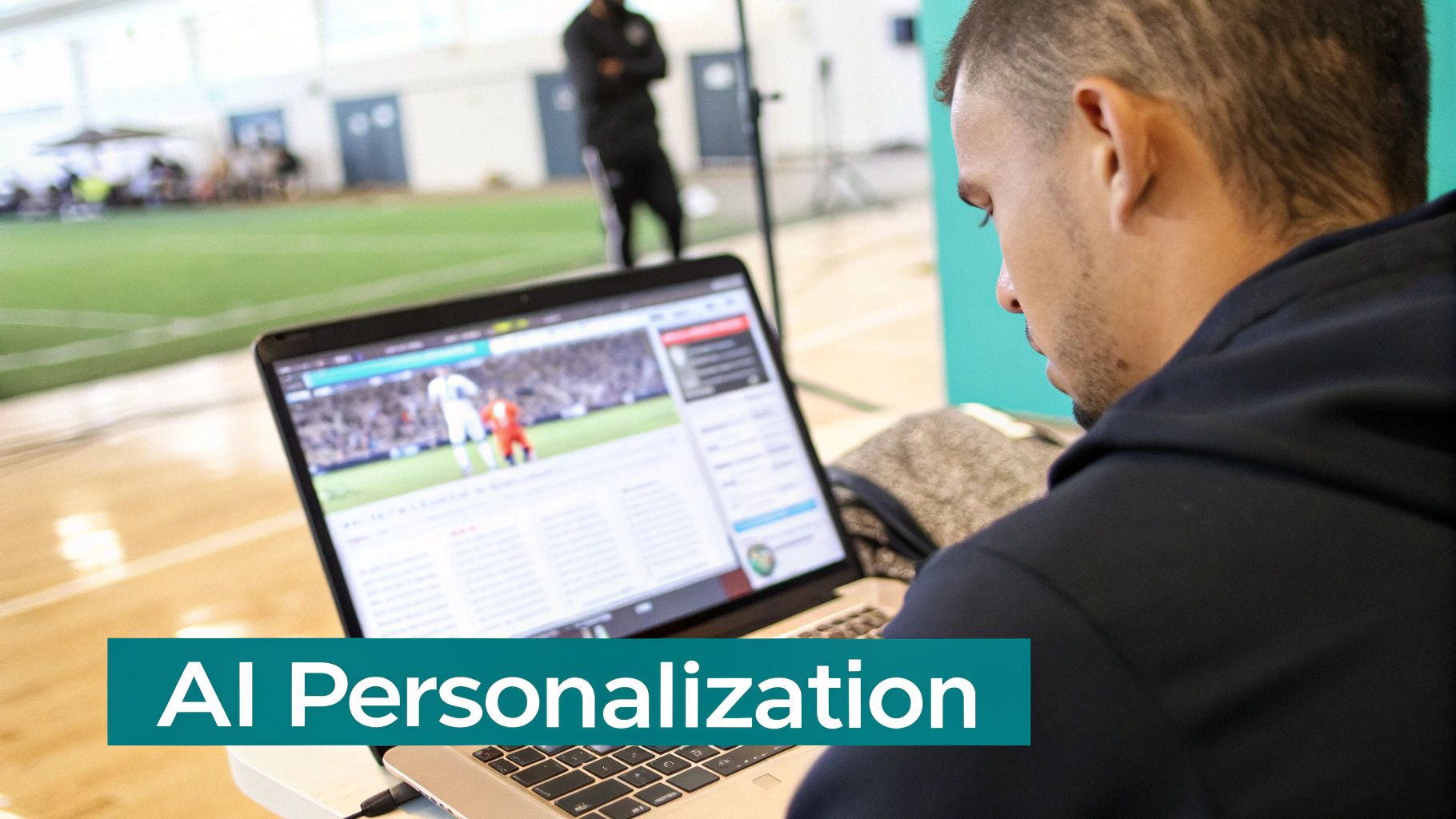
When your CMS and CRM are connected, the real opportunity isn't just about sharing data—it's about making that data intelligent. This is where a Digital Experience Platform (DXP) like Sitecore really shines, moving beyond basic personalization to create truly adaptive, AI-driven customer journeys. It uses the rich, historical data from your CRM to inform real-time decisions on your website.
Forget simply adding a first name to an email. With Sitecore's composable DXP, you can fundamentally alter the digital experience for each user. Imagine a customer’s lifecycle stage, pulled from the CRM, triggering a completely different navigation menu or set of featured products on your homepage. This is personalization that responds and predicts, not just repeats.
The Brains Behind the Operation: Sitecore CDP and Personalize
Sitecore’s power comes from its composable product portfolio, with two key components acting as the intelligent engine: Sitecore Customer Data Platform (CDP) and Sitecore Personalize.
- Sitecore CDP: Think of this as the central nervous system for your customer data. It unifies information from every touchpoint—your CRM, website analytics, mobile app, and even offline interactions—to build a complete, 360-degree profile for every single customer.
- Sitecore Personalize: This is the AI-driven action engine. It takes the rich profiles from the CDP and uses powerful decisioning, experimentation, and A/B testing to deliver the next best action, offer, or piece of content across all your channels in milliseconds.
Together, they create a smart feedback loop. The CDP knows who the customer is, and Personalize determines what they should see next. This transforms your website from a static brochure into a dynamic conversation tailored to each individual.
The real power of integrating a CMS and CRM within the Sitecore ecosystem is the ability to predict customer intent. The system doesn't just know what a customer did; it uses AI to calculate what they are likely to do next.
Real-World Impact on Customer Lifetime Value
Let's walk through an example. An e-commerce brand identifies a high-value customer segment at risk of churning, based on their purchase frequency data sitting in the CRM.
- The CRM flags these customers.
- Sitecore CDP ingests this flag, enriching the customer profiles with an "at-risk" status.
- The next time someone from this segment visits the website, Sitecore Personalize triggers a unique rule. Instead of the standard homepage, they see a personalized banner with an exclusive loyalty offer designed to win them back.
This entire process is automated, proactive, and directly works to improve retention and customer lifetime value. It shows how a deeply integrated platform can turn CRM data into preventative action. This is just one piece of the puzzle; a unified strategy is key. To see how these tools fit into a bigger picture, you can learn how to build an effective omni-channel customer experience.
To take your support to the next level, you can also explore how to leverage an AI chatbot for customer service. While Sitecore handles the core DXP functions, integrating complementary enterprise tools like SharePoint can add even more value, especially for managing internal documents and workflows that support the sales and service teams using the CRM every day. It all works together to create a fully connected enterprise ecosystem.
Integrating SharePoint for Enterprise Content and Collaboration
While a DXP like Sitecore excels at shaping the external customer journey, large enterprises run on internal efficiency. This is where integrating a platform like SharePoint with your CRM creates a powerful engine for growth, establishing a single source of truth that empowers everyone from sales to legal.
When SharePoint and your CRM communicate, critical workflows become smarter. Imagine a sales rep closing a deal. Instead of digging through shared drives for the right contract template or the latest project scope, the correct, approved files are automatically linked right inside the customer's CRM account. This connection eliminates friction and provides instant, contextual access to information, slashing the time employees waste hunting for documents.
Unifying Documents and Customer Data
For large organizations, this integration is a foundational piece for compliance, managing complex project files, and keeping operations consistent. It arms every client-facing employee with the most accurate, up-to-date information without them ever having to leave their main CRM screen.
- Sales Teams: Can instantly pull up signed contracts, proposals, and NDAs tied to any account, giving them a complete history during client calls.
- Service Teams: Get access to project plans, service level agreements, and technical docs stored in SharePoint, all from within a CRM support ticket.
- Legal and Compliance: Can enforce document retention policies and control access from one central place, ensuring sensitive client data is managed securely.
This unified hub streamlines day-to-day work and seriously cuts down on organizational risk by making sure decisions are always based on the correct, approved documentation.
Integrating SharePoint with a CRM transforms a document repository into an active, intelligent asset. It makes content and documents an integral part of the customer relationship lifecycle, not a disconnected archive.
The Growing Importance of Enterprise Content Management
This tight link between CMS and CRM capabilities points to the bigger trend of Enterprise Content Management (ECM). ECM systems are the next evolution of traditional content platforms, built to handle the immense data and compliance pressures modern organizations face. This market is blowing up, with forecasts showing a projected jump from USD 50.15 billion in 2025 to USD 190.87 billion by 2035. This growth is fueled by the need for secure, scalable, cloud-based solutions that bring content together across the entire business.
By linking SharePoint's rock-solid document management with your CRM's rich customer data, you’re essentially building a powerful ECM framework. This helps your teams work smarter, not harder. For a deeper dive, check out our guide on enterprise content management solutions. With the "why" covered, the next step is building a clear plan to make this integration a reality.
Your Practical Integration Planning Checklist
Successfully connecting your CMS and CRM isn't like flipping a switch; it's more like building a bridge. It demands a clear blueprint that aligns your technical teams with your business goals right from the start. A solid plan prevents costly rework down the line, keeps your data clean, and ensures the whole project is focused on delivering real, measurable value.
This whole process kicks off not with code, but with conversation. Getting marketing, sales, and IT leaders in the same room to agree on the "why" is the single most important first step. Without that shared vision, the integration becomes just another technical exercise that fails to move the needle on key metrics like lead conversion or customer retention.
Stage 1: Define Your Business Outcomes
Before you even think about mapping a single data field, you need to define what success actually looks like. Vague goals like "improve personalization" just won't cut it. You have to get specific and attach real numbers to your objectives to create a clear finish line for the project.
Your goals should be things you can act on and measure. For instance:
- Increase marketing-qualified leads (MQLs) by 15% by giving the sales team a direct line of sight into a prospect's website engagement.
- Shrink the average sales cycle by 10% by arming reps with contextual data on which content a lead has interacted with in the CMS.
- Boost customer retention by 5% by triggering personalized offers on the website based on a customer's lifecycle stage in the CRM.
Once you have these concrete outcomes, every technical decision that follows has a clear and defined purpose.
Stage 2: Map Critical Data and Workflows
Next up, you need to pinpoint exactly what information needs to flow between the two systems. This isn't about syncing everything—it's about syncing the right things. The best way to start is by mapping out your end-to-end customer journey and identifying the critical data points required at each touchpoint.
The goal of data mapping is to create a seamless conversation between your systems. The CMS tells the CRM what a prospect is interested in, and the CRM tells the CMS who that prospect is and what they truly value.
This visualization shows how documents from a system like SharePoint can enrich a CRM profile, giving the sales team vital context for their conversations.
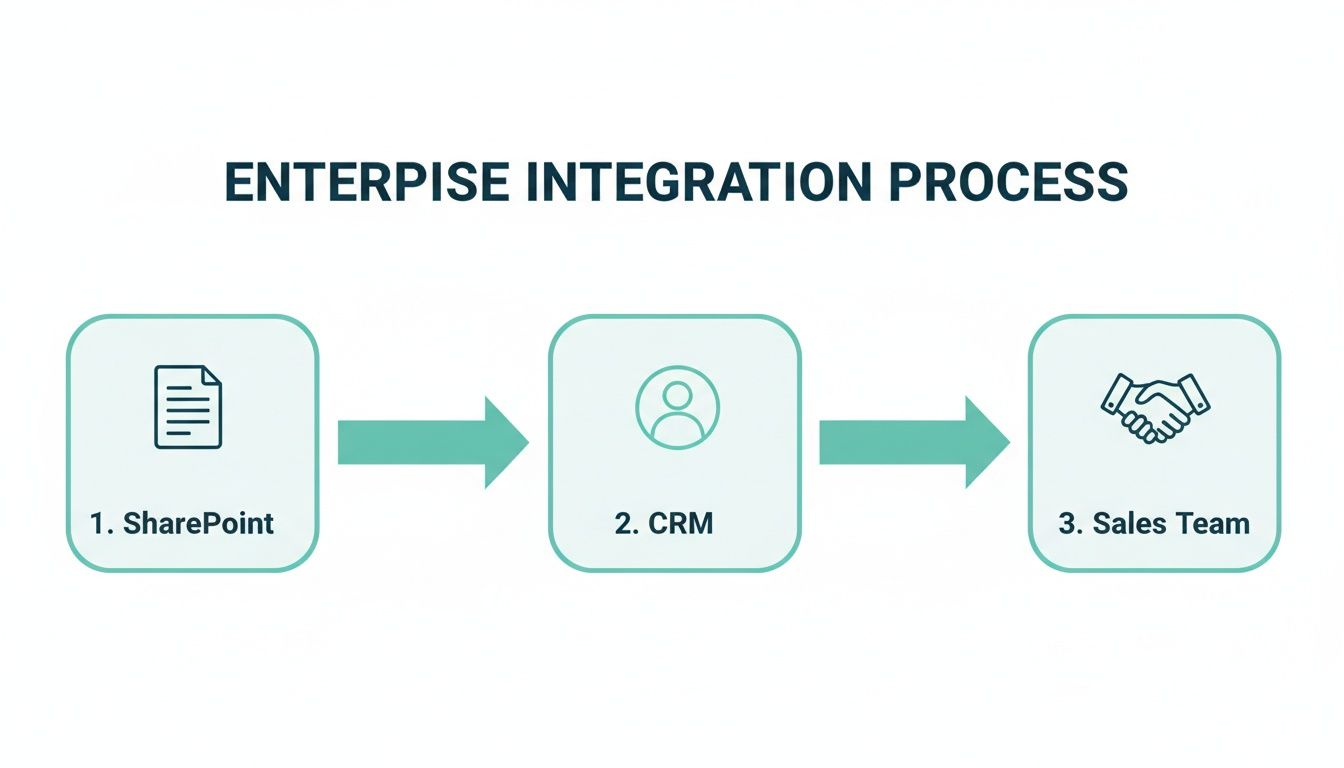
This kind of process flow highlights how internal content assets can directly empower your client-facing teams, turning a simple document repository into a powerful sales enablement tool.
Stage 3: Choose the Right Integration Method
With your goals and data flows mapped out, it's time to select the technical approach for connecting your platforms. This decision is crucial, as each method comes with its own trade-offs in terms of cost, complexity, and flexibility. Getting your technical leaders involved here is key to making an informed choice.
The table below breaks down the most common integration approaches.
Integration Methods Pros and Cons
There's no single "best" method—the right path depends on your budget, timeline, and the specific requirements you defined back in stage one. Whether you go with an out-of-the-box connector from a platform like Sitecore or AEM, a middleware tool like MuleSoft, or a custom build, involving all stakeholders ensures the final solution is secure, scalable, and perfectly aligned with your strategic goals.
Measuring the ROI of Your Integrated Ecosystem

A powerful CMS and CRM integration is only as good as the results it delivers for the business. To prove its worth, you have to move beyond technical checkmarks and focus on the cold, hard metrics that demonstrate real business value and justify every dollar spent.
Hooking up a platform like Sitecore or SharePoint to your CRM creates a much smarter ecosystem, but its success hinges entirely on your ability to measure the impact. This means getting your analytics configured to draw a straight line from revenue back to the personalization campaigns and automated workflows that the integration powers.
Identifying Key Performance Indicators
To build a compelling business case, you need to zero in on the KPIs that directly reflect growth and efficiency. These are the numbers that get leadership's attention and prove this initiative is a strategic driver, not just another IT project.
Your core metrics should include:
- Improved Lead Conversion Rates: Track how many more website visitors—now enriched with CRM data—are turning into marketing-qualified leads (MQLs) and sales-qualified leads (SQLs).
- Increased Average Order Value (AOV): Measure the lift you get from personalized up-sell and cross-sell recommendations that are powered by a customer's purchase history, pulled directly from the CRM.
- Enhanced Customer Lifetime Value (CLV): Analyze retention rates and repeat purchases from customer segments you’ve targeted with personalized loyalty campaigns.
Connecting Actions to Revenue
With over 80 million live websites now running on a CMS, their importance is undeniable. But the real ROI doesn't come from just having a CMS; it comes from making it smarter. By tracking these specific KPIs, you create a direct link between your integrated setup and the bottom line. You can learn more about how widespread these platforms have become and discover key CMS statistics.
The ultimate goal is to shift the conversation from "What did the integration cost?" to "How much revenue did the integration generate?" By focusing on these outcomes, you prove that a connected CMS and CRM ecosystem is a powerful engine for sustainable growth.
This data-driven approach allows you to continuously fine-tune your strategy, demonstrate clear returns, and secure the resources needed to keep building superior digital experiences.
Got Questions About Integration? We've Got Answers.
When it comes to weaving your CMS and CRM together, enterprise teams often run into the same questions. Let's tackle some of the most common ones, with a focus on powerful platforms like Sitecore and SharePoint, so you can move forward with confidence.
Where Do We Even Begin with an Integration?
The first and most important step has nothing to do with technology. It’s all about defining your business goals.
Before you talk APIs or data fields, you need to know why you’re doing this. Are you hoping to boost lead conversions using Sitecore Personalize? Or maybe you want to make your sales team’s life easier by linking customer records to documents in SharePoint? A crystal-clear objective will be your North Star for every decision that follows.
Can We Connect to an Older, Legacy CRM?
It's usually possible, yes—but it requires a smart plan. Hooking up a modern digital experience platform (DXP) like Sitecore to an old on-premise CRM often means building custom APIs or using middleware to bridge the gap.
The key is to start with a thorough audit of your CRM's current capabilities. This will tell you exactly what you're working with and help map out the most secure and effective way to connect the two systems.
Tying your systems together centralizes customer data. This can make compliance easier in some ways, but it also dials up your responsibility. It’s absolutely critical to map out your data flows and make sure the consent you capture in the CMS is accurately mirrored in the CRM.
Your integration strategy needs to be built on a foundation of strong data governance, with clear rules for who can access what and a unified process for handling customer data requests.
Ready to build a powerful, integrated digital experience? Kogifi provides the expert guidance and implementation services for Sitecore, SharePoint, and more. Learn how we can help.