


A component change can look harmless in a pull request and still alter personalization data, break a shared Helix dependency, weaken accessibility, slow a headless page, or expose SharePoint content to the wrong audience. Enterprise DXP teams can't treat review as a quick style check because Sitecore, XM Cloud, and Microsoft 365 connect content models, APIs, permissions, front-end components, and release automation across multiple sites.
The strongest code review best practices turn that complexity into a repeatable control. Reviewers classify risk, validate architecture and data boundaries, test behavior under realistic conditions, and record decisions that future teams can use. That approach also reflects the original purpose of formal inspection, which emphasized preparation, structured feedback, rework, and follow-up rather than an informal approval gesture, as described in the history of structured code inspection practices.
The nine practices below form a practical pull-request playbook for Sitecore AI, XM Cloud, Helix, SharePoint SPFx, accessibility, performance, content governance, ownership, and automated testing. Use the checklists selectively. A documentation-only change doesn't need the same review path as a personalization rule, permission scope, or shared component library update. Teams exploring broader engineering assessment can also compare approaches through sample solutions with complexity analysis.
Table of Contents
1. Implement Sitecore AI-Aware Code Review Workflows
A Sitecore AI change can pass CI and still assign the wrong taxonomy, show an audience the wrong experience, or return weak search results. Changes to Sitecore Content Tagging, Sitecore Discover, and Sitecore Personalize require reviewers to assess implementation and outcome together. The review should cover inputs, configuration dependencies, fallback behavior, data boundaries, and the effect on release quality and maintainability.
Add an AI impact block to the pull-request template. The author records the affected Sitecore feature, data sources, expected outputs, audience or content scope, and the observable signal that will confirm the change works. Reviewers then check how the code handles missing, stale, ambiguous, or unexpected data. They should separate deterministic defects from model or configuration behavior that needs observation after deployment. If the output feeds an XM Cloud headless endpoint or a shared component, verify that its contract remains predictable for consuming applications.

Review behavior, not just configuration
For a retail implementation, verify that Content Tagging assignments map to valid taxonomy branches and that an unrecognized value has a safe fallback. In financial services, inspect Personalize audience inclusion and exclusion logic, consent boundaries, and behavior when profile data is incomplete. For e-commerce search, compare Discover relevance signals with explicit business rules. Popularity alone does not establish that a result is appropriate.
Use this review checklist:
- Document dependencies: Record the AI feature, data inputs, configuration items, downstream consumers, and expected audience effect.
- Pair expertise deliberately: Have an AI-focused reviewer work with less experienced developers, while avoiding a single specialist becoming the permanent approval bottleneck.
- Capture recurring findings: Store review decisions in a shared knowledge base so teams can identify repeated configuration and integration errors.
- Define outcome gates: Set team-owned acceptance criteria for output quality, latency, data completeness, and audience impact. Attach evidence to the pull request.
- Review production signals: Revisit personalization and search behavior after release. Confirm that implementation assumptions match observed outcomes, then feed findings into future reviews.
Research describes code review as a mechanism for knowledge transfer and alignment as well as defect discovery, as summarized in this code review research overview. Teams can also consult AI-powered personalization guidance when refining questions about personalization behavior.
2. Enforce Helix Architecture Compliance in Component Reviews
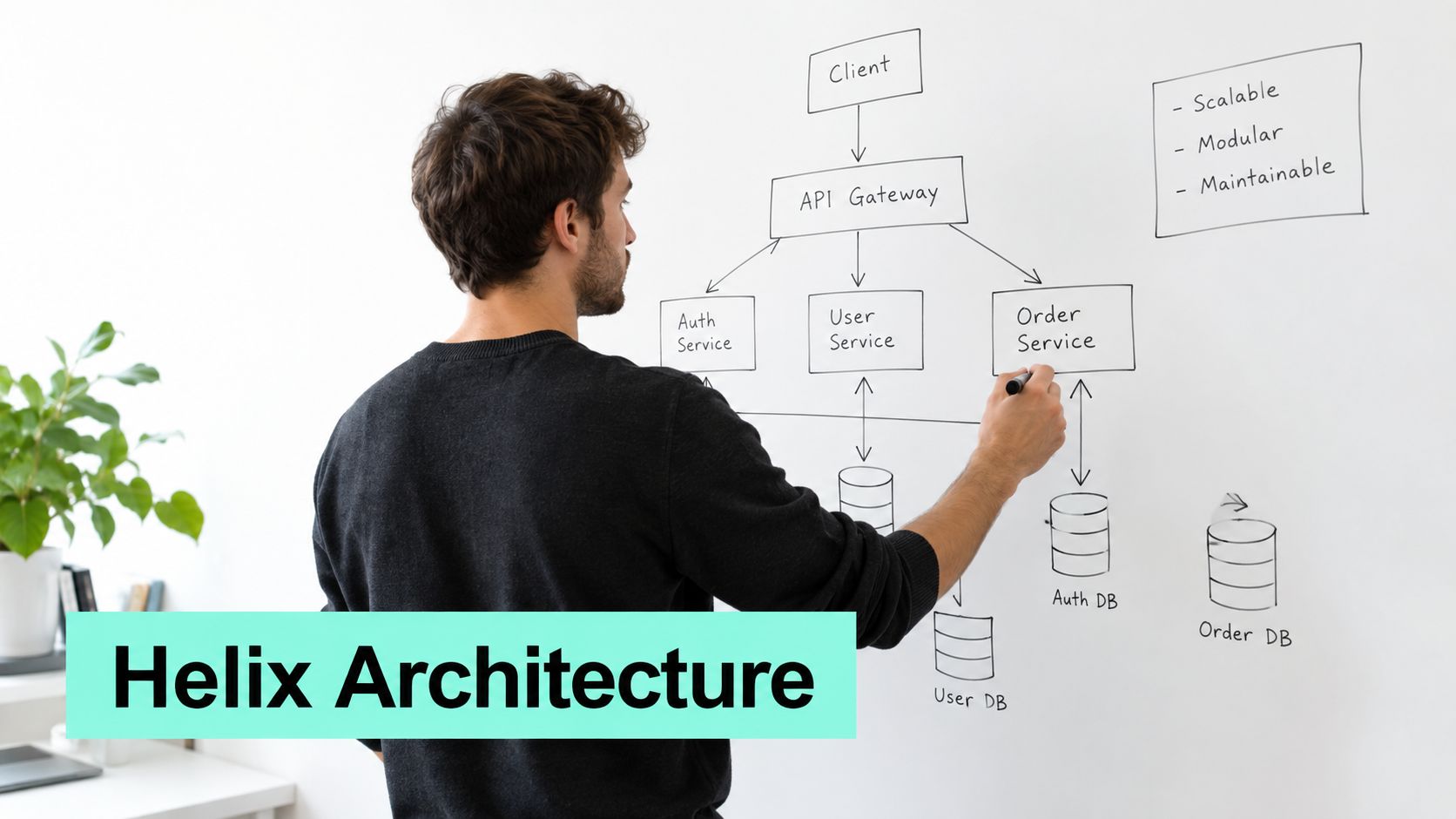
A Helix review should test architectural boundaries, not confirm folder names. For every changed component, reviewers need a clear answer: does it belong in Foundation, Feature, or Project, what does it depend on, and could another site or brand reuse it without inheriting presentation-specific assumptions?
Foundation code should provide stable capabilities that multiple features can share. Feature code should represent a coherent business or experience capability. Project code should assemble and configure those capabilities for one site or brand. A Foundation utility that reaches into Project configuration reverses that direction, creating dependencies that are harder to test, update, and maintain.
Review the boundary and its future cost
Start with the component boundary rather than the changed class. Check for duplicated logic, confirm whether a shared asset belongs in an existing library, and test whether the design supports multiple brands, locales, and site configurations without spreading conditional logic across the codebase.
Apply these checks during review:
- Justify the layer: Require each new Foundation or Feature asset to state its intended reuse, ownership, and reason for placement.
- Show affected dependencies: Add a simple relationship diagram when a change modifies a shared component or library.
- Enforce rules in CI: Use repository-specific linting or dependency checks to flag prohibited layer references before manual approval.
- Record ownership: Maintain the component registry with maintainers, support expectations, and deprecation plans.
- Reassess promotion: Review Project components periodically and move stable, reusable capabilities to Feature when the evidence supports that decision.
The governance threshold should match the risk. Requiring an architecture board for every small Project change slows delivery and turns review into ceremony. Reserve specialist review for shared libraries, cross-layer dependencies, security-sensitive utilities, and changes affecting multiple sites. Teams can also consult Helix architecture design guidance when defining reusable Sitecore structures and ownership rules.
3. Validate XM Cloud Headless Integration Points in Code Review
A headless XM Cloud change can pass a rendering test and still fail in production. The risk sits across content modeling, GraphQL, edge delivery, front-end rendering, and authoring workflows. Sitecore describes XM Cloud as a managed, headless platform with Headless SXA, JSS, GraphQL, Edge delivery, GitOps support, container-based local development, and automatic updates in its XM Cloud introduction.
Review the integration contract before examining implementation details. Trace the component from its schema and query to its Next.js mapping and rendered output. Confirm that the query requests only required fields, and check responses for empty values, unpublished content, language variants, and layout changes. A legacy CMS assumption can create failures when content delivery and application logic are separated.
Use these review questions to expose integration risk:
- What schema, query, rendering parameters, and response shape does the component depend on?
- What output appears when content is missing, a service is unavailable, data is stale, or authorization fails?
- Does the front end own presentation logic while the delivery layer remains distinct from application behavior?
- Could a schema change affect web, mobile, or another consumer?
- Does the change alter personalization or layout data that requires content architecture review?
Shared query libraries reduce duplicated content patterns, but reuse still needs scrutiny. A copied query can request unnecessary fields, increase cache variation, or hide an incompatible schema assumption. Inspect query complexity, caching behavior, error handling, and API versioning. Apollo Client DevTools or an equivalent diagnostic tool can show requested fields and repeated calls. For a high-traffic route, attach query inspection, profiling, or load-test evidence to the review.
Treat the pull request as the contract record. Link the implementation to its schema and expected response, document fallback behavior, and identify affected consumers. Require front-end and content architect approval when fields, layout data, API contracts, or personalization behavior change. Keep routine rendering fixes within the delivery team, while changes to shared contracts receive broader review.
Sitecore's XM Cloud FAQ describes its composable, cloud-native architecture and support for SDKs such as Next.JSS, .NET Core, and Angular. Teams can compare their implementation decisions with this headless Sitecore with JSS in XM Cloud guide while defining review evidence and release gates.
4. Establish SharePoint SPFx Component Security and Compliance Reviews
A department web part can request broader access than its feature requires, turning an otherwise useful SharePoint component into a governance issue. Microsoft documents SPFx permission scopes and their tenant-level impact in its guidance on working with permissions in SPFx solutions. The SharePoint and XM Cloud marketplace overview describes the XM Cloud marketplace offering and its platform context, but it should not be used as evidence for SPFx security claims.
Start the review with the component's data flow. A web part that serves one department should not request tenant-wide read access without a documented operational reason. For Microsoft Graph calls, record the resource, permission scope, identity flow, returned data, and business purpose. Inspect whether tokens, credentials, personal information, or confidential responses reach browser storage, URLs, logs, or client-side diagnostics.
A healthcare intranet component that caches patient information in local storage has a data-handling defect even when its interface behaves correctly. A Power Platform workflow that submits energy-service requests also needs audit evidence for submissions, approvals, state changes, and failures, rather than evidence of only a successful run.
Use a security review record with these checks:
- Permission scope: Compare the manifest with actual operations. Reject broad access unless the pull request explains the need and names the approver.
- Graph requests: Inspect endpoints, filters, pagination, error handling, and safeguards against unintended bulk retrieval.
- Sensitive data: Confirm that personal and confidential information stays out of local storage, query strings, logs, and visible diagnostics.
- Identity flow: Verify that Azure AD or Microsoft identity integration follows the organization's approved authentication pattern.
- Automation behavior: Test Power Platform flows with different identities, data states, denied access, retries, and failed submissions.
- Release evidence: Store permission approvals, exceptions, test results, and deployment decisions with the pull request.
Make permission review a CI/CD quality gate. A pipeline should block promotion when requested scopes differ from the approved manifest, security tests fail, or required approvals are missing. A maintained pattern library can reduce repeated risk by providing approved authentication, API, state-management, and error-handling approaches. Teams can consult these SPFx web part implementation examples when documenting those patterns.
5. Implement Performance and Scalability Baselines in Review Criteria
A release branch is nearing approval when a new XM Cloud headless component adds another API request, a Sitecore AI personalization rule increases rendering work, and an SPFx web part queries more SharePoint records than its list view requires. Without measured baselines, reviewers can approve code that passes functional tests but slows a real journey or consumes capacity unnecessarily.
Set the baseline against your infrastructure and user journeys. Measure the routes, queries, list views, search operations, and personalization paths that matter to the organization. Use evidence from your delivery architecture, traffic patterns, content volume, and hosting model rather than generic industry averages.
Review the performance risk with the change
Use the component's ownership and integration path to focus the review. Helix boundaries should make expensive rendering or data access visible. XM Cloud headless changes need checks for payload growth and request multiplication. Sitecore search refinements require profiling, while SPFx reviews should examine list queries and index assumptions. A personalization component should be tested under representative concurrent demand before entering a release branch.
Record these checks with the pull request:
- Page behavior: Compare rendering, JavaScript execution, layout stability, and critical resource loading with the established baseline.
- API behavior: Inspect response time, payload size, cache usage, retry behavior, and query complexity.
- Data access: Review Sitecore queries, search operations, SharePoint list access, and index assumptions for unnecessary work.
- Capacity behavior: Test representative concurrency and content volume, not only a local dataset.
- Operational impact: Check infrastructure utilization, storage, logging, and transaction cost where the platform exposes those signals.
- Regression handling: Name the approver for any threshold exception and require supporting evidence or a remediation plan.
A Sitecore search change should pause if profiling shows higher result latency that conflicts with the site's Core Web Vitals objectives. A SharePoint list view may need another query or index strategy when it scans unnecessary records.
Automated performance tests should publish results to the pull request, with a dashboard showing trends. After release, compare production behavior with the review prediction. That feedback improves future baselines and keeps performance gates tied to release quality instead of paperwork.
6. Enforce Data Quality and Content Structure Validation in CMS Reviews
A content model serves authors, integrations, search, analytics, Sitecore AI, and front-end applications. A small schema change can therefore break a delivery path that does not appear in the code diff. Before approval, trace each affected field or column to its consumers, headless endpoints, Helix component contracts, and migration behavior.
Consider a Sitecore Article template that gains a new field. If the field is absent from search mapping, analytics or search receives incomplete records. If existing language versions are ignored, publishing behavior can diverge between regional sites. Review field names, types, inheritance, shared versus versioned behavior, language handling, workflow assumptions, and index mapping as one contract.
Use the pull request to capture evidence under these checks:
- Model impact: List every template, field, content type, list, library, index, API, endpoint, and component affected.
- Validation rules: Define required values, permitted formats, fallback behavior, and ownership for new data.
- Migration plan: State how existing content will be transformed, backfilled, reindexed, or kept compatible with the new model.
- Localization behavior: Confirm that values, versions, taxonomy terms, and publishing workflows remain valid across supported languages.
- Governance alignment: Check taxonomy, metadata, retention, naming conventions, and Helix ownership rules against organizational standards.
- Production audit: Schedule periodic checks for content that has drifted from the approved model.
SharePoint reviews must cover lists, libraries, content types, columns, views, retention settings, and information architecture. For SPFx components, include the data contracts and permission assumptions that govern how lists and libraries are consumed. A schema may be technically valid while still conflicting with how employees search, classify, retain, or govern documents.
XM Cloud multisite management and visual authoring increase the cost of unclear shared models. A structure that suits one brand can couple unrelated sites or force every consuming component to interpret convenience fields. Prefer explicit, stable contracts, and require the pull request to identify ownership for each breaking change. This record gives release reviewers a practical basis for approving migrations, rejecting hidden coupling, and maintaining reliable content across sites.
7. Integrate Accessibility and Localization Validation into Standard Reviews
A visually approved component can still fail keyboard navigation, focus management, screen-reader communication, language direction, or translation handling. Catching these defects during the first pull request costs less than repairing duplicated components across Sitecore sites, XM Cloud headless channels, or SharePoint intranets.
Review the rendered experience as well as the implementation. Check semantic HTML, heading structure, accessible names, focus order, visible focus indicators, keyboard-only operation, error announcements, contrast, and responsive behavior. Complex menus, dialogs, forms, carousels, and validation states require manual keyboard and screen-reader testing because automated results cannot confirm whether the interaction makes sense.
Put locale and assistive-technology evidence in the pull request
Localization review must examine translated strings, pluralization, date and number formatting, text expansion, truncation, right-to-left layouts, and cultural assumptions in imagery or interaction patterns. A key that works in English can create an unusable Arabic layout when a component assumes left-to-right text.
Set CI/CD gates for repeatable checks, such as axe DevTools, Lighthouse, or an equivalent scanner. Record the result beside the changed component, define which findings block release, and route exceptions to an owner. A clean scan supports review, but it does not replace human evaluation.
Use this evidence sequence for each relevant change:
- Interaction proof: Show that users can operate the changed flow without a mouse.
- Assistive output: Confirm useful labels, roles, state changes, focus behavior, and error messages.
- Locale proof: Test every supported locale, including formatting, context, text expansion, and right-to-left presentation.
- Regional review: Ask native speakers or regional reviewers to assess language and cultural fit.
- Pattern check: Reuse approved forms, modals, navigation, tables, and notification components instead of creating custom interaction code.
- Real-user testing: Schedule periodic sessions with people who use assistive technologies.
Apply the same gates to Helix components and SPFx web parts, then verify XM Cloud authoring and delivery behavior. Sitecore AI-generated or assisted changes also need these checks before reuse. Fix defects in the shared library or component contract, so every consuming site receives the correction rather than carrying a local patch.
8. Establish Clear Code Review Ownership and SLA Targets
A pull request that waits in an unowned queue can delay a release and weaken the final decision. Route each change to reviewers with the right expertise. A standard component update may need the feature owner, while Sitecore AI behavior, shared Helix code, SPFx permissions, or a content-model migration requires a specialist.
Add risk classification to the pull-request template. Flag changes affecting AI behavior, shared architecture, security boundaries, content schemas, accessibility, performance, or release-critical journeys. Use that classification to set required reviewers, evidence, and escalation paths. A label without those consequences adds little control.
Measure flow without rewarding shallow approvals
A 2024 survey of commercial software teams found that 90% used a change-based review scope, while 59% used at least one specialized review tool. The same state-of-practice survey identified time-to-merge, followed by time-to-accept and time-to-first-response, as the review-efficiency measures developers found most useful. Track these measures alongside review quality and escaped-defect signals, or fast approvals may conceal weak assessment.
Set service targets by risk category. A low-risk text or styling change should not wait for every specialist, while a security-sensitive SPFx change or shared Helix modification needs defined ownership and escalation.
Build coverage into the operating model:
- Name primary and secondary reviewers: Critical areas need backup coverage rather than one point of failure.
- Rotate expertise: Share responsibility for security, AI, localization, and architecture across the team.
- Publish availability: Maintain a reviewer calendar or on-call rotation across time zones.
- Define escalation: Record what happens when a high-risk review receives no response or reviewers disagree.
- Inspect outcomes: Discuss turnaround, rework, skipped evidence, and post-release defects in governance meetings.
Set the target in CI/CD where possible, then report breaches to the responsible owner. Ownership works when routing is explicit, response expectations match risk, and automation exposes exceptions before they affect release quality.
9. Implement Automated Testing Coverage Validation in Code Review Workflows
A pull request changes a Sitecore Personalize rule, an SPFx component, or a search query. The review should show how the test suite detects the risks in that change. Personalize tests should cover relevant visitor and consent states. SPFx tests should exercise permissions, invalid inputs, workflow failures, and recovery. Search tests should include empty and unusual queries, indexing delays, and conflicts with business rules.
Require authors to identify the affected test layers. Unit tests suit isolated transformations and utilities. Integration tests expose contract failures between Sitecore, APIs, search, Graph, and workflow services. End-to-end tests validate the journeys used by marketers, employees, and visitors. A reviewer should ask whether the chosen layer can catch the failure the code might introduce.
Make test evidence part of the pull request
A coverage threshold can block clearly untested code, but it cannot prove that assertions protect meaningful behavior. Superficial assertions may increase the reported percentage while important branches remain unchecked. Use mutation testing, boundary-value cases, contract tests, and failure-path checks where they reveal gaps in business rules or critical utilities.
Set the CI/CD gate around evidence rather than coverage alone:
- Map tests to risk: Select unit, integration, or end-to-end checks based on data sensitivity, integration depth, and release impact.
- Publish results automatically: Display coverage, failed tests, flaky-test history, and changed-file results in the pull request.
- Exercise configuration variation: Test relevant locales, site settings, audience states, permission levels, content versions, and unavailable dependencies.
- Use mutation testing selectively: Apply it to high-impact utilities and rules, rather than adding the cost to every change.
- Maintain reusable fixtures: Provide realistic Sitecore items, Graph responses, SPFx contexts, and workflow states so setup effort does not discourage testing.
- Retire weak tests: Replace flaky or redundant cases with assertions tied to actual release behavior.
The Microsoft code review technology report found that 65% of respondents always read changes before submitting a review, while 48% always ran tests first. Automated gates address that gap when results are easy to find and failure messages explain the required fix. For DXP teams, this makes test coverage a measurable release control instead of a dashboard decoration.
9-Point Code Review Best Practices Comparison
| Item | 🔄 Implementation Complexity | 💡 Resource / Expertise Required | ⭐ Expected Outcomes | 📊 Ideal Use Cases | ⚡ Key Advantages |
|---|---|---|---|---|---|
| Implement Sitecore AI-Aware Code Review Workflows | High, AI behavior, model & pipeline validation | AI/ML reviewers, data QA tools, monitoring | Consistent personalization; reduced model drift ⭐⭐⭐ | Personalization-heavy sites (e‑commerce, finance) | Early bias detection; protects personalization ROI ⚡ |
| Enforce Helix Architecture Compliance in Component Reviews | Medium, layer, dependency, and reuse checks | Solution architects, governance board, CI linting | Reusable, maintainable modular code ⭐⭐⭐ | Multi‑brand/multi‑site platforms, large teams | Faster brand rollouts; predictable structure ⚡ |
| Validate XM Cloud Headless Integration Points in Code Review | High, API contracts, GraphQL, front‑end mapping | XM Cloud + JS framework experts, perf tools | Scalable headless APIs; decoupled front end ⭐⭐⭐ | Headless implementations, multi‑channel delivery | Better API perf; faster front‑end iteration ⚡ |
| Establish SharePoint SPFx Component Security and Compliance Reviews | High, permission scopes, auth flows, compliance checks | Microsoft 365/Azure AD security experts, DLP tooling | Reduced unauthorized access; regulatory compliance ⭐⭐⭐ | SharePoint Online with sensitive data, enterprises | Least‑privilege enforcement; audit readiness ⚡ |
| Implement Performance and Scalability Baselines in Review Criteria | Medium‑High, benchmarks, load testing, infra profiling | Performance engineers, monitoring and load‑test tools | Fewer regressions; predictable capacity planning ⭐⭐⭐ | High‑traffic sites, SLA‑driven services | Measurable SLAs; cost and capacity control ⚡ |
| Enforce Data Quality and Content Structure Validation in CMS Reviews | Medium, templates, taxonomy, index mapping checks | Content architects, taxonomy tools, localization testers | Consistent schemas; reliable search and migrations ⭐⭐ | Multi‑language/multi‑brand CMSs, content‑heavy sites | Reduces content debt; smoother upgrades ⚡ |
| Integrate Accessibility and Localization Validation into Standard Reviews | Medium, WCAG, i18n, RTL and cultural checks | Accessibility specialists, native reviewers, a11y tools | Inclusive UX; legal and SEO benefits ⭐⭐⭐ | Global/regional deployments, public sector | Expanded audience; lower remediation cost ⚡ |
| Establish Clear Code Review Ownership and SLA Targets | Low‑Medium, role definitions, SLAs, escalation flows | Process owners, dashboards, rotating reviewer schedules | Predictable turnaround; fewer bottlenecks ⭐⭐ | Distributed teams, high‑velocity delivery orgs | Reduces wait time; spreads expertise ⚡ |
| Implement Automated Testing Coverage Validation in Code Review Workflows | Medium, coverage gates, mutation testing, reporting | Test engineers, CI tooling, test data environments | Lower defect escape; confident refactoring ⭐⭐⭐ | Quality‑sensitive projects, safety/mission critical apps | Test‑driven quality; reduced manual QA burden ⚡ |
Turn the Checklist Into a DXP Release Control
These practices work best as one staged workflow rather than nine independent approvals. Start by classifying the change. A copy adjustment, a Project-only styling change, a shared Helix library update, an AI personalization rule, an SPFx permission request, and a content-model migration should not travel through identical review paths.
The classification determines who reviews the change and what evidence the author supplies. A Sitecore AI specialist should assess model inputs, configuration dependencies, fallback behavior, and audience impact. A Helix owner should inspect layer boundaries and reuse. A security reviewer should verify SPFx scopes, Graph access, identity flows, and data handling. An accessibility or localization specialist should test the user experience when the component affects interaction, language, or inclusive access.
Automated gates then handle the checks machines perform consistently. Run unit, integration, and end-to-end tests according to risk. Add static analysis, dependency checks, permission validation, accessibility scans, schema validation, and performance tests to the relevant pipelines. Keep deterministic checks out of lengthy human discussions. Reviewers should spend their limited time on architecture, intent, trade-offs, and behavior that automation can't reliably judge.
The final review should verify more than the changed files. Ask whether the change affects content templates, indexes, search, personalization data, permissions, shared components, locales, publishing workflows, or downstream consumers. For XM Cloud, inspect API contracts and front-end mappings. For SharePoint, inspect information architecture, Microsoft Graph use, Power Platform triggers, and audit requirements. For both, check the release and rollback path.
Record the outcome in a form future teams can use. Capture the risk category, reviewers, automated results, exceptions, migration decisions, and follow-up monitoring. This creates governance evidence without turning every pull request into a document-heavy ceremony. It also supports the long-term value of review. Research on industrial and student reviews found that 75% of defects identified during review did not affect visible functionality, with many findings improving evolvability and maintainability, as reported in the IEEE study on code review effectiveness. That is exactly why enterprise teams should review clarity, ownership, documentation, and architectural consistency alongside correctness.
Start with one shared pull-request template and a small set of risk labels. Run the process on representative Sitecore and SharePoint changes, then use quarterly governance reviews to remove questions that never produce useful decisions and add controls for recurring failures. If internal capacity is limited, Kogifi can support platform audits, code-quality reviews, Sitecore XM Cloud and Helix delivery, Microsoft 365 and SharePoint implementations, CI/CD quality gates, accessibility remediation, and enterprise DXP modernization.
Kogifi helps enterprise teams design, build, audit, and maintain Sitecore XM Cloud, Helix, Microsoft 365, and SharePoint platforms with review practices tied to security, accessibility, performance, and release governance. Visit Kogifi to discuss a platform audit, specialist review workflow, or DXP delivery team for your next change.