



81% of brands said they understood their customers. Only 46% of consumers agreed. That single mismatch explains why enhancing client experience keeps missing, even on platforms with strong personalization, AI, and testing tools. The problem isn't a missing widget. It's disconnected data, weak consent controls, and teams shipping variants they can't prove helped anyone.
Table of Contents
- Consent Controls That Customers Can Actually Use
- Keep AI Reversible and People Reachable
- Engineer Recovery Before the Failure
Why Enhancing Client Experience Still Misses
Stop treating this as a design problem. It's an operating problem.
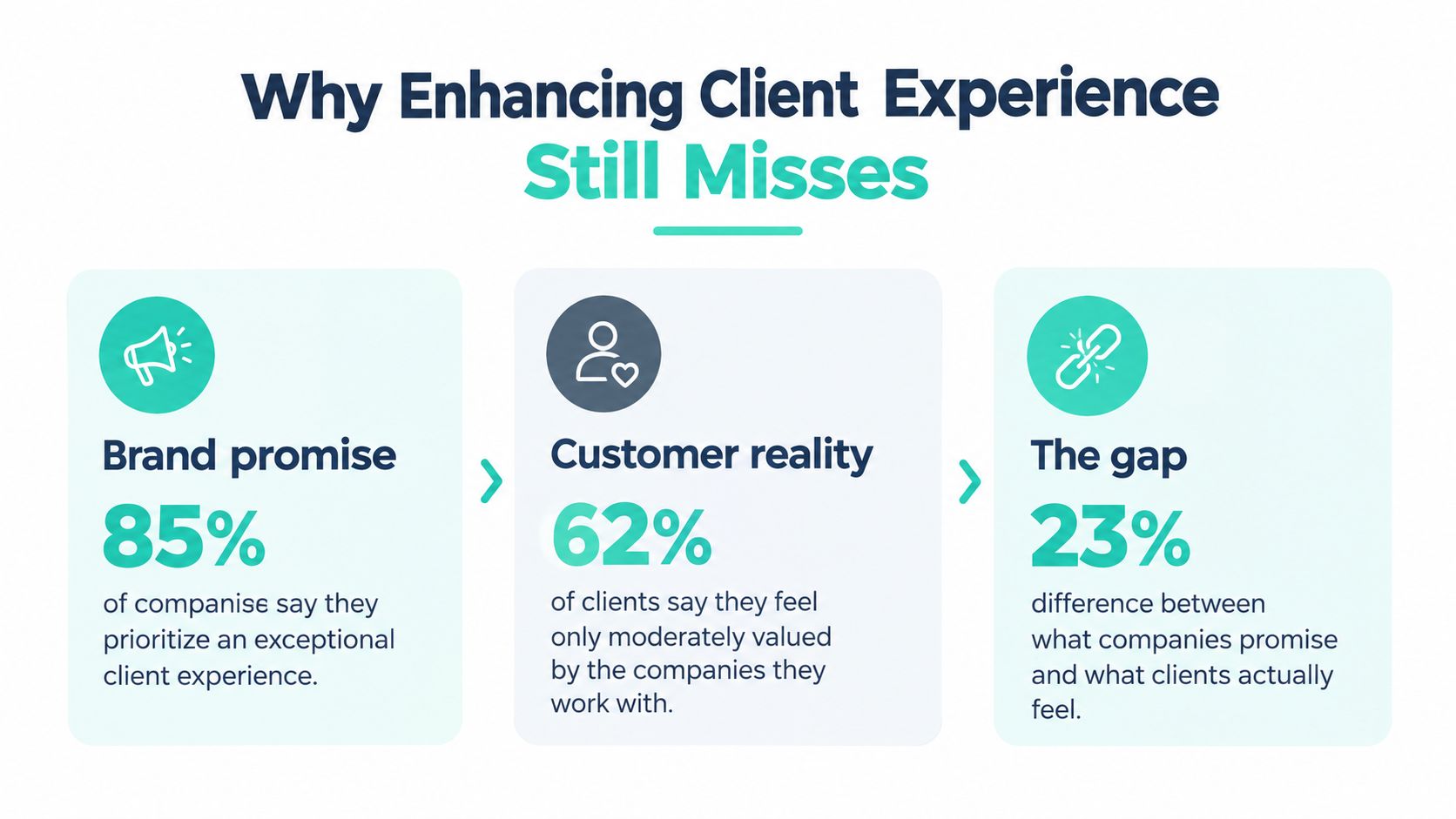
Twilio surveyed 4,750 business leaders and 6,300 consumers across 18 countries, and found 81% of brands claimed a deep understanding of customers while only 46% of consumers agreed, 81% of brands rated their engagement good or excellent versus 62% of consumers, 64% of consumers would leave a brand if the experience wasn't personalized, 40% searched elsewhere when brands failed to personalize in real time, and 31% bought from another brand, as shown in Twilio's 2024 State of Customer Engagement report.
Read that carefully. Customers aren't asking for more messages. They're asking for recognition that works at the moment they're trying to finish something.
The Data Behind the Experience Is Thin
Many teams can't deliver that recognition because the profile underneath is incomplete. In the same Twilio study, only 16% of brands strongly agreed they had the customer data needed for understanding and only 19% strongly agreed they had complete customer profiles, a gap documented in the study findings cited above.
That matters on real estates. A multilingual site personalizes by market, a portal personalizes by account, and a content platform personalizes by topic. If identity, consent, and taxonomy don't match across those surfaces, the customer gets three different versions of your company. One page remembers them. The next asks them to start again.
Don't buy another personalization feature until you can explain which data source feeds it, which consent permits it, and which owner can turn it off.
Close the Feedback Loop Before You Scale
You also need evidence from the live journey, not only workshop opinion. Behavioral analytics tells you where people stopped. Direct comments tell you why they felt the experience failed. Combining both is why collecting feedback on live websites from PinDrop is worth reviewing alongside your analytics, since it connects feedback collection to the pages customers use.
- Profile gap: Your team can't personalize reliably if identity and consent records don't resolve across channels.
- Context gap: A correct name on the wrong offer still feels careless, and customers notice.
- Governance gap: Regional teams publish variants nobody owns, measures, or retires.
Fix those three gaps first. Sitecore AI can help you produce governed variants, and SharePoint can help employees find the right internal answer. Neither compensates for a profile you shouldn't trust.
Ground Personalization in Sitecore Stream
Use Sitecore Stream as a governed production system for brand-grounded content, controlled experiments, and human review. Its capabilities include brand-aware AI, copilots and agents, and agentic workflows. Teams can upload brand books and guidelines to ground generated content in approved messaging, as described in Sitecore's Stream documentation.
Start with the source material, not an empty prompt. Load current brand guidelines, tone rules, product terminology, and market constraints approved by legal and brand teams. Then create variants for review. This keeps content generation connected to the standards teams must enforce, rather than leaving marketers to resolve voice and compliance issues after a draft is produced.
A Production Rule Your Team Can Follow
Set permissions and ownership before campaign work begins. Stream supports role-based permissions, a personalized My day dashboard, project tracking, task creation, deliverable recommendations, and campaign-brief generation. Use those controls to define who creates and approves content, and which deliverables serve each market.
- Load the brand context: Add current guidelines and remove retired documents so outdated messaging does not reappear.
- Assign the work: Create project tasks with named owners and clear market and language responsibilities.
- Generate within the guardrails: Draft short-form or long-form content, variants, and translations against the approved context.
- Approve before activation: Keep human approval between generation and activation in a CDP or Sitecore Personalize.
Stream's published tiers list capabilities spanning brand kits, brand-kit APIs, unified brand context, connections to a team's own AI, brand assistance, brainstorming, short- and long-form assistance, variant and translation assistance, code assistance, content extraction, grounded image tagging, visual search, generative insights and Q&A, orchestration, collaboration, and task or deliverable recommendations. Check Sitecore's Stream tiers page to match capabilities to your production needs.
| Group | Named capabilities | Experience job |
|---|---|---|
| Brand-aware AI | Brand kits, brand-kit APIs, unified brand context, connect your own AI | Keep market variants within approved messaging |
| Copilots and agents | Brand assistant, brainstorming, short-form and long-form help, variant and translation assistance, code assistance, content extraction, grounded image tagging, visual search, generative insights, generative Q&A | Draft, adapt, find, and explain content |
| Agentic workflows | Orchestration, collaboration, task and deliverable recommendations | Route briefs and approvals while keeping ownership clear |
Why Grounding Is Not Optional
Boston Consulting Group surveyed 23,000 consumers in December 2024. Approximately four-fifths were comfortable with personalized experiences, and most expected companies to provide them. Yet two-thirds had encountered a personalized interaction they considered inaccurate or invasive and ended it, according to BCG's research on what consumers want from personalization.
Relevance only helps when it respects the customer and the brand. Ground each Stream variant in approved documents, and use profile data only when its permissions support the intended use. Keep human reviewers responsible for judgment calls and escalation; AI should not decide how to handle sensitive or ambiguous customer situations. For practical guidance on building personalization with Sitecore Personalize, see a practical path to better personalization with Sitecore Personalize.
Measure Journeys and Component Tests
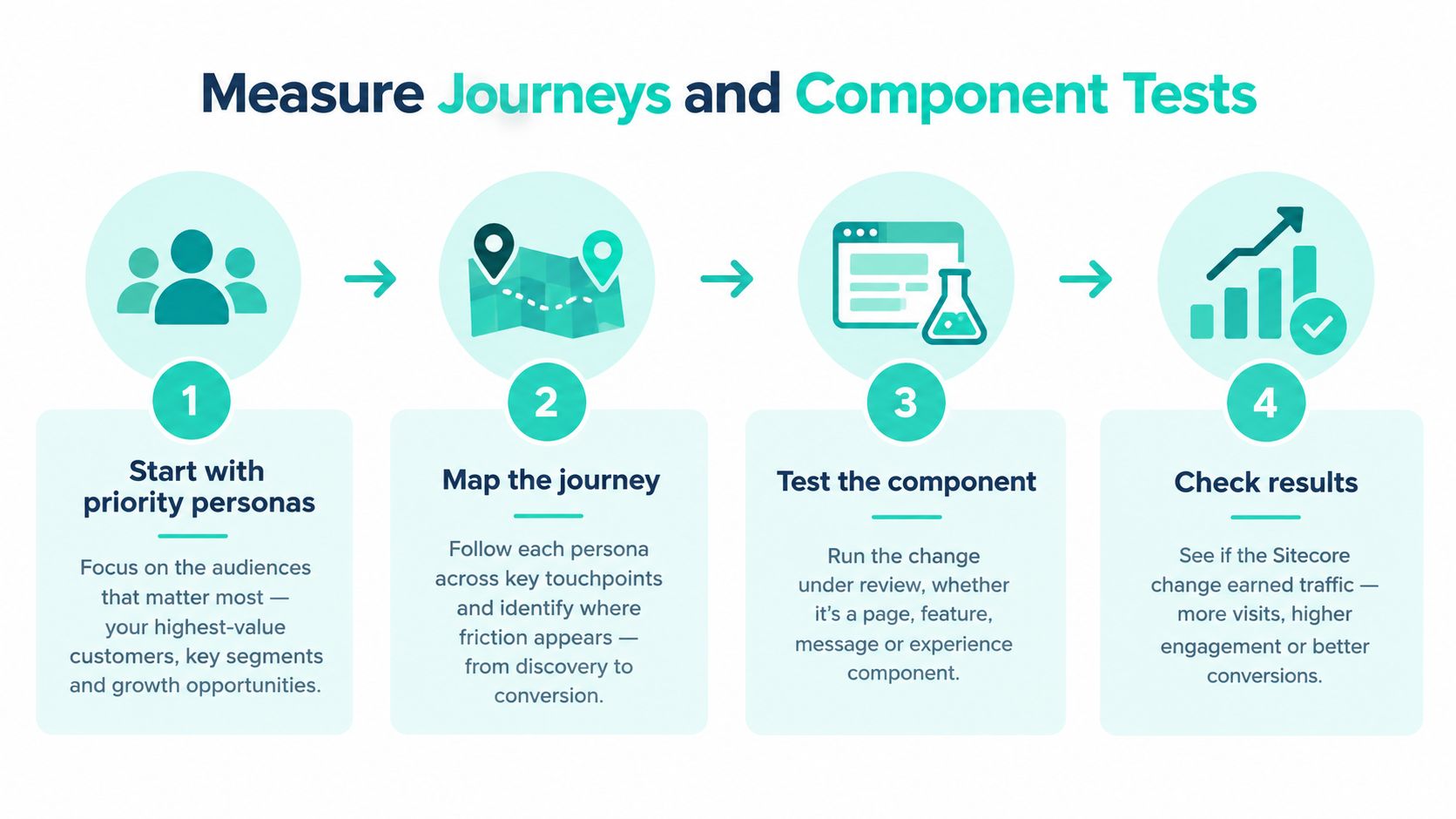
Component tests improve customer experience only when they address a mapped point of friction. Testing a button while customers abandon the previous step wastes traffic and time.
Map the journeys that affect revenue or service costs. For each priority persona, document acquisition, onboarding, service, renewal, and advocacy. Instrument each stage with completion rate, abandonment, time to resolution, contact rate, retention, cross-sell, upsell, NPS, and NPS response rate.
Then rank friction by customer impact, frequency, and remediation effort. Give each issue one owner, release a controlled fix, and compare observed behavior before and after. Keep the decision tied to the whole journey, not a single page metric.
Coverage Beats a Beautiful Workshop Map
A SiriusDecisions benchmark covered organizations that mapped more than 40% of key customer personas. It reported that 49% had retention above 90%, 28% cross-sold to more than half their base, and 37% upsold to more than half. It also found 40% had improved NPS by over 20% in the previous 18 months, and 45% had increased NPS response rates by over 20%, as summarized in Forrester's discussion of journey mapping and customer experience.
The practical lesson is to map enough of the customer base to expose recurring friction. A single executive persona will miss issues such as a distributor unable to reorder in a second language or an account user unable to find service status. Connect journey stages to analytics events, CRM identities, search behavior, content variants, and service data. For the event model, use analytics structured around the customer journey, not page-level reporting alone.
Use the walkthrough below to align journey stages with the measures attached to each stage.
Put XM Cloud Tests on Top of the Map
Once the map identifies a specific failure, test the component driving it. XM Cloud A/B/n testing lets marketers compare multiple component variants, control traffic allocation, and automatically serve the best-performing variant. Sitecore describes this capability in its 2025 platform announcement.
Sitecore positions XM Cloud as the core platform, with entry-level access to CDP and Personalize, Search, and Content Hub. Stream remains part of XP and XM. Use each product for a defined job: Stream helps create a brand-grounded variant, and XM Cloud tests its performance. Let CDP and Personalize activate a winning variant only when identity and consent are reliable. Keep human review in the approval path when an experiment could affect sensitive decisions or customer trust.
Decision rule: A variant that wins the click but increases contact rate or downstream abandonment has not improved the journey.
Avoid four common mistakes: mapping internal processes instead of customer journeys, covering too few personas, reporting NPS without response rate or behavioral context, and launching personalization before data quality and consent controls are in place. Multi-brand and multilingual programs need consistent taxonomy, components, and tracking definitions across markets. Otherwise, teams may compare results that do not mean the same thing.
Choosing Sitecore or SharePoint for the Job
Choose platforms by audience, task, and governance boundary. Sitecore should run branded customer journeys; SharePoint should support employee work inside Microsoft 365. Keep those roles distinct, then connect identity, taxonomy, and analytics where the journeys intersect.
Use Sitecore XM Cloud or XP for customer and partner experiences where brand presentation, content, and journey measurement matter. A headless Next.js front end, Helix component libraries, and a multi-brand hub-and-spoke model let central teams govern reusable components while regional teams manage local content. Keep personalization grounded in approved brand content and customer signals. Use AI to assist with governed content work, not to make unsupported promises or take sensitive decisions away from people.
Use SharePoint Online for employee tasks and internal resources in Microsoft 365. Put intranets, knowledge libraries, approval flows, and internal communications there. SPFx components extend the interface, while Power Platform automations and Microsoft 365 integrations connect workflows and resources.

Decide by the Job, Not by License Ownership
- Public conversion: Put the landing page, product content, and relevant customer journey in Sitecore.
- Authenticated customer content: Keep it on Sitecore when branded presentation, personalization, and search shape the experience.
- Employee knowledge: Use SharePoint for policy libraries, onboarding checklists, and internal announcements.
- Internal workflow: Use SharePoint with Power Platform when the outcome is a completed request or approval.
- Partner enablement: Split the work. Use Sitecore for public discovery, and SharePoint for document collaboration and controlled internal resources.
A license does not make a platform the right fit. SharePoint alone does not provide Sitecore's component and personalization model. Sitecore is a poor choice for recreating document collaboration employees already use in Microsoft 365. Compare options against audience, governance, and integration requirements using a structured comparison of CMS systems.
One Backlog, Two Clearly Separated Lanes
Kogifi is a Sitecore Silver Partner that also delivers Microsoft 365 and SharePoint. Its delivery record includes 70+ DXP projects, 12+ years in operation, 50+ specialists across the USA, Europe, and the Middle East, and 2025 Sitecore Digital Impact Awards for Market Trailblazer and Intelligent Tech Stack. These details indicate delivery scale, not that one provider or platform fits every organization.
Manage the work in two connected lanes. Sitecore teams own experience variants, search, and CDP events. SharePoint teams own knowledge pages, SPFx work, and workflow automation. Review identity, taxonomy, and analytics across both lanes so employees and customers receive consistent answers. Keep consent decisions aligned with the relevant audience and journey.
Tips for Trust Recovery and Human Oversight
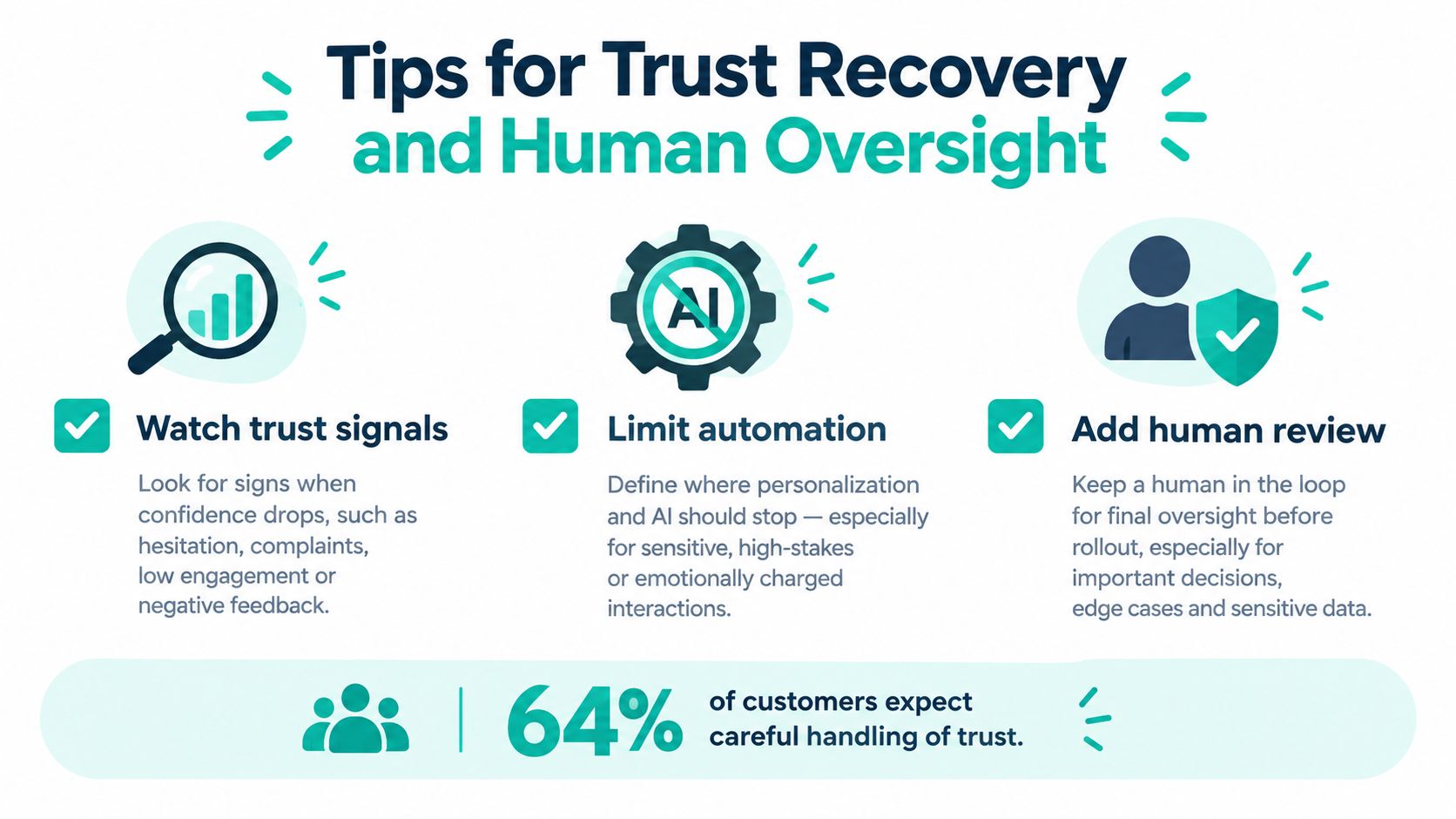
A useful personalization program needs a clear stop rule. If the data or recommendation would surprise a customer, suppress it and offer a relevant, contextual experience instead. Treat trust recovery as part of the Sitecore AI operating model, with brand-grounded content, controlled component experiments, and a clear route to a person.
Qualtrics found 64% of consumers prefer personalized experiences, while only 27% are comfortable with companies using unsolicited data for personalization. Only 26% trust organizations to use AI responsibly, and 51% worry about losing access to a human agent, according to Qualtrics' 2025 consumer experience trends announcement. Build for that tension rather than assuming more personalization will improve every journey.
Consent Controls That Customers Can Actually Use
Give customers a preference center that shows what information you hold, why you use it, and how they can change their choices. Use progressive profiling to request one relevant detail at the right moment, not a long form at the start. Explain recommendations in plain language, and configure suppression rules to block targeting when the source data could feel unexpected, even where use is legally permitted.
Test the respectful option against opaque behavioral targeting. For example, compare a recommendation based on the current task or selected market with one driven by less visible behavioral signals. Measure completion and repeat contact alongside conversion. Before activating personalization, review how a consent management platform supports compliant personalization and make consent rules enforceable across the experience.
Keep AI Reversible and People Reachable
A 2025 survey of approximately 10,000 consumers across ten countries found 52% were comfortable relying on personal AI assistants for everyday tasks, while 67% would share personal data only with strong privacy protections. Security and privacy led adoption conditions at 57%, followed by transparent decision-making at 48% and human oversight or support at 46%, according to Zendesk's global survey on trust in personal AI assistants.
PwC's 2025 U.S. survey found 58% were only somewhat or not at all comfortable using AI tools to engage with brands. Set clear boundaries. Disclose when a customer is interacting with an assistant, establish confidence thresholds for handoff, and keep money movement, account changes, eligibility decisions, and other irreversible actions with authenticated staff. Let customers review and correct AI output. Track harm, escalations, and corrected answers, not only containment.
Automation should make the human easier to reach for the moments that matter, not hide the human behind another menu.
Engineer Recovery Before the Failure
Define the recovery sequence before a failure occurs: detect it, acknowledge it promptly, explain the cause or next step, provide an equitable remedy, restore service, and check whether the customer is satisfied. Research on mobile and lodging recovery found that an apology alone was the least effective intervention, while quality improvement had the strongest durable effect. Joint recovery within 30 minutes outperformed slower options tested at two hours, according to research on service recovery interventions.
Track time to acknowledgment, time to resolution, repeat-contact rate, compensation cost, recovery satisfaction, churn, and recurrence. Communicate before the issue is fully resolved. Keep the remedy consistent across the website and support, fix the underlying cause, and confirm that the customer experienced the improvement.
A Practical Next Step for Your Program
Choose one persona and one broken moment for the next delivery cycle. Keep the scope narrow enough to govern, test, and measure.
Start with a concrete case: customers abandon an onboarding step, repeat a support question after checking the help page, or receive a regional product page based on data they did not knowingly provide. For an employee journey, identify the knowledge gap that leads service agents to give inconsistent answers.
Before anyone configures Sitecore or SharePoint, document the decision:
- Persona and moment: Name the affected person and the exact step that fails.
- Data source: Specify the profile, event, document, or service record that supports the change.
- Brand grounding: Identify the approved brand kit or source document for content variants.
- Surface: Name the Sitecore component or SharePoint page to change.
- Owner: Assign one person with authority to approve, pause, or retire the work.
- Measure: Set a baseline for completion, abandonment, resolution time, contact rate, or recovery satisfaction.
Classify the Sitecore change before release. A Stream-assisted content variant needs brand review. An XM Cloud component test needs traffic allocation and a clear success measure. A suppression rule should stop an experience that no longer fits. Treat each as a distinct release, and handle consent corrections directly rather than burying them in a content ticket.
For an internal problem, specify the SharePoint library, SPFx component, or Power Platform flow. Define the employee task to improve and the customer-facing error it should prevent. Better internal findability improves the client journey when agents depend on that content to answer accurately.
Bring the documented case to a working session with Kogifi at Kogifi's website. Put the persona, failing metric, and current consent model on the table. Test the proposed scope against your XM Cloud or XP delivery needs, SharePoint Online setup, platform condition, performance, and multilingual or accessibility requirements.
The output should be a scoped change, a named owner, and a measure. Start there, not with a platform tour or a feature-led roadmap disconnected from a customer moment.