


Three requests arrive in the same week. Marketing wants AI-assisted page publishing live before the next launch. IT wants the Sitecore estate upgraded before the version you run drops out of support. Someone in HR wants the intranet rebuilt because nobody can find the travel policy. Each one looks like a project. Each one is really a question about who owns what, and which numbers will prove the decision was right.
A bigger budget doesn't answer any of those questions. An operating model does: a named owner for shared components, a release pipeline that can roll back, metrics that separate speed from stability, and a defensible rule for what happens when an assistant writes the code.
That is the frame for this guide. Enterprise software development is an operating problem before it is a technology choice, and the two platforms most large organizations end up weighing against each other, Sitecore and Microsoft SharePoint, make the trade-offs unusually concrete.
Table of Contents
- What Enterprise Software Development Covers
- Monolith, Headless and Composable Architectures Compared
- Choosing Between Sitecore, SharePoint and Other DXP Platforms
- Sitecore AI Portfolio, Copilots and Agentic Studio
- Governance, Reuse and Delivery Metrics That Hold Up
- Migrating Legacy Platforms Without Running Two Estates
- Securing the Lifecycle and Governing AI-Generated Code
- Confirm Your Delivery Model Before You Sign
What Enterprise Software Development Covers
A marketing director needs one campaign page for a September launch. It's March. The page sits in a queue behind four other requests because all five brands share a single codebase, and every change, however small, waits for the same release train. Nobody in the room is being slow on purpose. The architecture chosen three years ago is doing exactly what it was built to do: keep everything consistent by keeping everything coupled.
Enterprise software development is the work of building and running software for large organizations. In practice that means many users, several brands or regions, integrations with systems nobody wants to touch (ERP, CRM, identity, payments), security and audit obligations, and maintenance that often runs a decade past launch day.
The closest everyday comparison is a kitchen. A startup app is a food truck: one cook, one menu, and if the fryer breaks you close for the day. An enterprise platform is a hospital kitchen, with inspection rules, supply contracts, dietary requirements per ward, shift handovers and a written procedure for what happens when the freezer fails at 3am. Both produce meals. Only one gets audited.
Three cost centres dominate most enterprise budgets, and none of them is licences.
- Change delivery: every brand, language and channel change runs through the same reviews, tests and release gates, so cost per change only falls when components get reused instead of rebuilt.
- Integration upkeep: identity, ERP, CRM, payments, search and analytics each need an owner, a contract and a test path, and vendors retire APIs on their own schedule, not yours.
- Security and audit: supply-chain provenance, access reviews, accessibility conformance and data-protection obligations apply to every release, not once a year.
Those costs scale faster than headcount because each new brand, language or channel multiplies dependencies rather than adding to them.
The scale is not in doubt. Gartner's 2025 forecast put worldwide software spending at approximately $1.232 trillion in 2025, 10.5% growth on 2024. And the labour force behind it is corporate, not startup: Stack Overflow's 2017 Developer Survey, which analysed 51,392 responses from 213 countries and territories, found only about 9% of respondents worked at startups, while 84% had at least some post-secondary education. Most of this work happens inside organizations with governance, release management and a ten-year maintenance horizon.
Read the sections that follow in the order decisions land: architecture first, then platform choice, then the Sitecore AI portfolio, delivery metrics, migration, security, and finally the delivery model that runs it all.
Monolith, Headless and Composable Architectures Compared
Five brands share one codebase. A CSS fix is ten lines, and the release still waits on a shared window because regression has to run across every brand. Architecture is an operating choice: ownership, release cadence and the governance you can staff decide cost and speed long before a vendor demo does.
| Architecture | How it is built | Best for | Main trade-off |
|---|---|---|---|
| Monolith | One codebase and one deployment unit | Smaller estates with few channels | Releases slow down as scope grows |
| Headless | Content served by API to separate front ends | One CMS feeding websites, apps and kiosks | More integration work to maintain |
| Composable | Content, search, personalization and commerce run as independent services | Large estates that change one capability at a time | More services, vendors and governance overhead |
| SaaS composable (XM Cloud, SitecoreAI) | Managed composable platform hosted on Azure | Teams that want less infrastructure and faster launches | Less control over the hosting stack |
Monolith. Content and presentation ship together. One team, one site, a deployment measured in minutes: that is the case it still wins. Scope growth changes the math. Five brands on one codebase means a CSS fix for one brand triggers regression across all five, so release frequency drops even when the change is small.
Headless. Content sits behind an API and feeds the website, the app, in-store kiosks and a partner portal on separate release cadences. The coupling moves to integration. Each front end needs its own build, caching strategy and contract tests against the content API. Channel independence is real. So is the upkeep.
Composable. Content, search, personalization and commerce become separate services with separate owners. You can replace search without touching content. You also inherit more vendors, more identity hops and a harder governance question: who declares a component canonical. Speed arrives after those owners and reuse rules exist, not when the services are switched on.
Where SitecoreAI fits
SitecoreAI was announced in October 2025 as an evolution of XM Cloud, built on Microsoft Azure as a composable SaaS platform that combines content management, customer data, personalization and search. Its Agentic Studio launched with 20 AI-powered agents covering campaign planning, content migration, production and testing, and marketers and agency partners can build custom agents and multi-step Agentic Flows through visual, no-code tools.
That places it in the last row of the table: you get composable capability without owning the infrastructure underneath it.
Four tests before you pick a row
Channel count, release frequency, integration count and in-house skills decide more than any vendor demo. Two channels and monthly releases fit a monolith comfortably. Six channels, weekly releases and a .NET team with no JavaScript depth is a different answer than the same estate with strong TypeScript skills, because Next.js front ends are the default delivery pattern for headless Sitecore and they need people who can maintain them.
The honest test: if nobody can name the owner of your search service, your personalization rules and your component library, composable hands you three new problems with better dashboards.
Composable architecture adds services and vendors before it adds speed. Write the reuse rules and component ownership first, or you will operate four platforms where you used to operate one.
Choosing Between Sitecore, SharePoint and Other DXP Platforms
| Platform | Best for | Distinctive capability | Watch out for |
|---|---|---|---|
| Sitecore XP | Complex on-premises or hybrid estates needing full control | Personalization based on historical xDB behavior data | Manual scaling and higher upfront cost |
| Sitecore XM Cloud and SitecoreAI | Teams wanting a headless SaaS build and faster launches | Managed Azure SaaS with Next.js front ends and a built-in AI layer | Less infrastructure control; JavaScript/TypeScript skills needed |
| Sitecore Content Hub | Asset-heavy content operations across brands | Visual search, AI alt-text and field-level translation | Adds a content-operations layer that needs governance |
| SharePoint Online | Intranets, employee portals and internal workflows | SPFx components and Power Platform automation | Site and permission structures must be planned early |
The graphic below sets the same choice out by the job each platform does best.
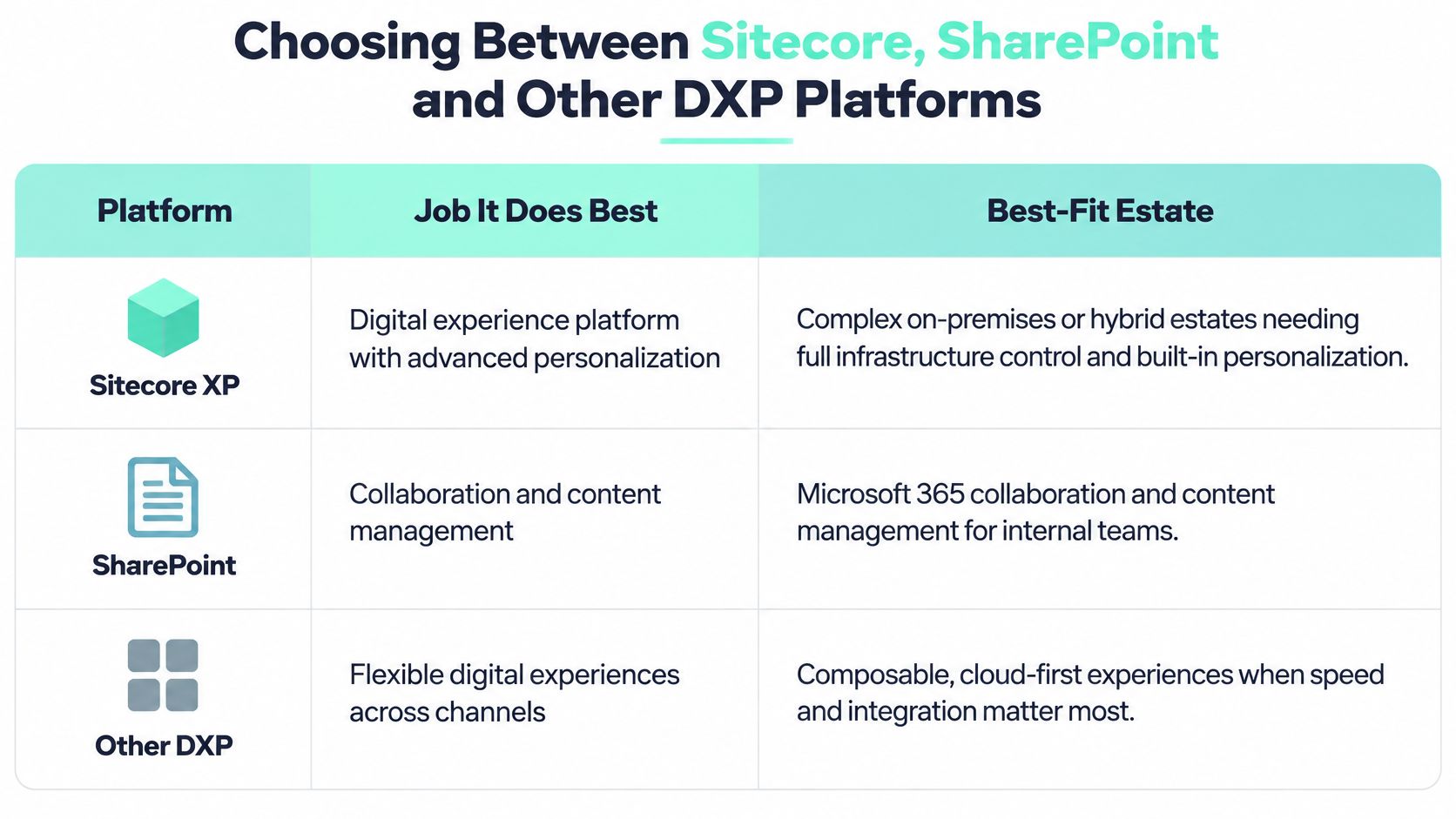
Sitecore and SharePoint aren't really competitors. They overlap in file storage and page publishing and diverge everywhere else, which is why the wrong choice shows up as cost rather than as failure.
Sitecore XP earns its place where infrastructure can't leave a private data centre and personalization runs on accumulated behaviour. The FANUC website uses the Sitecore Experience Database (xDB) to collect data for personalized experiences based on customer behavior, which is the pattern XP was designed for: gather behaviour over time, then target from it. The price of that control is manual scaling and a heavier build. Kogifi implements and maintains Sitecore for utilities, finance and B2B companies, and those estates usually stay on XP only while a compliance constraint holds them there.
XM Cloud and SitecoreAI suit organizations that want a headless build with Next.js front ends, launches measured in weeks and Sitecore-managed scaling. The AI surface spans Sitecore Stream copilots, Content Hub's asset tooling and Agentic Studio's campaign workflows.
The economics are documented, with a caveat. A Sitecore-commissioned Forrester Consulting Total Economic Impact study reported 371% return on investment over three years for XM Cloud adopters, plus a 50% improvement in digital conversions, 60% improved digital-marketing effectiveness and 40% time savings for website operations (Sitecore's summary of the study). It is vendor-commissioned research, so read the percentages as the vendor's own case and check whether its baseline resembles your estate before you put them in a business case.
SharePoint Online wins a different contest. Intranets, employee portals, policy libraries, approval workflows and Microsoft 365 integration are its home ground. Build with SPFx web parts rather than classic script embeds, use Power Platform for approvals and forms, and decide the site and permission structure before content lands. Retrofitting governance onto hundreds of subsites is a rewrite, not a cleanup.
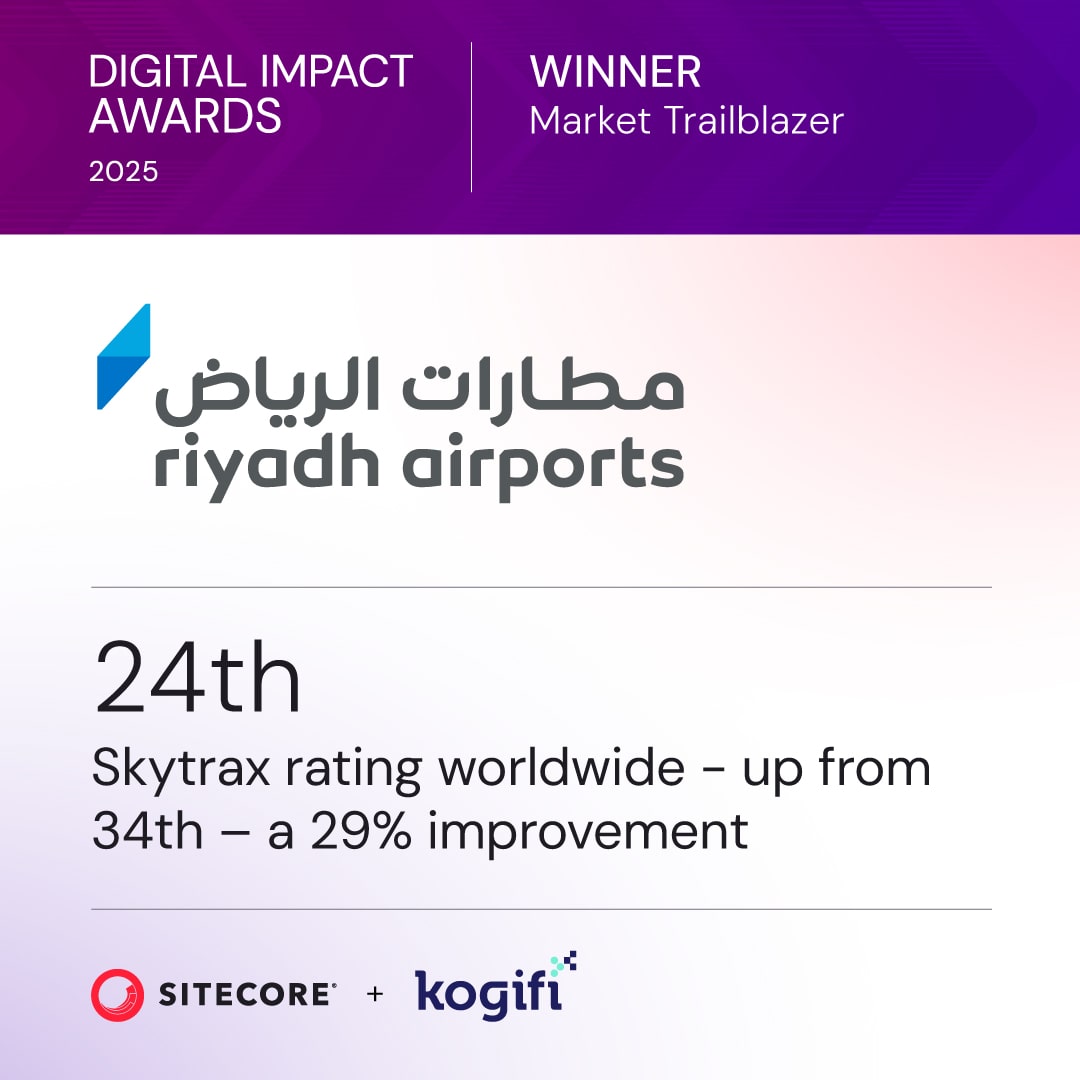
Two implementations show how differently these run in practice. Kogifi rebuilt the legacy intranet of Riyadh Airports Company as a bilingual English/Arabic SharePoint Online root site, where language has to be designed into the site hierarchy rather than bolted on afterwards. For E.ON Polska, we introduced a Helix-based Sitecore architecture and upgraded the my E-ON portal over a nine-month implementation, which is a content and integration programme with a release train attached, not a redesign with a CMS swap at the end.
Choose Sitecore when content and personalization carry revenue. Choose SharePoint when employees and knowledge carry the working day.
Sitecore AI Portfolio, Copilots and Agentic Studio
| Capability | Where it lives | What it does |
|---|---|---|
| Brand-aware assistance | Stream Brand Copilot | Conversations, brainstorming and brief generation that follow brand rules |
| Content creation and refinement | Stream Content Copilot | Drafts, edits, translates and applies grounded image tagging in Content Hub |
| Visual asset search | Stream Experience Copilot and Content Hub | Finds assets by color, text description and other visual cues |
| Field-level generation | Content Hub | Creates, shortens, expands, summarizes, retones, spell-checks and translates text in single-line, multiline and rich-text fields |
| Accessibility metadata | Content Hub | AI-assisted contextual alt text on assets |
| Campaign orchestration | Agentic Studio | Agents and no-code multi-step flows that run from briefing and experimentation to publishing and optimization |
Sitecore Stream is the product-embedded AI layer across the portfolio rather than a separate generic chatbot. Its documented capabilities are brand-aware AI, copilots and agents, and agentic workflows. The Brand Copilot handles brand-aware conversations, brainstorming and brief generation. The Content Copilot creates and refines content, translates it, runs grounded image tagging in Content Hub and adds AI-assisted generation inside Experience Platform. The Experience Copilot covers visual search in Content Hub and question-and-answer generation in Sitecore Search. Prompts can be natural language or predefined, and the resulting action can be chat-based, one click or autonomous.
AI in Content Hub is more mechanical and, for regulated brands, more useful. Visual search locates image assets using color, text descriptions and other visual cues. Metadata enrichment suggests relevant and consistent tags. AI-assisted alt-text generates contextual alternative text. Content-generation tools create or refine copy, shorten, expand, summarize, change tone, check grammar and translate at field level. That last set is what makes localization and accessibility programmes cheaper rather than just faster.
The vendor-commissioned Total Economic Impact study attributes its operational gain mainly to SaaS deployment speed and cross-channel personalization, not to AI. Treat the AI layer as a multiplier on a platform that already ships changes quickly, never as the reason a slow platform gets faster.
Governance, Reuse and Delivery Metrics That Hold Up
Enterprise delivery needs two dimensions measured at once, and the DORA metrics framework defines both. Throughput covers deployment frequency, change lead time and failed-deployment recovery time. Instability covers change-fail rate and deployment rework rate. Change lead time runs from the version-control commit to a successful production deployment. Change-fail rate counts deployments that need immediate intervention, such as a rollback or hotfix.
Keep those separate and a familiar trap becomes visible. Release frequency can climb for two quarters while emergency fixes climb with it, and a dashboard showing only deployments looks like progress.
Instrumenting it without inventing work
- One identifier everywhere: carry a common deployment ID through the CI/CD pipeline, the deployment system, the incident platform and rollback records, so a failure can be traced to the change that caused it.
- Medians and percentiles: averages hide the long tail that annoys stakeholders. Report both, and segment by product, team and change type.
- Recovery separately from failure: how often something breaks and how quickly you recover are different capabilities, so don't blend them into one number.
- Rework on CMS estates: on Sitecore and DXP platforms, configuration and integration corrections eat capacity without ever appearing as planned feature work, which is exactly what deployment rework rate exposes.
Reuse only moves the cost once. A shared component library (Helix-based Sitecore components, or SPFx web parts on the Microsoft side) needs a named owner, semantic versioning and a review board that can say no. Without those three, the library becomes a folder of copy-paste with better documentation, and the governance model behind design system governance across multiple brands is what keeps it from drifting.
Where the hours actually go
Information discovery is a measurable line item. In Stack Overflow's 2022 Developer Survey, which collected 73,268 qualified responses from 180 countries and territories, 62% of respondents spent more than 30 minutes a day searching for answers or solutions, which is more than 6% of an eight-hour day before meetings, testing or support. Documented APIs, an internal knowledge base and platform standards pay back quickly against that number.
Testing discipline is the other lever. Kogifi tests custom code, OSGi bundles and integrations on mirrored staging environments before deployment during updates and upgrades, because an upgrade that fails in production costs far more than the staging cycle that would have caught it.
Cost levers, applied in order
Track cost per transaction alongside the delivery metrics, then pull levers in this sequence. Retire duplicate components and integrations first, since two search services or three personalization rule sets cost twice and disagree with each other. Next right-size non-production environments, which accumulate. Then use caching and CDN delivery to hit performance budgets rather than adding infrastructure. Only then tie dedicated-team capacity to real demand cycles.
Practical rule: use these metrics to fix systems, never to rank individuals. Teams that get ranked batch changes, stop reporting incidents and avoid risky modernization work.
Migrating Legacy Platforms Without Running Two Estates
The mistake that derails most programmes is measuring progress by how many systems were retired rather than by operational value delivered. A migration that closes twelve servers and leaves two content models, two personalization engines and two support contracts is not 80% done. It's a larger estate with a smaller budget.
The dependency is real. A 2025 survey of more than 500 IT decision-makers, commissioned by Pega, found 63% depend on one to 10 legacy applications daily and 29% depend on 11 to 20. The same research estimated that traditional legacy-transformation work costs the average global enterprise about $134 million annually in wasted effort, with failed initiatives adding roughly $58 million and legacy maintenance, updates and integration another $56 million. Those are vendor-commissioned estimates, so treat the totals as directional, but the operational question stands: how do you modernize without building a parallel estate?
The sequence below is the one I'd run.
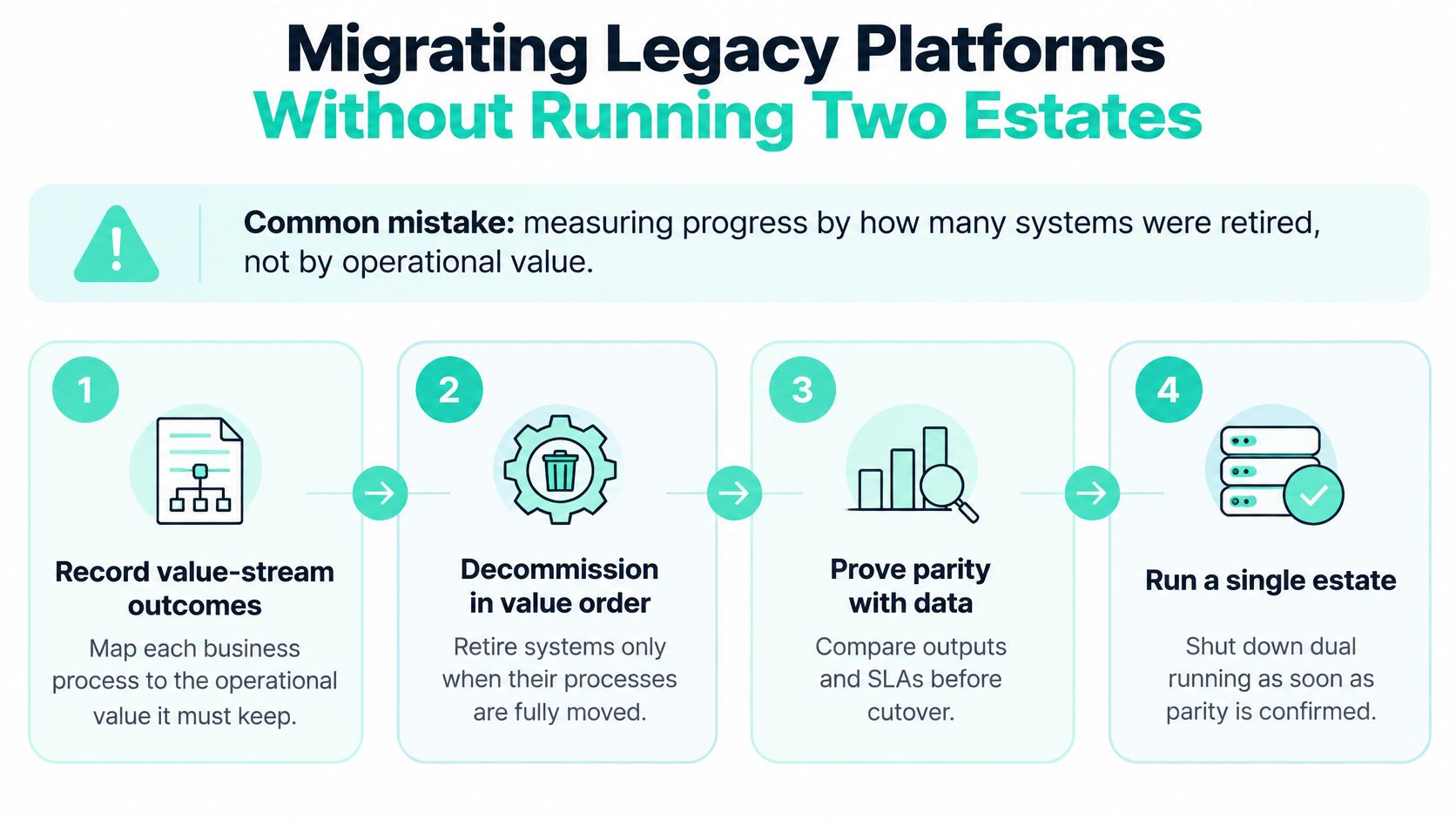
- Record value-stream baselines before choosing architecture. Release lead time, incident frequency, search quality, accessibility defects, cloud cost per transaction, content-authoring effort and recovery time. Without these you can't tell improvement from activity.
- Map daily dependencies. List which applications and which teams touch the legacy system every working day. The calls that start with "can you just keep that one running" come from this list.
- Choose a strategy per capability, not per platform. Keep and wrap what works, replatform where the vendor path is clear, strangle incrementally where change is risky, rebuild only where the business case is explicit. Mixed strategies are normal and usually cheaper.
- Define the first slice precisely. One owner, one API contract, one content model, one measurable outcome. Slices defined at the platform level never finish.
- Move content models, redirects and integrations together, and test on mirrored staging. Redirect maps and integration contracts break more launches than design does.
- Set rollback triggers in advance, then retire the old component only after traffic has moved. Use the recovery-time metric to decide when the old path can be switched off, not a project calendar.
For a deeper comparison of replatform, rebuild and strangle approaches, these legacy system modernization strategies set out the trade-offs per capability.
Two programmes illustrate the range. We designed the One Stop Shop platform for SAB Invest to replace many legacy systems and consolidate most customer activity, built mobile-first on cloud-native microservices, which is a rebuild with a narrow first slice rather than a lift-and-shift. For Alcatel-Lucent Enterprise we audited a global Sitecore implementation and delivered a prioritized improvement plan with quick wins and longer-term recommendations, which is the cheaper entry point when the estate is sound but the operating model isn't.
Composable architecture does not reduce complexity by itself. Without portfolio rationalization, it distributes the same legacy problems across more services and more invoices. The discipline is deciding what stays stable, what gets wrapped and what gets replaced.
Securing the Lifecycle and Governing AI-Generated Code
Security reviews that happen at the end of a release are a tax on delivery. The checklist below is the one that catches problems early enough to be cheap.
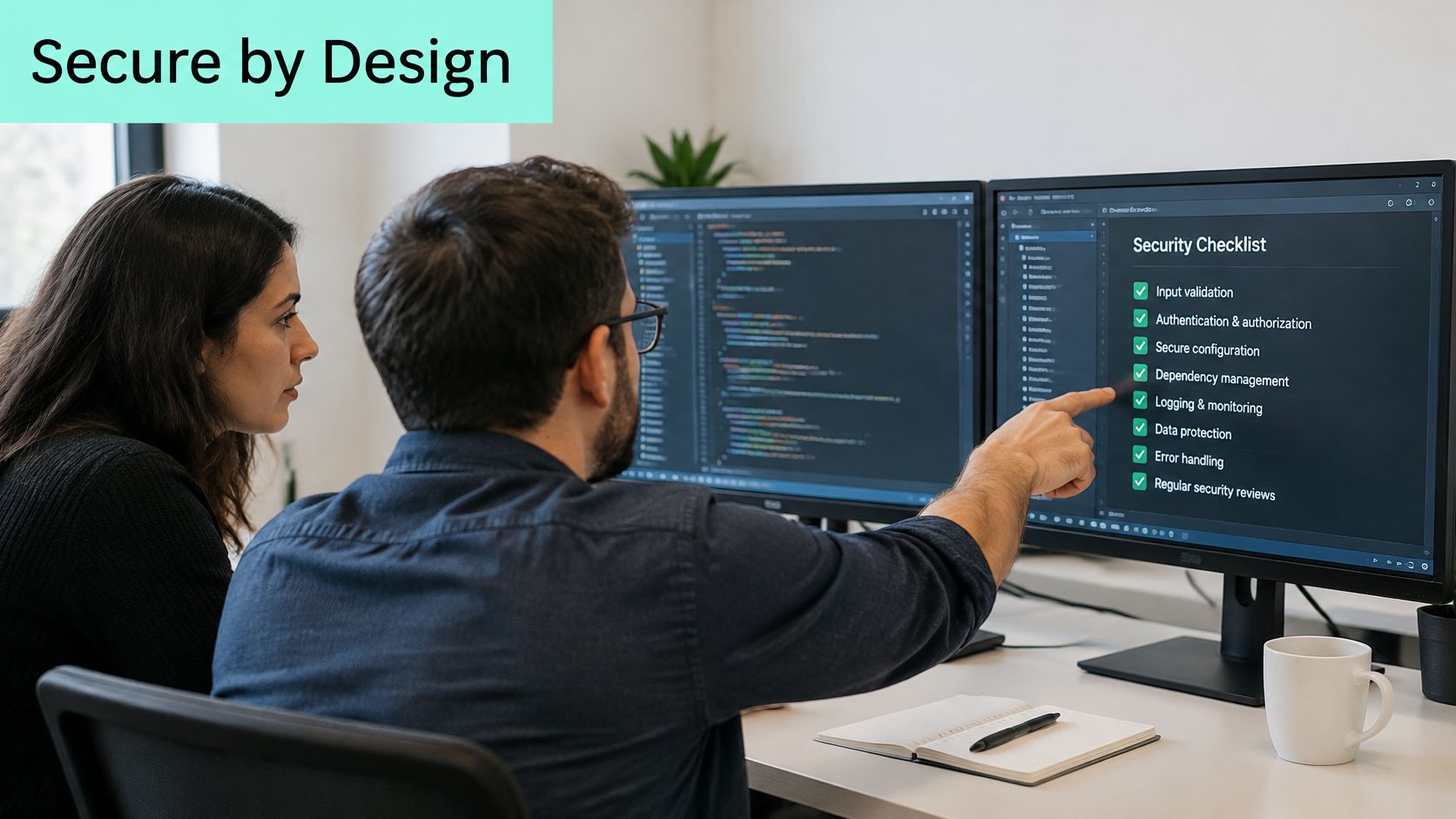
NIST's Secure Software Development Framework organizes the work into four lifecycle groups: Prepare the Organization, Protect the Software, Produce Well-Secured Software and Respond to Vulnerabilities. The framework's core recommendation is to fold these into the SDLC you already run rather than treating security as a separate stage gate.
In practice, that means four controls that hold.
- Inventory and provenance: a record covering source code, dependencies, container images, infrastructure definitions and third-party integrations, so you can answer "where did this come from" during an incident.
- Automated gates in CI: peer review plus static, dependency, secret and infrastructure scanning, with promotion blocked when critical policy violations pass a defined threshold.
- Signed release artifacts: signed builds and verifiable pipeline steps, so a hotfix can't arrive from an unverified path.
- Runtime findings mapped to ownership: every vulnerability tied to an asset owner, exposure, severity, exploitability and a remediation deadline, or it will sit in a backlog indefinitely.
Traceability plus response procedures shortens the time to contain what prevention misses. This matters more on composable platforms, where distributed APIs, cloud services, plugins and identity integrations widen the attack surface well beyond the CMS itself. Our own work on this includes secure SSO for external partners with full lifecycle controls covering provisioning, deprovisioning and roles, because partner access is usually the weakest link in an otherwise well-governed estate.
Governing AI-generated code
Here's the assumption worth challenging: that AI coding tools speed delivery without requiring new controls. Google Cloud's summary of the 2025 DORA report found 90% of technology professionals use AI at work and more than 80% believe it improves productivity, while 30% report little or no trust in generated code. Adoption has run ahead of the review model.
A workable control set is short. Classify sensitive code and content so assistants know what they can't touch. Record AI assistance in the pull request description, which gives you an audit trail without extra process. Require human review for identity, payment, personalization and security logic specifically. Test generated code against accessibility and performance budgets, not just functional acceptance. Track defects and rollback rates by AI-use category, so the argument about whether AI helps becomes a measurement rather than an opinion. The review discipline in these code review best practices applies unchanged; what changes is the reviewer's starting assumption.
For a hands-on walkthrough of securing a delivery pipeline, the video below covers the practical sequence.
Confirm Your Delivery Model Before You Sign
| Delivery model | Who owns the roadmap | Who runs the platform | Best when |
|---|---|---|---|
| In-house team | Your organization | Your organization | Long-term ownership and deep internal skills |
| Staff augmentation | Your organization | Your organization | A specific skills gap for a limited period |
| Dedicated team | Shared, led by your product owner | Vendor team working under your direction | A steady backlog and ongoing change |
| Managed outsourcing with 24/7 support | Shared, with a vendor delivery lead | Vendor, under SLA | Production must be covered around the clock |
The table is really a question about accountability. In-house ownership is the right answer when the platform is a differentiator and you have the hiring pipeline to keep skills current. It's the wrong answer when one Sitecore upgrade a year is the whole workload, because the expertise has nowhere to stay sharp.
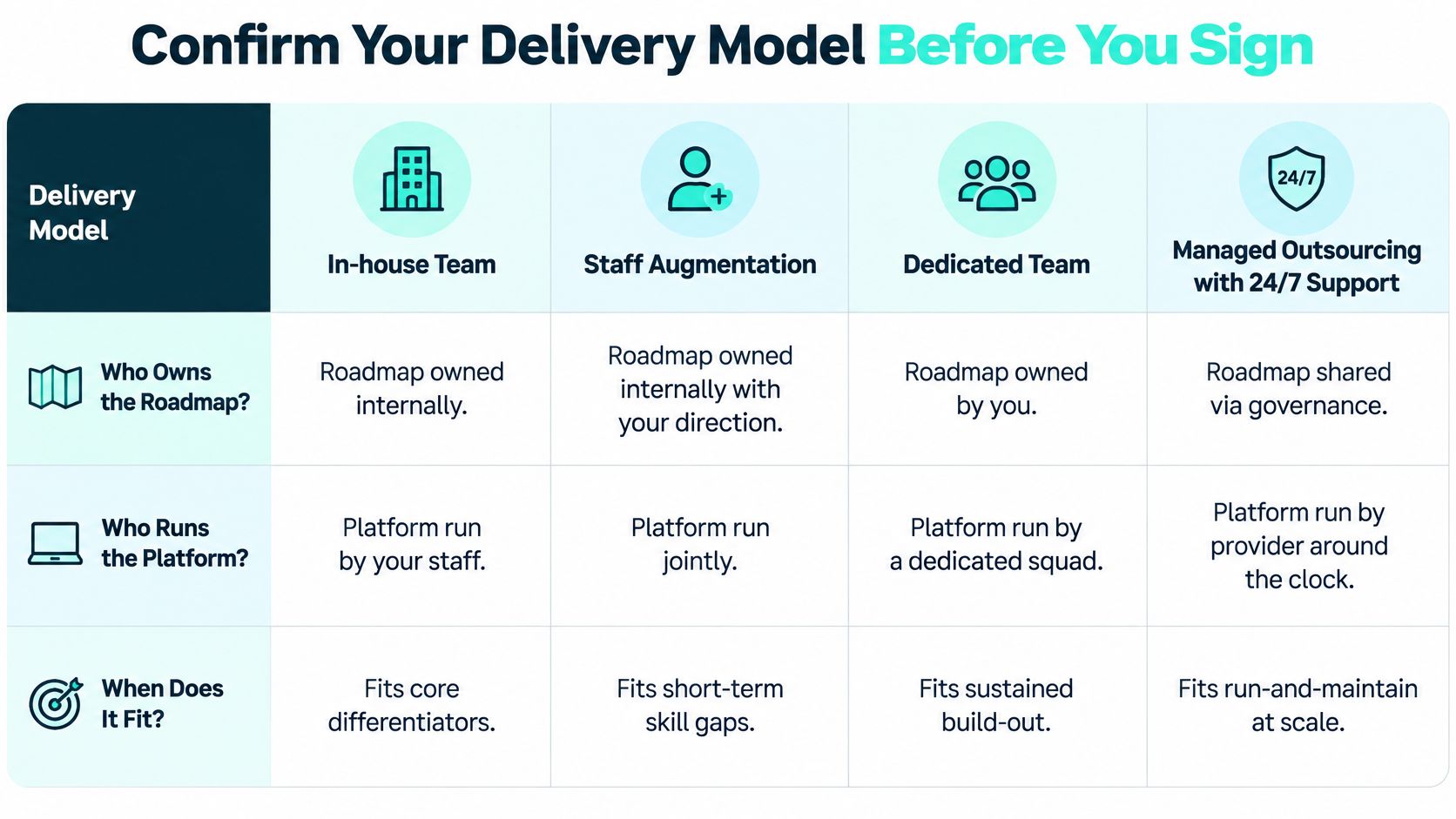
Kogifi's outsourcing service provides dedicated teams for Sitecore, Adobe Experience Manager and SharePoint development, support and maintenance, covering custom feature development, integrations, 24/7 platform monitoring and helpdesk support, with capacity scaled up or down as project needs and business cycles change. Most enterprise Sitecore implementations need a custom quote based on specific requirements, so ask for a scoped estimate against your baseline metrics rather than comparing day rates.
Five items worth settling before signature.
- The outcome and its baseline. Reuse the value-stream numbers from your migration plan. An estimate that can't reference them is a guess with a logo on it.
- Skill gaps by name. Sitecore, .NET or JavaScript/TypeScript, SharePoint and SPFx, identity and security. Be specific about which of these you're buying and which you're keeping.
- Architecture and reuse ownership. Decide who can approve a new component instead of a reuse, because that single decision controls long-term cost more than any rate card.
- SLA terms that include rollback. Hosting, incident response and rollback authority, with named escalation paths. "Best efforts" is not an SLA.
- A staged pilot on mirrored staging. Prove the working relationship on a scoped slice before committing to a multi-year programme. Teams that skip this discover the mismatch in month seven. For a closer look at how these squads are structured, see how a dedicated development team works.
Then shortlist two models, request scoped estimates built on your own metrics, and fund a short discovery phase before the full programme. Discovery is the cheapest place to find out that a platform decision was the wrong one.
Kogifi designs, builds and maintains enterprise platforms on Sitecore, Adobe Experience Manager and Microsoft 365/SharePoint, with delivery teams across the USA, Europe and the Middle East. If you're weighing an upgrade, a legacy migration, or a dedicated team to run the estate you already have, our architects will scope it against your baseline metrics instead of a generic estimate. Visit Kogifi to start that conversation.