


Picking a headless CMS for Next.js is the easy part, and that's exactly why the popular advice is misleading. Most guides rank platforms by API style, editor screenshots and starter templates, then imply performance follows from decoupling. It doesn't. The expensive decisions come after setup, in rendering mode, cache ownership, editorial preview and personalization, where a wrong default creates stale pages, leaked drafts or personalized content served to the wrong visitor.
I'd judge a platform, and especially a SitecoreAI implementation, by how clearly it answers three operational questions. Which routes can be cached, who can preview and roll back safely, and what happens the minute an editor hits publish. If those answers aren't written down before components are built, you'll pay for them later in support tickets and rebuilds.
Table of Contents
Choose a Rendering Mode for Each Route Type
Most enterprise sites shouldn't use one rendering mode. They mix static generation, incremental static regeneration and dynamic rendering, and the mix follows two facts about each route, how often it changes and whether it's personalized.
| Route type | Rendering mode | Revalidation | Typical example |
|---|---|---|---|
| Marketing landing pages | Static generation (SSG) | On publish webhook only | Campaign and product launch pages |
| Editorial articles and news | ISR | 300 seconds fallback plus webhook | Blog posts and resource hubs |
| Product or location listings | ISR | 60 to 120 seconds plus webhook | Catalog and store finder pages |
| Account, cart and personalized views | Dynamic rendering (SSR) | None, per request | Logged-in dashboards |
| Site search results | Dynamic rendering or client fetch | None | Search result pages |
Marketing landing pages change on a campaign schedule, so build them statically and regenerate only when an editor publishes. There's no reason to pay request-time cost for a page that stays fixed for weeks.
Editorial articles suit ISR because editors expect updates to appear without a full rebuild, while readers still get pre-rendered HTML. The 300 second fallback is a safety net if a webhook fails, not your primary freshness mechanism.
Listings, accounts and search need different treatment
Product or location listings change more often and aggregate many items, so a shorter 60 to 120 second window limits how long a price, opening hour or availability flag can stay wrong. Tune it against actual editor behavior and API load, not guesswork.
Account and personalized views must render per request. Anything tied to identity, authorization or cart state can't share cached HTML safely.
Search results depend on the query and often on live ranking, so render them dynamically or fetch on the client after the shell loads. Caching popular queries is possible, but only with the query and locale in the key.
That hybrid pattern is where Next.js is strongest. The HTTP Archive 2024 Web Almanac Jamstack analysis reports Next.js was used by 23% of mobile pages in its hybrid-site analysis, compared with 13% of mobile pages among one category of static-site-generator analysis. The same report puts median page weight at 1,427 KB for prerendered sites, 2,083 KB for hybrid sites and 2,434 KB for dynamic sites, and median transfer size for Next.js sites at 583 KB.
Those numbers kill a lazy assumption. Framework choice alone doesn't set page weight. Component libraries, images, third-party scripts and personalization code decide most of it, so you need a performance budget per template, not a framework slogan.
Quick check: If a route is both personalized and indexable, stop and make its rendering decision first. It'll drive your cache keys, SEO risk and component split.
How to Connect Next.js to Your CMS Step by Step
Follow this order on a new build and you'll avoid the integration mistakes that are painful to unpick after editors start loading content.
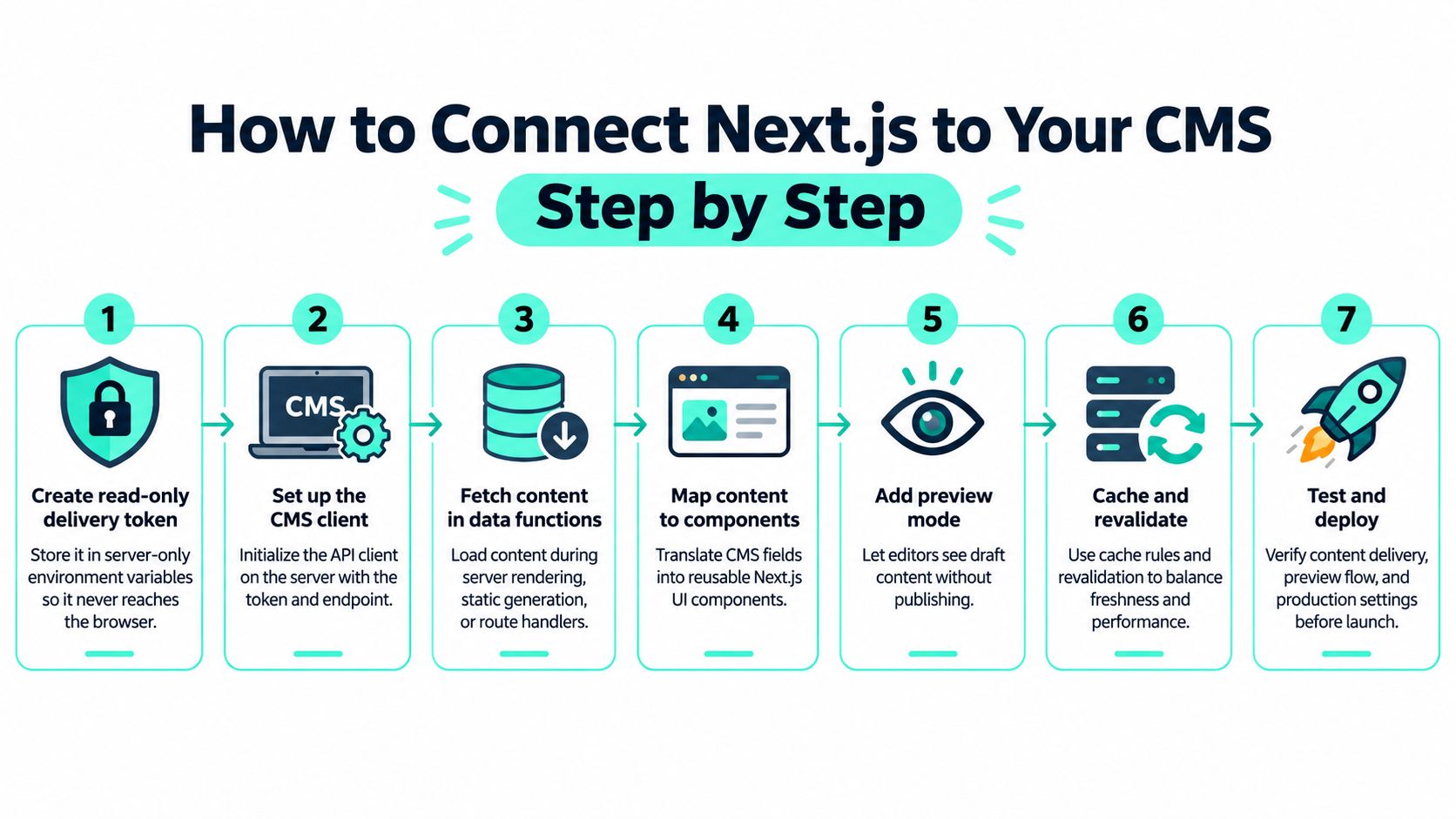
The seven step routine
Create a read-only delivery token. Store it in server-only environment variables, never in a variable exposed to the browser. The common slip is committing the token to a public repository or shipping it in client code, where anyone can use it to read draft or restricted content.
Set up one shared CMS client. Install the CMS SDK or the Sitecore client for Next.js and initialize it in a single module with the endpoint, token and timeout rules. If every route creates its own client, you'll get inconsistent caching, logging and error handling within weeks.
Fetch inside server components or route handlers. Aggregate CMS, inventory, search and personalization calls on the server instead of chaining them in browser code. Teams often fetch in the client for convenience, then discover waterfalls, exposed keys and layout shift they can't fix locally.
Generate TypeScript types from the content model. Fail the build when a required field is missing or renamed, so schema drift breaks CI instead of a live page. The mistake here is hand-writing types once and never regenerating them after editors or developers change a template.
Load each route with one main query, then map to components. Return the page item, its layout and the component data the route needs, then translate fields into reusable Next.js components through a registry. Don't let components fetch their own data ad hoc, or one page will make dozens of uncoordinated API calls.
Add preview through a secret-protected route handler. Verify the secret and the signed-in editor role, set a preview cookie and bypass static output for that session only. A preview route without role checks, or one that works on production URLs without a visible draft state, leaks unpublished content.
Run a cold-cache build and deploy check. Confirm every route returns the expected HTML before you add caching rules, because caching hides broken data fetching. Skipping this leaves you debugging cache behavior when the fault is a missing field or wrong locale.
Authorization belongs inside this routine, not after it. The preview route checks a secret and editor role, the webhook verifies a shared signature on every request, and the delivery token stays read-only, so no browser request can write to the CMS or see drafts.
A local setup isn't done until three cases behave correctly, a published page renders, an unpublished draft appears only in preview, and a missing required field fails clearly instead of rendering a blank component.
Caching and Revalidation Without Stale Pages
ISR is not a universal cache. Treating it as one is how teams end up with stale campaign pages, mixed-language listings or, worse, one visitor's personalized block cached for everyone else.
Use a staged method instead. Classify each route by freshness, pre-render stable pages at build time, apply ISR to editorial pages that change periodically, and use on-demand revalidation after a CMS publish webhook for urgent updates. The Next.js incremental static regeneration guide describes ISR serving cached, pre-rendered pages, returning stale content while regeneration occurs in the background, and avoiding a rebuild of the entire site.
| Cache layer | What it holds | Invalidated by | Stale output safe? |
|---|---|---|---|
| CDN edge | Full HTML for public routes | Webhook purge by path | No, purge on publish |
| Next.js data cache | Fetched CMS responses | Tag or path revalidation | Yes, within the revalidate window |
| Route cache | Rendered route output | Path revalidation after publish | Yes, until regeneration finishes |
| Browser cache | Hashed assets and HTML | Asset hash change, short max-age for HTML | Yes for hashed assets only |
| Search index | Indexed documents | Re-index on publish event | Usually acceptable for minutes |
| Personalization layer | Per-visitor decisions | Per session, never shared | No, never share across visitors |
Walk the layers on every publish
The CDN edge holds full HTML for public routes, so purge by path on publish for anything time-sensitive. If you only revalidate Next.js and leave the edge untouched, editors will swear publishing is broken.
The Next.js data cache holds fetched CMS responses. Tag entries by content item or content type, so one publish can clear the article page, its listing page and any teaser that references it in one action.
The route cache holds rendered output. Stale output is acceptable there only for the short interval while regeneration finishes, which is the trade ISR makes for speed under load.
Browser cache should be aggressive for hashed JS, CSS and images, and short for HTML. Long HTML caching in the browser makes webhook fixes invisible to the very people reporting the problem.
The search index can usually lag by minutes, provided you re-index on the publish event and monitor failures. The personalization layer is different. Per-visitor decisions must never share a cache key across visitors, sessions or authorization states.
That last row is the usual failure. A personalized or authorization-sensitive response gets cached under a shared key because it was embedded inside an otherwise public page. The fix isn't a shorter TTL. It's a separate cache key or dynamic rendering for that slot. The same discipline applies when you extend the front end later, including Next.js progressive web app patterns, where service worker caching adds another layer to own explicitly.
The webhook pattern that holds up
Authenticate the webhook request, map the changed entry to every affected URL path and tag, trigger revalidation, then log success or failure with the item ID and paths touched. Aggregate CMS, inventory, reviews and personalization calls in a backend-for-frontend or server-side data layer, then cache each response by volatility instead of caching the whole bundle.
In Next.js 16, Cache Components make caching opt-in, dynamic code runs at request time by default, and the use cache directive can cache pages, components and functions with compiler-generated cache keys, as described in the Next.js 16 release announcement. I'd use it for shared editorial fragments such as navigation, footers and article bodies. Keep personalized slots outside any cached scope so their key can't be shared.
Test before launch with production-like cases:
- Cold cache: first request after deploy returns correct HTML
- Warm cache: repeat request doesn't hit the CMS unnecessarily
- Webhook propagation: publish to visible change is timed and logged
- Origin failure: CMS outage serves last good cache, not an error page
- Invalidation: renamed slug clears both old and new paths
Structure a Composable Sitecore AI Front End
Platform context matters before folder structure. The SitecoreAI FAQ states SitecoreAI was announced on November 4, 2025, as a composable SaaS platform built on Sitecore XM Cloud and running on Microsoft Azure, unifying content management, customer data, personalization and search in one platform. It also states existing XM Cloud customers receive the upgrade without replatforming or data migration. The initial Agentic Studio release included 20 AI-powered agents covering workflows such as campaign planning, content migration, content production and testing.
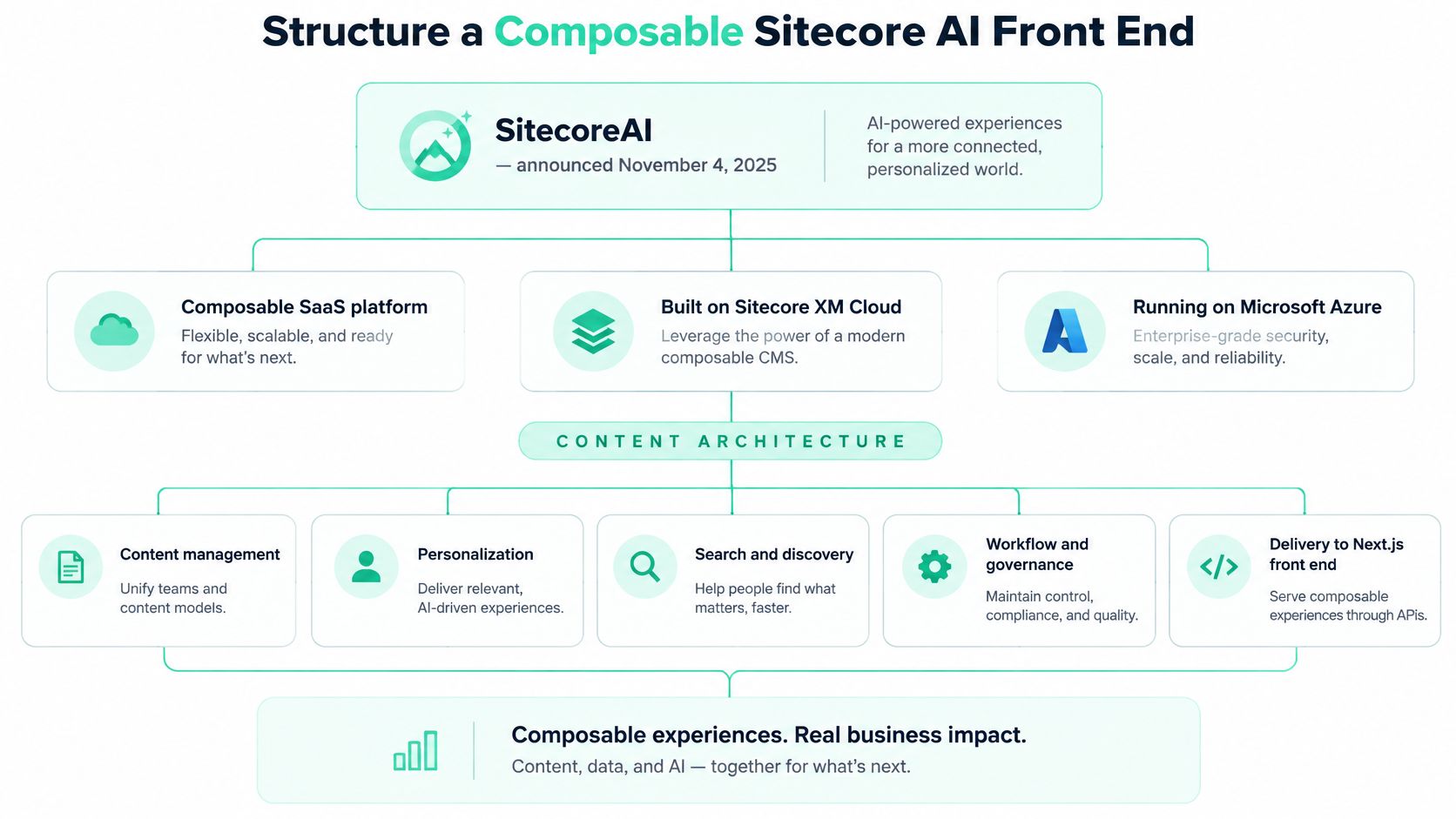
Build in three layers
Start with a foundation layer of theme tokens, typography, spacing and primitive rendering components that every site inherits. Nothing brand-specific belongs here. If one brand's color logic leaks into foundation, every other site inherits the workaround.
Add a feature layer of reusable components such as heroes, listing cards, forms, search facets and media blocks. Each Sitecore rendering maps to one Next.js component through a component registry, and the page route resolves the content item and its layout, then renders registered components in order. That pattern is the practical core of implementing a headless site with JSS in XM Cloud, where layout data drives composition instead of hard-coded page templates.
Finish with a project layer for site-specific pages, overrides and integrations. Keep project code thin. If a regional site needs a different hero, override at project level rather than forking the shared component.
Three rules keep this composable rather than tangled:
- Keep components pure and data-free: pass resolved fields in as props, don't fetch inside presentational components
- Pass data through the layout service: one route-level contract makes typing, caching and preview predictable
- Keep brand logic out of shared components: use tokens and variants, not conditional brand checks scattered through features
Sitecore Studio also needs an ownership decision. App Studio is for building apps, extensions and agents, while Agentic Studio is for designing and managing agents that plan, personalize and optimize campaigns. Agree early which changes marketers can make through those visual tools without a developer, and which still need a release, or you'll create two ungoverned change paths.
SharePoint fits as a secondary source, not a second page builder. Policy documents, intranet news and downloads managed in SharePoint can feed the same layout service through their own data module, so the Sitecore rendering registry stays unchanged. Swap or remove that source later without touching components, and keep document permissions in SharePoint rather than recreating them in Next.js.
Multi-Site, Localization and Personalized Routes
Multi-site structure is a governance decision disguised as routing. Each model trades component reuse against release independence.
| Model | Best fit | Shared components | Main risk |
|---|---|---|---|
| Single site with locale routes | One brand in several languages | Full sharing | Translation drift between locales |
| Multi-site in one Next.js app, host-based routing | Brands sharing one design system | Full sharing | One release affects every brand |
| Separate Next.js apps, shared component library | Brands with different release cadences | Shared through package versions | Duplicated configuration |
| Hub-and-spoke | Global parent with regional sites | Hub owns core, spokes override | Unclear ownership of overrides |
A single site with locale routes is simplest for one brand in several languages, but you need completeness checks to ensure a translated page does not fall behind the source. Strong CMS localization practice means tracking which locales are approved, not just which exist.
Multi-site in one app maximizes reuse and keeps hosting simple, yet one bad release hits every brand. Use it only when brands share a design system and release calendar.
Separate apps with a shared library give brands independent deploys, at the cost of duplicated environment variables, webhook endpoints and monitoring. Version the component package strictly, or brands drift onto incompatible variants.
Hub-and-spoke suits a global parent with regional sites. The hub owns core components and content models, spokes override content and selected layout. It fails when nobody can say who approves an override or who merges it back to the hub.
Personalization is the deciding factor
The Sitecore Personalize documentation supports goal-driven A/B testing and optimization, customized offers, feedback widgets and operational messages, with web applications sending events in real time through the Stream API. It describes Personalize using behavioral insights and customer data to act on anonymous visitors as well as known customers, based on live intent signals.
For Next.js, that means personalized blocks are fetched per visitor or per segment and must not share a cache key with public pages. Split the page into a cached shell and a personalized slot. The shell holds navigation, editorial body and static offers. The slot renders dynamically, or hydrates after load for lower-risk recommendations, so live intent can change the offer without invalidating the whole page.
Locale rule: Set the default locale in middleware, keep URL structure stable across languages, and verify hreflang on every locale variant, including the default.
Don't personalize the parts of a page search engines need to index consistently. If the H1, primary copy or canonical content changes by segment, you've created an SEO and testing problem that no cache rule will fix.
Editorial Preview, Governance and Failure Recovery
Preview comes first. Editors must see unpublished content in the actual layout, with a visible draft badge, and compare localized variants side by side before publishing. If preview is slow or unreliable, editors will publish just to check formatting, and your governance model is already broken.
Define approvals by content type. State who moves an entry from draft to review to published, and which types need a second approver, such as legal copy, regulated claims or pricing. Set permissions by role, authors edit their brand, regional editors edit only their locale, and developers own component schemas.
Plan for accidental publishing. Keep version history in the CMS, define a rollback that re-publishes the previous version and triggers the same webhook revalidation, and rehearse it once before launch with a named owner. A written content governance framework helps only if each rule has one accountable person.
Structured content reuse raises the stakes. One content model serving several brands and channels means every field change must be tested against each consumer. Publish a short authoring guide linked from the CMS, covering preview, approvals, rollback and field rules, and update it whenever the model changes.
Launch Checks for SEO, Preview and CI/CD
Treat launch as an SEO and governance project, not a front end rewrite with a redirect file attached at the end.
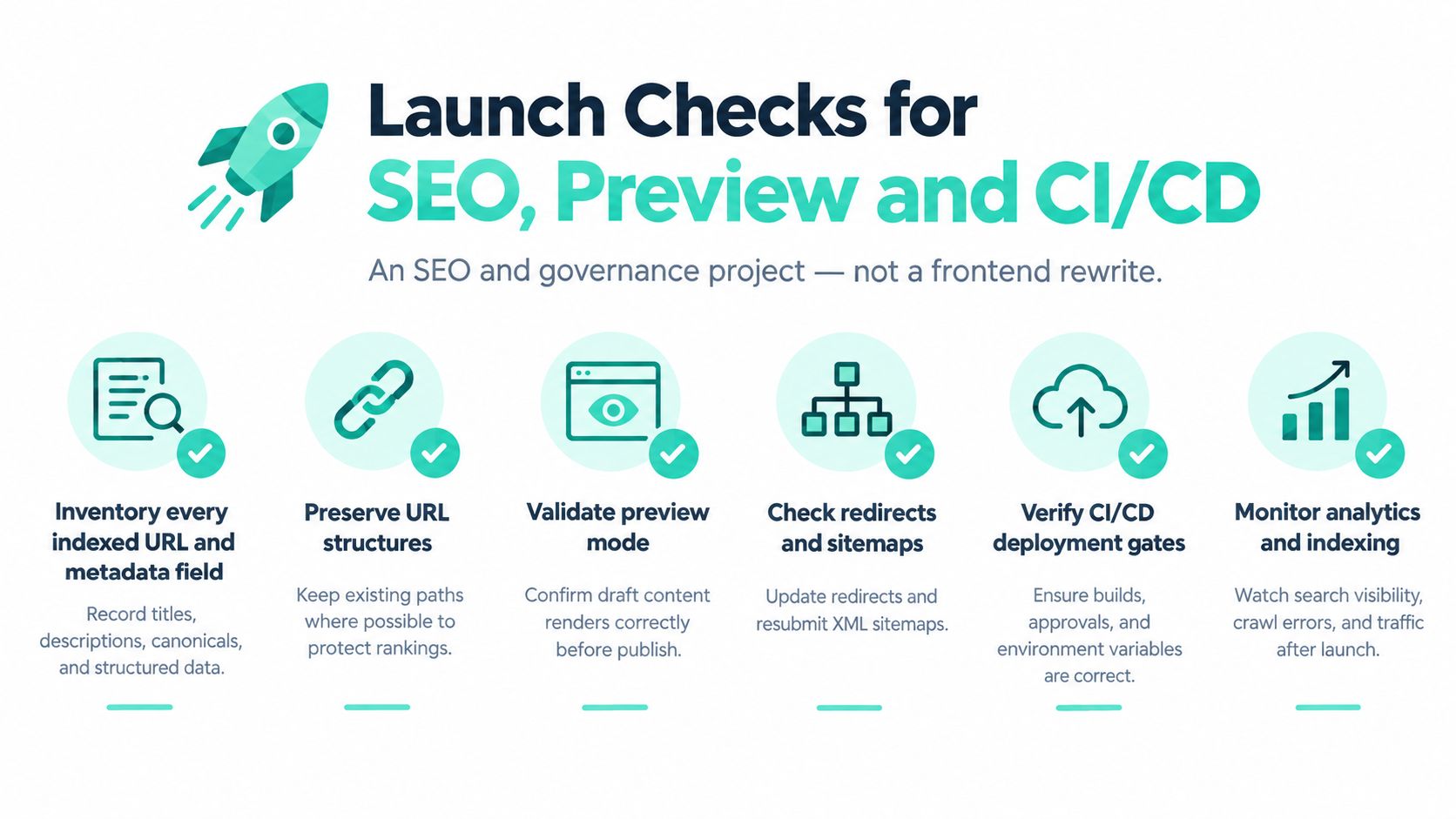
Pre-launch checklist
- Inventory every indexed URL and metadata field: titles, descriptions, canonicals and structured data, so nothing is lost in migration
- Preserve URL structures where possible: fewer redirects means less ranking and internal-link risk
- Build and test a complete 301 redirect map: include renamed, merged and deleted pages, then crawl it
- Crawl the pre-production build: verify canonical tags, hreflang, XML sitemaps, structured data, robots directives and rendered HTML
- Validate preview mode: draft content renders in layout, stays out of production URLs and respects editor roles
- Verify CI/CD gates: type generation, broken links, accessibility checks, preview smoke test and redirect coverage all block a bad release
- Monitor after launch: watch Search Console and analytics daily for crawl errors, indexation drops and traffic changes
That sequence matches the migration approach and survey findings in Kentico's headless research report, where 52% of respondents identified extensive training as their largest headless hurdle, 38% reported unexpected developer dependence, and 62% reported increased ongoing costs. Those figures are why preview, permissions and component rules must exist before go-live, not in a phase two backlog.
Don't assume client-side rendering is sufficient for SEO. Server rendering or pre-rendering improves initial delivery and crawler compatibility, while JavaScript-heavy pages add rendering latency and indexing risk.
For deployment discipline, teams adding AI-assisted features face the same gatekeeping problem. The practical patterns in shipping AI-assisted applications to production from AppJet are a useful reference for keeping automated checks and approvals between a merge and a live release.
Measure success with redirect coverage, crawl-error rate, indexation, Core Web Vitals, publishing lead time, preview reliability and support tickets. Page-load speed alone won't tell you whether editors can work or search engines can find the site.
Pilot One Route Before Full Migration
Don't migrate the whole estate to prove the architecture. Pilot one route type with real traffic but low risk, such as a product or location listing, using the rendering mode, cache rules and preview setup you'd roll out everywhere.

Keep it narrow, one template, one locale and one webhook path, so any failure traces back to one cache rule. Run it for two release cycles and compare publishing lead time, preview reliability and Core Web Vitals against the current site.
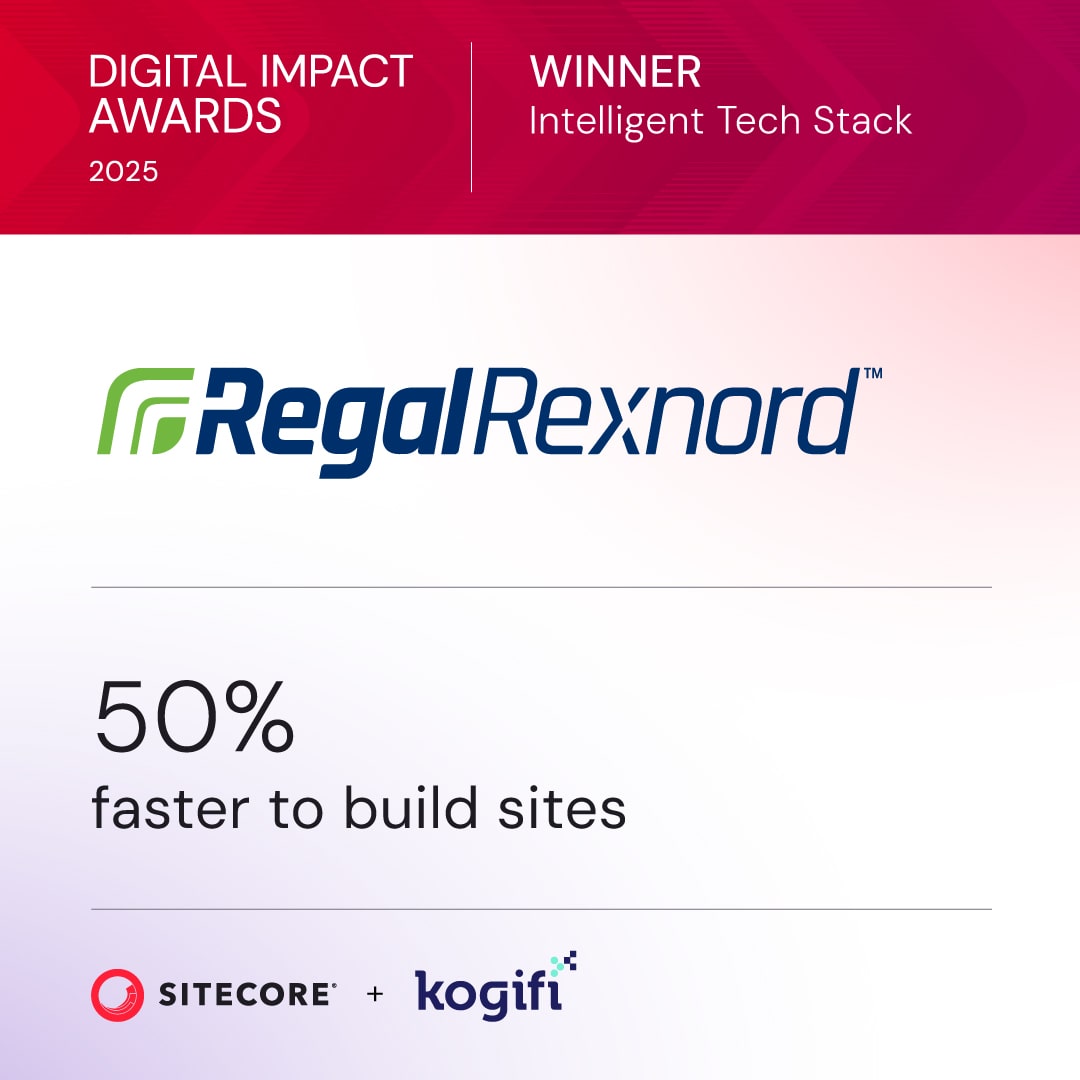
That restraint is how large programs de-risk change. Kogifi moved Regal Rexnord from on-prem Sitecore XP to a headless Sitecore XM Cloud with a Next.js hub-and-spoke model, and that move reduced go-live timelines by 35 to 50 percent and made publishing twice as fast. Results like that come from reusable components and clear ownership, not from migrating everything at once.
Before committing further, answer three questions plainly. Which routes are personalized, who owns each cache rule, and who approves a component change. If any answer is unclear, run an architecture review of the rendering and caching plan, which we can do with your team, rather than funding a bigger build on unresolved rules.
If you're planning a headless CMS for Next.js on SitecoreAI, XM Cloud or a mixed Sitecore and SharePoint estate, we can review your rendering mix, cache invalidation and editorial preview before you commit to a full migration. Start with a focused architecture review or a one-route pilot, then scale the patterns that prove themselves. Visit Kogifi to talk through your current platform and the safest next step.