


Forget the standard advice to pick a headless CMS agency by comparing CMS features or watching a polished API demo. The license is the easy part. You're buying delivery engineering, a defensible five-year cost model, and governance that still works when five brands, three languages, and a campaign deadline collide. If a pitch can't show field performance data, named projects on your platform, and a written post-launch operating model, walk away.
Table of Contents
- Platform Depth and Headless Delivery
- Performance, Governance, and Accessibility
- Migration and Support Scope
What a Headless CMS Agency Delivers Beyond the License
Say a marketing team buys a headless CMS license in January and still has no live site in June. That's common. The license delivered an API, user accounts, and empty schemas. It didn't deliver pages, search, preview, analytics, or a deployment pipeline.
A headless CMS agency fills that gap. It designs content models with reusable data templates, builds the front end in a framework such as Next.js, publishes through Experience Edge or an equivalent delivery layer, and wires up identity, search, localization, and CI/CD pipelines across preview, staging, and production.
Think of the CMS as a warehouse. It stores the stock. The agency builds the shelving, routing, loading dock, and delivery trucks so customers receive orders. Our own approach to end-to-end delivery processes treats those pieces as one system, not separate purchases.

Why Demand Is No Longer the Question
In a September 2023 survey, 82% of marketers said they were already using or considering a headless approach. A separate 2024 report based on 1,014 content professionals in Europe, Asia, and North America found that 72% had used a headless content management system. Buyers aren't debating whether the model exists. They're deciding who can deliver it without breaking publishing.
Speed comes from reusable components and disciplined handoffs, not from cutting corners. That's the practical point behind the ogBlocks guide to faster client builds, and it applies at enterprise scale too.
Three-part test: Does the agency model your content, build the full delivery path, and run the platform after launch? If any answer is no, you're buying configuration, not a digital experience.
Evaluation Criteria Enterprise Buyers Should Compare
Use this table as your shortlist scorecard. Bring it to every vendor meeting and score each criterion 0 to 2.
| Criterion | What to Verify | Red Flag |
|---|---|---|
| Sitecore or SharePoint depth | Certified partnership status, named XM Cloud or XP projects, SharePoint Online intranet delivery | Lists many platforms with no named projects on any of them |
| Headless delivery skills | Front-end work on Next.js or equivalent, component libraries, publishing through a delivery layer | Only CMS configuration and template setup |
| Performance engineering | Field-data budgets for LCP, INP and CLS, p95 latency reporting, cache strategy | Only API speed tests shown in the pitch |
| Governance model | Schema ownership, component certification, release process, rollback procedure | No written operating model |
| Accessibility and multilingual delivery | WCAG-aligned design, validated accessibility flows, regional translation workflow | Accessibility deferred to a final audit |
| Migration capability | Phased plan, content serialization, redirect and SEO mapping, parallel running | Big-bang rebuild with no fallback |
| Post-launch support | 24/7 support, SLA-backed hosting, monitoring, incident response times | Support hours and response times not stated in writing |
Platform Depth and Headless Delivery
These two rows separate partners who ship front ends from partners who only configure back ends. Demand named projects, the framework used, and who owned the component library. A long platform logo wall proves nothing. Our API-first approach is useful here because it forces a simple question. Where does content get assembled, and who maintains that code?
Require a named reference project on the same platform and delivery model for at least three criteria before any vendor reaches your shortlist. Score 0 for assertions, 1 for documents, 2 for a reference you can call.
Performance, Governance, and Accessibility
These rows protect you after the demo. Good evidence is a written performance budget, schema ownership by role, a release train, and accessibility testing inside the build. A final WCAG audit in week twelve is a failure plan. Retrofitting focus states, contrast, and keyboard flows costs more than designing them correctly.
Shortlisting methods in other regions reward the same discipline. The rigor described in technology consulting shortlists for Southeast Asian enterprises transfers well. Evidence beats positioning.
Migration and Support Scope
Test scope against the service list an agency publishes. Our Sitecore services include Support & Hosting, Platform Implementation, Updates & Upgrades, Platform Audits, Bugfixing & Recovery, Outsourcing and Migrations. If your roadmap needs an upgrade in year one and hosting in year two, both must appear with named owners now.
Put every gap in writing before signature. A missing SLA, rollback plan, or support window won't improve after the contract is signed.
Where Headless Pays Off and Where Costs Rise
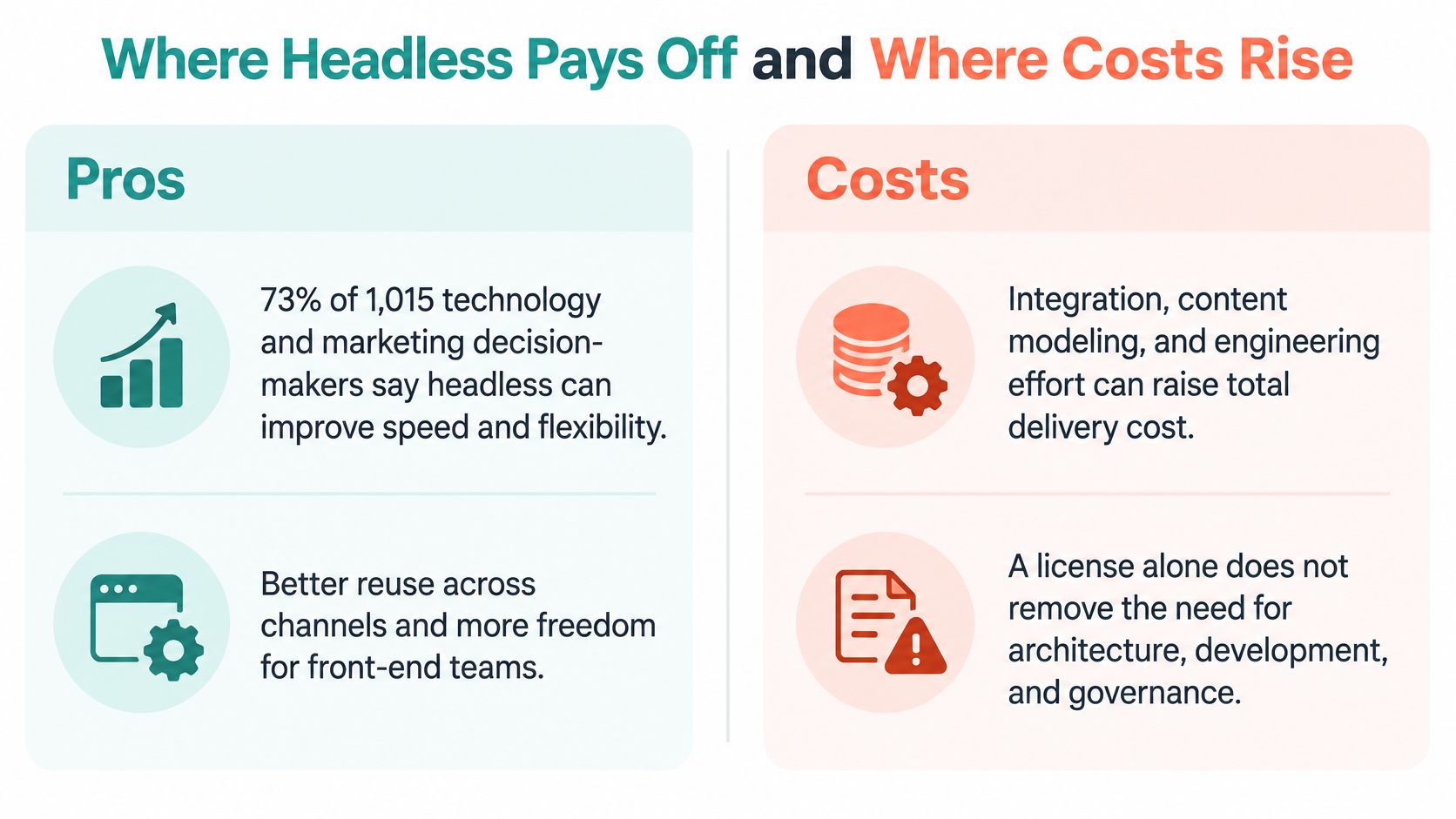
Headless isn't automatically cheaper or faster. Treat that claim as a sales warning.
Adoption is real. A summary reporting that 73% of surveyed organizations were using headless architecture by mid-2024 shows how normal the model has become. Yet barriers remain financial and operational, with budget the leading barrier to composable adoption at 32.6%, followed by implementation complexity at 29.0% and concern about wasting existing investments at 28.5%.
The payoff is also real when the operating conditions are right. In a 2024 survey of more than 1,700 CMS users, over 99% of respondents who had switched to headless reported some improvement. Improvement isn't a business case by itself. It becomes one when reuse and release speed compound across brands.
A Worked Example
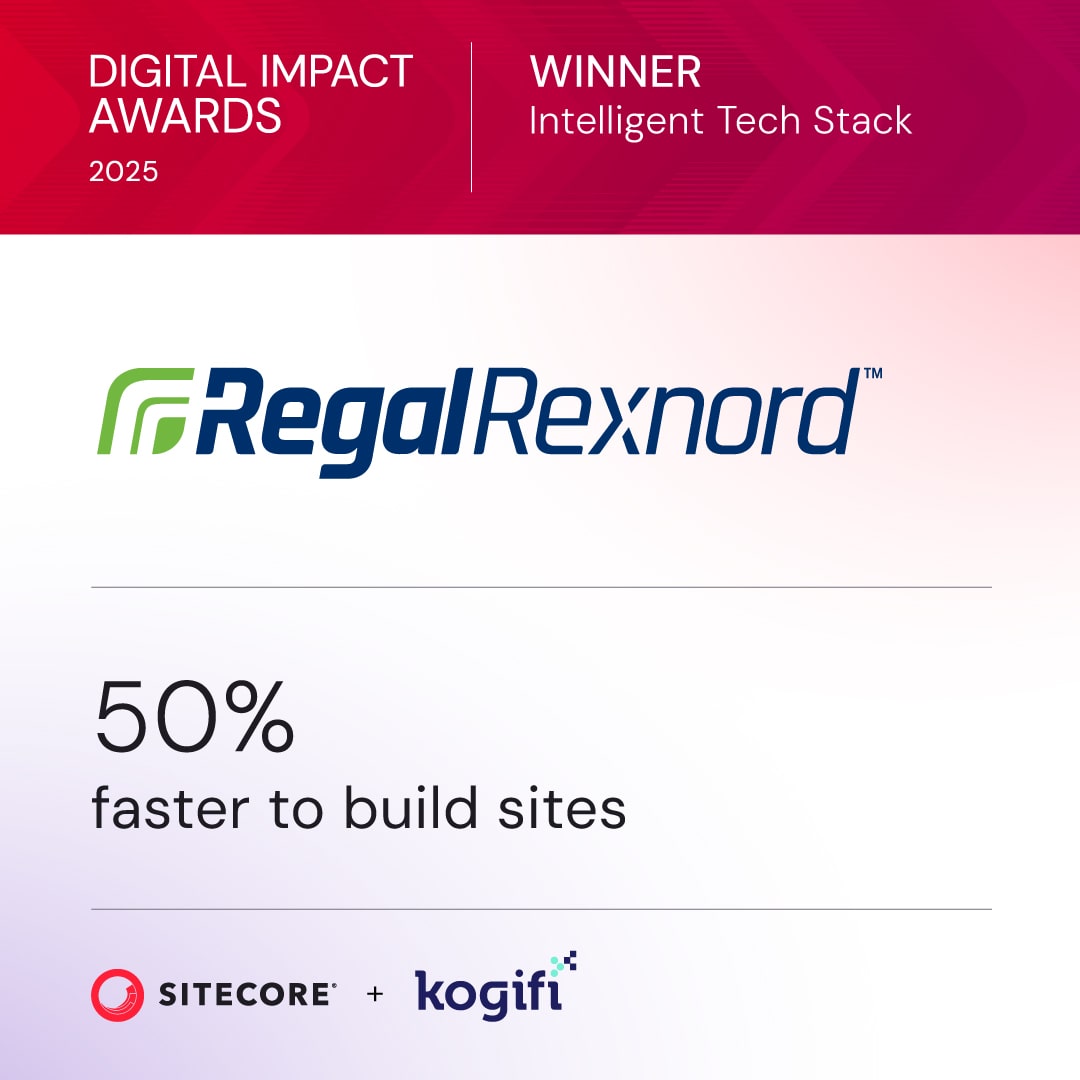
We moved Regal Rexnord from on-prem Sitecore XP to headless Sitecore XM Cloud with a Next.js hub-and-spoke model. The move cut go-live timelines by 35 to 50 percent and made publishing twice as fast. The gain came from shared components across spokes, not from the CMS switch alone. One team maintained the hub, and brand teams assembled pages from certified components instead of commissioning templates.
This short video is worth watching before you model your own move, because it reinforces how much work sits outside the CMS itself.
Pros and Cons in Plain Terms
- Pros include faster front-end releases: front-end teams deploy without waiting for a CMS release window.
- Pros include one content source: web, app, and partner channels draw from the same structured entries.
- Pros include reuse across brands: a certified component serves many markets with local data sources.
- Cons include more front-end code to own: you fund, test, and upgrade that code for its whole life.
- Cons include more integrations to monitor: search, identity, DAM, analytics, and personalization each need alerting.
- Cons include cache and preview logic: editors need preview that matches production, and someone maintains invalidation rules.
Buyers consistently under-count front-end development, integration, governance, observability, and operations. Price those lines separately for five years. Headless pays back under three conditions: you have or will build a reusable component library, one named team owns the APIs, and leadership agrees a clear migration boundary before work starts.
Performance Engineering Behind a Fast Headless Site
Performance is a rendered-page outcome. A CMS API response is one input. A visitor absorbs content retrieval, rendering, JavaScript execution, image delivery, caching, and layout stability as one experience, and that is the only experience you can budget against.
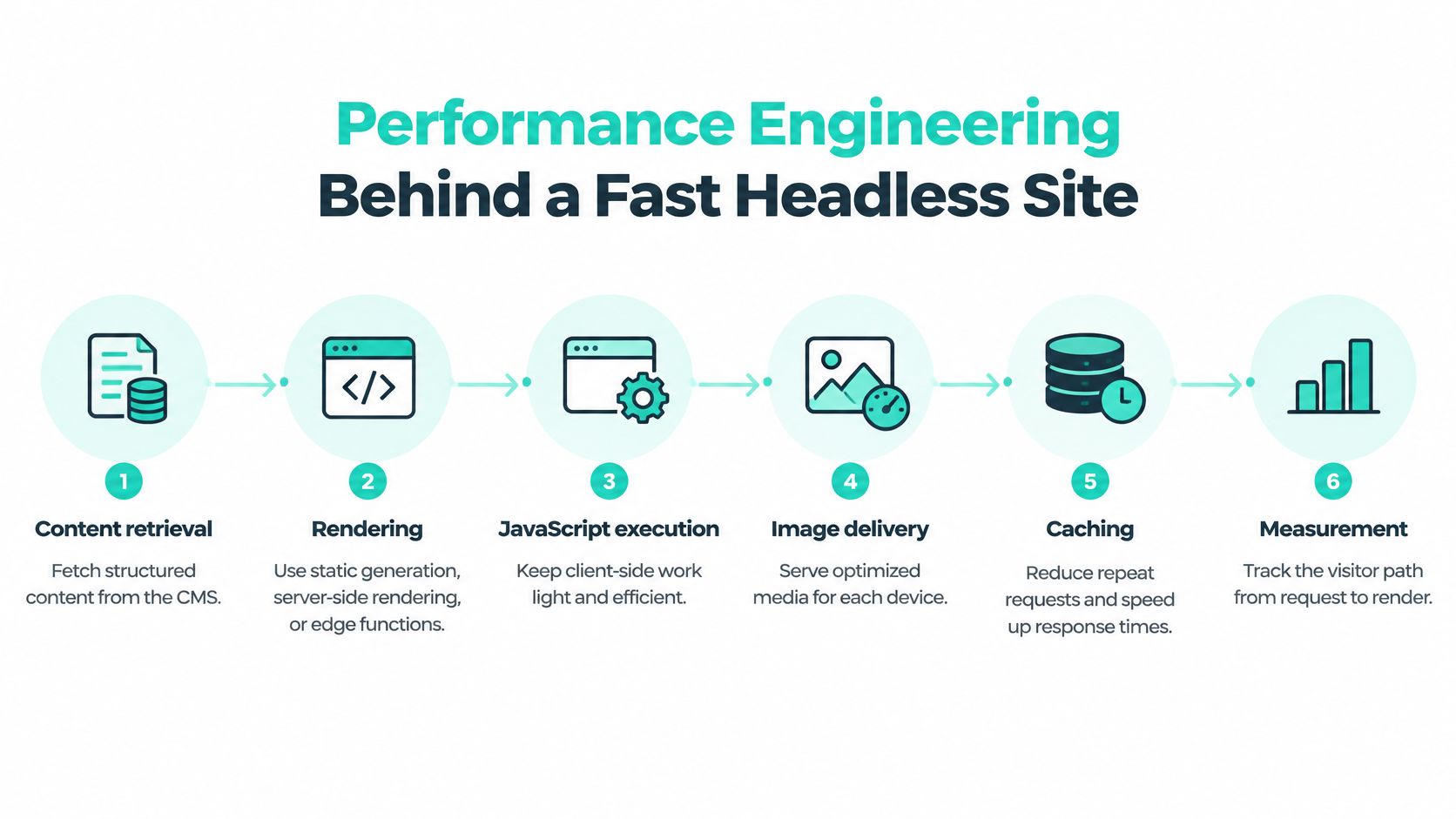
Set these budgets and measure them with field data at the 75th percentile, split by mobile and desktop.
| Metric | Value or benchmark | How to use it |
|---|---|---|
| LCP | Below 2.5 seconds at the 75th percentile | Measure real users, split mobile and desktop |
| INP | Below 200 milliseconds at the 75th percentile | Track interaction delay after JavaScript changes |
| CLS | Below 0.1 at the 75th percentile | Watch layout stability for images and embeds |
| TTFB for static generation | About 89 ms average | Benchmark average, not a budget; compare rendering strategies |
| TTFB for server-side rendering | About 156 ms average | Benchmark average, not a budget; compare rendering strategies |
| GraphQL preview API | Averages of 304.32 ms to 948.87 ms, p95 of 403 ms to 1,871 ms | Preview-path benchmark; report median and p95, not averages alone |
Those benchmark figures come from headless hosting benchmark data reporting approximately 89 ms average time to first byte for statically generated pages versus 156 ms for server-side-rendered pages. Static generation and edge caching reduce origin dependence. They also add cache invalidation, preview, revalidation, and personalization work. A vendor can quote the fast number and leave you with the operating bill.
Why Averages Hide the Failures Users Feel
Averages conceal tail latency. A published GraphQL preview benchmark reported average response times from 304.32 ms to 948.87 ms and p95 latency from 403 ms to 1,871 ms. Editors feel that tail in preview. Visitors feel it when relationship-heavy queries bypass cache during a campaign.
Kogifi's guidance on headless delivery for Next.js front ends applies the same discipline. Instrument CMS fetch duration, cache-hit ratio, TTFB, LCP, INP, CLS, JavaScript payload, and image weight separately. Then you know whether a slow page comes from content modeling, rendering, front-end code, or infrastructure. Require dashboards and runbooks at handover, because speed you cannot observe is speed you cannot keep.
Demand these controls in the contract:
- Separate objectives: preview APIs and public delivery APIs get different latency and error budgets.
- Capped queries: limit query depth and field selection, and paginate large collections.
- Cached immutable content: version assets and stable entries so the edge serves them without origin calls.
- Realistic load tests: representative data volumes, authenticated sessions, cold and warm caches, and concurrent editorial use.
If a partner reports only average API response time, they have not engineered performance. They have measured the easiest number available.
Sitecore AI Delivery and SharePoint Intranets in Practice
For customer-facing estates, start with Sitecore AI. The SitecoreAI developer documentation presents it as a cloud-native, SaaS, hybrid-headless digital experience platform combining content management, digital asset management, content operations, audience insights, conversion optimization, and AI in one governed environment.
The developer model is testable. Data templates structure content, reusable components and layouts assemble experiences, and data sources assign content to components. Experience Edge serves as the publishing target across Sitecore XM, SitecoreAI, Content Hub, and Content Hub One. That gives your agency a delivery architecture you can inspect: templates, component contracts, data sources, and an edge publishing target. If those four are weak, the AI layer will magnify the mess.

The AI Layer and Conversion Tools
The Sitecore platform portfolio includes more than 20 pre-built AI-powered agents for drafting, tagging, translating, and activating content. Sitecore Stream extends those capabilities across XM Cloud, Content Hub, XP, CDP, Personalize, and Search. AI drafting without brand, workflow, and approval controls creates cleanup work for editors. Judge the layer on field data: approval cycle time, translation review time, and how often editors correct agent output.
Conversion tooling belongs in the same conversation. Sitecore Personalize combines real-time personalization, on-site search, A/B/n testing, and page-level analytics using the same live visitor data. Editors can boost, bury, or pin search results, and the platform indexes content and assets already managed in SitecoreAI without connectors or custom setup. Search, experimentation, and personalization then share one operating model.
The broader Sitecore AI portfolio adds recommendations and conversational experiences across websites and apps, with Stream built on Microsoft Azure OpenAI Service. Pay for the workflow around the model. Ask who approves agent output, who owns prompts and brand rules, and how translations get reviewed.
Delivery Proof on Sitecore
Kogifi holds a Sitecore partnership and delivers across the wider portfolio. Kogifi's Sitecore services include Experience Commerce (XC), audit and optimization, Content Hub and Search, CDP and Personalize training, and an Airport Digital Experience Accelerator.
Kogifi's E-ON Polska project introduced a Helix-based Sitecore architecture and upgraded the my E-ON portal. Helix discipline is what keeps components reusable when multiple teams ship in parallel. Kogifi's Sitecore Support Readiness Check defines what is needed before AI agents work in a client's CMS. Run that check before you license agents for every market.
Where SharePoint Is the Right Answer
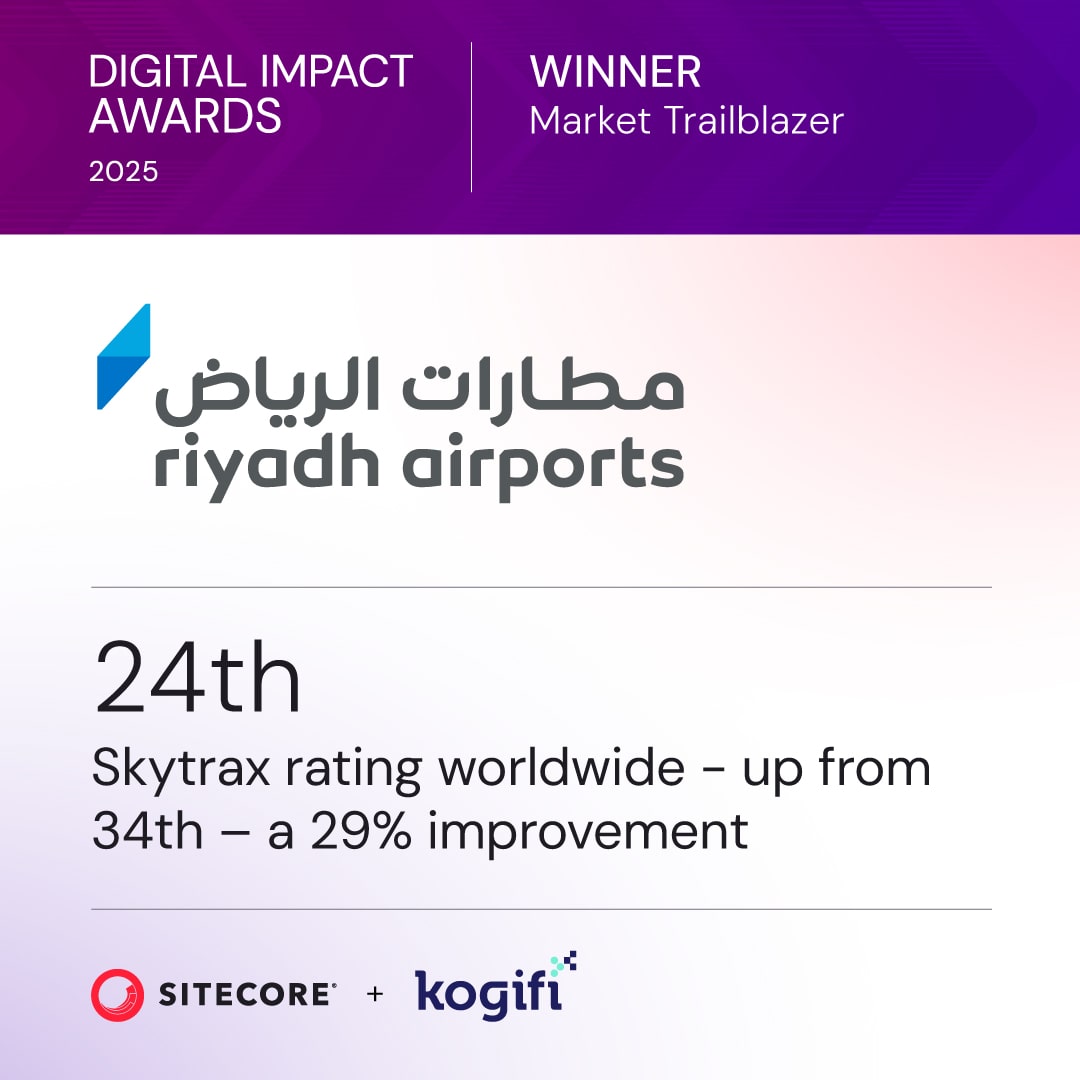
Employee-facing knowledge work points to SharePoint, not a customer DXP. Kogifi rebuilt the legacy intranet of RAC (Riyadh Airports Company) as a bilingual English/Arabic SharePoint Online root site, with SPFx components and federated SSO for partner and employee access. A detailed guide to SharePoint intranet development covers how that model centralizes communication, documents, and workflows inside Microsoft 365.
Decision rule: customer-facing estates with personalization and campaign delivery point to Sitecore AI. Employee-facing knowledge, documents, and internal workflows point to SharePoint. Forcing either platform into the other's job creates expensive workarounds.
Choose a Migration Path and Govern It After Launch
Pick the path before you pick the sprint plan.
| Path | Best Fit | Main Risk | Typical Timing |
|---|---|---|---|
| Full replatform to headless | Single brand with a clear content model | Long content freeze and parallel content work | Multi-quarter program |
| Phased brand-by-brand migration | Multi-brand estates with shared components | Two systems governed at the same time | Brand waves across several releases |
| Headless front end on existing CMS | Teams that need faster front-end releases first | Legacy integrations stay tightly coupled | Front end first, back end later |
| Stay monolithic and modernize | Stable sites with little reuse need | Headless cost exceeds the benefit | Upgrade and tuning cycles |
The Migration Procedure
- Inventory first: catalogue content models, integrations, and traffic by page type so you migrate what earns its place.
- Choose the boundary: start with one brand or one market, and make it prove the component library and publishing workflow.
- Serialize content and configuration: our engineers handle Sitecore content serialization as part of platform implementation, so environments stay in sync.
- Map redirects and SEO signals: finish redirect maps, canonical rules, and structured data before any domain switch.
- Run old and new in parallel: keep a tested rollback path until the new estate carries real traffic cleanly.
Our DACH Sitecore projects cover partner portals, multilingual corporate sites, migrations, and long-term support. That mix matters because migration doesn't end at cutover. Regional teams keep publishing, and support teams need the same component and schema knowledge the build team had.
Accessibility belongs inside each wave, not after it. We applied WCAG-aligned design patterns and validated accessibility flows on the KAPSARC College website, and your migration should validate keyboard journeys and translated content the same way during build.
As AI agents consume more of your published estate, content structure becomes an agent-readiness issue too. Clean schemas and stable URLs align with the thinking behind LLM-ready web content for AI agents, and they also make ordinary search and migration mapping more reliable.
Governance After Launch
Headless freedom turns into fragmented schemas and inconsistent pages without an operating model. Put these controls in place before wave two:
- Central architecture council: one group approves schema changes, API versions, and shared component releases.
- Versioned content schemas: treat models as contracts with deprecation rules, not as editor preferences.
- Component certification: components pass accessibility, performance, and brand checks before brands can use them.
- Permission tiers: global, regional, and market roles define who can edit, approve, translate, and publish.
- Translation memory with regional approval: local teams get autonomy without duplicating global assets.
- Automated WCAG testing: run checks in CI and validate critical flows manually before each release train.
- API lifecycle ownership: named owners monitor consumers, error budgets, and breaking-change notices.
- Release trains and service-level objectives: predictable shipping windows with measured latency and incident targets.
Governance decides whether freedom stays manageable. A hybrid interim state is fine when it's governed. It's dangerous when two systems drift with no owner.
Confirm Your Shortlist Before You Sign
Don't sign on a platform demo. Sign on evidence.
- Confirm platform fit: score the vendor against the evaluation criteria, because a partner without named projects on the same platform and delivery model can't be scored reliably.
- Request a five-year cost model: separate licenses, front-end development, content migration, localization, testing, observability, security, training, and vendor coordination, because the license is rarely the largest cost.
- Run a proof of concept: use a real content model and a field-data performance budget, because demos hide tail latency.
- Get commitments in writing: support hours, SLAs, and governance responsibilities must be explicit, because verbal promises don't hold during an incident.
- Agree wave one and test rollback: the first brand sets the pattern for every later market.
If capacity is the blocker, our Outsourcing service provides dedicated teams for Sitecore, Adobe Experience Manager and SharePoint development, support and maintenance. Bring four things to the first call: your current platform inventory, a traffic and performance baseline, your governance pain points, and the markets and brands that must be served.
If you're choosing a headless CMS agency for a Sitecore AI or SharePoint estate, bring us your platform inventory and performance baseline and we'll map the first migration wave, its component library, and its governance model before you commit to a full program. Visit Kogifi to start that conversation with a team that builds, migrates, and runs these platforms.