


Yes. In most modern legal frameworks like GDPR and CCPA, an email address is treated as PII or personal data, and email addresses appear in 92% of publicized U.S. data breaches while accounting for approximately 34% of exposed personal data in confirmed breaches.
That sounds straightforward until you have to operationalize it inside an enterprise platform. A marketing team launches a campaign, collects a flood of newsletter signups, pushes leads into Sitecore, syncs employee and partner records into SharePoint, and suddenly a simple contact field becomes a legal, architectural, and security problem. The answer to “is email address PII” is yes in practice, but the reason it's yes, and the way different laws describe that answer, changes how you should configure your DXP, your consent model, your retention rules, and your access controls.
For enterprise teams, this is rarely a policy-only issue. It becomes a platform issue fast. Sitecore personalization, Sitecore AI workflows, SharePoint intranets, Microsoft 365 governance, CRM syncs, form handlers, and export permissions all shape whether email data stays controlled or drifts into places it shouldn't.
Table of Contents
- Using Sitecore without blurring consent boundaries
- Making SharePoint safer for employee and partner data
The Critical Question Facing Every Enterprise
A strong demand generation campaign can create a compliance issue in a single afternoon. The team celebrates form fills, webinar registrations, gated content downloads, and event signups. Then legal asks a basic question: what exactly did we collect, where did it go, and who can now see it?
That's where the search intent behind Is Email Address PII becomes more important than it first appears. If you store email in Sitecore contact records, push it to marketing automation, surface it in SharePoint lists, or expose it through integrations, you're not handling a harmless string field. You're handling an identifier that usually falls under privacy and security obligations.
In enterprise environments, the hard part isn't agreeing that email matters. The hard part is handling it consistently across platforms, teams, and jurisdictions.
Why the platform matters
A modern DXP rarely lives in one product. Sitecore may manage customer-facing journeys and personalization, while SharePoint handles internal collaboration, document access, request workflows, and employee directories. That split creates a common failure pattern: teams govern customer data in one place and leave internal or partner email data loosely managed somewhere else.
A better approach treats email as a governed identifier wherever it appears.
- In Sitecore: email often lands in forms, contact profiles, experience databases, CRM connectors, and personalization inputs.
- In SharePoint: email appears in user profiles, list columns, approval workflows, people pickers, and exported reports.
- Across both: integrations multiply exposure through logs, CSV exports, API payloads, and support access.
Practical rule: If a platform can search, export, enrich, or personalize against an email field, that field needs governance before the business scales its use.
Enterprise delivery teams also need platform fluency, not just policy language. That matters in composable estates where architecture decisions shape privacy outcomes. Kogifi's Sitecore Silver Partner status and partnerships across Adobe Experience Manager and Microsoft ecosystems reflect the kind of cross-platform expertise required when Sitecore, Microsoft 365, and adjacent systems all touch the same identity data.
The Legal Landscape PII vs Personal Data
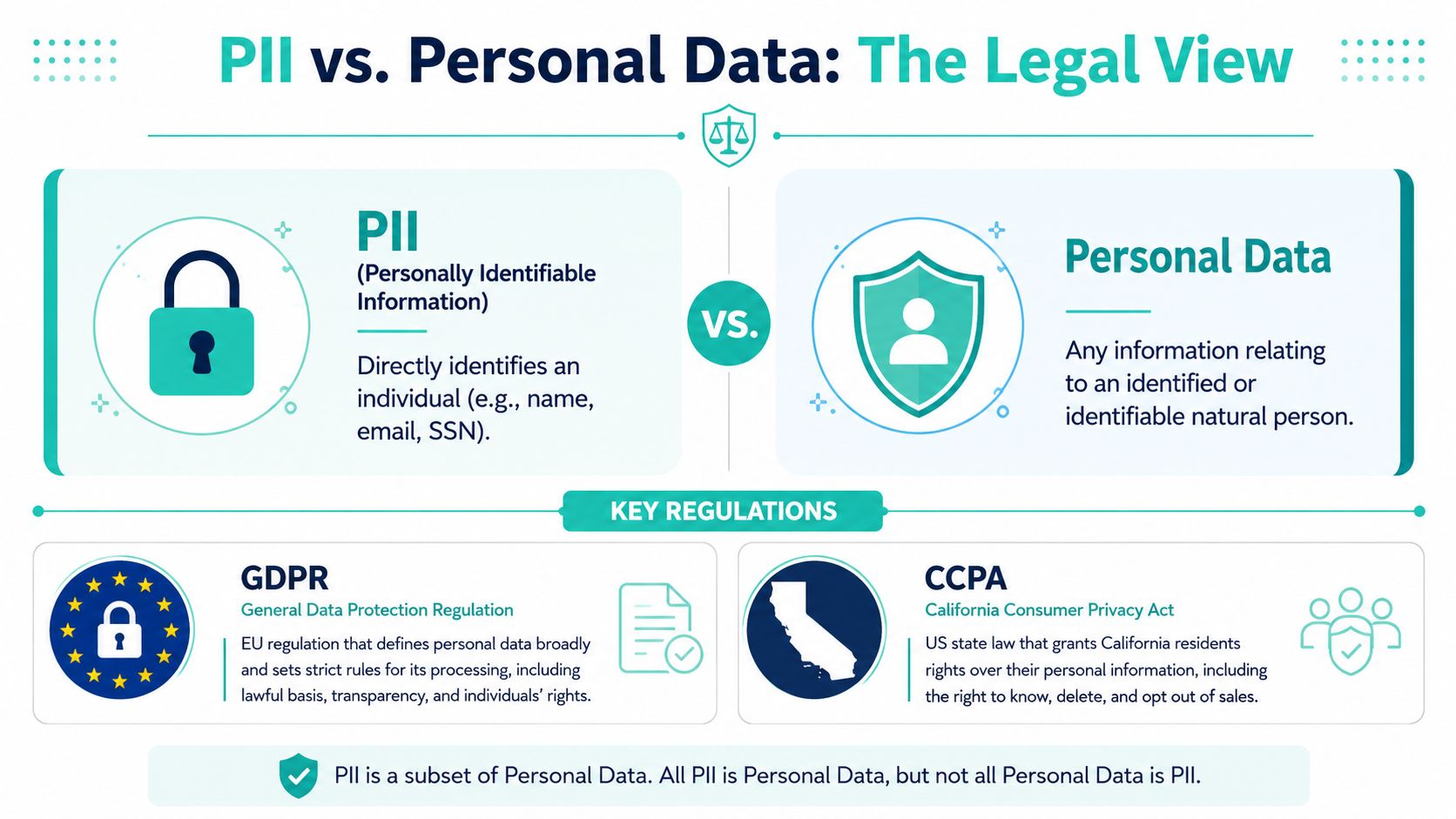
An enterprise team can look at the same email field and reach two different legal conclusions depending on which rulebook they apply. A U.S. security team may label it PII. An EU privacy counsel will call it personal data. If your Sitecore forms, SharePoint lists, and downstream integrations use those terms as if they mean the same thing, policy drift starts fast.
Why the terminology matters
Under GDPR, an email address is personal data if it identifies a living person directly or indirectly. That is a defined legal category, not shorthand. In the U.S., PII is a common operational term, but its meaning shifts by statute, regulator, and contract. Teams get into trouble when they use a broad U.S. label to make EU processing decisions, or when they assume a narrow U.S. definition means an email field is low risk everywhere.
The Termly explanation of why email is personal data under GDPR and handled differently from U.S. PII concepts is a useful reference point for that distinction.
The practical consequence is straightforward. Classification drives controls. If your SharePoint environment treats email as a routine directory field while your Sitecore stack uses the same value for identification, segmentation, and CRM sync, you are not dealing with one harmless data point. You are dealing with an identifier whose legal treatment depends on context, purpose, and jurisdiction.
| Framework | Term used | What it means for email handling |
|---|---|---|
| GDPR | Personal data | Processing needs a lawful basis, purpose limits, retention rules, and data subject rights support |
| CCPA and related U.S. state laws | Personal information | Notice, disclosure, access, deletion, and sharing rules may apply depending on business use |
| Internal enterprise policy | Often “PII” | Useful for operational triage, but only if it maps back to the actual legal definitions in scope |
I advise clients to keep "PII" as an internal handling label, not as the final legal classification. That approach works well in complex DXP estates because engineering teams need one shared control model, while legal teams still need jurisdiction-specific analysis. The discipline behind that mapping is part of broader enterprise information management practices, especially where Microsoft 365, Sitecore, CRM platforms, and analytics tools all touch the same identifier.
Personal email versus generic mailbox
Email classification gets harder once you leave the textbook examples.
A personal address such as john.doe@example.com usually points to an identifiable person. A shared mailbox such as info@company.com often does not, at least at first glance. But that is not the end of the analysis. If sales-emea@company.com is consistently routed to one account executive, appears in activity logs, and is tied to pipeline reporting, it may function as personal data in practice.
That is why naming-pattern rules fail so often in production systems.
- Direct personal identifier:
firstname.lastname@company.com - Usually shared or functional:
support@company.com - Requires business context:
regionalsales@company.com,principal@school.edu,ceooffice@company.com
In Sitecore, this distinction affects more than form validation. It changes how you configure consent capture, contact record creation, personalization inputs, and connector payloads. In SharePoint, it affects who can search the value, where it appears in lists and exports, and whether it should be included in retention or DLP policies. The field name alone is not enough. You need to assess how the business uses the mailbox.
For a practical example of how a vendor describes protection obligations around email-related data and metadata, see Mail Tracker for Gmail's data security.
Business Risks Beyond the Legal Fines
Email data creates legal exposure, but the business risk starts earlier. Attackers don't need a full identity dossier to cause damage. A valid email address, especially one tied to role, geography, brand relationship, or internal workflow, is enough to start a convincing attack chain.
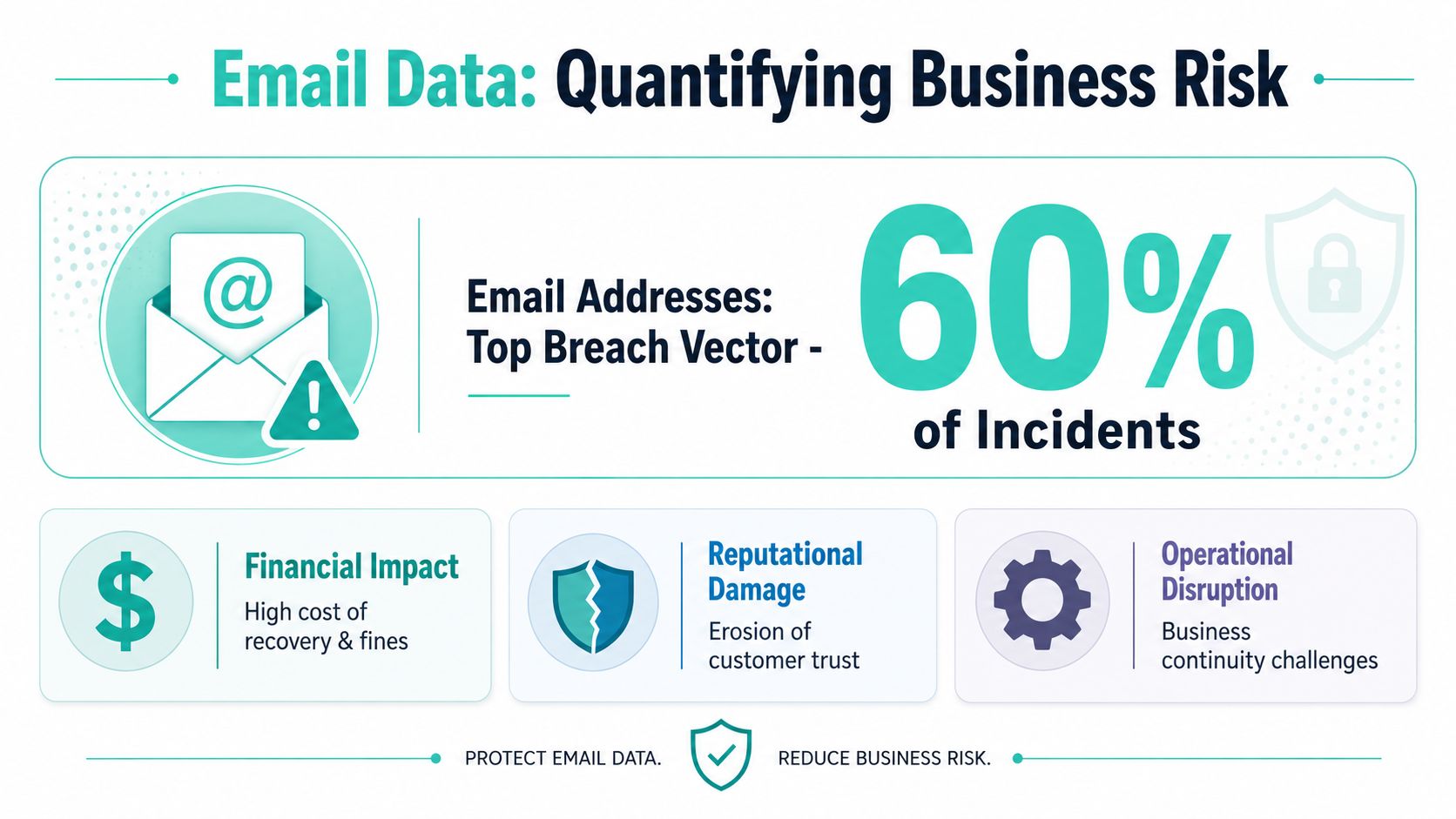
According to the Hyperproof summary of email exposure in breach reporting, the 2025 Verizon Data Breach Investigations Report found that email addresses accounted for approximately 34% of all exposed personal data in confirmed breaches, and the 2024 ITRC Breach Database found that email addresses were present in 92% of all publicized U.S. data breaches.
Why attackers care about email lists
An email address gives an attacker something useful immediately. It can be spoofed, harvested, enriched with other data, or used to target phishing, password reset abuse, and impersonation attempts. Once a list leaks, the downstream damage often spreads outside the system where the leak began.
Here's what I see in enterprise estates most often:
- Marketing exports travel too far: teams download CSVs for agencies, events, or offline analysis and lose visibility after that.
- Shared mailboxes get overused: operational convenience turns broad inbox access into uncontrolled exposure.
- Logs become persistent copies: integrations and debugging tools keep email fields longer than the business intended.
- Personalization data gets reused: an attribute collected for one campaign inadvertently appears in another workflow with no fresh legal review.
The operational fallout inside enterprise platforms
The hardest consequence to reverse isn't always the regulator's attention. It's trust loss inside ordinary business processes. Marketing pauses campaigns. Sales questions lead quality. Security teams clamp down on exports. HR asks whether employee directories are overexposed in SharePoint. Product teams discover data minimization would've simplified the architecture from the start.
If your team only talks about fines, you're understating the problem. The bigger issue is that exposed email data disrupts normal operations across marketing, sales, support, and internal collaboration.
A practical control that helps before campaigns launch is deliverability and exposure hygiene. Tools such as an email spam checker can help teams review outbound email posture, authentication health, and sender trust signals before poor practices compound a privacy incident with a deliverability problem.
Security controls also need to align with the web platform itself. If Sitecore forms, SharePoint lists, or public search endpoints expose too much metadata, weak page and application hardening will magnify privacy risk. Teams that need a technical baseline should review these website security best practices alongside privacy requirements, because weak platform security and weak data governance usually show up together.
A Framework for Managing Email PII in Your DXP
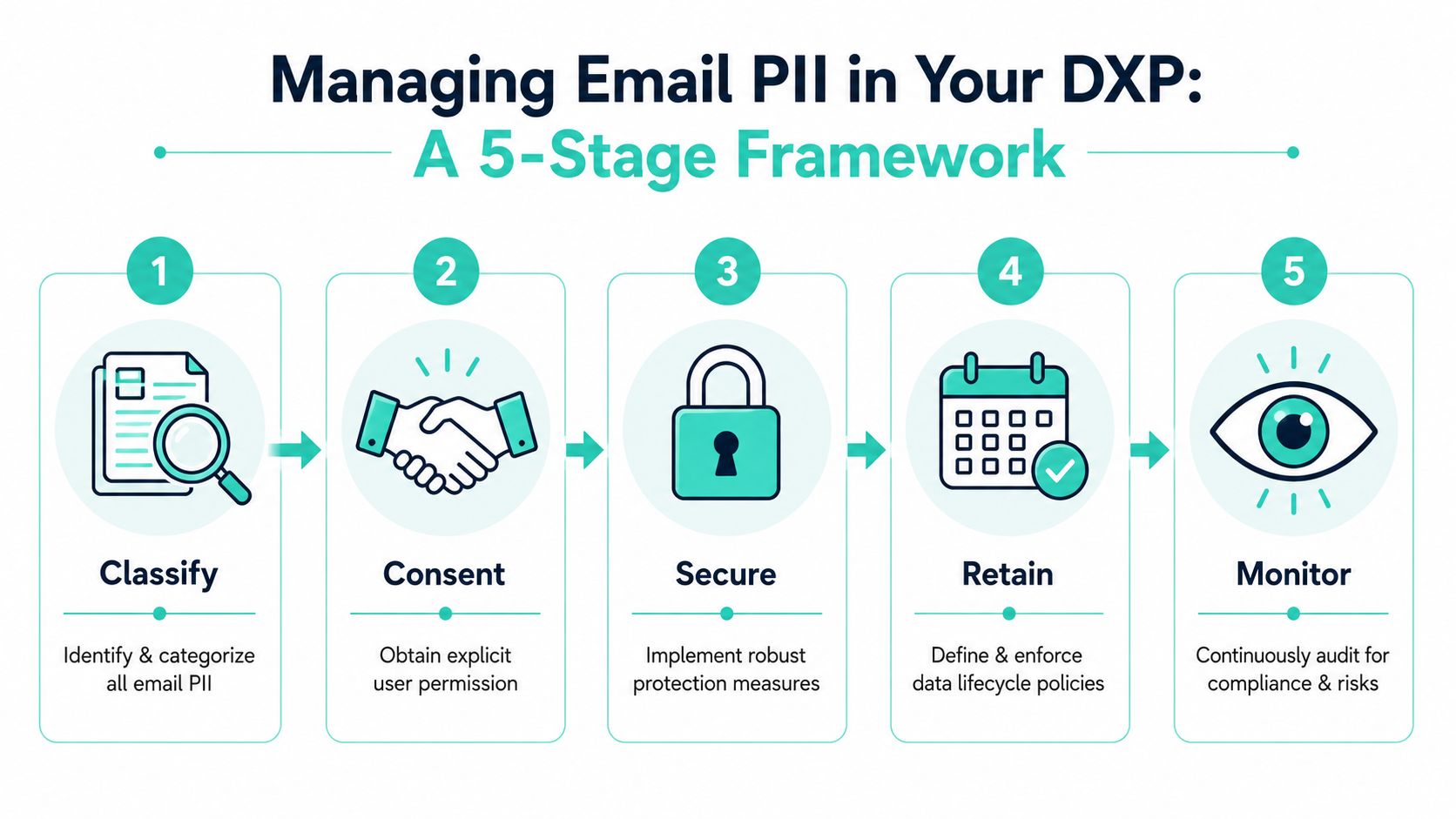
Email governance becomes manageable when teams stop treating it as a one-time legal review and start treating it as a lifecycle. In DXP work, I use a practical five-stage model: Classify, Consent, Secure, Retain, and Delete. The graphic below adds the monitoring mindset that should sit across all five.
Classify and consent
Start with classification. Most enterprise problems begin because email exists in more places than the data map says it does. Forms capture it. CRMs mirror it. Sitecore contact records store it. SharePoint lists duplicate it. Workflow notifications reference it. Support exports preserve it.
A good classification exercise answers four questions:
- Where is email collected
- Why is it collected
- Which system is authoritative
- Who can access it
Then move to consent and lawful use. Don't bundle all email handling into one checkbox. Newsletter subscription, gated asset access, event reminders, sales follow-up, and personalization are not always the same use case. If the business purpose changes, your governance should reflect that.
- Classify by business purpose: marketing subscription, authenticated account, employee directory, supplier contact, support case, or transactional notice.
- Tag fields consistently: use shared taxonomy across Sitecore forms, customer data layers, integration mappings, and SharePoint columns.
- Separate identity from behavior where possible: keep activity analytics decoupled from directly identifying fields unless there's a justified need to link them.
- Record source of collection: teams need to know whether email came from a form submit, an import, a sales handoff, or a synced directory.
A strong content and data operating model helps here. This content governance framework is a good reference point for structuring ownership, approval, and retention rules around the systems that hold email data.
For teams training stakeholders or building internal playbooks, this walkthrough is useful as a primer:
Secure retain and delete
Security controls should match the workflow, not just the policy binder. Email fields need protection in transit, at rest, in exports, and in admin interfaces. Role-based access matters most when it's enforced in the systems people use every day.
Retention is where many DXP programs weaken. Teams define collection rules, then keep everything forever because deletion feels operationally risky. That's backwards. If an email no longer serves the purpose for which it was collected, keeping it usually increases risk without adding much value.
Delete doesn't only mean hard deletion from a visible record. It also means checking for copies in these places:
- System logs
- Search indexes
- Workflow histories
- Archived exports
- Backup-related restore procedures
Implementation insight: Deletion requests fail in practice when teams only remove the front-end record and ignore the connected systems that still reference the same email.
Why monitoring belongs in the workflow
The framework works only when someone verifies it continuously. Monitoring should cover failed consent checks, unusual export behavior, admin access patterns, and schema drift across integrations. In a mature DXP estate, privacy controls become part of release management, not an afterthought during audit season.
What doesn't work is relying on annual spreadsheet reviews. What does work is embedding checkpoints into form creation, content publishing, integration deployment, and access review.
Practical Implementation in Sitecore and SharePoint
Platform details decide whether privacy policy survives contact with reality. In this context, enterprise teams require precision. Sitecore and SharePoint both handle email elegantly when configured well. They also both make it easy to overshare if governance stops at the document stage.

Using Sitecore without blurring consent boundaries
In Sitecore estates, email typically enters through forms, authentication flows, commerce journeys, or external data connectors. Once it lands, teams often want to use it for segmentation, personalization, analytics alignment, and campaign orchestration. That's useful, but only if consent and purpose boundaries stay intact.
The major shift for Sitecore teams is the rise of AI-assisted experience operations. According to the announcement of SitecoreAI in 2026, SitecoreAI is an AI-first digital experience platform designed to help brands plan, create, and optimize content using generative AI and predictive analytics. That expands what teams can do with content and audience data, but it also raises the stakes for governance.
For Sitecore specifically, good implementation usually includes:
- Purpose-specific contact data modeling: don't let one email field become the universal key for every use case.
- Consent-aware personalization rules: if a user subscribed to updates, that doesn't automatically justify every enrichment or audience activation scenario.
- Restricted admin roles in XM Cloud and related services: marketers often need audience tools, but they don't always need raw contact export rights.
- Review of xConnect or adjacent integration patterns: avoid pushing full identifiers into systems that only need a pseudonymous reference.
- Form design discipline: collect only the fields that support the experience or transaction being offered.
A practical design decision I recommend often is separating email-dependent operations from anonymous behavioral analysis until the business has a clear reason to join them. That keeps personalization effective while limiting unnecessary identity linkage.
Security maintenance also matters. Privacy failures often start as old technical debt. This is why teams running mature Sitecore estates should maintain a clear process for Sitecore security patching, especially where forms, connectors, and custom modules process contact data.
Don't let personalization architecture outrun your consent architecture. In Sitecore, that mismatch creates risk faster than almost any other design decision.
Making SharePoint safer for employee and partner data
SharePoint creates a different pattern. The risk isn't usually campaign acquisition. It's operational spread. Employee directories, department lists, approval histories, project workspaces, onboarding content, and exported reports all create many small surfaces where email appears.
Good SharePoint governance starts with role realism. The people who need to view a document often don't need a reusable list of personal identifiers. Permissions should reflect task needs, not broad departmental habits.
A practical SharePoint model often includes:
| SharePoint area | Common email risk | Better practice |
|---|---|---|
| Lists and libraries | Email stored in plain columns and exported widely | Minimize visible columns and tighten export permissions |
| SPFx web parts | Custom components overexpose profile data | Limit fields returned and validate audience targeting logic |
| Workflow notifications | Email copied into history and comments | Reduce unnecessary field duplication in workflow states |
| Search and directory experiences | Overbroad discoverability of staff details | Tune visibility by role and business need |
For Microsoft 365 environments, Purview-style classification and retention capabilities can support stronger control if teams map them to business processes. SharePoint works best when employee email data is treated as governed business data, not as incidental profile metadata.
What doesn't work is assuming internal equals low risk. Internal misuse, oversharing, and accidental exposure are common because people trust familiar tools. SharePoint is powerful precisely because it makes collaboration easy. That convenience needs guardrails.
Building Your PII Compliance Roadmap
A workable roadmap starts with a decision that removes ambiguity. In a multinational DXP environment, treat any email that can point to a person as regulated data unless your review confirms it is a true shared mailbox with no link to an identifiable individual.
That distinction matters because U.S. teams often ask whether an email address is "PII," while EU teams ask whether it is "personal data." Those are not interchangeable tests. In practice, enterprise teams get into trouble when they build controls around the narrower U.S. framing and then deploy the same forms, workflows, and search experiences into GDPR-governed operations. Sitecore and SharePoint do not resolve that for you. Your governance model has to.
A strong roadmap usually includes four things:
- A shared classification model: legal, security, marketing, and platform teams define how they label personal email, generic mailboxes, employee contact data, and inferred identity data.
- A data flow record tied to real systems: Sitecore forms, xDB or CDP-related stores, SharePoint lists, CRM syncs, analytics pipelines, and AI tools all have accountable owners.
- A repeatable review process: new form fields, personalization rules, connectors, and copilots go through the same privacy and security checks before release.
- A lifecycle policy with technical enforcement: retention, deletion, access, export, and backup handling are configured in the platform, not left in a policy document alone.
The teams that do this well make privacy controls part of release management, solution architecture, and content operations.
Where programs stall is predictable. Legacy records have no clear source. Business users turn on useful platform features before governance catches up. Regional teams use different legal terms and assume they mean the same thing. I see this often in Sitecore programs where marketing wants deeper personalization, while security and legal are still trying to confirm whether the email in a profile record came from consented collection, a CRM import, or a sales upload.
The practical fix is to sequence the work. Start with an audit of where email enters the DXP estate, where it is copied, and which teams can export it. Then rank remediation by risk and effort. Tighten access in SharePoint, reduce unnecessary profile fields in Sitecore, standardize consent and notice language, and set deletion rules that cover downstream copies instead of only the source system.
Keep the executive angle in scope too. Email exposure is not limited to customer records. Leadership contact details, published staff directories, cached documents, and scraped bios can create reputational and security issues that sit outside standard martech governance. For a useful external perspective on protecting executive online reputation, this guide is worth reviewing.
If your team needs a practical review of how email data is handled across Sitecore, SharePoint, and connected systems, Kogifi can help assess the platform architecture, identify privacy and security gaps, and shape a compliant composable DXP roadmap that still supports personalization, content velocity, and enterprise governance.