


In a recent global survey of 1,000 senior technology executives, every respondent said their company lost revenue from IT outages during the previous year, while organizations experienced an average of 86 outages annually. Outages lasted an average of 196 minutes, and only 20% of organizations described themselves as fully prepared, according to Secureframe's disaster recovery statistics. For a digital experience platform, that isn't an infrastructure footnote. It's a direct threat to revenue, customer trust, campaign delivery, search visibility, employee productivity, and compliance.
A credible disaster recovery strategy must answer a harder question than “Can we restore the database?” It must establish whether customers can still find, browse, transact with, and trust the business while Sitecore or SharePoint services are being restored. That requires architecture, tested runbooks, dependency ownership, observability, and governance that marketing, IT, security, and operations can all understand.
Table of Contents
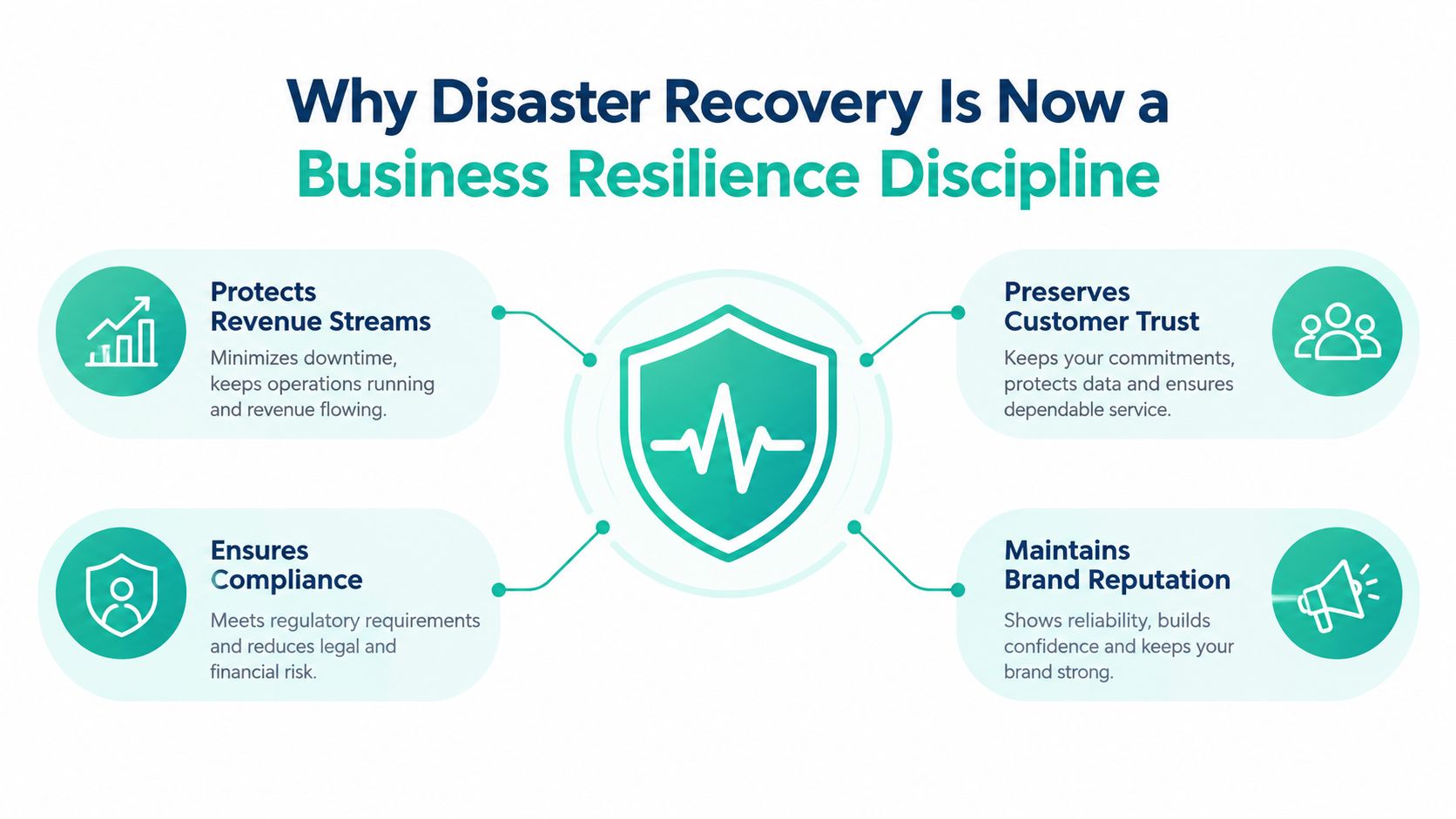
Why Disaster Recovery Strategy Is Now a Business Resilience Discipline
Enterprise websites and intranets rarely fail as isolated applications. A Sitecore estate may depend on identity services, content delivery, search, personalization, commerce, analytics, third-party APIs, media delivery, deployment pipelines, and DNS or traffic-management controls. A SharePoint solution may rely on Microsoft 365, Entra ID, SPFx packages, Power Platform flows, connectors, email, and line-of-business systems. Restoring one server or one content database doesn't restore the experience those dependencies create.
The outage data makes the business exposure clear. The same 2025 survey reported that organizations faced 86 outages annually on average, with each outage lasting 196 minutes on average. Those interruptions can stop campaign launches, break authenticated journeys, leave product information stale, prevent employees from accessing operational content, and create contradictory experiences across channels. A marketing team may still have approved content, but if the publishing path, search index, personalization service, or integration layer is unavailable, the business can't deliver it.
Recoverability is broader than restoration
Traditional DR language tends to focus on backups, replicas, and failover. Those controls matter, but they describe system recovery rather than business continuity. A business may restore its content management system and still be unable to operate because editors lack identity access, search is empty, forms cannot submit, personalization rules are unavailable, or customer-service staff can't reach the intranet.
Practical rule: Define success as the continuation of critical customer and employee journeys, not merely the return of infrastructure components.
Historical DR material on recovery objectives illustrates the consequence of underestimating recovery speed. One widely cited milestone states that 93% of companies that lost their data center for 10 days or more filed for bankruptcy within one year, as documented in this RPO and RTO reference from IntelePeer. The lesson isn't that every DXP outage will produce the same result. It's that leaders need recovery objectives tied to business survival, not convenient technical assumptions.
Why stakeholder language matters
Marketing leaders care about campaign continuity, content freshness, conversion paths, and brand reputation. IT teams care about dependencies, recovery sequencing, capacity, and access. Security and compliance teams care about data integrity, auditability, and controlled change. A disaster recovery strategy becomes fundable when those concerns are translated into shared business services.
A useful starting resource is this disaster recovery guide from UpTime Web Hosting, particularly for establishing common terminology before a cross-functional planning workshop. The working output should be a prioritized list of business capabilities, their owners, their acceptable interruption, and the evidence required to prove recovery.
Assessing Risk and Defining RTO and RPO for Your DXP
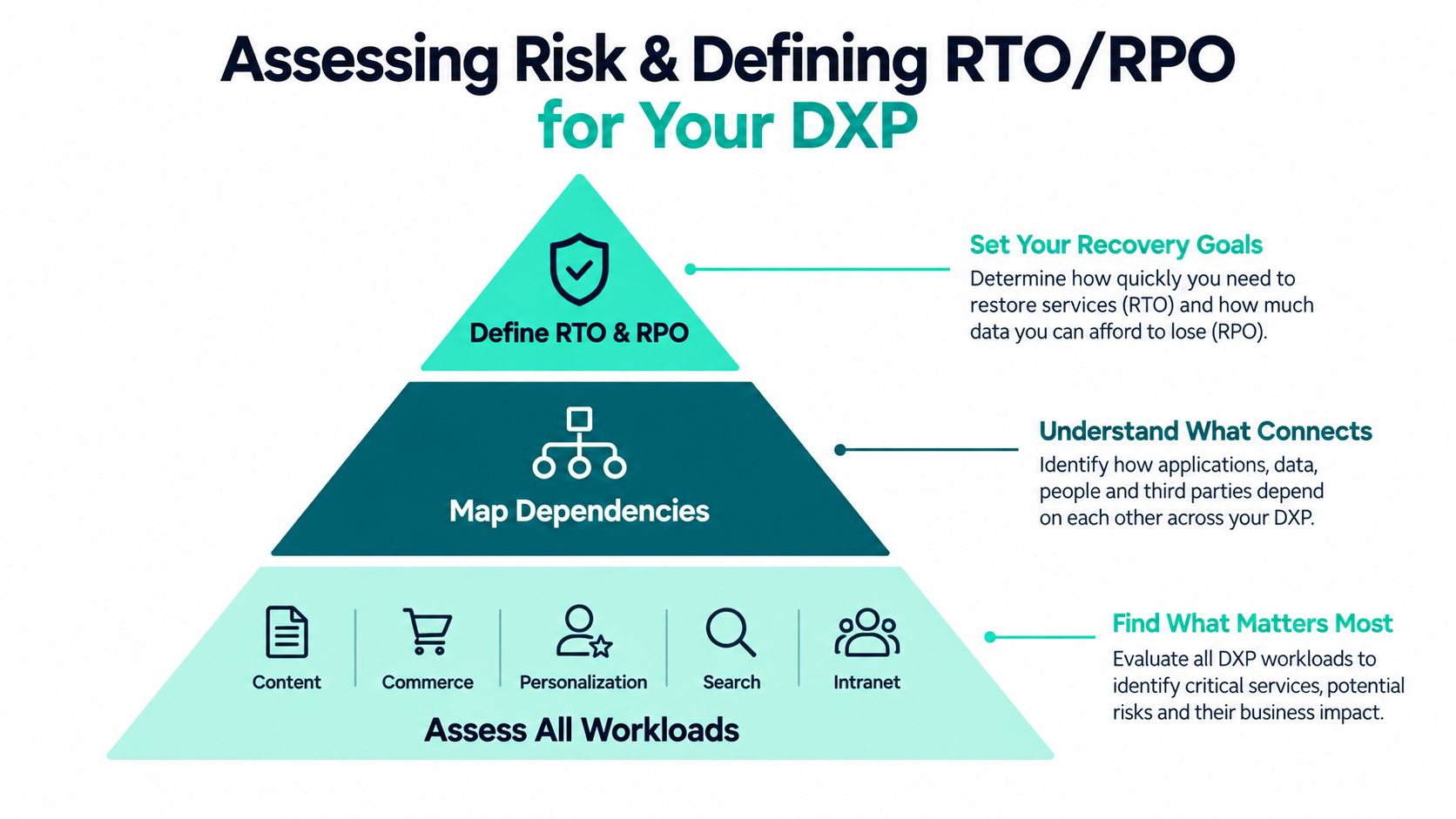
Start with business impact, not the products already installed. A Sitecore content database, SharePoint site collection, search service, or personalization store is important because of the business journey it supports. Classifying the technology first often produces distorted priorities, with visible infrastructure receiving attention while less visible identity, integration, or editorial dependencies remain unprotected.
Build the workload inventory
List every workload that contributes to a customer-facing or employee-facing experience. For Sitecore, that may include XM Cloud, XP, Content Hub, Search, Personalize, Discover, commerce services, delivery applications, analytics, and external integrations. Sitecore documents these as separate capabilities within its product family, so the recovery design must account for their distinct roles rather than treating “Sitecore” as one recoverable unit. See the Sitecore platform documentation for the product boundaries and service responsibilities.
For SharePoint, include SharePoint Online sites, SPFx components, Power Platform automations, Microsoft 365 integrations, search configuration, permissions, document libraries, and connected business systems. For SharePoint Server, include the underlying infrastructure and supporting services, not just the farm binaries.
Then map the journeys that matter most:
- Publish and approve: Can editors create, review, approve, and publish content?
- Find and understand: Can users search content, products, documents, and employee knowledge?
- Authenticate and transact: Can visitors sign in, submit forms, complete purchases, or access protected resources?
- Operate internally: Can employees reach policies, workflows, collaboration spaces, and critical operational information?
Turn impact into objectives
The recovery time objective, or RTO, defines how quickly a service or journey must become usable after disruption. The recovery point objective, or RPO, defines how much recent data the business can afford to lose. These values should come from business owners who can explain the consequences of interruption and data loss.
Industry survey material reports that 69% of organizations target RTOs of four hours or less, while 74% target RPOs of four hours or less. The same source reports that 13% accept more than 24 hours or have no RTO at all, demonstrating how widely recovery expectations can vary across estates. These figures appear in the AWS disaster recovery survey report.
Use those findings as context, not as a default target. A campaign publishing workflow, an authenticated customer portal, an employee emergency site, and an archival repository may require different objectives. Document the owner, business consequence, dependency set, acceptable data loss, and approval authority for each workload.
The infrastructure risk management guide can support the broader risk-mapping conversation, but the final RTO and RPO should be approved by the people accountable for business outcomes. Loose targets are not conservative if the architecture and operating model can't meet them. They're untested promises.
Designing Resilient Architectures for Sitecore and SharePoint
Architecture determines whether recovery is a controlled transition or an improvised rebuild. The right pattern depends on workload criticality, data mutability, dependency behavior, regional requirements, operational maturity, and the cost of keeping recovery capacity ready.
For Sitecore XM Cloud, the recovery design should distinguish the managed cloud platform from the surrounding delivery system. Headless implementations may include Next.js applications, content delivery configuration, CI/CD pipelines, edge delivery, search, identity, analytics, and integration services outside the core CMS. XP estates add more operational responsibility around databases, processing, reporting, xConnect, search, and application infrastructure. Content Hub, Search, Personalize, and Discover each contribute different content, asset, discovery, or decisioning capabilities, so a recovery plan must state what happens if one capability is unavailable while others remain online.
XM Cloud Plus combines content management, AI-powered search, personalization, customer data management, and analytics, while Sitecore describes generative AI capabilities across content creation and delivery in its XM Cloud Plus announcement. Those capabilities expand the dependency and governance surface. Recovery planning should cover the content and configuration that define AI-assisted experiences, not only the rendered pages.
SharePoint Online changes the design conversation. Microsoft operates the platform service, but the customer still owns information architecture, permissions, SPFx packages, Power Platform flows, integrations, content governance, and the user journey. SharePoint Server requires a more explicit infrastructure model, including redundant supporting services and a documented recovery sequence.
Comparing failover patterns
| Architecture Pattern | Best Fit RTO/RPO | Trade offs |
|---|---|---|
| Active-passive | Moderate to strict objectives where a standby environment can be maintained | Lower operating complexity than active-active, but failover capacity, replication, and runbooks still require continuous validation |
| Pilot light | Less demanding objectives and workloads that can tolerate infrastructure expansion during recovery | Lower steady-state cost, but slower recovery and greater dependence on automation, quotas, deployment assets, and operator skill |
| Active-active | The strictest continuity requirements for suitably designed workloads | Highest complexity and cost, with difficult data consistency, session, integration, and release-management decisions |
For Azure-hosted components around Sitecore or SharePoint, multi-region architecture can use replicated data, infrastructure as code, traffic management, and automated orchestration. The Azure disaster recovery guidance for DXP workloads is useful when evaluating those choices. Geographic separation alone doesn't create recovery. The secondary region must have the required services, capacity, secrets, identity paths, monitoring, deployment artifacts, and tested routing behavior.
Kogifi patterns such as Helix-based component libraries and hub-and-spoke governance can reduce architectural drift across Sitecore brands and sites. Shared libraries make it easier to rebuild consistent delivery layers, while hub-and-spoke controls help separate common standards from local brand or regional needs. Neither pattern replaces recovery testing, but both improve repeatability when teams must restore more than one site.
Building Backup Restore Processes and Executable Runbooks
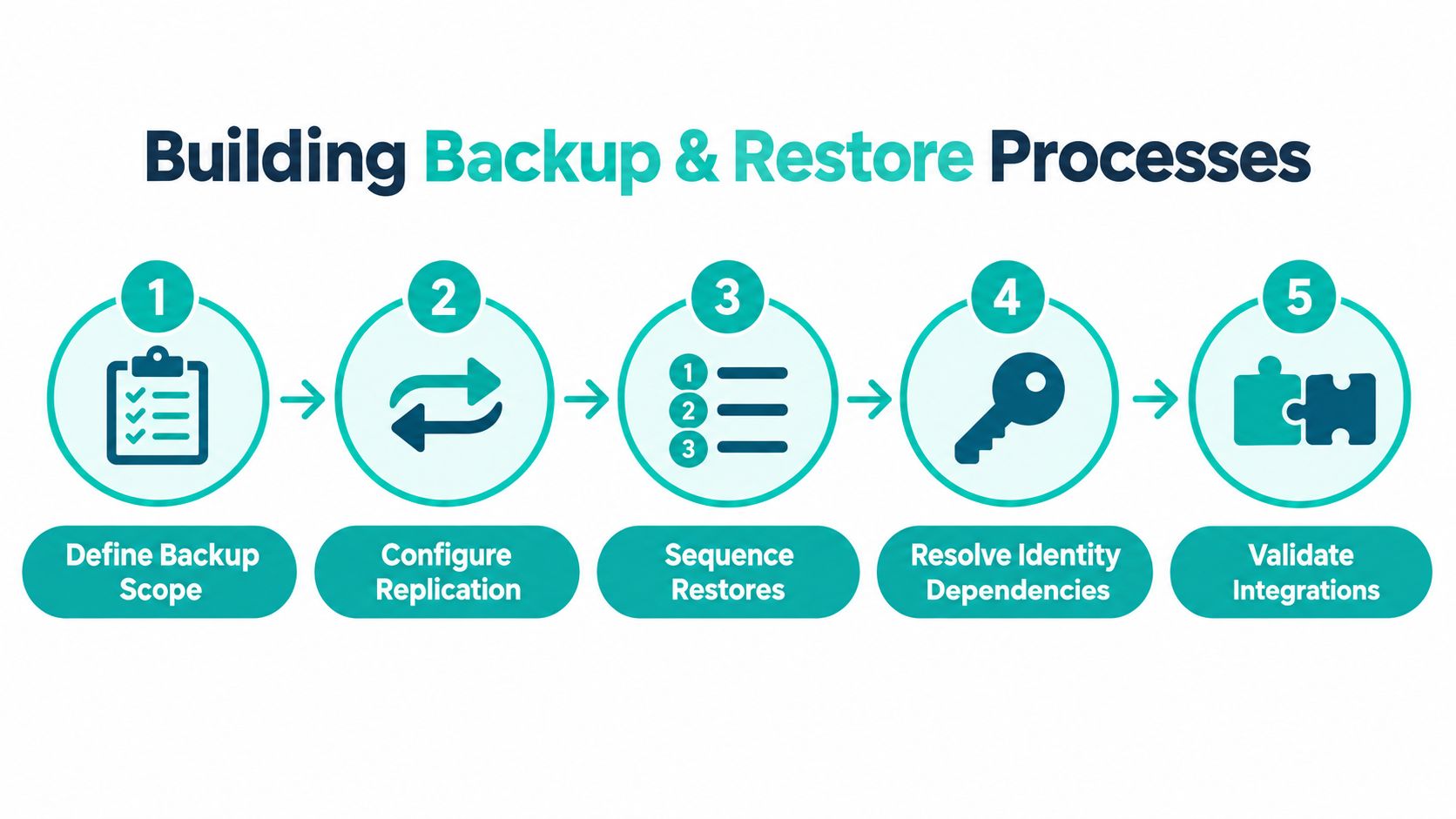
A backup is useful only when the organization knows what it contains, how to restore it, and which dependencies must be available first. Start by defining scope across content, media, databases, configuration, deployment artifacts, infrastructure definitions, secrets, search configuration, personalization rules, analytics settings, permissions, SPFx packages, Power Platform solutions, and integration credentials.
Sitecore's product family makes scope especially important. Content Hub may hold digital assets and metadata. Search indexes may be rebuildable, but the source configuration and indexing pipeline still need protection. Personalize and Discover can influence how visitors find products or receive next-best-action experiences. Sitecore Stream adds AI-assisted visual search, content generation, translation, grounded image tagging, A/B/n testing of AI-generated content, and AI-driven page personalization. Sitecore also describes brand kits that align AI outputs with brand context, guidelines, and tone of voice in its Sitecore Stream AI capabilities documentation. Those rules and governed inputs belong in the recovery inventory.
Sequence the recovery
Write the restore process in dependency order. A typical sequence might begin with access and identity, continue through network and platform services, restore data stores, deploy application code, rebuild or restore search, reconnect integrations, and then validate user journeys. The exact order varies, but the runbook must make those decisions explicit.
For SharePoint Server, Microsoft's disaster recovery planning guidance states the planning assumption that power, cooling, network, directory, and SMTP are fully redundant. It also emphasizes that documentation should contain enough detail for a third-party team to execute the recovery with minimal assistance. That standard is valuable for any DXP, including cloud estates where the infrastructure provider handles part of the platform.
Include concrete operator actions:
- Identify the trigger: Define who declares the incident, what evidence is required, and which authority can approve failover.
- Protect the source: Prevent corrupted or malicious data from propagating into replicas before restoration begins.
- Restore dependencies: Confirm identity, certificates, secrets, queues, storage, search, email, payment, and integration services.
- Deploy known-good code: Use versioned pipelines and infrastructure definitions rather than relying on an engineer's local machine.
- Validate journeys: Test publishing, navigation, search, authentication, forms, personalization, document access, and critical workflows.
A detailed MSSQL Server backup resource can help teams formalize database protection, but database recovery is only one part of a platform runbook. Record expected inputs, decision points, validation evidence, rollback conditions, and contact ownership. The third-party execution test is simple: remove the author from the room and see whether another qualified team can follow the document without oral translation.
AI and composable services also require a configuration inventory. Record model or provider dependencies, prompt and brand governance, translation workflows, search settings, personalization rules, and approval controls. Restoring the site without restoring the rules that shape its experience can leave the business technically online but commercially degraded.
The runbook should finish with a controlled return to normal operations. Define how traffic moves back, how newly created content is reconciled, how queues are drained, how duplicate transactions are prevented, and who signs off that the primary environment is safe.
A scripted recovery drill is not a substitute for the runbook. It's the mechanism that exposes omissions in the runbook.
Testing Monitoring and Proving Real World Recoverability
Tabletop reviews are useful for clarifying responsibilities, but they don't prove that a Sitecore or SharePoint estate can recover. A document can appear complete while a certificate is expired, an SPFx package is missing, a search index won't rebuild, an identity dependency is unreachable, or a SaaS integration rejects traffic from the recovery environment.
Testing evidence is compelling. A finance-market test summary recorded end-to-end test success ranging from 72% to 100% across exchanges and clearinghouses, with most markets in the 90th percentile, as shown in the FIA disaster recovery test results. The same verified material reports that organizations testing quarterly achieved about 87% success during actual disasters, compared with 48% for organizations testing annually or less frequently. Regular validation also made recovery operations 45% to 63% faster.
Test the chain, not the component
A credible drill follows a production-like path:
- Declare a realistic failure scenario and record the start time.
- Activate the documented incident and failover roles.
- Restore or switch each dependency in sequence.
- Measure elapsed time and recovered data against the approved RTO and RPO.
- Validate critical journeys with business users.
- Capture defects, assign owners, and retest unresolved failures.
For Sitecore, include content editing, publishing, rendering, search, personalization, media delivery, analytics, and connected services. For SharePoint Online, include permissions, SPFx components, search, Power Platform flows, Microsoft 365 integrations, and employee workflows. For SharePoint Server, include the infrastructure assumptions Microsoft identifies around power, cooling, networking, directory services, and SMTP.
A recovery test passes only when the business owner can perform the work that the platform exists to support.
Monitoring should detect degradation before a declared disaster. Instrument availability, response behavior, queue health, database state, search freshness, failed integrations, authentication errors, deployment status, backup completion, replication lag, and capacity in the recovery environment. Teams can use Azure monitoring alerts to turn those signals into actionable notifications, provided each alert has an owner and an escalation path.
Testing frequency should reflect risk and change velocity. Verified 2025 to 2026 reporting found that only 11% of businesses performed DR tests daily, around 20% weekly, and 23% monthly, with the remainder testing quarterly, annually, ad hoc, or not at all, according to the State of Backup and Recovery Report 2025. The right schedule isn't identical for every workload. A heavily changing customer platform needs more frequent automated checks than a stable archive, but every critical path needs evidence that its dependencies still work.
After each exercise, compare actual recovery time and data loss with the target. Update the runbook, architecture, ownership, and RTO or RPO when the evidence exposes a mismatch.
Governing Your Disaster Recovery Strategy for the Long Term
A disaster recovery strategy decays when ownership ends after implementation. New Sitecore components, SharePoint permissions, SPFx releases, Power Platform connectors, AI capabilities, integrations, and regional deployments can invalidate an old runbook. Governance must make recovery review part of normal product and platform change control.
Assign named owners for each business journey and technical dependency. The owner should approve recovery objectives, maintain validation criteria, attend exercises, and accept residual risk. Platform teams should track backup health, replication state, test outcomes, unresolved defects, and changes that affect recovery sequencing.
Service-level agreements need to match the promise. A platform with a strict recovery objective needs support coverage, escalation authority, monitoring, and recovery capacity that exist outside ordinary office-hour assumptions. Hosting contracts should state what the provider recovers, what the customer must restore, how incidents are declared, and which evidence is available after an event.
The largest governance gap is often business continuity during recovery. A 2026 Cohesity survey found that 78% of organizations prioritize restoring systems over maintaining business operations, while only 22% had tested whether critical operations could continue during recovery, as discussed in Acronis' analysis of DR readiness. That distinction should shape continuity planning for content teams, customer service, commerce operations, HR, and internal communications. Define temporary publishing methods, approved static or cached experiences, alternate communication channels, manual order or case handling, and the point at which normal operations resume.
Kogifi can support platform stabilization, dependency mapping, runbook authoring, controlled failover drills, monitoring, and recovery services for Sitecore and SharePoint environments. Treat that support as part of an operating model, not a replacement for internal ownership. Review the strategy after every significant architecture change, incident, and exercise, then fund the remediation work before the next disruption exposes the same weakness.
If your Sitecore or SharePoint estate has untested recovery assumptions, engage Kogifi to map dependencies, define defensible RTO and RPO targets, author executable runbooks, and conduct controlled recovery drills. Their teams can also stabilize failing platforms, implement Azure-native monitoring, and design continuity patterns that keep critical digital experiences operating while restoration work continues.