



You've probably hit this point already. The dialog is done, authors can enter content, the HTL file looks tidy, and then the component starts asking for logic that doesn't belong in the template. A fallback title. A child list. A link rule. A JSON shape for a front end. Suddenly the clean markup turns into a place where too much is happening, or worse, the logic gets copied into multiple places.
That's the moment teams start taking Sling Models in AEM seriously.
They're not just a nicer way to read JCR properties. They're the layer that helps you separate authored content, request context, rendering logic, and export contracts. They also become the place where production problems show up first. Bad adaptable choice, slow @PostConstruct, vague injection, unstable exporter getters, and model registration issues all tend to surface long before anyone argues about annotation style.
Table of Contents
- Start with the adaptable
- The injectors each answer a different question
- Small snippets that remove a lot of guesswork
- A simple decision sequence
- Keep models focused
- Habits that age well in large codebases
- Migration matters as much as greenfield code
- A quick production checklist
Why AEM Developers Reach for Sling Models
A component often starts out clean and stays that way for a sprint or two. Then the requests arrive. Marketing wants a fallback title from the current page. Design wants the CTA hidden unless both label and URL are present. Front end wants the same component to produce predictable JSON later. Now the HTL file is no longer just rendering content. It is making decisions.
That shift is usually the reason AEM developers adopt Sling Models.
HTL should render, not police content rules
HTL handles presentation well. It becomes hard to maintain when it starts checking nulls, combining fields, iterating over child resources, and repeating the same conditions across multiple components. A Sling Model gives that logic a home in Java, where it is easier to test, reuse, and review during code changes.
For teams building shared component libraries or larger Adobe Experience Manager platform delivery, that separation matters early. Once several developers are touching the same component set, copied HTL conditions turn into inconsistent behavior. One component falls back to the page title. Another does not. One exporter skips empty fields. Another returns them as blank strings. Those differences look small in code review and become expensive in production.
A useful rule is simple.
Practical rule: If HTL is deciding what content means, instead of only deciding how to display it, the component is ready for a model.
Sling Models help with problems that show up later
Developers rarely reach for Sling Models only because the annotations look cleaner. They reach for them because components keep growing, and the code needs a stable boundary between authored content, request context, and output.
That matters in a few common situations:
- Template cleanup: getters can return already-prepared values, so HTL stays readable.
- Reuse across components: shared rules, service calls, and formatting logic can live in one place.
- Exporter stability: the same model can define the JSON contract a front end depends on, which reduces drift between rendered markup and exported data.
- Migration from legacy scripts: logic that used to live in JSPs, WCMUsePojo classes, or scattered helper code can move into a model layer with clearer responsibilities.
Production teams also run into a less obvious benefit. Sling Models force a choice about boundaries. Is this logic based only on content from the resource, or does it depend on the request too? That choice affects cache behavior, test setup, and whether the model is safe to reuse in different rendering paths. Teams often get stuck here, not because the API is hard, but because a casual adaptable choice creates problems later.
So the appeal is practical. Sling Models give AEM developers one place to shape component data before it reaches HTL or an exporter, and that reduces duplication while making rendering behavior easier to reason about under real project pressure.
How the Sling Models Architecture Works
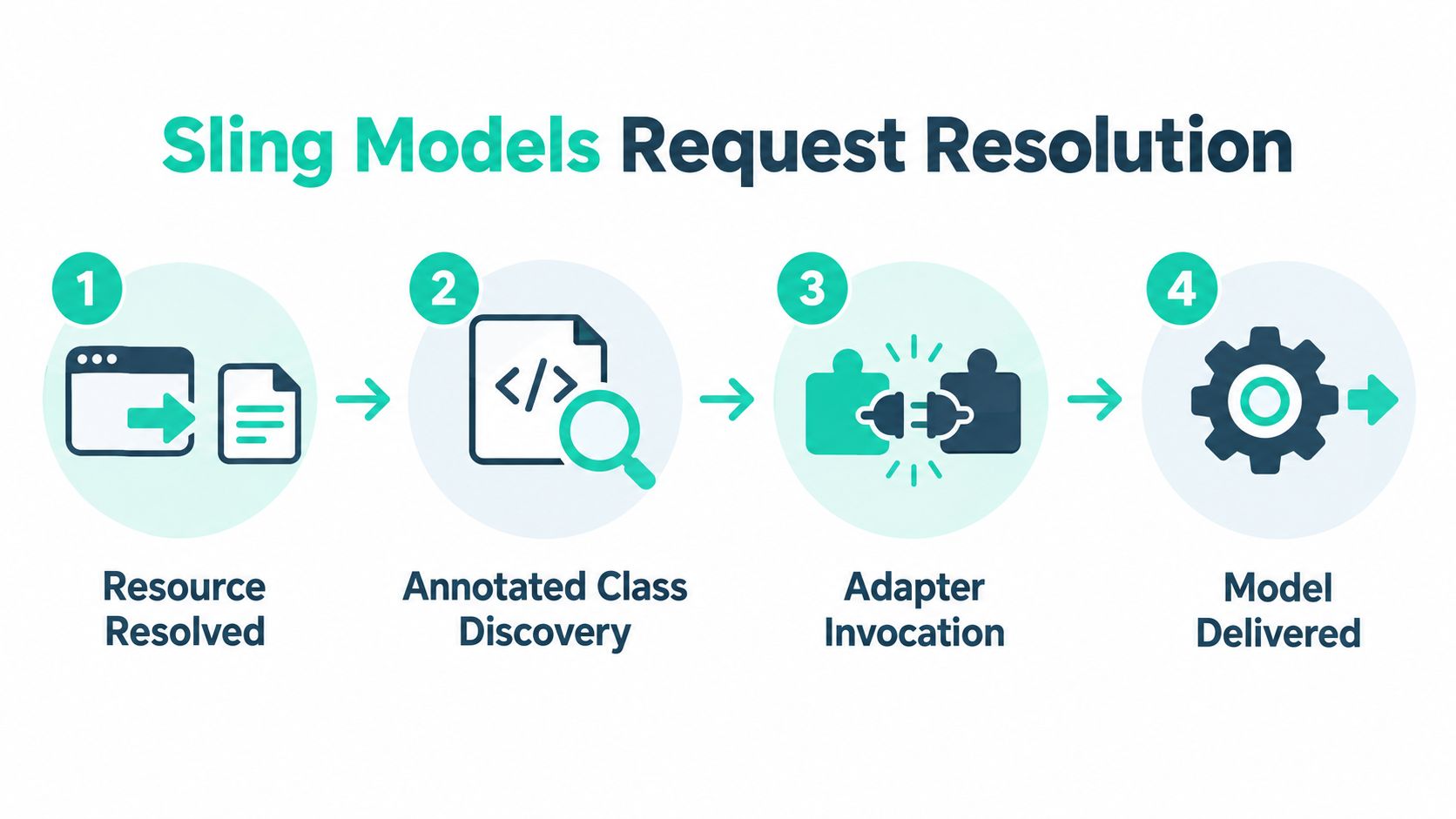
Sling Models look simple from the outside. Under the hood, they sit in the middle of request resolution, adaptation, and injector-driven object creation.
Think of it as an assembly line
A request comes into AEM. Sling resolves it to a resource. That resource, or sometimes the request itself, becomes the raw input on the conveyor belt. The Sling Models framework then finds a matching annotated class, creates an instance, runs injectors, and hands you a fully populated Java object.
On a real project, that often happens through data-sly-use, adaptTo(), or internal framework code that needs a model before rendering. If you've worked through AEM implementation patterns, this is the moment where component architecture and request handling meet.
The moving parts that matter
At minimum, the framework needs these pieces aligned:
- A model class with
@Model - An adaptable, usually
ResourceorSlingHttpServletRequest - Registered model metadata, usually generated during build so Sling can discover the class
- Injector annotations that tell Sling where each dependency should come from
A simple model might look like this:
@Model(adaptables = Resource.class)public class PromoCardModel {@ValueMapValueprivate String title;public String getTitle() {return title;}}When Sling adapts a resource to PromoCardModel, the framework uses its adapter machinery to instantiate the object and populate title from the resource's properties.
Lifecycle affects performance
The important production detail is that model instantiation happens often. Not once per page, but potentially once per component instance and per render path. If a model does expensive work every time it's created, page rendering pays for it repeatedly.
A lightweight model feels invisible in production. A heavy model shows up as page latency, authoring slowness, and harder-to-debug rendering behavior.
That lifecycle also matters for exporters and caching. A model that is deterministic, small, and explicit is easier to cache safely and easier to serialize consistently. A model that reaches into too many request-scoped objects or triggers remote calls becomes fragile very fast.
Adaptable Choices and Injector Annotations Explained
Most confusion in Sling Models comes from two decisions. What are you adapting from? And which injector should supply each value? If those two choices are sloppy, the model may compile and still fail at runtime.
Start with the adaptable
If you only need JCR properties or child resources, adapt from Resource. Apache Sling's documentation is clear that models are annotation-driven POJOs adapting from a Resource or SlingHttpServletRequest, and the adaptable determines which contextual objects are available in injection (Apache Sling models documentation).
Use Resource when your model is basically content-backed. It's efficient and avoids pulling request state into places that don't need it.
Use SlingHttpServletRequest when you need things that exist only during a request, such as script bindings, request attributes, or page context helpers.
The injectors each answer a different question
Developers often reach for generic @Inject because it seems flexible. In larger codebases, that flexibility becomes ambiguity. Injector-specific annotations are easier to read and maintain.
Here's the quick comparison:
| Annotation | Typical Data Source | When to Use |
|---|---|---|
@ValueMapValue | Resource properties | Use for dialog-authored values like title, description, flags |
@ChildResource | Child node under current resource | Use for nested content structures, lists, or multifield storage |
@Self | The adaptable itself | Use when you need the current Resource or request instance directly |
@SlingObject | Common Sling objects | Use for objects such as ResourceResolver or current resource in Sling context |
@ScriptVariable | Sling bindings from request rendering context | Use when the model needs current page or related script-bound objects |
@RequestAttribute | Request-scoped attribute | Use when another layer placed transient data on the request |
Small snippets that remove a lot of guesswork
@Model(adaptables = Resource.class)public class ArticleModel {@ValueMapValueprivate String title;@ChildResourceprivate Resource items;}Use that pattern when the model only depends on stored content.
@Model(adaptables = SlingHttpServletRequest.class)public class PageAwareModel {@ScriptVariableprivate com.day.cq.wcm.api.Page currentPage;@Selfprivate SlingHttpServletRequest request;}Use this when your logic depends on request rendering context.
@Model(adaptables = SlingHttpServletRequest.class)public class PassedStateModel {@RequestAttribute(name = "variant")private String variant;}That's useful when HTL or a servlet passes temporary data into the current render chain.
Watch closely:
@Selfand@SlingObjectare not interchangeable.@Selfgives you the adaptable itself.@SlingObjectgives you Sling-provided objects available for injection.
A simple decision sequence
Before writing fields, ask these in order:
- Is this value stored on the resource? Use
@ValueMapValue. - Is it a nested content node? Use
@ChildResource. - Does it exist only during rendering? Consider request adaptation with
@ScriptVariableor@RequestAttribute. - Do I just need the current adaptable itself? Use
@Self. - Do I need a common Sling object such as
ResourceResolver? Use@SlingObject.
Where teams get stuck is mixing these carelessly. A request-adapted model using mostly resource properties may work, but it creates tighter coupling to runtime state than the component really needs.
Building an Authorable Component Step by Step
Let's build a simple Hero Banner component the way Sling Models are used in AEM. The author enters a headline, image path, link target, and alignment. The model reads those values, normalizes them, and HTL renders a stable output.

Start with authored fields
In the dialog, imagine these stored properties on the component resource:
headlineimagePathlinkUrlalignment
That gives us a content-backed model. No request context yet. So Resource is the right adaptable.
@Model(adaptables = Resource.class)public class HeroBannerModel {@ValueMapValueprivate String headline;@ValueMapValueprivate String imagePath;@ValueMapValueprivate String linkUrl;@ValueMapValueprivate String alignment;private String normalizedAlignment;private String safeHeadline;@PostConstructprotected void init() {safeHeadline = (headline == null || headline.trim().isEmpty()) ? "Untitled banner" : headline.trim();normalizedAlignment = "right".equals(alignment) ? "right" : "left";}public String getHeadline() {return safeHeadline;}public String getImagePath() {return imagePath;}public String getLinkUrl() {return linkUrl;}public String getAlignment() {return normalizedAlignment;}public boolean hasLink() {return linkUrl != null && !linkUrl.trim().isEmpty();}}Why each line matters
@ValueMapValue is the right fit because these values come straight from resource properties. @PostConstruct is doing cheap normalization only. That's a good use of it. We're not calling external systems or adapting half the repository. We're just turning raw author input into safer render data.
That pattern also helps responsive component work, because HTL can stay small and expressive while Java handles the edge cases. If you build reusable front-end structures in AEM often, the same separation helps in responsive layout implementation.
HTL becomes simple
<div class="hero hero--${model.alignment}" data-sly-use.model="com.example.core.models.HeroBannerModel"><h2>${model.headline}</h2><img src="${model.imagePath}" alt="${model.headline}"><a data-sly-test="${model.hasLink}" href="${model.linkUrl}">Learn more</a></div>The template isn't trying to clean empty strings, choose alignment defaults, or guess whether the link should render. The model already did that work.
Keep the model responsible for shaping data. Keep HTL responsible for displaying it.
The same model can support JSON
A lot of teams stop at HTL. That's fine until another channel asks for the same component data. Then the hidden value of a clean model shows up.
Adobe's documentation notes that Sling Model Exporter was introduced in Sling Models 1.3.0, enabling model serialization into JSON. The same release history also shows ongoing Sling Models implementation releases through 2020, including 1.4.12 on March 6, 2020 and 1.7.8 in the 2020 release stream, which shows long-term maintenance and evolution toward headless delivery patterns (Apache Sling releases).
A minimal exporter annotation can turn the same POJO into JSON:
@Exporter(name = "jackson", extensions = "json")The annotation is the easy part. Keeping that JSON stable is the hard part.
Headless Delivery with Model Exporter
When a Sling Model becomes an exporter, it stops being just a helper for HTL. It becomes an API contract. That changes how you should design it.
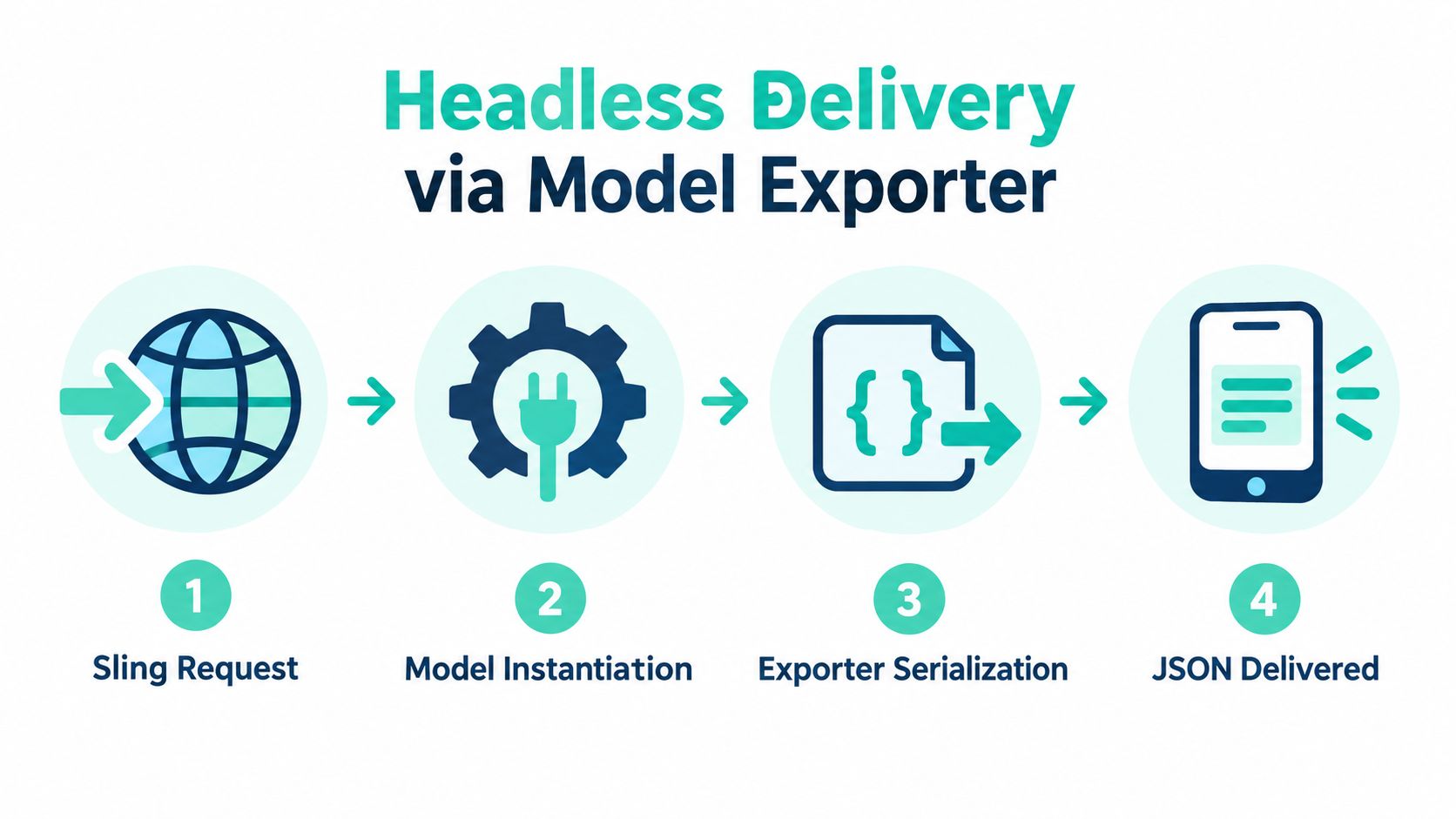
A typical headless-friendly model looks something like this:
@Model(adaptables = SlingHttpServletRequest.class,resourceType = "myproject/components/hero",defaultInjectionStrategy = DefaultInjectionStrategy.OPTIONAL)@Exporter(name = "jackson", extensions = "json")public class HeroBannerExporter {// getters serialized as JSON}Adobe's current guidance frames exporter usage around an HTTP GET on a resource with a selector and extension, which is why component teams often expose predictable .model.json style endpoints for front-end consumption in AEM headless CMS implementations. If you need a non-AEM primer before explaining this to stakeholders, this short guide on headless CMS explained simply is a useful plain-language reference.
The contract matters more than the annotation
The dangerous assumption is that exporter work is done once JSON appears in the browser. It isn't. The JSON shape is now a dependency for a front end, integration, or mobile consumer.
If you rename a getter, remove a computed property, or change null handling, you may break consumers without touching the endpoint path. That's why exporter stability matters more than exporter syntax.
A getter name in an exported model is often an API decision, not just a Java convenience.
Here's a useful walkthrough before looking at code paths or dispatcher rules:
Cache boundaries change the design
Headless delivery introduces another production concern. Caching can help performance, but only if the model's reference lifecycle is understood and measured carefully. Adobe's exporter guidance and recent AEM community discussion point in the same direction: exporter design is tied to cache safety, memory behavior, and predictable serialization, not just annotation placement (Adobe Sling Model Exporter guidance).
That means:
- Stable getters: don't casually rename or repurpose exported fields.
- Clear selectors and extensions: make endpoint conventions obvious to consumers.
- Measured caching: don't cache blindly if the model holds request-sensitive references.
- Versioned thinking: if the JSON shape changes, treat it like a contract change.
A model used only in HTL can absorb more internal refactoring. A model used as JSON should be handled more like a public interface.
Best Practices for Performance and Maintainability
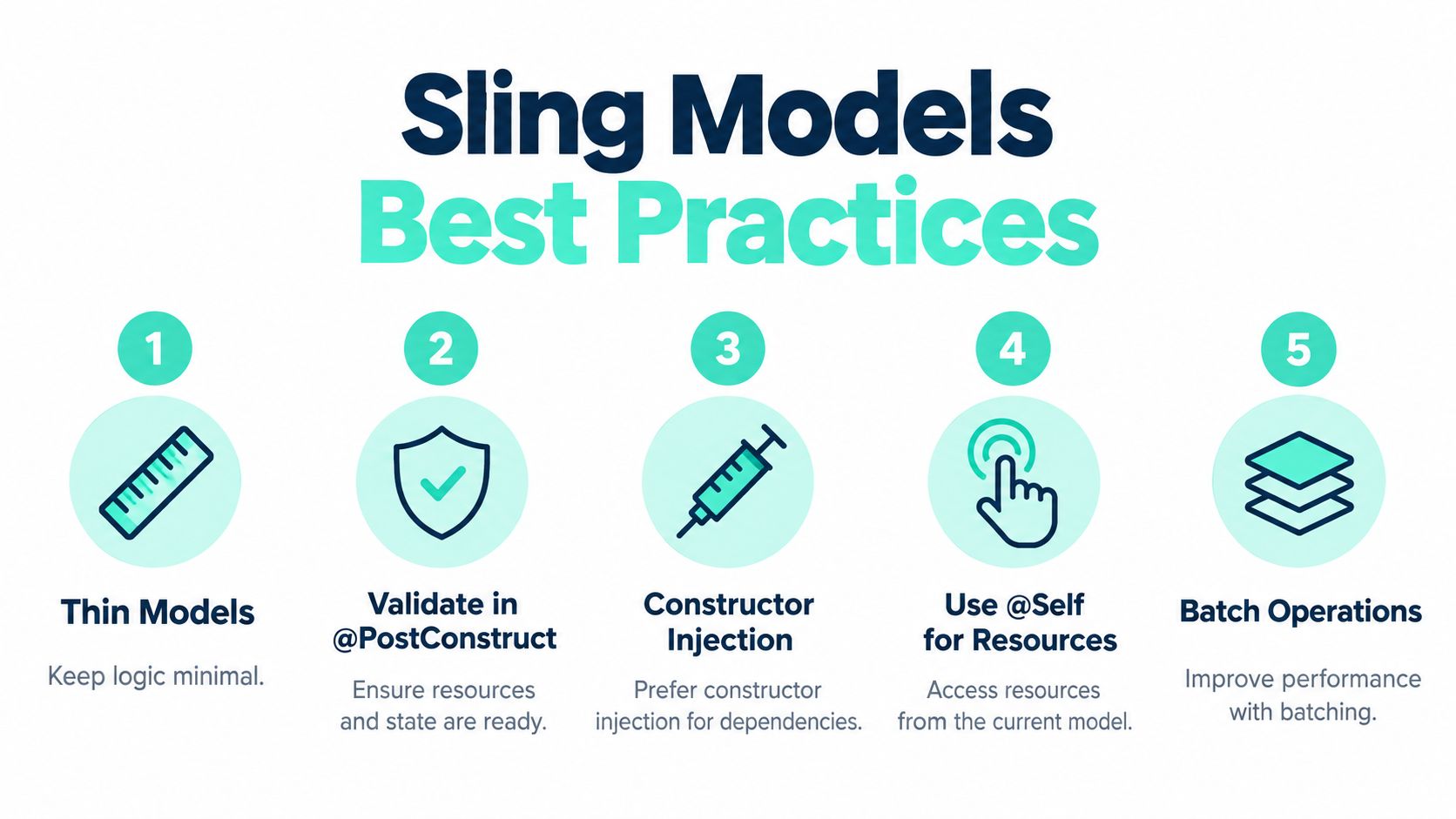
The fastest way to make Sling Models painful is to let them grow into service locators, integration clients, and fallback engines all at once. Keep them thin.
Keep models focused
A model should shape content for rendering or export. That's its job. Heavy business logic belongs in OSGi services or delegated helpers.
Adobe-focused guidance stresses fast @PostConstruct execution and warns against expensive work such as network calls or recursive model creation because model instantiation happens frequently during rendering. In enterprise component libraries, that leads to a reliable pattern: models stay lightweight, while reusable logic moves into services and delegated behavior (Sling Model annotation best practices).
Habits that age well in large codebases
A maintainable model layer usually follows a few rules:
- Choose the narrowest adaptable: if
Resourceis enough, don't adapt from request. - Use explicit injector annotations:
@ValueMapValue,@ChildResource, and@Selfare easier to reason about than broad@Inject. - Limit
@PostConstructwork: normalize values, validate assumptions, set defaults. Stop there. - Move reusable logic outward: OSGi services are better for shared calculations, integrations, and business rules.
- Treat exporter use cases separately: a rendering model and an API model don't always need the same shape.
Migration matters as much as greenfield code
Teams aren't starting from scratch. They're moving from JSPs, WCMUsePojo classes, legacy helpers, or mixed component patterns. That's where maintainability gets harder.
Independent AEM guidance points to recurring migration pain around core component reuse, delegation, explicit injection, model versioning, and registration issues such as missing Sling-Model-Packages headers. Those signals suggest the hard part isn't learning annotations. It's refactoring large component estates safely without breaking multiple sites or rollout patterns (AEM Sling Model maintainability discussion).
Architecture note: a successful migration plan usually starts by wrapping one legacy component pattern at a time, not by rewriting every component into a “perfect” model layer in one pass.
A quick production checklist
Before merging a new model, ask:
- Is the adaptable narrower than it needs to be?
- Can any expensive logic move into a service?
- Are the injectors explicit and readable?
- If exported, is the JSON shape stable enough to support consumers?
- Is the model registration and packaging path clear across bundles?
If a team needs platform work that spans AEM, Sitecore XM Cloud, and SharePoint Online, one practical option is working with an implementation partner that handles component architecture, migrations, and support across those stacks. Kogifi does that across AEM, Sitecore, and Microsoft environments, including modern DXP and intranet delivery.
Common Sling Models Mistakes and How to Fix Them
The most common Sling Model failures in production aren't fancy. They're usually wrong adaptables, weak registration, or too much work inside the model lifecycle.
Mistakes that keep repeating
Developers often adapt from Resource by default, even when the model needs request-scoped objects. That leads to null script variables, missing bindings, or awkward workarounds. The opposite also happens. Teams adapt from request when all they needed was a few resource properties.
Another common issue is model registration. Recent AEM discussion keeps circling the same operational failures: adaptable mismatches, incorrect HTL usage, missing model package headers, and unresolved model invocation problems. The pattern is consistent. The trouble usually sits in packaging, adapter behavior, and runtime wiring, not in the basic annotations themselves (Adobe exporter and production discussion).
Fixes that prevent future pain
Use this checklist when a model behaves unpredictably:
- Pick the narrowest adaptable: choose
Resourcefor stored content, request only when request context is needed. - Set an explicit
resourceType: that reduces ambiguity and protects component-specific behavior. - Keep
@PostConstructcheap: validation and normalization are fine. Expensive work isn't. - Prefer specific injectors:
@ChildResourceis clearer than forcing nested content through generic property access. - Export only when needed: not every render model should become a JSON endpoint.
A small defensive check can also save debugging time:
public boolean isExpectedResourceType() {return resource != null && "myproject/components/hero".equals(resource.getResourceType());}That won't solve registration problems, but it helps you spot when the model is being used in the wrong context.
The teams that do well with Sling Models aren't the teams that memorize the most annotations. They're the teams that stay disciplined about adaptables, injector intent, exporter contracts, and lifecycle cost.
Kogifi helps teams untangle exactly these problems across AEM builds, from component architecture and Sling Model refactoring to headless delivery, migrations, and production support. If your project is stuck between legacy component patterns and a cleaner model-driven setup, visit Kogifi to see how they handle AEM, Sitecore, and SharePoint platform work in real enterprise environments.