


An integration strategy is a complete plan governing how systems connect, share data, and operate together over time. The global system integration market was valued at USD 49.62 billion in 2026 and is projected to reach USD 65.71 billion by 2031, while another estimate places the market at USD 421.4 billion in 2025 and projects USD 1,228.6 billion by 2033.
Those figures appear inconsistent because research firms use different market definitions, but they point to the same operational reality. Integration has moved from a back-office implementation task to an enterprise capability. The counterintuitive part is that many integration failures don't begin with a poor API or an unsuitable platform. They begin when leadership treats integration as finished once the connector goes live.
A durable integration strategy defines ownership, data contracts, security controls, monitoring, change procedures, and retirement rules. That matters even more for Sitecore AI, XM Cloud, Content Hub, Personalize, CDP, Search, Microsoft 365, SharePoint, and Azure estates, where content, identity, analytics, commerce, and employee workflows must remain dependable through continuous releases.
Table of Contents
- Data models define meaning
- API management controls the boundary
- Security follows the data
- Patterns determine failure behavior
- Governance makes architecture durable
- Start with an inventory that includes behavior
- Define outcomes and target states
- Design contracts before connectors
- Implement a thin, testable slice
- Operate, measure, and revise
- Governance needs decision gates
- Metrics should expose operational health
- Make collaboration part of delivery
- Treating go-live as completion
- Building point-to-point by default
- Ignoring integrated platforms and data products
- Measuring connection count instead of value
Why Integration Strategy Matters Now
Enterprise technology estates rarely grow from one coherent blueprint. A marketing team adopts a content platform, customer experience teams introduce a CDP, commerce selects an order platform, finance depends on an ERP, and employees work in Microsoft 365. Each choice can be reasonable in isolation. Without an integration strategy, however, the organization accumulates duplicated data, inconsistent permissions, manual reconciliation, and interfaces that only one person understands.
An integration strategy provides the architectural and operating blueprint for turning those systems into a coordinated ecosystem. It defines which platform owns a customer attribute, where content is mastered, how an event travels, and which service is allowed to update a record. A useful overview of the underlying discipline is available in this guide to systems integration fundamentals.
The business case is broader than connectivity. Integrated systems support composable DXP architectures, reusable services, automated workflows, and more consistent experiences across web, mobile, portals, and internal channels. They also make modernization safer because teams can replace one capability behind a stable contract instead of rebuilding every dependent application.
The market signal is strategic, not merely technical
The Mordor Intelligence estimate values the global system integration market at USD 49.62 billion in 2026 and projects USD 65.71 billion by 2031, equivalent to a 5.78% CAGR during 2026 to 2031 (Mordor Intelligence market study). Grand View Research uses a substantially broader estimate, valuing the market at USD 421.4 billion in 2025 and projecting USD 1,228.6 billion by 2033, with a 14.8% CAGR from 2026 to 2033 (Grand View Research analysis).
The differing boundaries are less important than the direction. Enterprises need to connect fragmented applications, data, and workflows while modernizing legacy estates and adopting cloud-native or composable architectures. A connector that works today isn't enough if no one owns its credentials, observes its failures, or approves its schema changes.
Practical rule: Treat every production integration as a product with an owner, a service expectation, a release process, and an end-of-life decision.
The cost of neglect appears in familiar ways. Editors publish content that doesn't reach every channel, customer data diverges between platforms, and support teams diagnose failures through application logs scattered across vendors. Security teams then inherit undocumented data flows and uncertain access paths.
The strategic question is therefore not, “How do we connect these systems?” It is, “How will we operate, change, secure, and eventually retire these connections?”
Core Components of a Robust Architecture
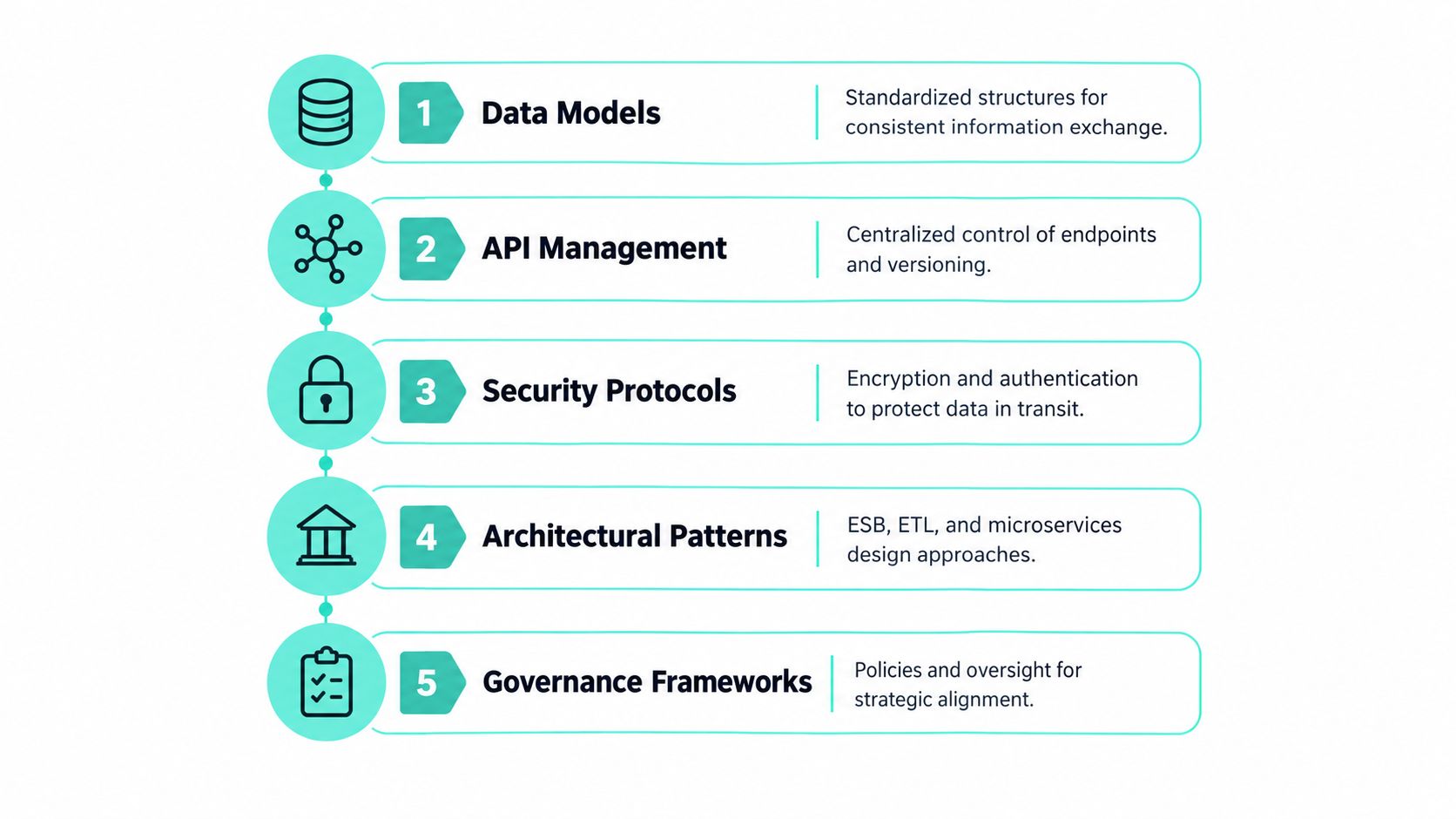
An integration architecture with five connected layers: data models, API management, security protocols, architectural patterns, and governance frameworks. Omitting one creates an unstable foundation. A clean API can't compensate for ambiguous ownership, and an excellent data model won't help if nobody monitors failed deliveries.
Data models define meaning
Start with canonical business concepts, not endpoint lists. A customer, content item, product, order, consent record, and employee profile should each have an explicit definition, owner, identifier, and permitted state changes. Mapping fields between systems is a technical task. Deciding what a field means is a business and governance decision.
For Sitecore, this may involve separating content identity, presentation data, taxonomy, and personalization signals. For SharePoint, it may mean distinguishing a document's business owner from its storage location and access group. Data contracts should state required fields, allowed values, null behavior, and compatibility expectations.
API management controls the boundary
APIs need more than authentication. Teams need discoverable documentation, versioning, rate controls, deprecation policies, error conventions, and compatibility testing. An API-first approach for enterprise platforms helps teams design reusable capabilities before individual channel implementations hard-code dependencies.
Automate contract linting and compatibility checks in CI. Enforce common runtime policies at gateways instead of rebuilding security, throttling, and logging route by route. If an API is public to partners or consumed by multiple front ends, the contract is a product interface and should receive the same care as a user-facing feature.
Security follows the data
Map identity and authorization across every hop. A Sitecore request may involve a front end, content delivery services, search, personalization, analytics, and an identity provider. A SharePoint workflow may pass information through Power Apps, Power Automate, Microsoft Graph, and an external business system.
Use least privilege, managed secrets, encrypted transport, auditable service identities, and explicit data classification. Security reviews should cover payload contents, logs, retries, dead-letter storage, and support access, not only the primary request path.
Patterns determine failure behavior
Point-to-point links can be acceptable for a small, stable connection. They become expensive when every new application requires several additional bespoke links. Reusable patterns such as hub-and-spoke, ESB, API-led, and event-driven integration provide a shared vocabulary and reduce coupling as system counts grow (enterprise integration patterns).
Use synchronous APIs where the caller needs an immediate answer and the dependency is acceptable. Use asynchronous messaging when a process can continue independently, when spikes need buffering, or when failure isolation matters. High-change domains generally benefit from API-led composition and strict contracts, while reliability-critical workflows often need asynchronous messaging and explicit recovery behavior.
Teams evaluating how to connect your business apps should also document ownership and failure handling before choosing a connector or middleware product.
Governance makes architecture durable
Governance defines who can publish an interface, approve a schema change, review a security exception, and retire an unused flow. It also establishes lifecycle checkpoints from design through deployment, monitoring, and retirement.
Without that layer, an architecture diagram becomes historical documentation rather than a control mechanism. With it, teams can make local changes while preserving enterprise standards.
How to Build Your Integration Strategy Step by Step
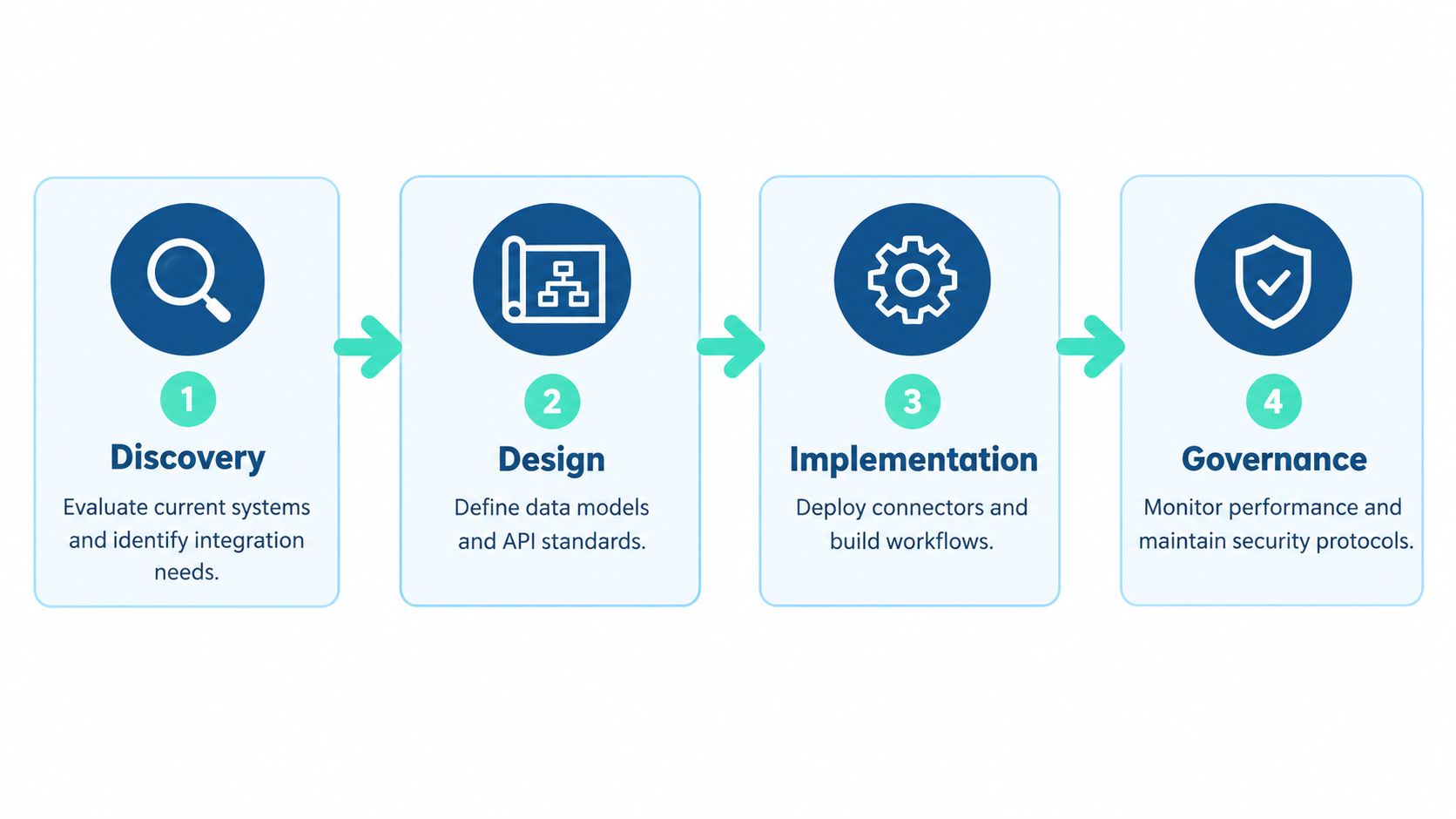
Building an integration strategy from scratch works best as a sequence of decisions. Don't begin by selecting middleware. Begin by defining the business outcome and the operational boundaries that must remain reliable.
Start with an inventory that includes behavior
List applications, interfaces, data stores, scheduled jobs, event subscriptions, identities, and manual workarounds. Record what each flow does, who owns it, what data it moves, what happens when it fails, and which business process depends on it.
A platform inventory alone isn't enough. A spreadsheet may show Sitecore XM Cloud and SharePoint Online, but it won't reveal that a campaign publication triggers an indexing process, an analytics event, and a downstream approval workflow. Interview content authors, service desk staff, security specialists, and business owners. They often know about critical dependencies that architecture repositories omit.
Define outcomes and target states
Turn business goals into integration outcomes. Examples include a consistent customer profile, faster content syndication, reliable employee approvals, or fewer manual reconciliations. Then define what “good” means operationally, including acceptable latency, recovery expectations, audit requirements, and ownership.
Choose the target pattern by volatility and coupling. An API-led model fits a frequently changing content or personalization service. Event-driven messaging may fit order or notification flows where consumers should remain decoupled. An ESB or controlled middleware layer can still be appropriate when older systems require transformation and centralized routing.
Design contracts before connectors
Create schemas, identifiers, ownership rules, error semantics, and versioning conventions before implementation. Decide which system is authoritative for each important data element. If Sitecore owns content metadata but SharePoint owns an internal document lifecycle, don't allow a convenience workflow to create a second unofficial source of truth.
This is also where you set non-functional requirements. Specify authentication, payload limits, retry behavior, idempotency, observability fields, and data retention. These decisions prevent developers from making incompatible assumptions in separate projects.
Implement a thin, testable slice
Choose one business-critical workflow and implement it across development, testing, and production-like environments. Keep transformations close to the boundary when possible, but don't bury business rules in an opaque connector. Use automated tests for schema compatibility, authorization, duplicate delivery, timeout behavior, and recovery.
Before a cloud build or integration deployment, review pre-build cloud optimization tips. Capacity, network dependencies, logging costs, identity boundaries, and environment separation should be considered before a production incident exposes them.
The following video offers additional implementation context:
Operate, measure, and revise
Production launch is the beginning of the operating phase. Create dashboards for delivery success, failed requests, queue depth, latency, authentication failures, schema violations, and replay volume. Assign an on-call path and document recovery steps.
A Postman survey cited by Adaptiv found 17% of teams use no monitoring tools at all, while only 2% of IT leaders report that their organizations have integrated more than half of their applications (Adaptiv review of integration operations). Those findings reinforce a practical point: connection count isn't a value metric. Measure whether critical business processes complete reliably and whether teams can detect and resolve failure.
Review integrations after platform releases, vendor changes, security incidents, and business process changes. Retire unused interfaces deliberately. An integration strategy stays healthy through this feedback loop, not through the original architecture document.
Platform-Specific Considerations for Sitecore, SharePoint, and Azure
Sitecore, SharePoint, and Azure can form a strong enterprise experience stack, but they solve different problems. Treating them as interchangeable integration surfaces creates unnecessary custom code and unclear ownership.
Sitecore and Sitecore AI
Sitecore XM Cloud should act as a governed content and experience capability, not as a universal data warehouse. Define which content belongs in XM Cloud, which customer signals belong in CDP, which behavioral decisions belong in Personalize, and which search concerns belong in Search. Content Hub may own richer asset and content operations, while commerce or ERP platforms retain transaction authority.
Sitecore Stream in XM Cloud provides Content Copilot capabilities for generating and optimizing text-based components. Stream Premium adds brand intelligence that applies brand identity consistently across Sitecore products (Sitecore documentation). That means integration design should include brand rules, approval states, human review, and auditability, not just an AI invocation.
Independent coverage describes Sitecore's AI capabilities across generative ideation and content creation, personalization, predictive search, and OpenAI integration across products including XM Cloud, Content Hub, OrderCloud, Personalize, CDP, and Stream (CMSWire coverage). The architectural consequence is clear: shared identity, consent, taxonomy, and event conventions matter across the portfolio.
A 2026 overview of SitecoreAI describes a combined AI-first system with a unified license, shared data model, and agentic workflow automation. It also describes an Essentials tier with 5 Builder Seats, unlimited agent usage, unlimited flows, and a library of prebuilt agents (SitecoreAI overview). Treat these product details as current documentation points to validate during procurement, because packaging can change.
SharePoint and Microsoft 365
SharePoint Online is usually the system of collaboration, documents, intranet content, and employee-facing knowledge. Avoid duplicating enterprise content in a custom portal when SharePoint permissions, metadata, version history, and search already fit the requirement.
Microsoft's guidance positions the SharePoint Framework, or SPFx, as the official model for modern client-side solutions for SharePoint Online and SharePoint Server. Microsoft documentation records the release of SPFx to SharePoint Online in February 2017, which makes it a mature foundation for modern SharePoint solutions (Microsoft documentation reference).
SPFx works especially well with Power Apps, Power Automate, and Power BI for organizational applications and workflows (SharePoint development guidance). Keep business logic in governed services or workflows where possible. A web part should present and orchestrate information, not become an undocumented integration engine.
Azure as the control plane
Azure commonly provides identity, API management, messaging, serverless processing, observability, and hosting around both platforms. Use it to establish consistent controls, but don't assume centralization means every transformation belongs in one giant service.
A microservices design can support independent deployment, yet it also introduces distributed tracing, contract management, and operational ownership. Teams considering Azure microservices architecture should choose service boundaries around business capabilities and change patterns, not around every database table.
The right comparison is therefore not Sitecore versus SharePoint. Sitecore supports public digital experiences and content-led personalization, SharePoint supports collaboration and organizational knowledge, and Azure supplies shared integration and operational capabilities. Their boundaries should be explicit.
Governance, Roles, and Team Dynamics
Integration governance succeeds when it assigns decisions to people who can make them. A platform owner can define standards, but that person shouldn't implicitly own every business rule, security approval, and incident response task.
Use a lightweight operating model with clear accountability:
- Platform owners: Maintain shared integration capabilities, gateways, runtime policies, documentation, and service health.
- Domain owners: Define business meaning, data quality rules, critical workflows, and acceptance criteria for their area.
- Security teams: Approve identity patterns, data handling, secrets management, logging, and threat controls.
- Application teams: Build and test interfaces, maintain contracts, respond to incidents, and document dependencies.
- Service operations: Monitor production behavior, coordinate incident response, manage escalation, and verify recovery.
A practical content governance framework should connect content ownership with integration ownership. The person responsible for a Sitecore content type may need to approve schema changes, while the SharePoint information owner may control retention and access rules. Those responsibilities should appear in service documentation rather than remain informal knowledge.
Governance needs decision gates
Introduce checkpoints at design, pre-production, release, and retirement. At design, reviewers confirm the business owner, data classification, integration pattern, and contract. Before release, automated checks validate compatibility, security tests, observability, and rollback behavior. At retirement, the owner confirms consumers have migrated and credentials can be revoked.
Versioning rules should distinguish additive changes from breaking changes. A new optional field may be compatible, while renaming an identifier or changing a state value can break downstream consumers. Require partner notice where external systems depend on the contract.
Metrics should expose operational health
Count outcomes, not just interfaces. Useful measures include:
- Critical-flow success: Whether priority business processes complete without manual intervention.
- Failure detection: How quickly monitoring identifies a broken delivery or authentication problem.
- Recovery performance: How consistently teams replay, repair, or reroute failed messages.
- Contract quality: The number and severity of compatibility violations found before release.
- Ownership coverage: Whether every production flow has a named business and technical owner.
- Lifecycle hygiene: Whether deprecated interfaces have migration plans and retirement dates.
- Business reliability: Whether content publication, personalization decisions, document approvals, or customer updates reach their intended destination.
These metrics create a stronger management conversation than “we added another connector.” An integration that increases connection count but creates more manual support work is moving backward.
Make collaboration part of delivery
Hold architecture reviews with marketing, content, security, operations, and engineering represented. Give authors and service desk teams a way to report incorrect data or delayed workflows. Their observations often reveal failures that synthetic tests miss, particularly around permissions, content state, regional configuration, and vendor releases.
Operational insight: The integration team should own the platform standards, but domain teams must own the meaning and consequences of the data they exchange.
This model avoids two extremes. A fully centralized team becomes a bottleneck that cannot understand every domain. Uncontrolled federation produces inconsistent patterns, duplicated capabilities, and incompatible contracts. A hybrid model provides shared guardrails with domain-level accountability.
Common Pitfalls and How to Avoid Them
The most common mistake is assuming that more connections mean more value. An organization can connect every application and still lack a reliable customer profile, consistent content workflow, or measurable business outcome.
Treating go-live as completion
Teams often fund discovery, build, testing, and launch, then leave monitoring and ownership to whoever notices the first failure. The result is an integration that technically exists but has no operating model. Assign an owner, define service expectations, instrument the flow, and schedule lifecycle reviews before release.
Building point-to-point by default
Direct links feel fast because they avoid shared design work. They become expensive when schemas diverge, credentials multiply, and each change requires regression testing across unrelated applications. Prefer reusable APIs, events, and controlled transformation boundaries where the same capability serves multiple consumers.
Ignoring integrated platforms and data products
A 2025 industry review described consolidation across application integration, API management, and data integration into fewer platform layers, alongside a shift toward data products and embedded integration inside SaaS applications (integration gap analysis). The important decision is the operating model: centralized, federated, or hybrid.
That source also reports that 61.3% of organizations say automation tools are underutilized because of fragmented strategies and siloed implementation, while 68.8% rate automation as mission-critical. Those figures support a clear warning. Buying another automation tool won't repair unclear ownership or disconnected implementation practices.
Measuring connection count instead of value
Ask whether an integration improves a defined workflow, protects a service level, reduces manual reconciliation, or makes a release safer. If the answer is unclear, don't build the connection yet.
Conclusion and Your Strategic Roadmap
A reliable integration strategy begins with an inventory, defines ownership and contracts, selects patterns according to coupling and volatility, and builds monitoring before production. For a Sitecore and SharePoint estate, that means separating content, personalization, collaboration, identity, and transaction responsibilities while using Azure to enforce shared operational controls.
Start with one critical workflow. Document its data model, contract, security boundary, failure behavior, and owner. Then operate it long enough to learn where the architecture needs adjustment before extending the pattern to the rest of the estate.
The successful roadmap isn't the one with the most interfaces. It's the one where teams can explain what each flow does, detect when it fails, recover without improvisation, and retire it when the business no longer needs it.
Kogifi designs, builds, and maintains enterprise Sitecore, Adobe Experience Manager, Microsoft 365, and SharePoint platforms with API-led integration, Azure modernization, governance, monitoring, and support. If your DXP integration has become difficult to change or operate, visit Kogifi to discuss a practical assessment and roadmap.