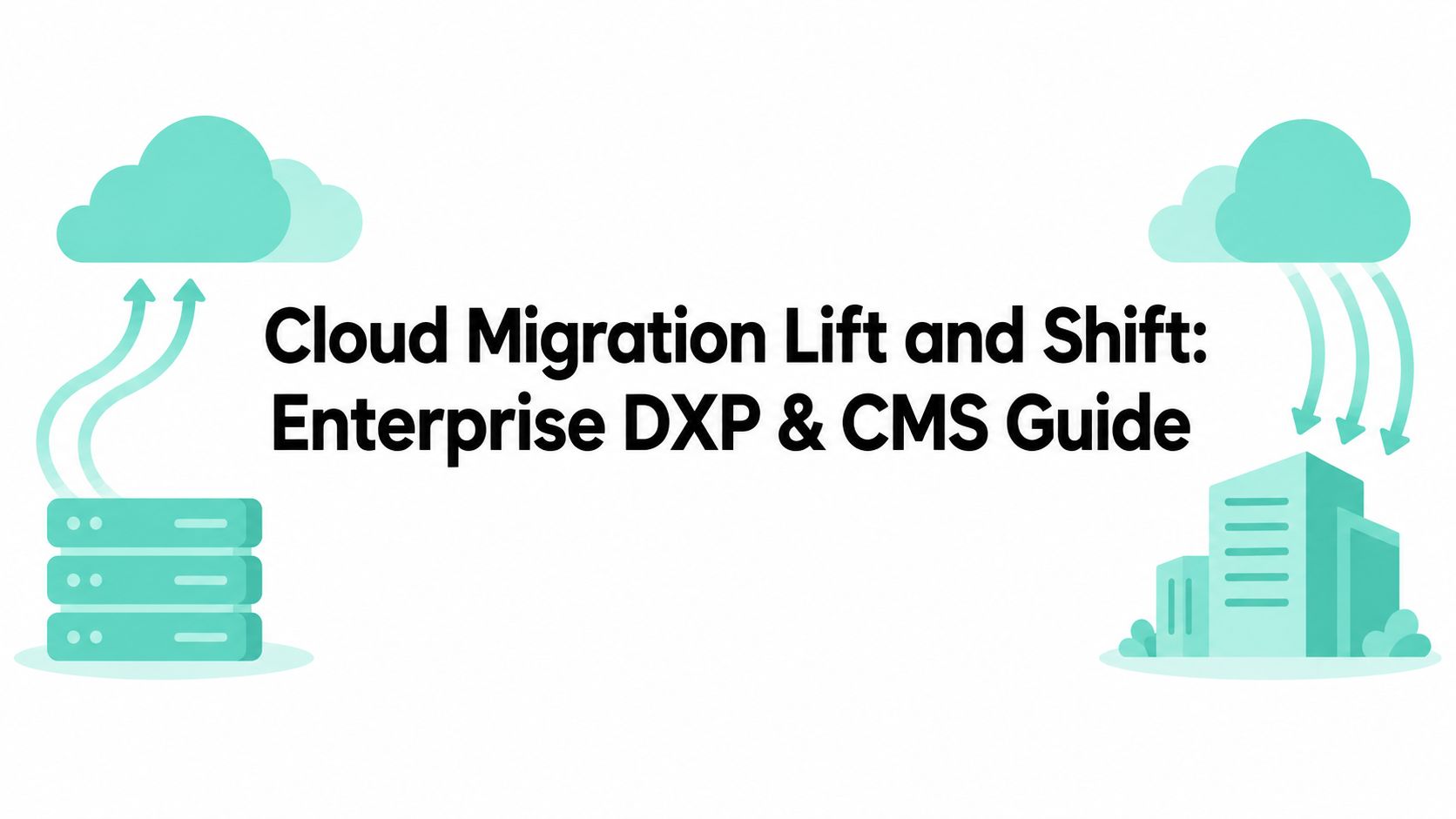



Lift-and-shift accounted for 38.3% of enterprise cloud migration activity in 2025, making it the most common approach, but rehosting alone rarely delivers a finished cloud platform. It moves workloads quickly and with less disruption, yet it can preserve inefficient architecture and increase operating costs unless teams optimize after cutover.
That tension matters most in enterprise digital experience platforms. A Sitecore, SharePoint, or AEM estate isn't just a virtual machine. It includes content databases, search, media, identity, integrations, deployment processes, authoring workflows, personalization, analytics, and operational controls. Moving the existing stack into Azure or another cloud can reduce immediate infrastructure pressure, but it won't automatically make the platform scalable, economical, secure, or ready for AI-driven experiences.
Table of Contents
- Sitecore needs an application decision
- Sitecore AI belongs in the operating model
- SharePoint requires service-aware migration
What Lift-and-Shift Means for Enterprise Platforms
Lift-and-shift, also called rehosting, copies an existing workload and its operating system into cloud infrastructure with little or no code change. Microsoft describes rehosting as moving an application to Azure without redesigning it, while IBM highlights the central trade-off: the current architecture travels with the workload rather than being modernized. The approach became a default pattern in the late 2000s and early 2010s because organizations could leave legacy infrastructure faster while avoiding a large application rewrite. Microsoft's rehosting guidance explains the model directly.
In 2025, rehosting represented 38.3% of migration activity, while refactor and re-architect strategies were growing at 22.35% annually, according to Auvik's cloud migration statistics. The adoption pattern makes sense. Rehosting reduces upfront change, limits application disruption, and gives an organization a route away from owned infrastructure. It doesn't, however, change how the application consumes compute, storage, networking, databases, or search.
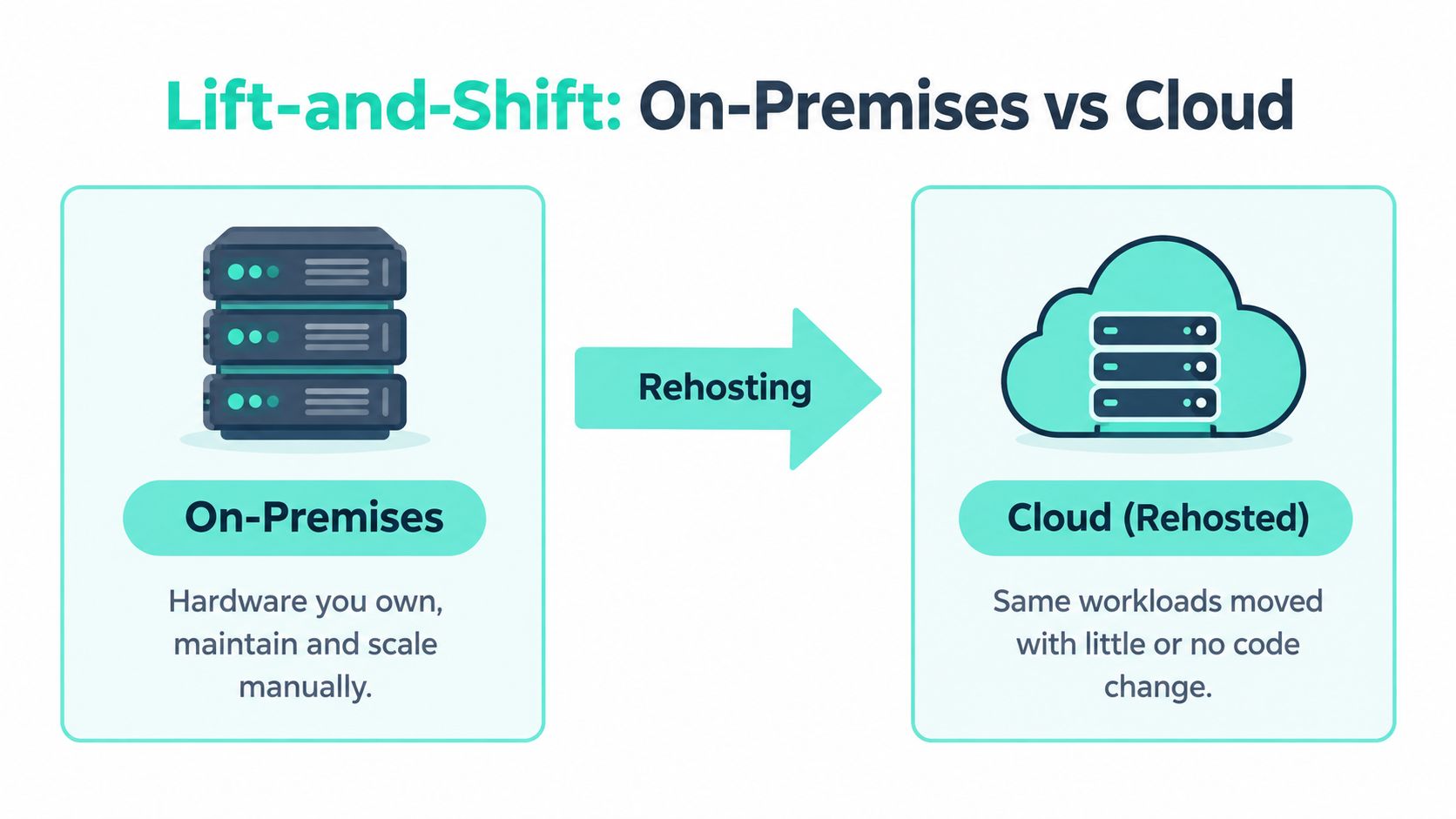
Rehost, replatform, or refactor
The three approaches solve different problems:
| Approach | What changes | Where it fits |
|---|---|---|
| Rehost | Little or no application code changes | A time-sensitive infrastructure exit or a stable workload that needs a controlled move |
| Replatform | Targeted changes, such as managed databases, containers, or updated operating services | A platform that needs operational improvements without a full redesign |
| Refactor | A deeper architectural redesign | A high-value experience platform that needs cloud-native scalability, composability, or faster product delivery |
A rehosted Sitecore XP implementation may still depend on the same tightly coupled roles, database patterns, search configuration, and deployment assumptions that shaped its on-premises behavior. A SharePoint workload moved into Microsoft 365 follows a different service model because SharePoint Online is already a managed cloud service, but custom code, integrations, permissions, and content governance still require deliberate treatment.
The practical distinction is simple: rehosting changes location, replatforming changes selected services, and refactoring changes the application's operating model. A useful cloud migration strategy overview should therefore classify each DXP or CMS workload independently instead of forcing an entire estate into one migration pattern.
Practical rule: Treat lift-and-shift as a controlled landing phase. Don't call it modernization until the platform's cost, performance, security, and delivery model have been improved.
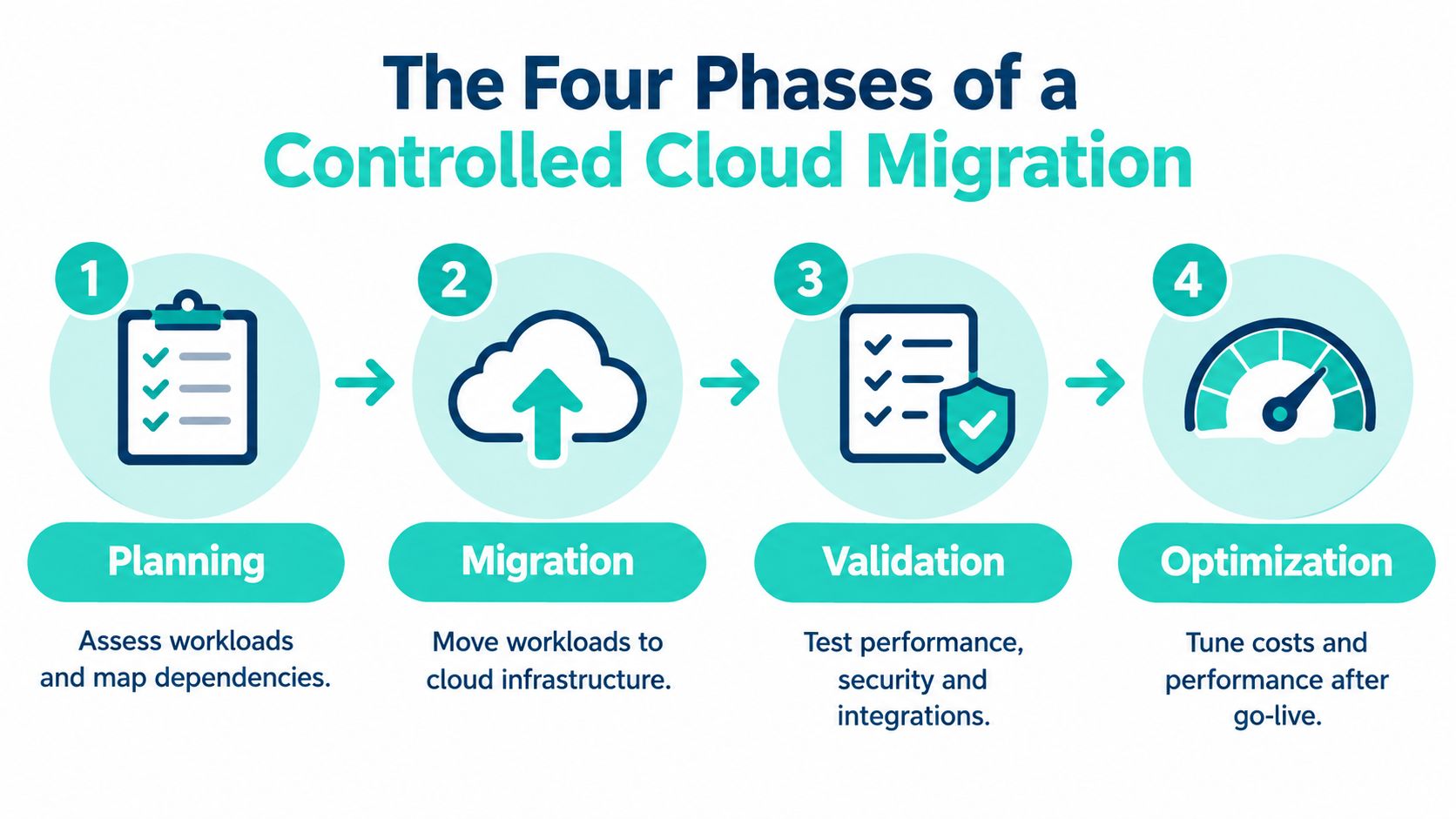
The Four Phases of a Controlled Cloud Migration
A successful enterprise rehost follows four phases: planning, migration, validation, and optimization. The sequence matters because a virtual machine transfer doesn't prove that an experience platform works correctly for authors, editors, customers, search crawlers, identity providers, or connected business systems.
Planning
Start with an estate inventory, not a target subscription. Record Sitecore roles, databases, search services, media storage, scheduled jobs, identity dependencies, CDNs, integrations, deployment pipelines, and authoring environments. For SharePoint, map site collections, custom solutions, SPFx components, Power Platform flows, permissions, retention rules, and connections to Microsoft 365 services.
The output should be a dependency map and a workload decision register. Each application or platform component needs an owner, migration approach, data classification, rollback condition, validation owner, and target operating model. Include backup, recovery, monitoring, and access requirements before any production cutover.
Migration
Provision the target environment through repeatable templates where possible. Transfer data using a method that matches the platform's consistency and downtime requirements, then deploy the application and its supporting services. Rehosted DXP environments still need configuration review for certificates, secrets, connection strings, storage paths, scheduled tasks, search indexes, and external integrations.
Procurement decisions can also affect sequencing. Teams comparing infrastructure ownership with hosted services may benefit from this practical resource on cloud vs on-prem procurement software, especially when procurement, finance, security, and platform engineering need a shared view of operating responsibilities.
Validation
Validation must test more than whether the homepage loads. Run authoring workflows, publishing, media delivery, search, personalization, forms, authentication, analytics, scheduled jobs, integrations, and failure scenarios. Compare functional behavior with the source environment, then test realistic traffic patterns and peak-load behavior before switching users or public traffic.
For SharePoint Online, validate permissions, navigation, search indexing, document behavior, versioning, sharing policies, SPFx components, and Power Platform automation. Capture defects by severity and assign explicit go-live decisions rather than relying on informal approval.
Optimization
Optimization begins after the platform is stable. Review compute sizing, database utilization, storage tiers, cache behavior, network paths, logging volume, backup policies, and monitoring alerts. Establish a baseline for cost and response behavior, then tune against observed usage rather than assumptions inherited from the data center.
Enterprise timelines reflect this work. Atlassian's guidance places average migration timelines at about 4 months for 0 to 5,000 users, 6 months for 5,000 to 10,000 users, and 6 or more months for 10,000 or more users. Those figures are tied to dependency mapping, cutover planning, and validation, not merely copying workloads. A detailed cloud migration checklist helps turn those activities into accountable deliverables.
The following video provides a useful visual introduction to the migration lifecycle and its operational concerns:
Cost, Performance, and Security Trade-offs of Rehosting
Rehosting usually looks attractive in the business case because it minimizes application change. A comparative study summarized in a 2025 paper found that rehosted applications had the lowest initial migration cost, yet ongoing cloud operations frequently exceeded pre-migration baselines because resource utilization remained inefficient. The study also found that rehosting often failed to reach cost parity within its evaluation window. The study's published paper frames rehosting as a phase that requires subsequent tuning.
That pattern appears frequently in DXP estates. On-premises capacity may have been sized for hardware constraints, procurement cycles, or worst-case demand. Reproducing those allocations in the cloud can leave oversized virtual machines, inefficient storage, unnecessary database capacity, or network paths that add latency. The provider bills for the provisioned design, not for the fact that the old environment was historically overbuilt.
Performance is not the same as scalability
The same comparative research reported baseline performance that was roughly comparable with pre-migration environments, but limited scalability under peak load. That distinction is important for Sitecore and AEM sites with campaign surges, personalization, search-heavy journeys, or multiple regional properties. A platform can appear healthy in ordinary testing and still struggle when publishing, indexing, traffic, and integrations compete for resources.
Post-migration work should therefore cover instance rightsizing, storage tier changes, cache configuration, database tuning, and network optimization. Use application-level telemetry alongside cloud metrics. A slow page may reflect rendering, search, database contention, media delivery, or a third-party dependency, not just insufficient compute.
Security follows the workload
A rehost preserves more than code. It can preserve outdated access assumptions, broad administrative permissions, flat network patterns, unencrypted secrets, and operating-system dependencies. Cloud identity, segmentation, encryption, logging, vulnerability management, backup protection, and incident response need explicit ownership.
Security review should examine the application configuration, not just the cloud provider's infrastructure controls.
For a practical operating model, document who manages the operating system, platform services, identities, data protection, backups, monitoring, and incident response. Then review those responsibilities after every major architecture or ownership change. A focused cloud cost optimization guide can support the financial side, but cost controls should remain connected to reliability and security decisions.
Platform-Specific Guidance for Sitecore and SharePoint
A DXP migration succeeds when the target platform supports the product roadmap, not merely when the old installation starts in a new hosting location. Sitecore and SharePoint require different decisions because Sitecore implementations often involve application roles and custom experience logic, while SharePoint Online is delivered as a Microsoft 365 cloud service with its own extension and governance model.

Sitecore needs an application decision
For Sitecore XP, inventory every role and integration before selecting rehost. Review content management and delivery topology, databases, search, media, analytics, personalization, identity, deployment automation, and scheduled processing. If the estate is being moved to Azure with minimal code change, validate that the original architecture still fits the target service boundaries and operational model.
For XM Cloud or a more composable Azure architecture, the better path may be replatforming or refactoring. Headless delivery with Next.js, Helix-based component libraries, automated CI/CD, and shared multi-brand patterns can reduce coupling and improve release governance. Those changes require more design and migration work, but they align the platform with long-term experience delivery rather than preserving every historical constraint.
Sitecore AI belongs in the operating model
Sitecore Stream is built on Microsoft Azure OpenAI Service and provides AI tools for content creation, campaign brief development, and message personalization. Sitecore describes these capabilities as embedded across its DXP, with brand-aware and secure AI-driven actions. Its February 2025 announcement states that Stream capabilities are available across CMS, digital asset management, and customer data platform products, which positions the AI portfolio as an integrated layer across enterprise experience components rather than an isolated add-on. Sitecore's Stream documentation explains the product capabilities, while Sitecore's announcement describes the broader DXP integration.
That changes migration planning. Teams should assess prompt governance, content permissions, brand controls, approval workflows, data boundaries, model usage, and human review alongside the traditional Sitecore inventory. Moving the platform first and asking how AI fits later can create avoidable rework.
SharePoint requires service-aware migration
Microsoft SharePoint Online supports sites, content management, and collaboration within Microsoft 365. Microsoft positions the SharePoint Framework, or SPFx, as the recommended development model for SharePoint Online customizations, while Power Platform supports workflow automation and low-code business solutions across Microsoft 365 content and processes.
Treat SharePoint migration as a content, information architecture, and governance program. Map site ownership, metadata, permissions, retention, search, external sharing, document lifecycles, SPFx components, and Power Platform dependencies. Remove obsolete content where governance permits, but preserve evidence and business records according to organizational policy.
A CMS in the cloud overview is useful when teams need to compare a direct infrastructure move with a broader platform modernization. The right answer may be a controlled rehost for one workload, a managed SharePoint Online pattern for another, and a composable Sitecore or AEM architecture for a customer-facing experience.
How to Choose Between Lift-and-Shift, Replatform, and Refactor
The correct strategy depends on urgency, technical debt, team capability, and the experience the business needs after migration. No enterprise DXP should receive the same treatment by default.
Choose lift-and-shift when the organization must exit infrastructure quickly, the application is stable, the migration window is constrained, and preserving behavior matters more than introducing new platform capabilities. It can also make sense as an interim step when the team needs operational evidence before committing to a redesign.
Choose replatforming when targeted changes can remove a clear operational burden. Examples include moving a database to a managed service, replacing self-managed search, adopting managed storage, containerizing a deployment, or introducing a more reliable delivery pipeline without changing the customer experience architecture.
Choose refactoring when the platform's current structure prevents the business from meeting its goals. A tightly coupled Sitecore implementation may need headless delivery and shared component governance. A fragmented SharePoint estate may need a new information architecture, SPFx modernization, and Power Platform process design rather than a literal content copy.
| Decision pressure | More suitable direction |
|---|---|
| Immediate infrastructure exit | Rehost, with a defined optimization backlog |
| Operational overhead | Replatform selected services |
| Peak-load or release limitations | Refactor the constrained architecture |
| Large technical debt | Replatform or refactor after dependency assessment |
| Stable workload with limited change demand | Rehost and govern carefully |
| New personalization or AI requirements | Replatform or refactor around the target DXP capabilities |
Don't let the migration deadline choose the permanent architecture by accident.
Before approval, score each workload against business criticality, change tolerance, integration complexity, security requirements, expected lifespan, and available skills. A rehost is defensible when its limitations are documented and funded for follow-up. It becomes risky when stakeholders assume the cloud move itself will deliver modern scalability, lower spend, or faster product delivery.
Migration Timeline, ROI Expectations, and Next Steps
A credible business case separates migration value from modernization value. Rehosting can deliver an infrastructure exit, reduce dependence on owned hardware, and create a more manageable base for later work. It doesn't guarantee lower operating spend or better peak performance because the original resource model may remain intact.
Plan the program as a sequence of controlled releases. Start with discovery and dependency mapping, then migrate a representative workload before moving the most interconnected DXP components. Use the first release to validate identity, networking, data transfer, monitoring, deployment, rollback, and support procedures. The goal isn't just to prove that one server can run in the cloud. It's to prove that the team can operate the platform there.
Set expectations around time
Enterprise migration duration is driven by users, dependencies, data, integrations, validation scope, and decision latency. Atlassian's published guidance gives average timelines of about 4 months for 0 to 5,000 users, 6 months for 5,000 to 10,000 users, and 6 or more months for 10,000 or more users. Atlassian's migration guidance places those timelines in the context of planning, execution, and validation rather than treating rehosting as a same-day transfer.
For Sitecore, schedule time for content freeze decisions, publishing verification, search rebuilds, analytics checks, personalization validation, deployment rehearsals, and third-party integration testing. For SharePoint, allow for information architecture decisions, permissions remediation, content ownership, SPFx testing, Power Platform flow validation, and user adoption.
Measure ROI beyond hosting cost
A useful scorecard includes:
- Financial performance: Compare actual cloud consumption with the approved baseline and investigate idle or oversized resources.
- Experience reliability: Track publishing, search, rendering, authentication, and integration failures, not just infrastructure availability.
- Delivery capability: Measure whether teams can release, roll back, and troubleshoot with less operational friction.
- Governance quality: Review access, content ownership, component reuse, retention, and platform standards.
- Modernization progress: Track completed rightsizing, managed-service adoption, architecture improvements, and removal of obsolete dependencies.
The optimization backlog should be funded before cutover. Rightsizing, storage tuning, network changes, monitoring improvements, backup validation, and security remediation aren't optional polish. They are the work that converts a rehosted workload into a sustainable platform.
Plan the physical exit too
A data center migration also creates practical decommissioning responsibilities. Teams need an inventory of retired servers, storage media, backup devices, and equipment containing sensitive data, followed by documented chain-of-custody and disposal procedures. Organizations handling equipment in Kansas may find the Olathe e-waste recycling guide useful when planning the physical side of a data center exit.
For Sitecore and AEM, partner expertise can reduce risk when the estate includes multilingual sites, complex search, high-volume content, legacy integrations, or multiple brands. For SharePoint, delivery teams need both Microsoft 365 knowledge and practical experience with SPFx, Power Platform, permissions, content governance, and adoption. The right support model may include architecture assessment, migration execution, performance tuning, incident response, and ongoing platform operations.
The next step is a structured assessment. Document the current estate, classify each workload as rehost, replatform, refactor, retire, or retain, and define measurable exit and optimization criteria. Then run a pilot that includes the integrations and governance controls the production platform depends on, rather than selecting an unusually simple workload that hides the actual complexity.
Kogifi designs, migrates, and maintains enterprise Sitecore, AEM, and Microsoft 365 platforms, including Azure-based composable architectures, headless Sitecore implementations, SPFx solutions, Power Platform automation, performance tuning, and ongoing support. Visit Kogifi to discuss a DXP or CMS assessment, a controlled lift-and-shift plan, or the modernization work needed after rehosting.