


In the hyper-competitive digital landscape, a visually appealing website is merely table stakes. True digital dominance is achieved through a deep, empathetic understanding of user needs, translated into seamless, intuitive, and valuable online experiences. This is where user experience design methods become the cornerstone of any successful enterprise digital strategy. These structured processes transform subjective opinions into objective, data-driven design decisions that deliver measurable results.
For organizations leveraging powerful Digital Experience Platforms (DXP) like Sitecore or collaborative hubs like SharePoint, these methods are not just best practices. They are essential tools for maximizing ROI, driving user adoption, and building lasting customer loyalty. Applying a methodical approach ensures that the sophisticated capabilities of platforms like Sitecore XP or XM Cloud are fully realized, delivering personalized and impactful journeys rather than generic, one-size-fits-all websites. As technology continues to advance, the process is becoming even more efficient; for a comprehensive overview of how technology is reshaping UX, discover the best AI UI UX tools that accelerate mobile app development.
This article moves beyond theory, providing a comprehensive roundup of 10 critical user experience design methods that Kogifi’s experts use to transform complex enterprise platforms into high-performing digital assets. We will detail actionable steps, real-world examples, and specific tips for integrating these methodologies directly into your Sitecore and SharePoint initiatives. You will learn how to create experiences that don't just function, but truly connect with your audience and achieve key business objectives.
1. User Research and Personas
User research and personas are foundational user experience design methods that serve as the bedrock for any successful digital project. This process involves a systematic investigation of user behaviors, needs, and motivations through techniques like interviews, surveys, and usability tests. The insights gathered are then synthesized into personas: semi-fictional, detailed representations of your key audience segments.
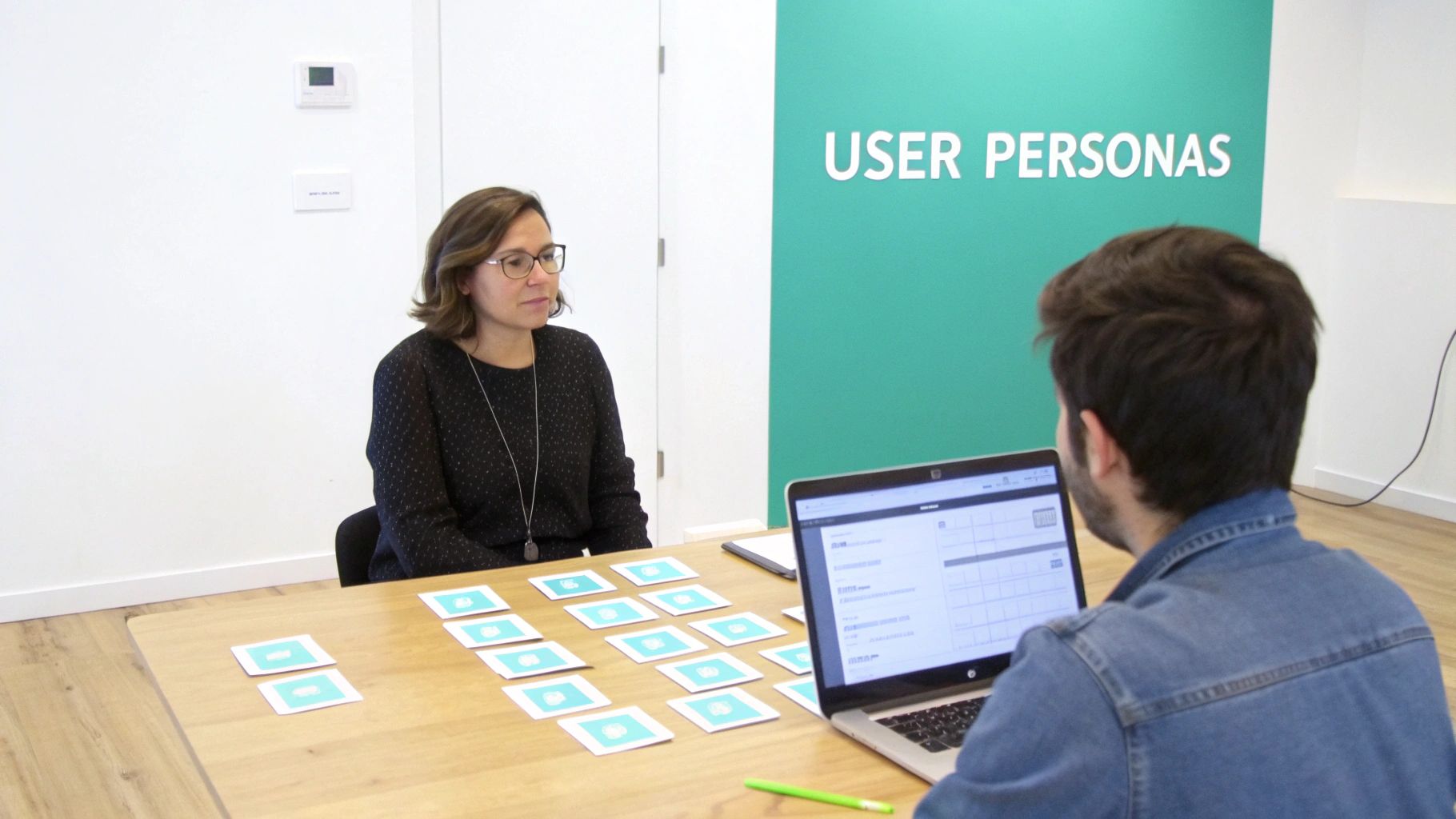
These personas are not just demographic snapshots; they are rich, story-driven profiles that include goals, pain points, and behavioral patterns. To effectively understand your target audience and validate early concepts, creating user personas for validating ideas is a crucial user experience design method. In enterprise platforms like Sitecore, personas are powerful tools that directly inform content strategy, personalization rules, and component design, ensuring every design choice is rooted in genuine user needs.
Ideal Use Cases
- Sitecore Implementations: A global e-commerce brand can create personas like "The Bargain Hunter" and "The Brand Loyalist" to drive personalized content and promotional offers using Sitecore Personalize.
- SharePoint Intranets: A large corporation can develop employee personas such as "The Field Technician" or "The HQ Manager" to design a SharePoint portal that delivers relevant tools and information based on job roles.
- B2B Enterprises on Sitecore: A technology company can map B2B buyer personas to guide the creation of targeted landing pages and resource hubs within Sitecore's DXP.
Practical Tips for Implementation
- Validate with Data: Cross-reference qualitative insights from interviews with quantitative data from your DXP analytics (e.g., Sitecore Analytics) to confirm behavioral patterns.
- Involve Cross-Functional Teams: Collaborate with sales, marketing, and customer support to build a holistic view of the user. Their daily interactions provide invaluable, real-world context.
- Focus on Behavior: Prioritize documenting goals, motivations, and pain points over simple demographics. What a user does is often more important than who they are.
- Keep Personas Alive: Revisit and update your personas quarterly to reflect changing market dynamics and user behaviors, ensuring they remain relevant and actionable.
2. User Testing and Usability Testing
User testing and usability testing are critical user experience design methods that evaluate a product by testing it on real users. This process involves observing participants as they interact with a digital interface, like a website or application, to uncover usability issues, friction points, and opportunities for improvement. These direct observations provide concrete evidence of how users actually navigate a digital experience, validating design choices with empirical data rather than assumptions.
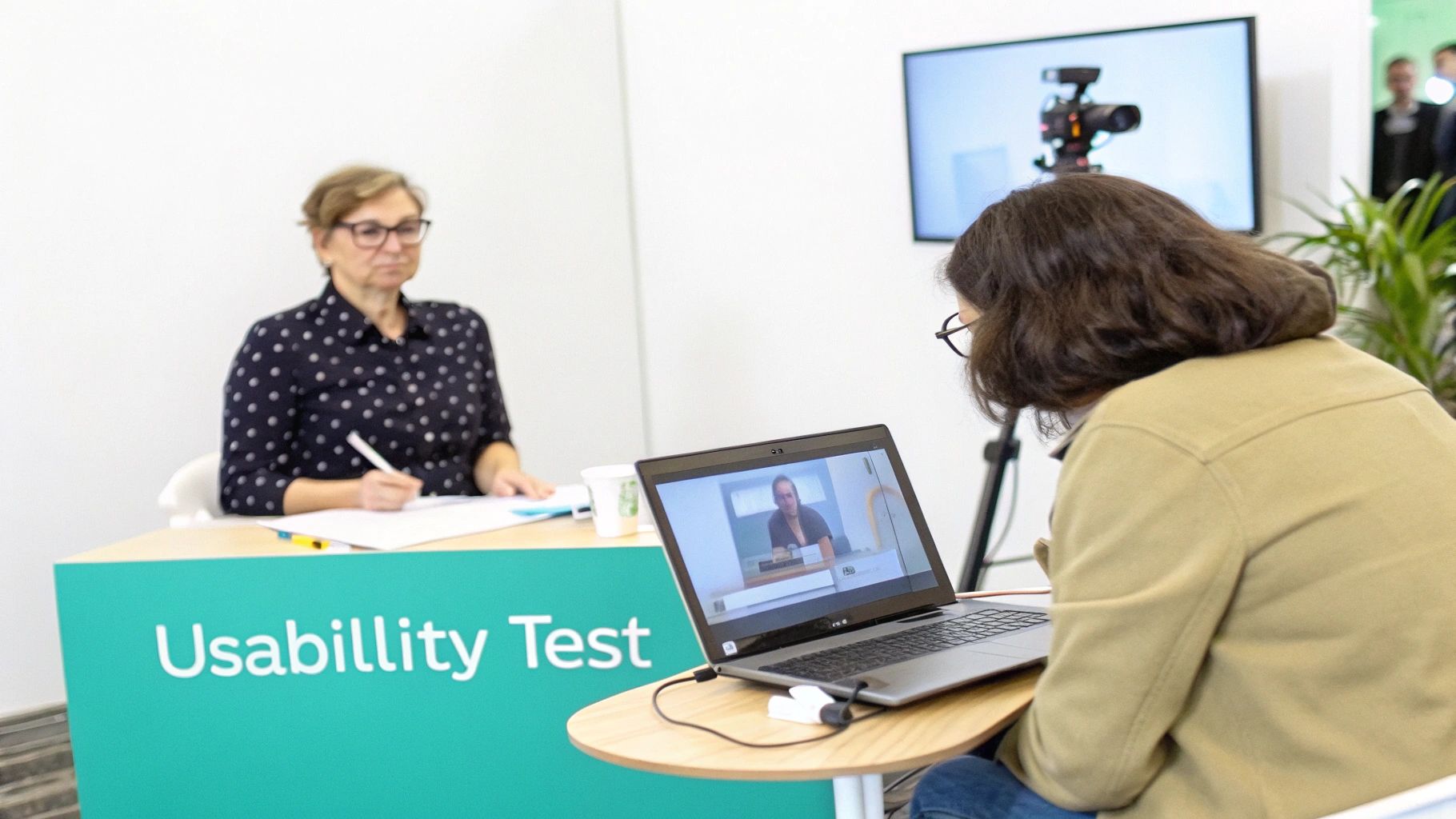
Whether conducted formatively during the design phase or summatively after launch, usability testing is essential for validating enterprise CMS implementations and ensuring digital platforms deliver optimal user satisfaction. By identifying problems early, teams can make iterative improvements that directly enhance the end-user experience. To get started, you can explore in-depth guides on how to conduct effective usability testing and integrate this practice into your development cycle.
Ideal Use Cases
- Sitecore Commerce: An e-commerce business can test its checkout flow built on Sitecore to identify and eliminate barriers, directly reducing cart abandonment rates.
- SharePoint Intranets: A corporation can run moderated tests with employees to validate the information architecture of a new SharePoint portal, ensuring quick access to critical documents and tools.
- Sitecore-Powered Portals: An educational institution can conduct usability tests on its Sitecore student portal to confirm that students can easily find course information and submit assignments.
Practical Tips for Implementation
- Recruit Real Users: Ensure your test participants accurately represent your target personas. Testing with the wrong audience can yield misleading results.
- Create Realistic Scenarios: Develop task-based scenarios that mirror actual user goals and journeys, such as "Find and download the Q3 financial report" on a SharePoint intranet.
- Test Early and Often: Begin testing with low-fidelity wireframes or prototypes. It is far more cost-effective to fix issues at this stage than after development is complete.
- Use DXP Analytics: Leverage data from platforms like Sitecore Analytics to identify high-traffic pages with high bounce rates, prioritizing them for usability testing.
- Systematize Findings: Document all observations and assign severity ratings (e.g., critical, major, minor) to help prioritize which issues to fix first.
3. Information Architecture (IA)
Information Architecture (IA) is a critical user experience design method that involves the structural design of shared information environments. It focuses on organizing, structuring, and labeling content in an effective and sustainable way. The goal is to help users find information and complete tasks, creating a clear path through complex digital landscapes like enterprise-level Digital Experience Platforms (DXPs).
A well-designed IA acts as the blueprint for your digital presence, defining the relationships between different content pieces and shaping the navigation, labeling, and search systems. For platforms managing vast amounts of content, mastering best practices for enterprise IA design is non-negotiable. In a system like Sitecore, a robust IA directly supports content personalization, component reusability, and search functionality, ensuring a seamless and intuitive user journey across the entire platform.
Ideal Use Cases
- Sitecore E-commerce: An online retailer can optimize its product categorization and faceted search filters in Sitecore Commerce to significantly increase product findability and conversion rates.
- SharePoint Intranets: A large corporation can restructure its SharePoint information architecture to improve intranet adoption, making it easier for employees to locate company policies, project documents, and internal news.
- Sitecore for Education: A university can redesign its content hierarchy within Sitecore to create clear pathways for prospective students, current students, and faculty, improving overall user satisfaction.
Practical Tips for Implementation
- Conduct Card Sorting: Use card sorting exercises with 20-30 representative users to gain reliable insights into their mental models for grouping and labeling content.
- Validate with Tree Testing: Before a full implementation in your CMS, use tree testing to validate the findability of key information within your proposed IA structure.
- Align Taxonomy with DXP: Establish clear taxonomy and metadata standards that align directly with your DXP’s capabilities, such as Sitecore’s content tagging system, to power personalization and search.
- Audit and Optimize: Regularly audit your IA using user behavior analytics from your platform (e.g., Sitecore Analytics) to identify user friction points and optimize content pathways.
4. User Journey Mapping
User journey mapping is a powerful visualization technique that captures the end-to-end experience a user has with a product, service, or brand. This user experience design method creates a narrative that illustrates every touchpoint, from initial awareness to post-purchase engagement. The map details the user's actions, thoughts, and emotions, revealing critical pain points and opportunities for improvement.
This method is essential for enterprises using Digital Experience Platforms (DXPs) like Sitecore, as it helps orchestrate a cohesive experience across a complex ecosystem of channels. By visualizing the journey, teams can identify gaps where the user experience breaks down between the website, mobile app, email campaigns, and support interactions. For a deeper dive, using a structured customer journey mapping template ensures all critical stages and data points are captured effectively.
Ideal Use Cases
- E-commerce on Sitecore OrderCloud: Mapping the path from a social media ad to a completed purchase, identifying friction points in the checkout process, and optimizing post-purchase communication.
- Corporate Intranets on SharePoint: Visualizing an employee's first week, from receiving login credentials to finding departmental resources, to streamline the digital onboarding experience.
- B2B Lead Nurturing: Charting a prospect's journey from downloading a whitepaper through a series of automated emails in Sitecore Send to a final demo request, ensuring a seamless flow.
Practical Tips for Implementation
- Base Maps on Data: Ground your journey map in real user research, including interviews, analytics from Sitecore CDP, and support tickets, not internal assumptions.
- Create Persona-Specific Maps: Develop a unique map for each primary user persona, as their paths, motivations, and pain points will differ significantly.
- Include an Emotional Curve: Plot the user's emotional state (e.g., frustrated, delighted) at each stage to pinpoint the "moments of truth" that most impact their perception.
- Update and Iterate: Treat the journey map as a living document. Revisit it quarterly to reflect new features, changing user behaviors, or updated business goals.
5. Wireframing and Prototyping
Wireframing and prototyping are essential user experience design methods for visually translating ideas into tangible interface designs before development begins. Wireframes are low-fidelity, skeletal blueprints that focus on structure, layout, and content hierarchy. Prototypes evolve from these, adding interactivity and higher fidelity to simulate the final user experience, allowing teams to test functionality and flow.
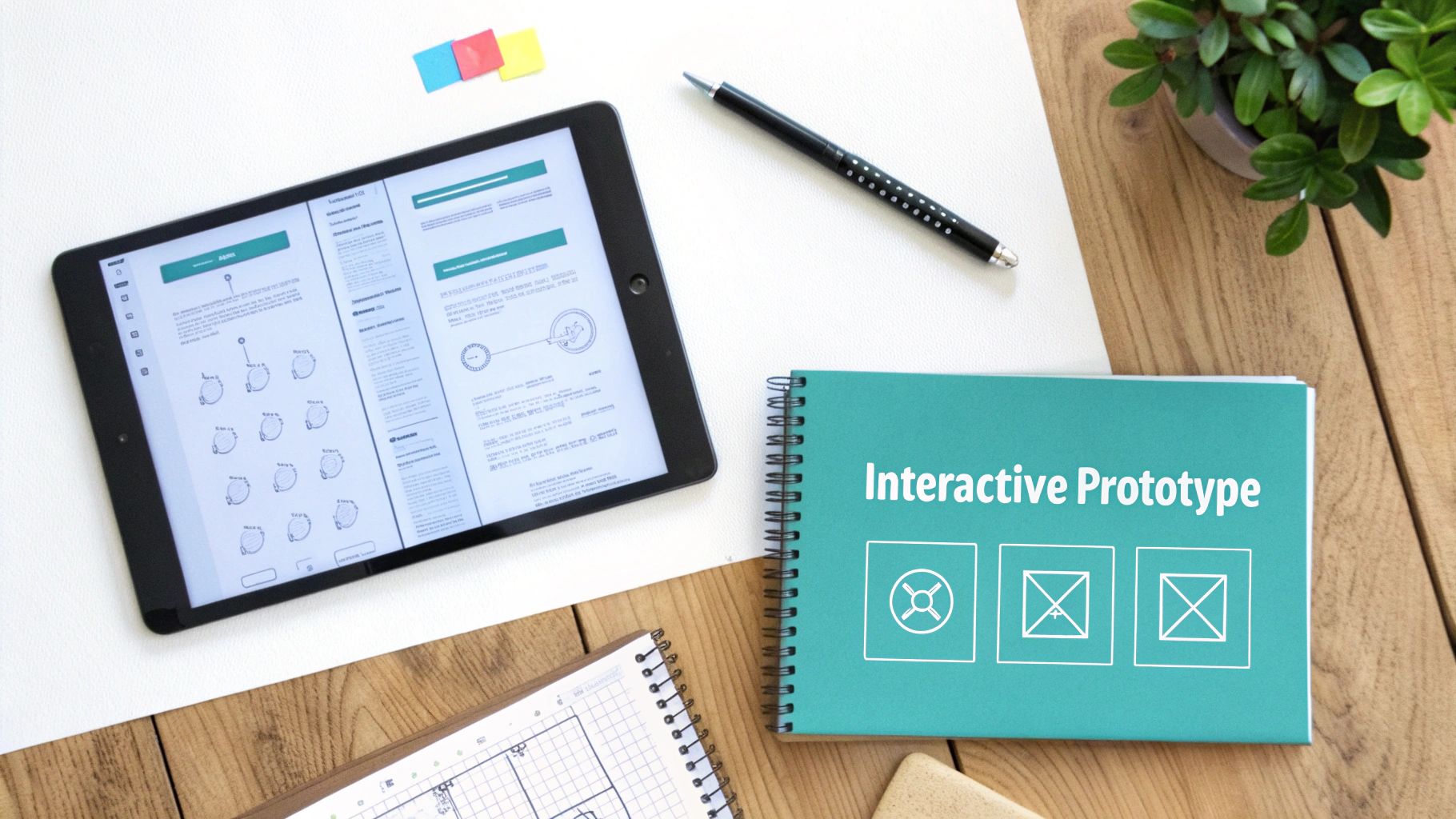
These methods enable rapid iteration and stakeholder alignment, creating a clear vision for developers. Within a Digital Experience Platform (DXP) like Sitecore, a well-tested prototype serves as a direct specification for building components and implementing personalization rules. It ensures the final product not only functions correctly but is also intuitive and engaging, significantly reducing costly post-launch revisions.
Ideal Use Cases
- Sitecore Implementations: An e-commerce business can prototype a new, multi-step checkout flow to test usability and identify friction points before committing development resources in Sitecore Commerce.
- SharePoint Intranets: A large enterprise can create detailed wireframes for a redesigned SharePoint intranet, allowing department heads to review and approve the new information architecture and layout.
- Sitecore Personalization: A marketing team can build an interactive prototype to demonstrate a complex personalization scenario in Sitecore, showing how content adapts to different user segments.
Practical Tips for Implementation
- Start Low-Fidelity: Begin with simple paper sketches or digital wireframes to explore multiple layout concepts quickly without getting bogged down in visual details.
- Align with Platform Capabilities: Design prototypes that reflect the actual component capabilities and constraints of your DXP, whether it's Sitecore's XM Cloud components or SharePoint's web parts.
- Annotate for Clarity: Add notes to your wireframes explaining interaction logic, business rules, and intended behaviors. This provides critical context for developers and stakeholders.
- Use a Design System: Leverage a consistent component library in tools like Figma or Sketch to ensure brand consistency and streamline the transition from prototype to final DXP implementation.
6. Accessibility Testing and Inclusive Design
Accessibility testing and inclusive design are crucial user experience design methods focused on making digital products usable by everyone, regardless of ability. This approach ensures that people with diverse needs, including visual, auditory, motor, and cognitive disabilities, can navigate and interact with your digital experience effectively. It involves both proactive design choices (inclusive design) and retroactive validation against standards like the Web Content Accessibility Guidelines (WCAG).
For enterprises, especially those in the public sector or highly regulated industries, this is not just an ethical imperative but a legal requirement. Implementing robust accessibility in website design is a fundamental user experience design method that broadens your audience and mitigates legal risks. Within a DXP like Sitecore, accessibility must be built into the core templates and components, ensuring that content authors are empowered to maintain compliance as they create and publish new pages.
Ideal Use Cases
- Public Sector Sitecore Implementations: A government agency uses Sitecore to build a public-facing portal that must meet strict WCAG AA standards, ensuring all citizens can access critical information and services.
- Corporate SharePoint Intranets: A large corporation makes its SharePoint employee portal fully accessible so that workers with disabilities can efficiently perform their jobs and access internal resources.
- Educational Institutions on Sitecore: A university leverages Sitecore to create an accessible learning platform, allowing students with diverse needs to fully participate in online courses.
Practical Tips for Implementation
- Start Early: Integrate accessibility into the design process from the very beginning. It is far more costly and complex to fix accessibility issues after development is complete.
- Use Semantic HTML: Ensure your Sitecore and SharePoint templates use proper semantic HTML and a logical heading hierarchy (H1, H2, H3). This is foundational for screen reader compatibility.
- Test with Real Users: Go beyond automated tools like WAVE or Axe. Conduct usability tests with individuals who rely on assistive technologies to uncover real-world challenges.
- Empower Content Authors: Train your marketing and content teams on how to create accessible content within your DXP, including writing descriptive alt text for images and using clear link text.
7. Heatmap and Behavioral Analytics
Heatmap and behavioral analytics are quantitative user experience design methods that visually represent how users interact with your digital platform. These tools track and aggregate user actions like clicks, mouse movements, and scrolling behavior to create intuitive data visualizations. The resulting heatmaps, scroll maps, and session recordings provide a clear, data-driven picture of user engagement, friction points, and areas of high interest.
This method moves beyond assumptions by revealing what users actually do, not just what they say they do. Within a Digital Experience Platform (DXP) like Sitecore, integrating behavioral analytics is essential for continuous optimization. It allows teams to validate design choices, improve content placement, and enhance conversion funnels based on real-world interaction patterns, making it a critical user experience design method for data-informed decision-making.
Ideal Use Cases
- Sitecore Implementations: An e-commerce business can use heatmaps within Sitecore Experience Analytics to see which product images and features users click on most, guiding layout optimizations to improve add-to-cart rates.
- SharePoint Intranets: A large enterprise can analyze scroll maps on key SharePoint communication sites to ensure critical announcements and resources are placed "above the fold" where employees will see them.
- B2B Enterprises on Sitecore: A software company can review session recordings to identify where users struggle in a complex demo request form, highlighting specific fields that cause confusion and abandonment.
Practical Tips for Implementation
- Focus on High-Value Pages: Start your analysis on critical pages like the homepage, key landing pages, and checkout or lead generation funnels to maximize impact.
- Combine with Qualitative Data: Use heatmaps to identify what is happening (e.g., users aren't clicking a key CTA) and follow up with user interviews or surveys to understand the why.
- Segment Your Analysis: Filter data by device type, traffic source, or user segment (e.g., new vs. returning visitors) to uncover more nuanced insights.
- Review Session Recordings: Watch recordings of individual user sessions to gain empathy and witness firsthand the usability issues that aggregated data might miss.
- Respect User Privacy: Always anonymize captured data and ensure your tracking practices comply with privacy regulations like GDPR and CCPA.
8. Design Systems and Component Libraries
Design systems and component libraries are structured user experience design methods that create a single source of truth for design and development. This approach involves building a comprehensive collection of reusable UI components, clear standards, and detailed guidelines that govern how a digital product should look and behave. More than just a style guide, a design system is a living, evolving ecosystem that ensures consistency and accelerates production at scale.
This methodology moves teams away from creating disparate, one-off designs. Instead, it promotes a modular approach where small, independent components are combined to build larger elements and full templates. In enterprise platforms like Sitecore, a design system streamlines the creation of personalized experiences by providing a library of pre-approved, on-brand components that content authors can use with confidence, ensuring a cohesive user journey across all touchpoints.
Ideal Use Cases
- Sitecore Implementations: An enterprise can use Sitecore's Experience Editor with a library of standardized components, allowing marketers to build and personalize pages quickly without deviating from brand guidelines.
- SharePoint Intranets: A large corporation can develop a set of custom SharePoint Framework (SPFx) web parts that adhere to a design system, ensuring all departmental sites maintain a consistent and professional appearance.
- Multi-Brand E-commerce: A retailer managing multiple storefronts on a platform like Sitecore OrderCloud can use a core design system with thematic variations to maintain brand consistency while allowing for unique brand identities.
Practical Tips for Implementation
- Start Small and Scale: Begin by documenting and building your most-used components, such as buttons, form fields, and cards. Expand the system iteratively as new needs arise.
- Establish Clear Governance: Designate owners and define a contribution process. A design system without clear maintenance protocols quickly becomes outdated and untrustworthy.
- Document Everything: For each component, provide clear usage guidelines, do's and don'ts, code snippets, and accessibility notes. This documentation is what turns a component library into a true design system.
- Build for Accessibility: Integrate accessibility standards directly into your components from the start. This ensures compliance is a foundational part of your design process, not an afterthought.
9. A/B Testing and Experimentation
A/B testing is a powerful data-driven user experience design method where two or more versions of a page or component are shown to users at random to determine which one performs better against a specific goal. This experimentation process allows teams to make incremental improvements based on quantitative evidence rather than assumptions, directly impacting conversion rates and user engagement. It is a cornerstone of continuous optimization.
This method moves design decisions from subjective debates to objective, measurable outcomes. In enterprise Digital Experience Platforms (DXPs), this capability is often built-in. For instance, Sitecore Personalize provides robust A/B and multivariate testing tools that enable marketers to optimize everything from headlines and calls-to-action to entire page layouts, ensuring every digital interaction is fine-tuned for maximum impact.
Ideal Use Cases
- E-commerce Optimization: An online retailer uses Sitecore Personalize to test different product page button colors and copy (“Buy Now” vs. “Add to Cart”) to identify the variation that drives the highest add-to-cart rate.
- Corporate Intranets: A company running a SharePoint intranet can A/B test different navigation labels or homepage news layouts to see which version increases employee engagement with key resources.
- Lead Generation Funnels: A B2B technology firm tests variations of a demo request form on their Sitecore site, experimenting with the number of fields to find the optimal balance between lead quality and form completion rates.
Practical Tips for Implementation
- Start with Impact: Focus initial tests on high-traffic pages like the homepage or critical conversion points like checkout flows to see results faster.
- Formulate a Clear Hypothesis: Before launching a test, document what you believe will happen and why. A good hypothesis looks like: "By changing the CTA button color to orange, we believe we will increase clicks by 15% because it will create higher visual contrast."
- Test One Variable: For a standard A/B test, change only one element at a time. This ensures you can attribute any performance difference directly to that single change.
- Run for a Full Business Cycle: Let tests run for at least one to two full weeks to account for variations in user behavior between weekdays and weekends. Don't end a test prematurely.
- Document Everything: Maintain a log of all tests, including your hypothesis, the variations, results, and key learnings to build institutional knowledge and inform future experiments.
10. Modular Content Strategy and Content Modeling
A modular content strategy is an advanced user experience design method that treats content not as static pages but as a collection of independent, reusable components. This approach, paired with content modeling, defines the structure of these components, their relationships, and their metadata. It is the architectural backbone for delivering consistent, personalized, and omnichannel experiences through modern Digital Experience Platforms (DXPs).
Instead of creating monolithic blog posts or landing pages, teams create "chunks" of content like a product description, a testimonial, or a call-to-action button. These chunks can be dynamically assembled and reassembled across different channels. In a platform like Sitecore, this method is fundamental. A content model designed in Sitecore Content Hub allows a single piece of content to be seamlessly deployed to a website, a mobile app, and a digital kiosk, ensuring brand consistency and operational efficiency.
Ideal Use Cases
- Sitecore Implementations: A global financial services firm uses modular content to build a component library of legal disclaimers, product features, and expert bios that can be instantly deployed across dozens of regional websites, ensuring compliance and accuracy.
- SharePoint Intranets: A large manufacturing company designs a content model for project updates, safety alerts, and team announcements in SharePoint, allowing this information to be surfaced on the main portal, in team sites, and via mobile notifications.
- Headless Commerce: An e-commerce brand uses Sitecore OrderCloud with a modular content approach to push product descriptions and promotions to its website, mobile app, and partner retail channels from a single source.
Practical Tips for Implementation
- Conduct a Content Audit: Before building, analyze your existing content to identify recurring patterns and elements that can be turned into reusable components.
- Define Clear Content Types: Create well-defined content models for each component (e.g., "Promo Banner," "Author Bio") without over-engineering them. Focus on the essential fields first.
- Establish Metadata Standards: Implement a robust metadata and tagging strategy. This is crucial for making content discoverable, relatable, and ready for personalization rules in Sitecore.
- Design for Reuse: Ensure each content chunk is self-contained and makes sense on its own. Avoid creating components that are entirely dependent on the context of a single page.
10 UX Design Methods: Comparison
From Method to Mastery: Your Next Steps in Enterprise UX
We've explored a comprehensive toolkit of ten essential user experience design methods, moving from the foundational act of user research to the iterative precision of A/B testing. This journey isn't just about learning definitions; it's about understanding how these individual practices connect to form a powerful, cohesive strategy for creating superior digital experiences. Each method, whether it's the structural clarity of Information Architecture or the empathetic insight from User Journey Mapping, offers a unique lens through which to view and improve your digital platform.
The true value emerges when these methods are not applied in isolation but are woven into the fabric of your development lifecycle, especially within sophisticated enterprise ecosystems. For organizations leveraging platforms like Sitecore, these UX practices are not just beneficial; they are critical. A well-defined Design System, for instance, directly feeds into Sitecore's component-based architecture, ensuring brand consistency and accelerating development. Similarly, a Modular Content Strategy is the bedrock of a successful Sitecore implementation, enabling the personalization and omnichannel content delivery that the platform is renowned for.
From Theory to Tangible Business Impact
Moving from a theoretical understanding of UX to practical mastery is the pivotal step that separates market leaders from the rest. The goal is to cultivate a culture where user-centricity is not an afterthought but the starting point for every project. This means empowering your teams with the right processes and tools, fostering collaboration between marketing, IT, and design, and committing to data-driven decision-making.
Consider the impact on your key business objectives:
- Increased Conversion Rates: By systematically applying Usability Testing and A/B Testing, you can identify and eliminate friction points in critical funnels, directly improving conversions on your Sitecore-powered e-commerce site or lead generation forms.
- Enhanced Employee Productivity: For a SharePoint intranet, applying robust Information Architecture and Accessibility Testing ensures that employees can find information quickly and that all users, regardless of ability, can engage effectively. This reduces frustration and boosts internal efficiency.
- Greater Customer Loyalty: User Journey Mapping and Persona development create a deep, empathetic understanding of your audience. This allows you to leverage Sitecore's personalization engine to deliver content and experiences that are not just relevant but truly resonant, building lasting brand affinity.
Your Actionable Roadmap for UX Integration
Mastering these user experience design methods requires a deliberate and strategic approach. It’s a journey of continuous improvement, not a one-time project. Your next steps should focus on embedding these practices into your daily operations.
Start by assessing your current maturity. Are you conducting regular user research, or are you making assumptions about your audience? Is your content structured for maximum flexibility and reuse within your CMS? Identify one or two high-impact methods from this list that you can begin implementing immediately. Perhaps it’s introducing formal Wireframing and Prototyping before development begins or using Heatmap Analytics to validate your design hypotheses on a key landing page.
The ultimate aim is to create a feedback loop where insights from one method inform the application of another. User testing might reveal flaws in your information architecture, which then leads to a card sorting exercise. Analytics might show a drop-off point on a journey map, prompting an A/B test to find a solution. When these processes become second nature, you unlock the full potential of your DXP, transforming it from a simple content management system into a dynamic engine for growth, engagement, and unparalleled user satisfaction.
Ready to translate these powerful user experience design methods into measurable success on your Sitecore or SharePoint platform? The experts at Kogifi specialize in integrating deep UX expertise with advanced DXP implementations to build digital experiences that deliver real business results. Contact Kogifi today to discover how we can help you build your roadmap to UX mastery.