


You're probably in the middle of a familiar enterprise decision: the site has outgrown its original build, marketing wants faster launches, IT wants fewer moving parts, and nobody wants another platform that looks elegant in demos but turns brittle in production. That's the core web site frameworks problem. It's not “React versus Angular” in a vacuum, it's how the framework choice fits Sitecore Stream, AEM headless delivery, SharePoint intranets, and the operational reality of keeping multinational web estates stable.
Table of Contents
What Website Frameworks Solve for Enterprises
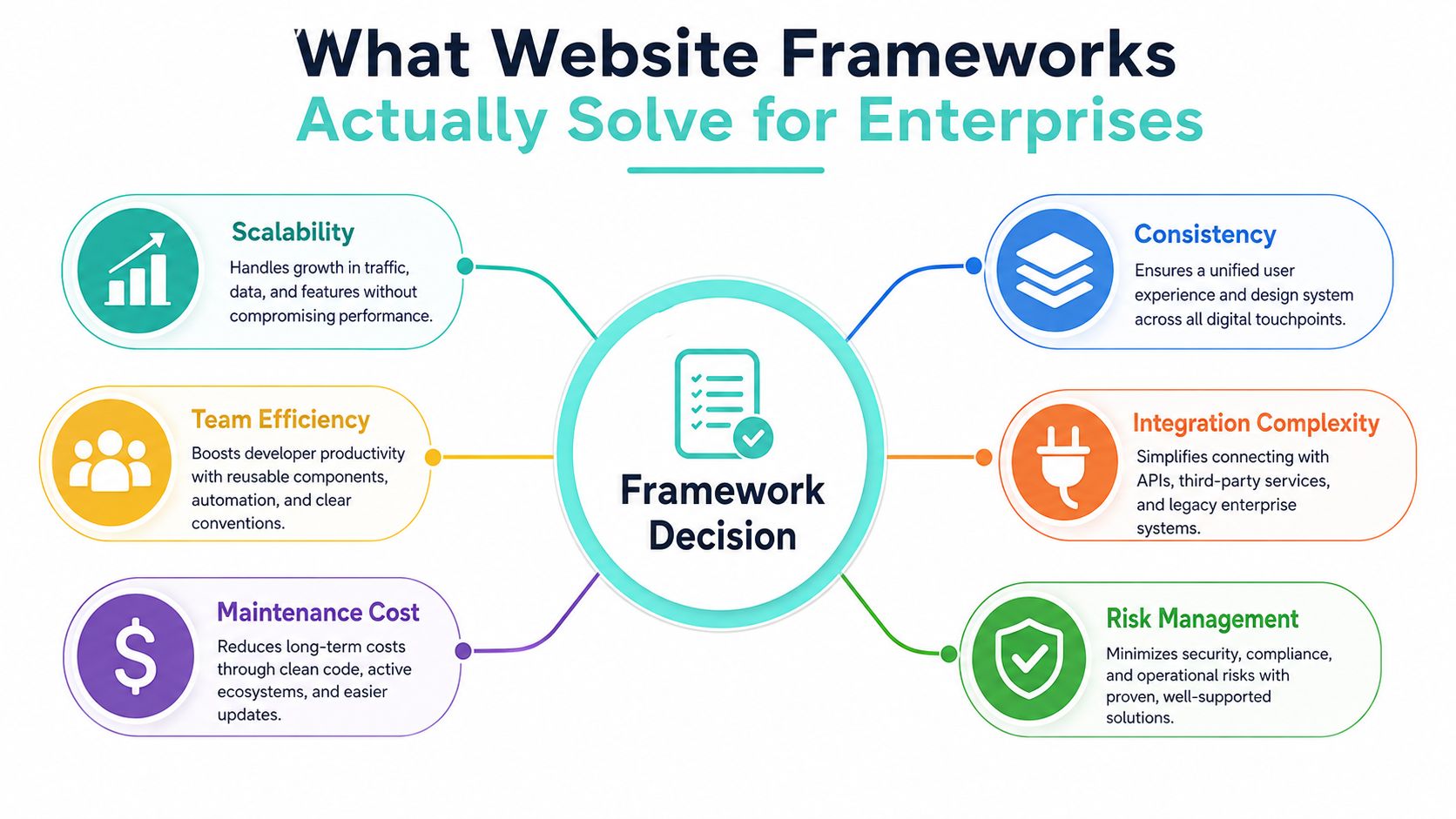
When an enterprise team reaches the point where every new feature needs a routing decision, a content model, an authorization rule, and a release plan, the question stops being “which library do we like?” and becomes “which structure keeps this platform governable?” That is the point where a framework earns its place. MDN's definition of server-side web frameworks is the most useful one for enterprises because it frames them as a layer that packages routing, database access, session handling, authorization, and output formatting into one standardized application structure, which improves maintainability, scalability, and security MDN's server-side web frameworks guidance.
A working definition for enterprise teams
A practical way to think about web site frameworks is to split them into three roles. Server-side frameworks coordinate requests, data, and security controls. Client-side libraries focus on interactive user interface behavior. Full-stack platforms combine rendering patterns, content delivery, and integration hooks so teams can ship marketing sites, portals, and applications from the same operational model.
That distinction matters because enterprises rarely build one-off pages. They build employee portals, multi-brand marketing sites, partner gateways, knowledge hubs, and search-driven applications that share content, identity, analytics, and deployment pipelines. A framework becomes the common grammar that helps teams reuse code, enforce patterns, and reduce the number of custom decisions every squad has to make. A clear definition of the surrounding platform helps here too, which is why it is useful to pair framework thinking with a CMS platform overview when architecture decisions involve content ownership and delivery responsibilities.
Practical rule: if a feature needs shared authentication, repeated templates, or structured content delivery, a framework usually pays for itself faster than a bespoke build.
You can see this pattern in the way teams use ASP.NET for enterprise backends, Node.js services for API layers, and Next.js front ends over headless CMS platforms. The goal is not to worship a specific stack. The goal is to match the architecture to the amount of coordination the business needs, especially when the delivery model has to fit Sitecore XM Cloud, AEM headless, or SharePoint intranet patterns.
Why standardization matters
Standardization is where frameworks create enterprise value that does not show up in a feature checklist. Shared component libraries reduce duplicate implementation. Shared routing conventions make governance easier. Shared security patterns let platform teams centralize controls instead of redoing them in every brand or region.
That is also why the market has settled around JavaScript-based delivery models. In global developer surveys, Node.js and React are the two most-used web frameworks and libraries, with Statista reporting 40.8% usage for Node.js and 39.5% for React in 2024, and Stack Overflow's 2025 survey showing React at 44.7% and Next.js at 20.8% Statista's 2024 framework survey data. For enterprise architects, that is not a fashion statement. It means hiring, code reuse, and shared delivery models are easier when the stack aligns with what developers already know.
The decision is still context-dependent. A framework is a governance tool first and a productivity tool second. If a platform does not need those controls, the extra structure can slow delivery instead of improving it.
Architecture Patterns from Monoliths to Headless
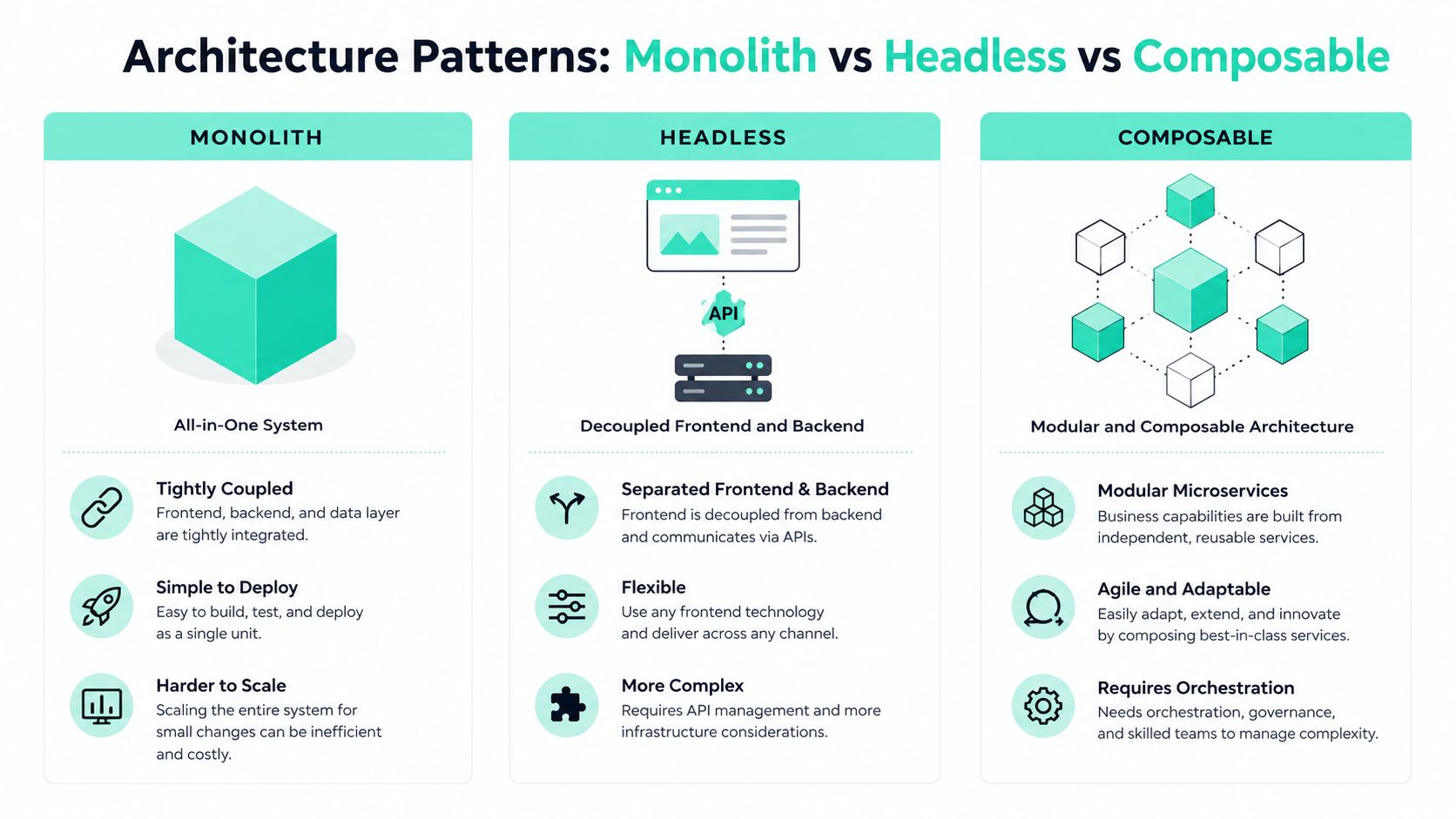
Enterprise web estates rarely switch architecture in one jump. They evolve from coupled systems into partially decoupled ones, then into composable delivery models as teams feel the pain of release coordination, localization, and brand sprawl. That's why the useful comparison isn't just “old versus new,” it's monolith, headless, and composable.
How rendering modes change delivery
Rendering mode shapes both the user experience and the operations model. SSR sends rendered HTML from the server, which helps with fast first paint and content freshness. SSG prebuilds pages at deploy time, which suits content that doesn't change every minute. SPA shifts more interaction into the browser, which works for rich application flows but can add complexity around initial load, routing, and data fetching.
For content teams, the business question is simple. How often does the content change, who updates it, and how much synchronization is needed between backend data and the visible page? A campaign site with scheduled launches can live comfortably in static or hybrid rendering. A portal with user-specific data, personalization, and logged-in workflows usually needs more runtime coordination.
Traditional Sitecore XP fits the monolithic model because presentation, content management, and experience logic sit tightly together. That's convenient when one team owns the whole stack, but it becomes cumbersome when multiple brands need independent release cadence. Sitecore XM Cloud with Next.js moves toward headless and composable delivery, which separates the content layer from the front end and gives teams more freedom to ship interfaces independently. AEM can sit in both worlds, as a full platform or as a headless content source, depending on how much coupling the enterprise wants to keep.
Where Sitecore, AEM, and composable stacks fit
The best architectural choice usually tracks the operating model, not the trend cycle. Large marketing organizations often prefer decoupled presentation because it lets them reuse content across markets without forcing every brand into the same release rhythm. Engineering teams like it because it narrows the blast radius of UI changes. Governance teams like it because it makes component ownership more explicit.
A composable stack works best when the organization can coordinate contracts between content, delivery, analytics, and identity. Without that discipline, it just moves complexity around.
You can also see the runtime trade-offs in benchmarking. TechEmpower's public benchmark suite compares frameworks across plaintext, JSON, and database-backed requests, which makes it useful for thinking about throughput and latency under load TechEmpower's framework benchmarks. That matters because enterprise teams don't just buy developer speed, they buy runtime efficiency. Heavier stacks may need more infrastructure to hit the same responsiveness target.
For more on modular delivery patterns, the architectural principles behind MACH architecture are worth mapping against your current content and integration estate. They're not a magic answer, but they do clarify where decoupling creates operational room.
Enterprise Selection Criteria That Actually Drive the Decision
The shortlist gets easier once the evaluation criteria are concrete. Enterprise teams usually don't fail because they chose the wrong syntax. They fail because the stack can't survive growth, integration complexity, or governance demands once the first few sites go live. A framework should be judged on how well it handles the business conditions around it, not on the appeal of the demo.
A shortlist you can defend in a steering meeting
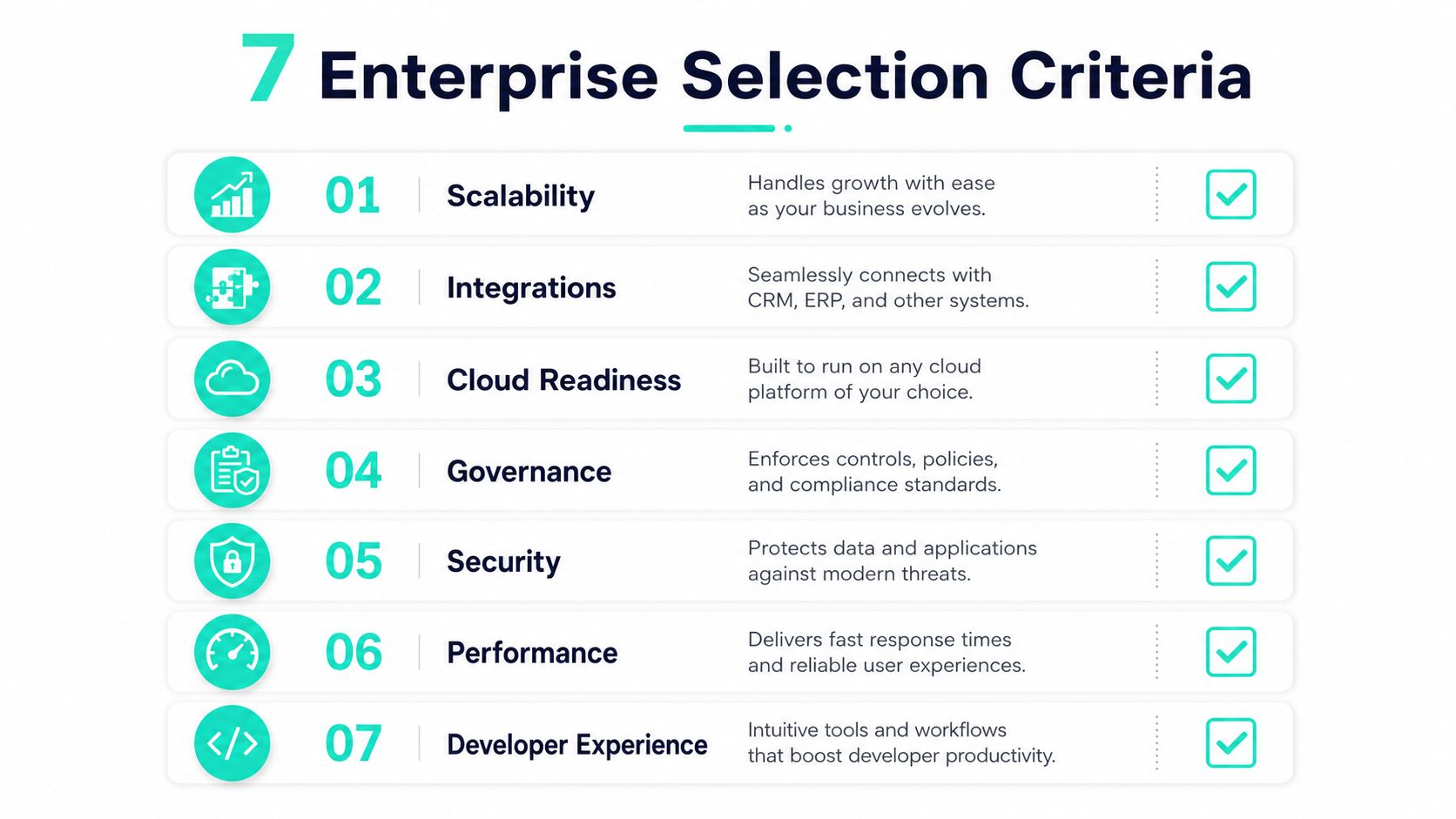
Start with scalability. If the platform has to support multiple brands, regions, or business units, the framework needs to scale in both code and operating model. That usually means reusable components, predictable routing, and a deployment shape that doesn't force every change through the same bottleneck.
Then look at integrations. Enterprise sites rarely stand alone. They connect to CRM, ERP, search, identity, and workflow systems, which is why headless and composable options often win once the integration map becomes dense.
Cloud readiness matters for the same reason. A stack that assumes one hosting pattern can become awkward the moment the organization wants Azure-native deployment, regional rollout control, or lifecycle automation. Microsoft's positioning of SharePoint Online is useful here because it sits inside Microsoft 365 and includes communication sites, team sites, lists, libraries, workflows, and intranet publishing as native building blocks, with integration into Power Automate, Power Apps, and Teams Microsoft's SharePoint Online documentation. That kind of ecosystem fit can matter more than raw flexibility for internal portals.
Criteria that are often ignored
The overlooked criteria are usually the ones that later trigger rework. Governance determines whether teams can reuse components without breaking brand controls. Accessibility determines whether the platform can ship usable interfaces for everyone, not just power users. Localisation decides whether global rollout is graceful or patchy. Performance decides whether the site feels immediate or sluggish under real traffic.
For accessibility and multilingual expectations, WCAG 2.2 is the standard basis most enterprises should anchor on. It defines conformance levels A, AA, and AAA, with AA commonly used as the enterprise target, and adds success criteria that strengthen focus, target size, and dragging alternatives WCAG 2.2 guidance. That matters for complex intranets and public sites that have to serve global audiences and regulated environments.
For platform teams evaluating AI-assisted personalization, Sitecore Stream belongs in the conversation too. Sitecore describes it as an AI orchestration layer across XM Cloud, Content Hub, and CDP/Personalize, embedded in the marketing workflow rather than treated as a separate chatbot feature Sitecore Stream overview. If that workflow integration is missing, personalization tools often become underused add-ons instead of operational capability.
For a structured checklist that helps translate these criteria into a CMS shortlist, the practical process in how to choose a CMS system maps well to enterprise selection workshops.
Matching Frameworks to Sitecore, AEM, and SharePoint Use Cases
The practical way to choose a framework is to start with the work the site has to do. A multi-brand campaign site, a regulated content portal, and an internal knowledge hub all impose different demands on speed, governance, localization, and integration depth. The stack should follow that reality.
| Use Case | Platform | Framework Pairing | Why It Fits |
|---|---|---|---|
| Multi-brand marketing rollout | Sitecore XM Cloud | Next.js front end with headless delivery | Separates presentation from content, supports reusable components, and keeps brand-level release cycles independent. |
| Content-heavy regulated publishing | AEM | Headless or hybrid delivery with tightly governed templates | Preserves editorial control while allowing integration with enterprise services and shared content workflows. |
| Employee portal or policy hub | SharePoint Online | SPFx components with Microsoft 365 integrations | Fits intranet publishing, workflow automation, and collaboration in the same ecosystem. |
| Booking or partner workflow | .NET or Node back end | Framework layer over API-driven services | Useful when identity, booking, and partner integrations need structured routing and security controls. |
| Regional content hub | Sitecore XM Cloud | Next.js with shared component libraries | Works well for hub-and-spoke governance across markets without forcing a monolithic release path. |
| Search-driven portal | AEM or Sitecore | Headless delivery with search and personalization services | Better when content, search, and personalized experiences need to evolve independently. |
The pairing logic that matters
The question is not whether a framework exists. It is whether the framework matches the operating model. SPFx makes sense when the organization already lives inside Microsoft 365 and needs an intranet that combines communication, workflows, and collaboration without forcing users into a separate environment. That makes it a practical fit for bilingual employee portals and policy hubs.
For external sites, Sitecore XM Cloud with Next.js is often the cleaner choice when the enterprise wants shared components, headless content delivery, and cloud-native release control. Marketing teams get enough flexibility to move quickly without turning every campaign page into a one-off build. If AI-driven content operations are part of the brief, Sitecore Stream can sit inside that workflow instead of being bolted on afterward.
That same logic changes once the delivery model is headless. A headless CMS comparison helps teams separate front-end preference from platform fit, especially when AEM or Sitecore is being used as the content layer and the framework only handles presentation.
Rule of thumb: if a page is mostly content but the operating model is tightly coordinated, choose the architecture that improves governance. If the page is highly interactive, choose the one that reduces runtime coupling.
For teams comparing CMS delivery models, a focused headless CMS comparison helps separate front-end preference from platform fit.
Migration Governance and Day-Two Operations
Framework choice only becomes valuable after migration discipline is in place. Most enterprise modernization programs don't fail in the design workshop. They fail during rollout, when component ownership is unclear, performance regressions go unmonitored, or regional teams start bending standards to meet local deadlines.
A reliable migration sequence usually starts with a platform audit, then moves into component rationalization, and only after that into replatforming. On Azure-based programs, automation becomes part of the architecture, not an afterthought. CI/CD lifecycles, environment parity, and repeatable builds matter because they reduce the gap between what was approved and what reaches production.
That is where Helix-based component libraries become useful. They let teams separate foundation, feature, and project layers so shared modules can be reused without dragging every brand into the same implementation path. For multi-brand estates, that structure is what keeps a composable stack from collapsing into ad hoc reuse.
The operational side is just as important. Large estates need audits, performance tuning, and support that doesn't disappear after launch. If the platform is customer-facing or employee-critical, 24/7 SLA-backed support isn't a luxury. It's part of the operating model that keeps service levels intact when integrations break or traffic patterns shift.
Kogifi's work sits in that migration and operations layer across Sitecore, AEM, and SharePoint estates, including cloud-native replatforming, upgrades, stability work, and managed support. That kind of delivery matters because architecture decisions become measurable only when the platform survives day two without heroics.
When Not to Use a Framework at All
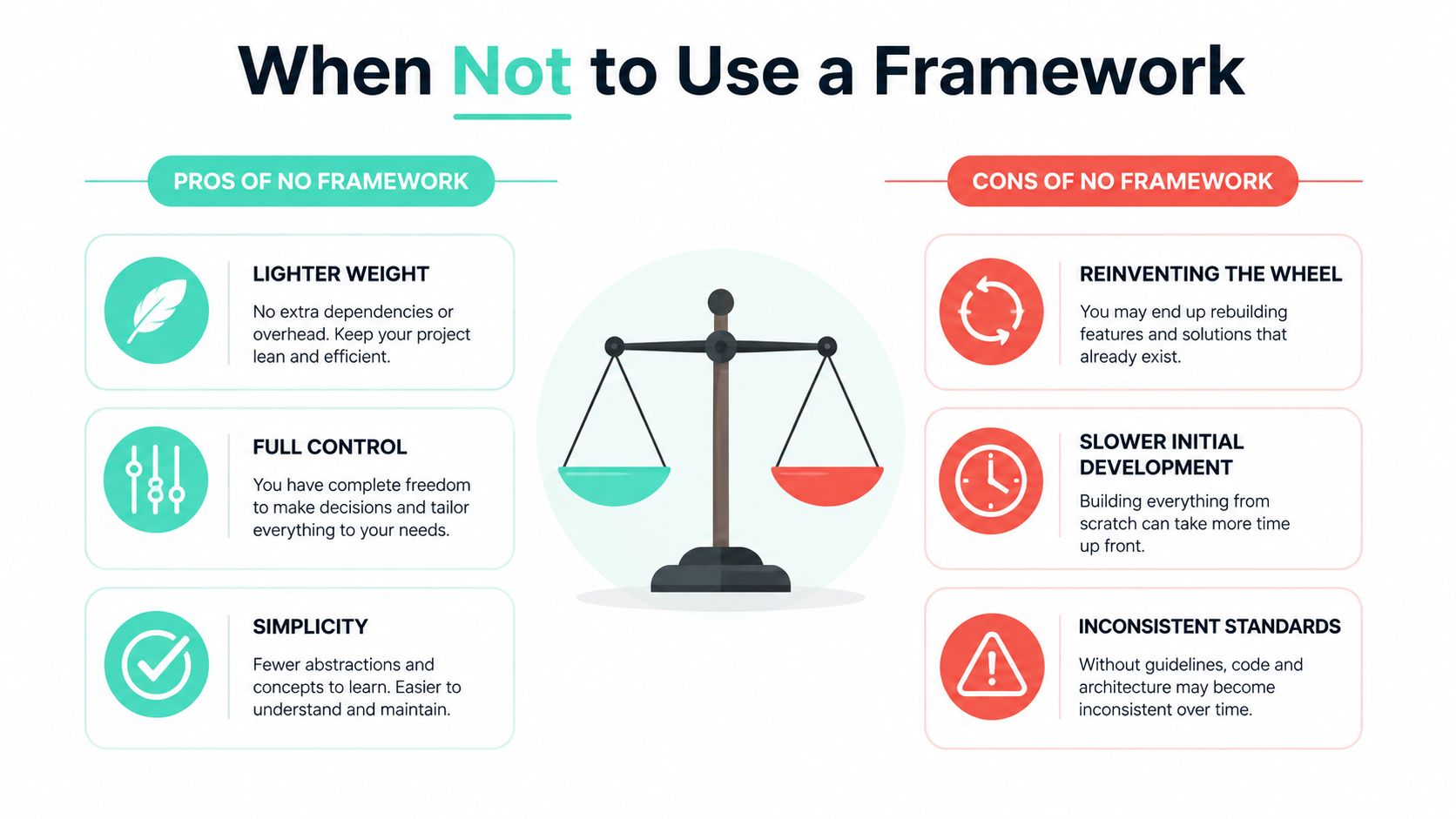
A lot of enterprise sites are overbuilt because teams start with tool preference instead of content complexity. A marketing site with strong editorial structure, a documentation portal, or a simple intranet directory often doesn't need a heavy framework. Semantic HTML, modern CSS, and a small amount of JavaScript can be enough, and they can be easier to maintain than a full component runtime.
The argument for restraint shows up clearly in framework-agnostic design-system thinking and the underengineer mindset. Content-heavy sites often benefit from stable layouts, clean headings, and machine-readable structure more than from elaborate client-side behavior. That also lines up with recent agent-friendly web guidance, which emphasizes semantic HTML, stable layout, avoiding ghost elements, and preserving a solid accessibility tree so both humans and AI agents can move through the site reliably.
Practical rule: if the page doesn't synchronize state across users or devices, don't add framework overhead just to feel modern.
That doesn't mean frameworks are wrong. It means the architecture should match the content. Intranet pages with straightforward publishing needs may work better with light templates than with a full front-end framework, especially when the cost of governance outweighs the value of interactivity. The same logic applies to documentation, policy pages, and static campaign content where SEO and accessibility matter more than client-side state.
A useful test is this. If the team can describe the user journey without mentioning live data synchronization, drag-and-drop interfaces, or complex auth flows, a framework may be optional. If the team can't, the stack probably needs more structure than raw HTML alone can provide.
Choosing the Right Framework Stack in Practice
The safest way to choose a stack is to answer five questions in order. How complex is the site. How many teams will touch it. How deep are the integrations. What compliance or accessibility expectations apply. And how hard is the cloud and governance model allowed to be.
If the answer points to a multi-brand marketing estate with shared design rules and ongoing personalization, Sitecore XM Cloud with Next.js is usually the clearest fit. It supports composable delivery, gives teams more release independence, and aligns well with the AI orchestration model described in Sitecore Stream. If the content model is more editorial and governed, AEM often makes more sense, especially where content operations and experience delivery are tightly managed.
For intranets, SharePoint Online with SPFx remains a practical choice when the organization already lives in Microsoft 365 and wants communication sites, team sites, lists, libraries, and workflows in one environment. That setup works particularly well for employee portals, bilingual knowledge hubs, and policy systems where collaboration is part of the experience, not an add-on.
The main mistake is treating framework selection as a universal upgrade. Sometimes the right answer is a lighter stack with semantic HTML, modern CSS, and a little JavaScript. Sometimes the right answer is a full composable platform with reusable components, governance, and managed integrations. The right choice is the one that fits the operating reality, not the one that looks newest in a conference demo.
If you're planning a Sitecore, AEM, or SharePoint modernization and want an architecture that fits your content model, governance needs, and release cadence, Kogifi builds and supports those platforms across migration, delivery, and operations. Visit Kogifi to discuss the framework stack that matches your enterprise roadmap.