


The real difference between wireframes and prototypes boils down to two things: purpose and fidelity. A wireframe is a low-fidelity, static blueprint that’s all about structure and user flow. A prototype, on the other hand, is a high-fidelity, interactive simulation built to test the actual user experience.
Think of it this way: a wireframe is the architectural plan for a house, while a prototype is the fully staged model home. Both are critical for building something great, but they play completely different roles in the process.
Understanding The Core Difference
This isn't just a matter of semantics. For complex enterprise projects on platforms like Sitecore or SharePoint, treating wireframes and prototypes as distinct, sequential steps is a strategic necessity. Getting this right from the start prevents expensive rework down the line, keeps stakeholders aligned, and ensures the final digital experience platform (DXP) actually hits its business goals. Projects that properly sequence these two stages see huge gains in efficiency and better final outcomes.
From Blueprint to Simulation
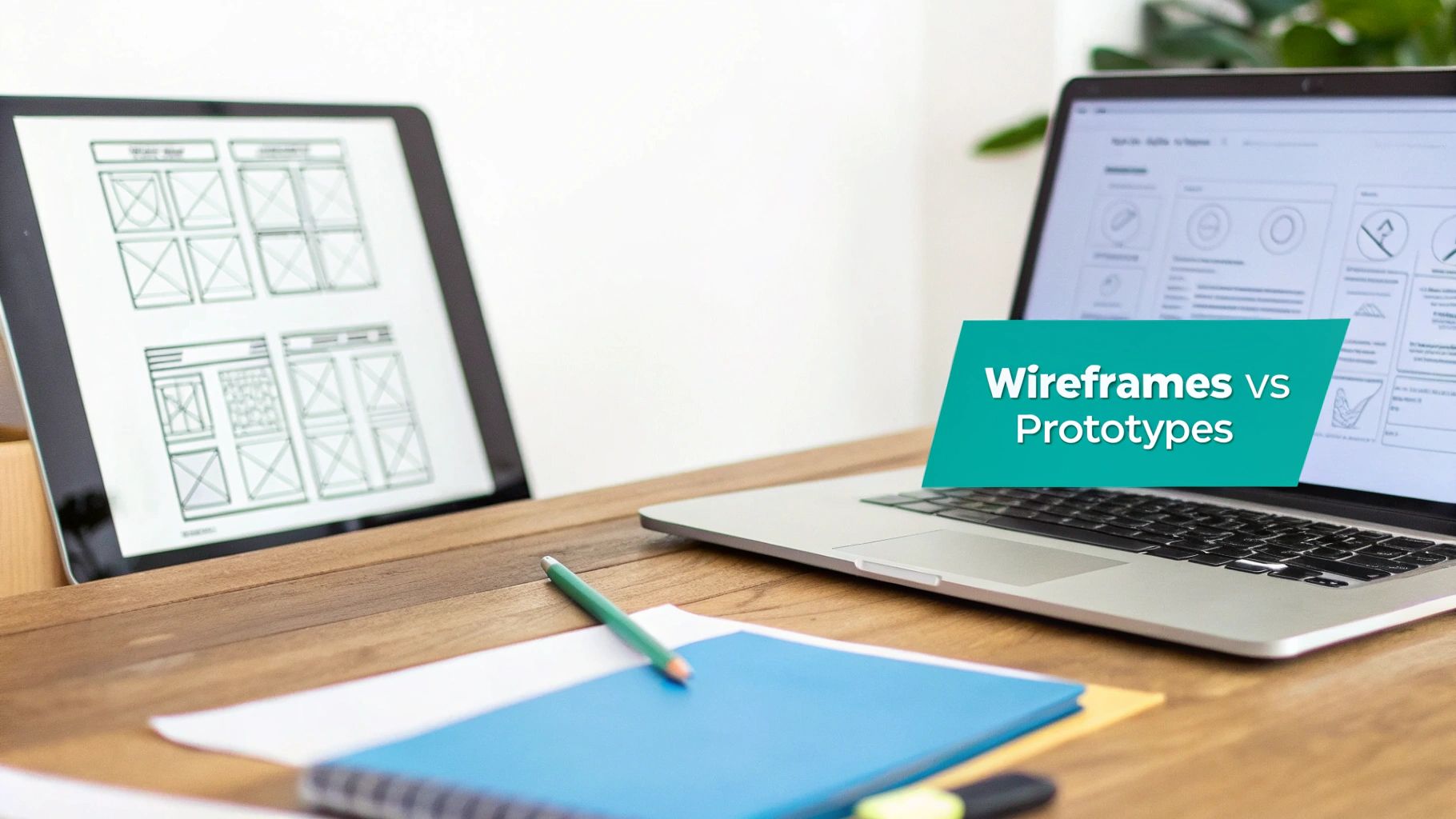
A wireframe is the skeleton of your digital presence. It's a deliberately simple, often black-and-white layout that maps out where key elements like navigation, content blocks, and calls-to-action will go. The point isn't to look pretty; it's to force foundational decisions about information architecture and functionality. For a Sitecore project, this is where you'd define the component structure for key pages or map out content relationships in a SharePoint intranet. Many different user experience design methods rely on this essential first step.
In contrast, a prototype breathes life into that static structure. It’s an interactive model that simulates how a real person will engage with the final product. Prototypes bring in branding, visual design, and clickable elements, letting teams test usability and fine-tune interactions long before a single line of code is written. This is indispensable when you're planning advanced features, like showing how Sitecore's AI-driven personalization will adapt content for different user segments.
At its core, the conversation is about sequential validation. A wireframe validates the strategic question, "Are we building the right thing?" while a prototype validates the tactical question, "Are we building the thing right?"
For enterprise projects, making this distinction clear to stakeholders is half the battle. A quick comparison table can help everyone get on the same page, aligning expectations about what each deliverable is meant to achieve.
At a Glance Comparing Blueprints and Simulations
This clear separation helps teams gather the right kind of feedback at the right time, preventing conversations about button colors during a structural review.
The data backs this up. The interplay of wireframing and prototyping has had a massive impact on enterprise digital projects, with prototyping linked to significant reductions in design rework. The market for these design tools is booming, projected to hit $2,500 million in 2025, because the vast majority of high-performing teams now require both to get the best results. You can find more stats on the impact of modern design processes on ProductPlan.com.
How Wireframes Define DXP Architecture and Strategy
In big enterprise projects, especially those built on a sophisticated Digital Experience Platform (DXP) like Sitecore, wireframes are much more than just simple sketches. Think of them as the strategic blueprints that map out the entire digital architecture before a single dollar is spent on visual design or development. Their main job is to turn complex business requirements into a tangible, structural plan.
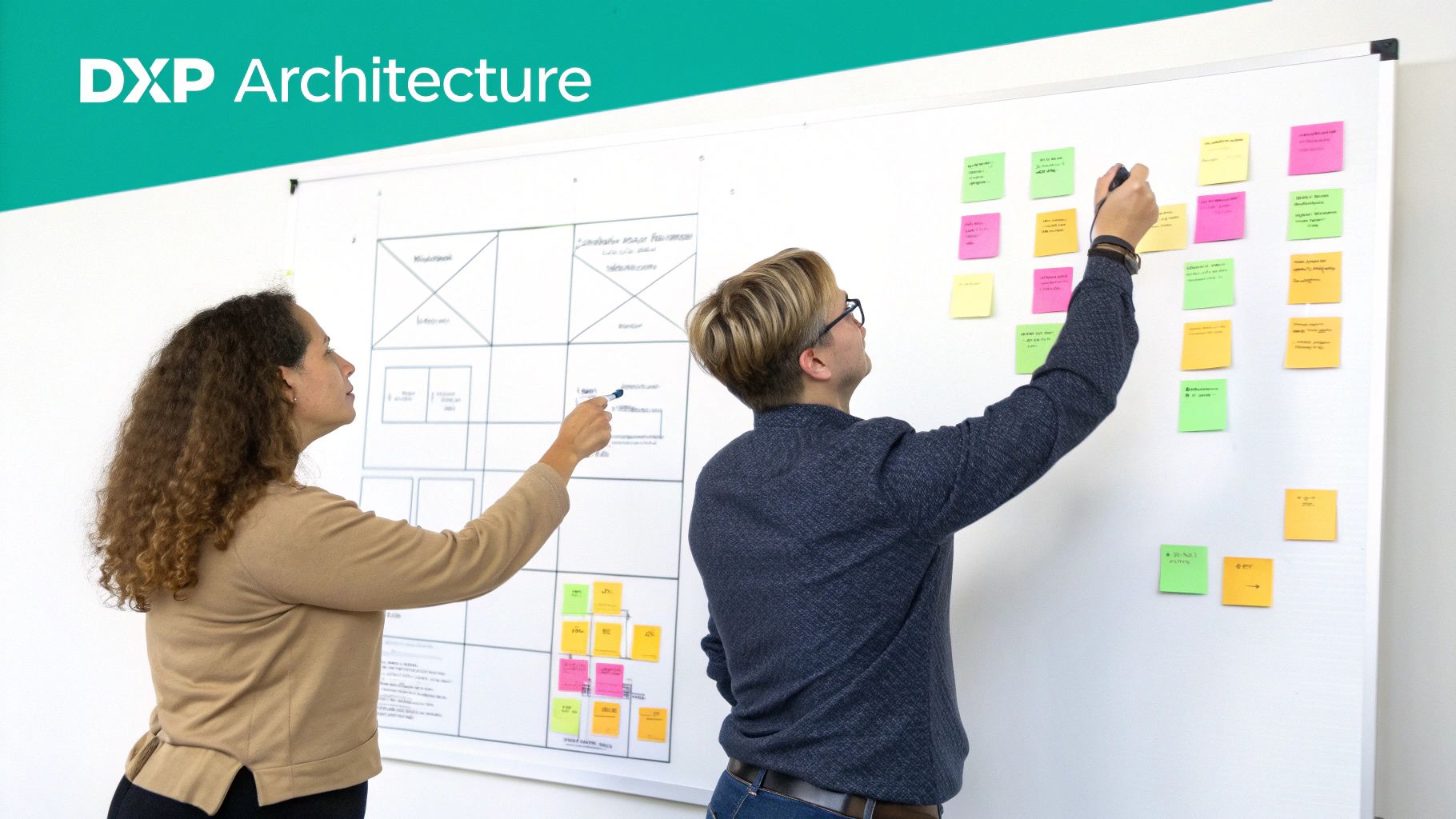
This foundational stage is all about asking the tough questions upfront. Where will content live? How will users navigate between different sections? What components do we need to support the marketing team's personalization goals? Wireframing forces these conversations early on, making sure IT, marketing, and business leaders are all on the same page.
Mapping The Information Architecture
At its core, creating a wireframe for a Sitecore or SharePoint solution is an exercise in information architecture (IA). It visualizes the content hierarchy and maps out the relationships between different pieces of information. For a global company using Sitecore, a wireframe might detail a complex, multilingual navigation system, showing exactly how regional sites connect back to a central corporate hub.
This process is absolutely critical for establishing clear user journeys. By laying out the path from a landing page all the way to a conversion goal, teams can spot potential roadblocks or confusing navigation patterns long before they become a problem. Getting the IA right in the wireframe stage prevents the costly mistake of building a beautiful website that's impossible for users to actually use. You can discover more about this foundational work by reading our guide on the crucial project discovery phase.
Defining Content Models and Composable DXP Layouts
For a modern, composable DXP, wireframes are essential for defining the underlying content model. Every single block in a wireframe corresponds to a potential component that content authors will eventually use. This process directly informs how developers will build out the content management system.
For instance, a wireframe for a product detail page might break down the layout into distinct components for:
- A product image gallery
- Technical specifications
- User reviews and ratings
- AI-driven personalized recommendations from Sitecore Search
By defining these components in a low-fidelity format, the team agrees on the necessary building blocks without getting sidetracked by visual aesthetics. This ensures the final CMS gives content editors the flexibility they need while still maintaining brand consistency. This is the stage where the "what" and "where" get locked in before any serious investment is made.
A wireframe’s true value in a DXP context lies in its ability to de-risk the project. It provides a low-cost, high-impact tool for securing stakeholder buy-in on core functionality, preventing scope creep that can derail enterprise-level implementations.
Securing Stakeholder Buy-In and Preventing Scope Creep
Presenting a wireframe to stakeholders is a totally different ballgame than showing them a polished design. The intentionally basic look keeps the conversation focused on structure and function. Stakeholders are prompted to ask strategic questions like, “Is this the right information for this page?” or “Does this user flow actually make sense for our customers?”
This early alignment is a project manager’s best defense against scope creep. Once everyone agrees on the blueprint, it becomes much harder for new, unplanned features to sneak in later. At the wireframe stage, changes are cheap and fast—often just a matter of moving a few boxes around. In contrast, making that same change after development has started can lead to massive budget overruns and timeline delays.
Ultimately, wireframes serve as the signed-off architectural plan. For a SharePoint intranet project, this might be the final agreement on a departmental site structure. For a Sitecore e-commerce site, it’s the consensus on the checkout process flow. This shared understanding provides a solid foundation, ensuring the project moves forward with clarity, purpose, and a much higher chance of success.
How Prototypes Validate The User Experience
While wireframes lay out the architectural blueprint, prototypes are what breathe life into that static structure. They shift the conversation from "what goes where" to "how it feels to use." This is where abstract plans become tangible, interactive simulations, letting teams test, validate, and fine-tune the user journey long before a single line of code is written.
Interactive prototypes are invaluable for checking complex workflows and user interactions. Instead of just describing how a feature should work, you can actually show it. This is a game-changer for enterprise platforms like Sitecore, where the success of a project often hangs on sophisticated, dynamic functionality.
With a prototype, teams can pinpoint friction points, spot usability issues, and gather the kind of qualitative feedback a static wireframe could never provide. Think of it as a powerful de-risking tool, ensuring the final product not only works correctly but also genuinely meets user needs.
Simulating AI-Driven Personalization in Sitecore
The real magic of high-fidelity prototypes shines when you're trying to validate advanced features, like those in the Sitecore product family. Take Sitecore's AI capabilities, for instance, which dynamically change content based on user behavior. A wireframe can show a box labeled "personalized content," but it can't convey the experience.
A high-fidelity prototype can. By creating different states or scenarios, a prototype can simulate a personalized journey, giving stakeholders a real taste of the platform from multiple user perspectives.
For example, a prototype could demonstrate:
- How a first-time visitor sees a generic homepage hero banner.
- How a returning user who previously looked at specific products is greeted with a tailored offer from Sitecore Personalize.
- How Sitecore Search's AI-driven recommendation engine suggests relevant articles or products based on their browsing history.
This simulation makes the investment tangible for business leaders. They can see and feel how Sitecore AI will drive engagement, which helps secure buy-in for features that are otherwise hard to grasp. It turns a technical capability into a demonstrable business win.
Testing and De-Risking Critical User Flows
Every enterprise website or SharePoint intranet has critical user flows where failure is not an option. This could be anything from an e-commerce checkout process to a multi-step registration form or a document approval workflow. Prototypes are the perfect tool for stress-testing these high-stakes interactions.
Prototypes act as a rehearsal for the final user experience. They allow you to find and fix usability problems when the cost of change is low, directly preventing post-launch issues that could impact revenue or user adoption.
Imagine launching a new e-commerce site on Sitecore, only to find out that users are abandoning their carts at an alarming rate. A clickable prototype could have flagged the confusing step in the checkout process way back in the design phase, saving thousands in lost sales and emergency dev costs. To do this effectively, understanding the nuances of prototyping is key to spotting these friction points early.
Choosing the Right Fidelity for the Task
Prototypes aren't a one-size-fits-all tool; they exist on a spectrum of fidelity. Picking the right level is crucial for efficient validation, because not every test requires a pixel-perfect, fully interactive model.
- Low-Fidelity Clickable Prototypes: These are often built right on top of wireframes by adding basic links between screens. They're perfect for testing core navigation and the overall user flow without the distraction of visual design.
- High-Fidelity Interactive Prototypes: These are detailed, polished simulations that look and feel like the final product, complete with branding, animations, and micro-interactions. They are essential for final stakeholder reviews and formal usability testing where you need to assess the complete user experience.
By matching the prototype's fidelity to the kind of feedback you're after, you can make the whole design process much smoother. You can find more detailed guidance on this testing phase in our guide on how to conduct usability testing. In the end, whether you go with low or high fidelity, prototypes ensure the final product isn't just built correctly—it's the correct build for your users.
Comparing Fidelity, Purpose, and Project Impact
Moving from a wireframe to a prototype isn't just a step in the process; it's a fundamental shift in focus from proving the architecture to validating the experience. Both are absolutely critical design artifacts, but their differences in detail, function, and creation speed directly impact your project's timeline, budget, and the kind of feedback you'll get back.
Knowing when to use which is essential, especially when you're building on complex platforms like a Sitecore DXP or SharePoint.
Fidelity: From Blueprint to Reality
The magic of a wireframe is in its simplicity. Its low fidelity is a feature, not a bug. By deliberately leaving out visual details like colors, fonts, and branding, it forces everyone—from stakeholders to developers—to focus squarely on structure, layout, and function. This skeletal view is quick to create and even quicker to change, making it the perfect tool for early-stage brainstorming and hammering out the core logic.
A prototype, on the other hand, is all about realism. Its high-fidelity nature is meant to mimic the final product as closely as possible. It’s packed with rich UI, branding, and micro-interactions to create a tangible, immersive experience. This level of detail is non-negotiable for serious usability testing and getting that final green light from stakeholders, but it naturally requires more time and resources to get right.
Purpose: Structure Versus Interaction
The main job of a wireframe is to answer big, strategic questions. Is the information architecture sound? Are the user flows logical? Where do the essential components need to live on the page? When we're working with a composable DXP like Sitecore, we use wireframes to map out the content models for components, ensuring the back-end structure will perfectly support what the front-end needs to do.
Prototypes tackle the more tactical questions around usability and feel. They aren't about what’s on the page; they’re about how it behaves when a user touches it. A high-fidelity prototype can show exactly how a dynamic search filter works in real-time or let a user feel what a personalized content journey powered by Sitecore AI is like.
A wireframe is a conversation about logic and layout, focused on building the right foundation. A prototype is a conversation about emotion and usability, focused on refining the final experience.
This infographic captures the validation loop that prototypes make possible, centering on testing, refining, and de-risking the final product before a single line of code is written.
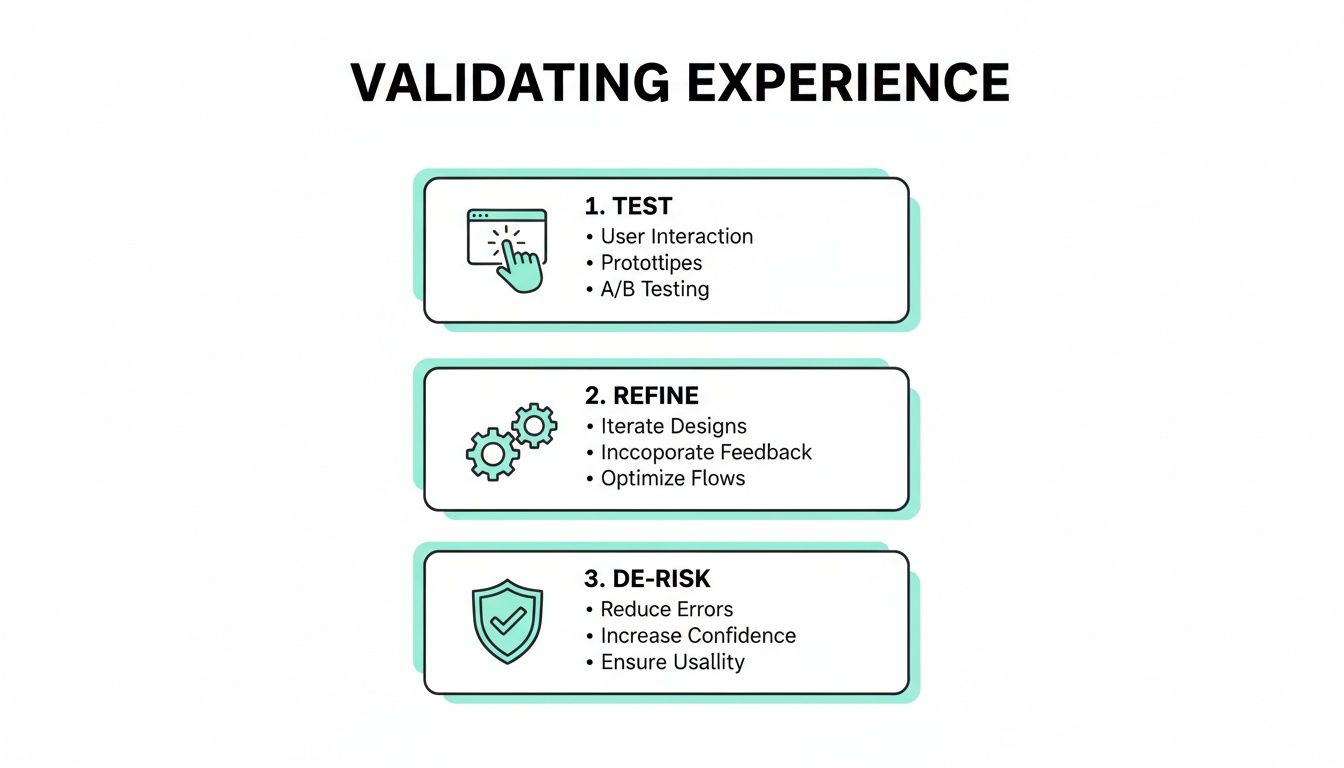
This process is invaluable. Interactive simulations let teams catch usability problems early, fine-tune interactions based on real human feedback, and dramatically reduce the risk of launching a product that misses the mark with users.
To make the distinctions even clearer, let's break down how each artifact functions across different stages of a project.
Detailed Breakdown of Roles in the Project Lifecycle
This table shows that wireframes and prototypes aren't interchangeable—they're complementary tools used at different times to answer very different questions.
Tools, Speed, and Cost Considerations
The tools of the trade for each artifact reflect their different jobs. For rapid wireframing, a platform like Balsamiq is fantastic because it actively encourages low-fidelity thinking. The whole point is to get ideas down fast, not create a masterpiece. This speed directly translates to lower costs, as you can hash out major structural changes in a single meeting.
For high-fidelity prototyping, you need the power of tools like Figma or Adobe XD. They give designers the ability to build the detailed, interactive simulations needed to accurately represent a modern DXP. Creating a prototype that properly simulates Sitecore's dynamic personalization is a real investment, but it's one that pays for itself. In fact, teams that bring prototyping into their UX process early often see huge efficiency gains. Some studies even show a 50% reduction in design-related rework compared to teams that stick with static wireframes. You can dig into these findings by exploring insights on the design process.
Soliciting the Right Feedback at the Right Time
Maybe the most important difference between the two is the kind of feedback they're designed to elicit. Showing the wrong artifact at the wrong stage of a project is a recipe for unproductive feedback and frustrating delays.
Feedback for Wireframes:
- Focus: Functionality, content hierarchy, user flow, and layout.
- Questions to Ask: "Is all the necessary information present on this page?" "Does this navigation structure make sense?" "Have we missed any critical steps in this process?"
Feedback for Prototypes:
- Focus: Usability, interaction design, visual appeal, and overall feel.
- Questions to Ask: "Was this task easy to complete?" "Did that animation feel intuitive?" "Does the design align with our brand identity?"
By keeping these feedback loops separate, teams can make sure they get clear, actionable input at every stage. Wireframes lock down the strategic "what," while prototypes fine-tune the tactical "how." It's a proven path from a rough concept to a successful launch.
Integrating Both into Your Enterprise Project Workflow
Successfully creating a digital experience on platforms like Sitecore or SharePoint isn’t about choosing wireframes or prototypes; it’s about sequencing them correctly. Think of them as complementary stages that build on each other, turning abstract strategy into a tangible, testable reality. This process ensures every decision is validated at the right time, from component architecture to the final user interaction.
The journey starts with collaborative wireframing sessions. These workshops are the strategic heart of a Sitecore project, bringing together stakeholders, content strategists, and UX architects. The goal here is to define the foundational elements of the DXP, mapping out everything from content models to the structure of personalized components long before anyone even thinks about visual design.
Phase 1: Wireframing for Structural and Content Strategy
This first phase is all about the blueprint. For a SharePoint intranet, wireframing workshops focus on defining site hierarchies, document library structures, and crucial team collaboration workflows. When working with a Sitecore DXP, the emphasis shifts to establishing a composable architecture.
During this stage, teams use low-fidelity wireframes to:
- Define Component Architecture: Map out the library of components that content authors will use, like hero banners, product grids, and call-to-action blocks.
- Establish Content Strategy: Visualize the information hierarchy on key pages, making sure the content flow supports both business goals and user needs.
- Secure Structural Approval: Get consensus from stakeholders on the layout and functionality before sinking money into costly design and development cycles.
This structural approval is a critical checkpoint. It ensures the strategic foundation is solid, preventing major rework later in the project. Understanding where wireframes and prototypes fit within broader website development processes is key to getting this right.
Phase 2: Transitioning to Prototyping for Experience Validation
Once the structural wireframes get the green light, the project moves smoothly into the prototyping phase. This is where the static blueprint comes to life. Designers apply visual branding, typography, and imagery to create a high-fidelity, interactive simulation of the final user experience.
This stage is non-negotiable for testing critical user journeys. For example, a prototype can simulate a multi-step checkout form on a Sitecore Commerce site or demonstrate how AI-driven personalization adapts content for different user segments. It allows stakeholders to actually click through the experience, providing feedback on usability and interaction rather than just structure.
The shift from wireframes to prototypes marks the transition from validating the plan to validating the experience. It allows teams to test critical interactions and user flows in a realistic environment, de-risking the development phase.
The value of this transition is well-documented. A notable shift in UX design practices happened as powerful prototyping tools became widespread. Teams that adopted this model reported significantly higher user satisfaction scores and far fewer post-launch issues compared to those sticking to wireframe-centric workflows.
This integrated approach is simply a smarter way for enterprise teams to work. Wireframes get you quick, low-cost approval on the foundational architecture. Prototypes are then used for formal usability testing and final stakeholder sign-off. This two-phase system cuts down on rework, accelerates time-to-market, and ensures the final digital product is both strategically sound and exceptionally usable. You can see how this fits into the bigger picture in our guide to creating a software implementation project plan.
Choosing The Right Method for Your Business Goals
Thinking about wireframes vs. prototypes isn't a simple choice of one over the other. It’s about being strategic. The right method always depends on the challenge at hand, and your project's complexity, audience, and risk should guide your decision. A blanket "just use both" approach is a waste of resources. The real key to maximizing your DXP investment is tailoring the design process to hit specific business goals.
Your choice should tie directly back to your platform and the scope of the project. Imagine you're redesigning a straightforward internal SharePoint site. The main goal is probably just to get department heads to sign off on structural changes. In that case, quick, low-fidelity wireframes are usually all you need to confirm the information architecture and user flows, saving everyone time and money.
Aligning Fidelity with Project Risk
Now, let's raise the stakes. You're building a flagship customer-facing website on Sitecore and implementing sophisticated features like AI-driven personalization. The user experience is suddenly incredibly complex and dynamic. A static wireframe just can't communicate the value or test the usability of a journey that's supposed to change for every single user. It falls flat.
In this scenario, a high-fidelity prototype becomes essential for two critical reasons:
- Validating Complex Experiences: It lets stakeholders actually see and interact with a simulated personalized journey. This makes the abstract power of Sitecore's AI feel real and tangible.
- Securing Executive Buy-in: Nothing justifies a big investment in advanced DXP capabilities like a realistic, interactive model. It clearly demonstrates the business value and de-risks the entire project before a single line of code is written.
For enterprise-level DXP projects, the decision is pretty clear. If a feature is high-risk, high-investment, or customer-facing—especially if it involves personalization or complex transactions—a high-fidelity prototype is a must. For low-risk, internal, or purely structural updates, wireframes are the faster, more cost-effective path.
Your Strategic Decision Framework
Ultimately, let a clear framework guide your decision. Before you commit to a design deliverable, think through these factors.
When to Prioritize Wireframes:
- Project Type: Internal SharePoint intranet updates, site reorganizations, or early-stage concept validation.
- Goal: To get quick agreement on layout, content hierarchy, and basic functionality.
- Audience: Internal teams and stakeholders who are already familiar with the project's core objectives.
When to Invest in Prototypes:
- Project Type: New customer-facing Sitecore DXP launches, e-commerce checkout flows, or rolling out Sitecore AI personalization.
- Goal: To test usability with real users, validate complex interactions, and show the end-user experience for final approval.
- Audience: Executive decision-makers, external user testing groups, and development teams who need exact specifications.
Working with a strategic partner can help you navigate this decision, making sure the design methods you choose directly support your digital transformation goals and deliver the best possible return on your technology investment.
Frequently Asked Questions
When you're deep in an enterprise digital project, telling the difference between wireframes and prototypes isn't just academic—it's critical. Here are a few common questions we hear, especially when dealing with powerful DXPs like Sitecore and SharePoint.
Can We Skip Wireframes and Go Straight to Prototypes?
It's tempting to think you can save time by jumping straight to a prototype, but for complex Sitecore or SharePoint projects, it's a risky shortcut. Wireframes are your blueprint; they force everyone to agree on the core structure and functionality before visual design enters the picture and muddies the waters.
Skipping this step often means you'll discover fundamental structural problems much later in the game. When that happens, you’re looking at significant rework, which blows up your budget and pushes back your timeline. It's a classic case of "go slow now to go fast later."
How Does Sitecore AI Personalization Affect Prototyping?
When you bring Sitecore’s AI into the mix, a high-fidelity prototype isn't just nice to have—it's essential. A static wireframe can't possibly show how the user experience will shift and adapt based on real-time user data and behavior.
A smart prototype, however, can simulate those personalized journeys. It lets you demonstrate the real power of AI to stakeholders and, just as importantly, allows your team to test and iron out the kinks in those complex user paths. You get to validate the entire personalization strategy before a single line of code is written, ensuring the final experience is as relevant as you planned.
The core difference in feedback between wireframes vs prototypes is simple. Wireframes validate structure ('Are we building the right thing?'), while prototypes validate usability ('Are we building the thing right?'). Both are critical at the appropriate project stage.
Do We Need an Interactive Prototype for SharePoint?
It really depends on how you're using SharePoint. If you're building a straightforward intranet for document storage and static content, a set of clear, low-fidelity wireframes will probably do the job just fine. They're perfect for getting sign-off on the site structure and basic layout.
But the moment your SharePoint solution involves custom web parts, complex approval workflows, or heavy user interaction, an interactive prototype becomes invaluable. It’s the only way to truly validate the usability of those custom features and make sure people will actually adopt them. A good prototype gives users a tangible model to click through, helping you refine information flows and task completion before you commit to the development effort.
At Kogifi, we help enterprises choose the right design methodologies to maximize their DXP investment. Discover our approach to building world-class digital experiences.